1
nRF51822 Evaluation Kit User Guide v1.2
Compile, program, and run the heart rate monitor demo
Note: The Development Dongle must be unplugged during these steps.
1. Locate the Heart Rate demo project found under <keil path>
\ARM\Device\Nordic\nrf51822\board\PCA10001\ble\ble_app_hrs\arm.
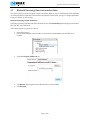
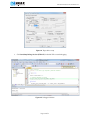
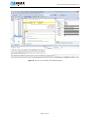
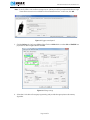
2. Open the Heart Rate demo project in Keil μVision by double clicking the ble_app_hrs.uvproj file.
3. Click the Build icon or press F7 to build the project.
4. Ensure that Evaluation board PCA10001 is the only module connected to your computer (that is,
keep the Development Dongle unplugged). This is to ensure that you are downloading the heart
rate application to the correct device.
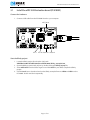
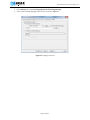
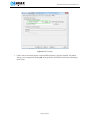
5. Go to the Flash menu and click Download to load the program (or click the Load icon).
6. Press Button 0 to start the Heart Rate demo. LED 0 should be lit indicating it is advertising.
7. The application advertises for 3 minutes. If a connection isn’t made within this period, the
application sets nRF51822 to System Off.
8. To start advertising again press Button 0.
Install the Master Control Panel and the nRF51822 Development Dongle (PCA10000)
1. Download and install the Master Control Panel from our website. Make sure to select the version
that corresponds to your hardware.
2. Plug the Development Dongle into a USB port on your computer.
3. An icon will appear in the lower right corner of your monitor showing that the drivers are being
installed. Wait until it is ready.
Page 9 of 51