1
Table of Content
1 About Find & Replace It!................................................................................................................ 4
1.1 Summary............................................................................................................................... 4
1.2 Main Features........................................................................................................................ 5
1.3 Supported Platforms.............................................................................................................. 5
1.4 Getting Started....................................................................................................................... 5
1.5 Support and Services............................................................................................................. 6
1.6 What to Do in Case Of Problems?......................................................................................... 6
1.7 Known Issues and Limitations................................................................................................ 6
2 Installation..................................................................................................................................... 8
3 Activation....................................................................................................................................... 9
3.1 Demo Version........................................................................................................................ 9
3.2 Full Version.......................................................................................................................... 10
4 User Interface.............................................................................................................................. 12
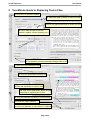
5 Two-Minute Guide to Replacing Text in Files............................................................................... 14
6 Functions..................................................................................................................................... 15
6.1 Selecting Files to Process.................................................................................................... 15
6.2 Detecting or Selecting the Encoding of Files........................................................................ 16
6.3 Converting the Encoding of Files......................................................................................... 17
6.4 Searching for an Expression in Files.................................................................................... 18
6.5 Replacing a Given Expression in Files................................................................................. 19
6.6 Doing Backups of Files before Modification......................................................................... 19
6.7 Using the Find & Replace Preview....................................................................................... 19
6.7.1 Previewing as Plain Text............................................................................................... 20
6.7.2 Previewing as HTML.................................................................................................... 22
6.8 Using the Regular Expression Editor................................................................................... 23
6.9 Advanced Replacements..................................................................................................... 24
6.9.1 Using of Captured Texts within Replaced Texts............................................................ 24
6.9.2 Processing the Captured Texts with Built-In Functions................................................. 26
6.9.3 Processing the Replaced Texts by Script......................................................................27
6.10 Using the Output Window.................................................................................................. 30
6.11 Editing the Preferences...................................................................................................... 30
6.12 Using the Command Line...................................................................................................31
6.13 Using Find & Replace It! documents.................................................................................. 32
7 Tips and Tricks............................................................................................................................ 33
7.1 Multi-document Tabs............................................................................................................ 33
7.2 Working with Text Areas....................................................................................................... 33
7.2.1 Navigating text.............................................................................................................. 33
7.2.2 Editing Text................................................................................................................... 33
7.2.3 Undo/Redo Changes.................................................................................................... 34
7.2.4 Changing Display Properties........................................................................................ 34
7.2.5 Searching for Text in Text Areas................................................................................... 34
7.3 Using Logical Folders for Searching Files............................................................................ 35
7.4 Multi File Selection in the Found Files List........................................................................... 35
7.5 Getting Examples................................................................................................................. 35
7.6 Debugging Script................................................................................................................. 36
8 Regular Expressions................................................................................................................... 37
8.1 Introduction.......................................................................................................................... 37
8.2 Characters and Abbreviations for Sets of Characters..........................................................38
8.3 Sets of Characters............................................................................................................... 39
8.4 Quantifiers........................................................................................................................... 39
8.5 Capturing Text...................................................................................................................... 40
8.6 Assertions............................................................................................................................ 40