1
Find & Replace It!
1
User Manual
About Find & Replace It!
1.1 Summary
Find & Replace It! is a high-end solution to find files and execute search and
replace operations across multiple files. It allows performing very complex batch
replacements inside text files of any size. It supports regular expression syntax
and dozens of encodings. It has scripting capabilities which allow transforming on
the fly the replacement text for every found string. It even handles batch
processing of the encoding of files, as well as of types of end-of-lines.
Why and when do you might need to use it? Well, have you ever had this one piece of text you
wanted to modify in hundreds of files at the same time (like that copyright in your php/jsp/cpp/java
file or that URL in your html files)? No more need to open text files one by one to edit them! Find &
Replace It! can replace any contents inside of many text files in just a click. It let you filter files to
process according to your wishes, then you only need to enter the text to find and the text to
replace to start the replacement. It provides statistics about the number of replacements within
each individual file, and counts the number of processed files. Of course, all classical features of
such a tool like the possibility to save your job, backup modified files, export the replacement
report, and much more are available.
So far Find & Replace It! looks like a classical search & replace utility like many others on the web.
However here are five key points that make the difference with its competitors:
•
Handles more than 50 different kinds of text encodings. If you are stucked with any UTF-8
encoding, any Chinese contents, or any others non ASCII encodings, Find & Replace It! is
the solution for you. It also handles the different kinds of end-of-line.
•
Handles huge files. If you want to process any kind of files containing tons of text, like a log
of 10 GB, Find & Replace It! will do it for you.
•
Provides a regular expression editor. This editor offers tools to easily build advanced
regular expressions even if you are a newbie.
•
Provides a preview for found and replaced text. The preview window gives you an
immediate feed-back that makes easy to check the impact of your replacement within any
file without modifying its content. This is especially useful whenever you are searching for a
complex expression and you don't want to replace it blindly in many files. This is of course
an excellent regex tool, that let's you easily test your regular expressions.
•
Makes it possible to dynamically adjust the replacement text. It provides many ways of
dynamically adjusting the replacement text according to the context. For instance, it is
possible to reuse a fragment of the found expression into the replacement text, do
arithmetic operations on found text, insert the path or the name of the processed file, apply
conditional operations on the replacement string (JavaScript interface), manipulate dates,
etc.
These key features associated to many others makes it one of the most feature rich tool to find and
replace regular expressions over multiple files. It's also a powerful tool for converting the text
encodings (charsets conversion, including the Byte Order Marks), or the end-of-line delimiters,
across multiple files. In addition, it's probably the only software in this category that is portable!
These key features associated to many others makes it one of the most feature rich tool to find and
replace regular expressions over multiple files. It is also a powerful tool for converting the text
encodings (charsets conversion, including the Byte Order Marks), and the end-of-line delimiters,
across multiple files. In addition, it is probably the only software in this category that is portable!
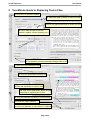
The GUI of Find & Replace It! consists of seven panes that you can arrange in any way you want.
You can dock panes side by side, arrange them in tabs, or make them float. Adjust the windows
Page 4/45