1
Chapter 4. Novell NetWare
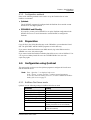
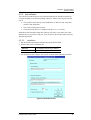
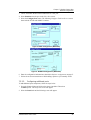
Configuration Settings
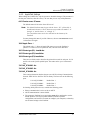
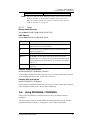
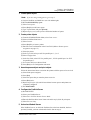
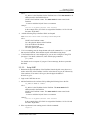
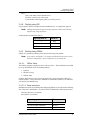
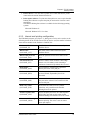
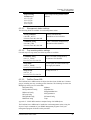
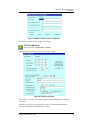
You can find this name on the bar code label
on the bottom of the FastPrint.
If you rename your FastPrint, the new name must be
no longer than 19 characters, and must not contain
any spaces.
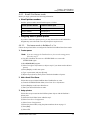
Novell printer server
for P1, P2 & P3
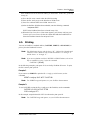
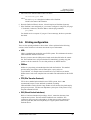
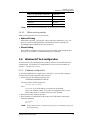
Enter the name of the NetWare Print Server that will
service the FastPrint’s P1, P2 & P3 ports.
Frame type
Select the frame types used by your network. (Choose
between Ethernet 802.2, Ethernet 802.3, Ethernet
SNAP, and Ethernet II.)
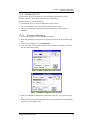
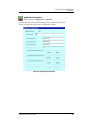
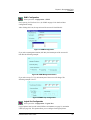
4.6.3.2.
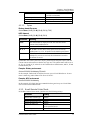
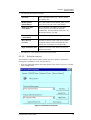
Novell Print Server mode
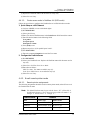
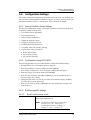
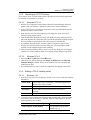
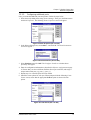
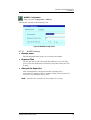
Device name
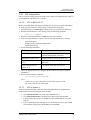
Use the default name SCxxxxxx or the new name of
the FastPrint Server.
Note: The default name begins with the letters
“SC”, followed by 6 hexadecimal characters,
including the numbers “0” through “9” and
the letters “A” through “F”.
If you rename your FastPrint, the new name must be
no longer than 19 characters, and must not contain
any spaces.
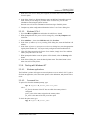
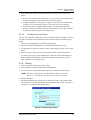
NDS tree name
NetWare 4.X NDS mode only. Enter the file server’s
NDS tree name (root name).
FastPrint Server NDS
context
NetWare 4.X NDS mode only. Enter the FastPrint
Server NDS Context. The entry should contain the
path to the context, but not the context itself. Each OU
should be separated by a period.
example: department.company
Master file server
(bindery mode only)
Enter the name of the FastPrint’s master file server.
Polling queue
interval
Defines how often the FastPrint Server will poll the
queues to be serviced.
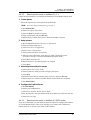
Job notification by
connection ID
Set this to Yes if you want to receive a job notification
at only the workstation where the print job originated.
No means that a job notification will be received at all
workstations that you have logged on.
Frame type
Select the frame types used by your network. (Choose
between Ethernet 802.2, Ethernet 802.3, Ethernet
SNAP, and Ethernet II.)
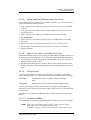
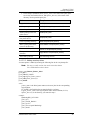
NetWare password
The password on the NetWare Print Server. The
FastPrint Server needs this password to connect to
NetWare.
FastPrint Server User’s Guide
20