1
USER’S MANUAL V1.3
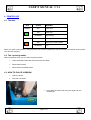
4.4 Card insertion
•
When the orange led is on, the printer is waiting for a card
insertion
•
Insert the card
•
Push until the roll takes it
•
Wait until end printing
•
If you insert a card and remove it, the printer will go to error
state
•
If you do not insert a card enought to be taken by the roll, after
a timeout the printer will go to error state
4.5 Remove the ribbon
•
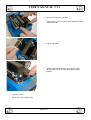
Open the printer
•
Push down the card carrier with your finger until it is
locked down
•
Remove the empty reel
•
Remove the full reel
Page 9/10