1
Operation
Switching on and off
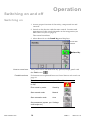
Switching on
1 Assure proper function of electricity, compressed air and
vacuum.
2 Switch on the device with the main switch. Location and
appearance of this switch depends on the integration (see
Main switch and fuse on page 5).
The control initialises.
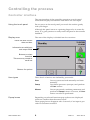
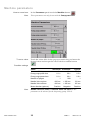
3 After about 10 sec the Stand by panel displays:
Current date
and time
T Stand by
How to come here
This panel can be reached from any process/recipe panel with
the Exit button
Possible actions
.
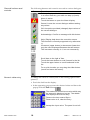
For buttons not explained here see General buttons and controls on
page 13.
Function
Touch button
Display alarm (alarm button Alarm
is red)
Enter stand by mode
Stand by
Start manual mode
Manual
Start automatic mode
Auto
Set parameters (system, pro- Settings
cess/recipe etc.)
www.sawatec.com
14
SAW-12
2005-09-19