1
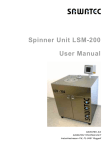
HOTPLATES INSTRUMENTS Hotplate HP-200 The SAWATEC HP-200 hotplate has been developed for standard soft bake and hard bake processes in lithography and similar applications. The temperature range is designed as standard up to 250° C. The HP-200 offers high uniformity and process repeatability and can be used for substrates up to 200mm. Outstanding features of the hotplate are its robust design and ease of operation. The hotplate’s modular design means that it can be used in a wide range of applications with high optional expandability (wet bench integration). LF-HP-200-E Digital temperature controller with actual-and nominal value Max. substrate size 200mm Substrate loading: manual Substrat fixation via vacuum Accuracy of temperature: +/-1°C per 100°C Pneumatic lift of the lid Internal height max. 23mm max. substrat thickness 18mm Heating ramp up possible with 20 program-steps For further information please contact our sales-department: [email protected] Pictures may show standards with options. SAWATEC AG Eschagger 2 9468 Sax Swiss FEATURES: Tel: +41 81 750 44 00 Fax:+41 81 750 44 01 [email protected] www.sawatec.com HP-200 HP-200 OPTIONS 2 Nitrogen flush controlled - N2-lid made of anodised aluminium - N2 solenoid valve Proximity as well as loading pins - Pneumatic driven pins (stroke 8mm) - Manual adjustable proximity pins between 0-1mm (0.1mm increments) - Pin made of Inconell with Ceramicball - Pin-circel-diameter Ø 45mm Protection glass without pins Protection glass with proximity pins PROXIMITY PINS PROTECTION GLASS For further information please contact our sales-department: [email protected] Pictures may show standards with options. 3 Temperature range: 25 - 250°C Accuracy of temperature: +/-1°C per 100°C Substrate loading: manual Substrat fixation via vacuum manual controlled Max. substrate size 200mm Internal height max. 23mm max. substrate thickness 18mm 240 VAC 50/60Hz (1200 W) Technical vacuum, tube Ø6/4mm Exhaust connector Ø32mm Compressed air 4 bar, tube Ø6/4mm PERFORMANCE REQUIRED MEDIA For further information please contact our sales-department: [email protected] Pictures may show standards with options. SAWATEC AG Eschagger 2 9468 Sax Swiss Tel: +41 81 750 44 00 Fax:+41 81 750 44 01 [email protected] www.sawatec.com HP-200 4 VIEWS front view side view top view Size: Hotplate size: Weight: 400x380x190mm (LxBxH) 210x210mm approx. 20kg Housing: Hotplate material: Anodised aluminium Anodised aluminium Tel: +41 81 750 44 00 Fax:+41 81 750 44 01 [email protected] www.sawatec.com DESIGN DEALER For further information please contact our sales-department: [email protected] Pictures may show standards with options. SAWATEC AG Eschagger 2 9468 Sax Swiss DIMENSIONS MA-HP-150-250-BM en CH-9468 Sax SAWATEC AG Eschagger 2 Tel: +41 81 750 44 00 FAX: +41 81 750 44 01 [email protected] www.sawatec.com User Manual Hotplate 150-250 BM Hotplate 150-250 BM Title Manual Revision History Date of print Products Copyright MA-HP-150-250-BM en March 2013 v1.0: First issue of manual (2013-03) 2013-03-06 Hotplate 150-250 BM © 2002-2013 SAWATEC AG, CH-9468 Sax This manual contains proprietary information. All rights are reserved. Trademarks Trademarks appearing in this document are acknowledged as the trademarks of their respective owners. Audience This description of the Hotplate 150-250 BM is primarily intended for system integrators. Manufacturer (OEM) Customer service information www.sawatec.com Hotplate 150-250 BM - User Manual SAWATEC AG Eschagger 2 CH-9468 Sax Phone: +41-81-750 44 00 Fax: +41-81-750 44 01 E-mail: [email protected] Web: www.sawatec.com Write down the contact details (phone, fax, etc.) for your System integrator or local distributor. 2 MA-HP-150-250-BM en v1.0 2013-03-06 Hotplate 150-250 BM Contents Related documents . . . . . . . . . . . . . . . . . . . . . . . . . . . . . . . . . . . . . 3 Product description . . . . . . . . . . . . . . . . . . . . . . . . . . . . . . . . . . . . . . . 4 Technical data . . . . . . . . . . . . . . . . . . . . . . . . . . . . . . . . . . . . . . . . 5 Installation. . . . . . . . . . . . . . . . . . . . . . . . . . . . . . . . . . . . . . . . . . . 6 Safety guidelines. . . . . . . . . . . . . . . . . . . . . . . . . . . . . . . . . . . . . . . . . 7 Protection against overheating. . . . . . . . . . . . . . . . . . . . . . . . . . . . . 7 Related documents Hot plate HP-150-250 BT (bench top version). Electric diagrams for the device. Maintenance guideline List of spare parts and wear parts. www.sawatec.com 3 MA-HP-150-250-BM en v1.0 2013-03-06 Hotplate 150-250 BM Product description The Hotplate 150-250 BM is designed for temperature processes in the semiconductor industry. This includes lacquering and baking of silicon wafers. Main features Substrate loading hight up to 5 mm Substrate size up to 150 x 150 mm Digital setting and display of top plate temperature Wide temperature range 25 °C to 150 °C or 250 °C Main parts The figure below shows the main parts of the Hotplate 150-250 BM 1 Frame to be mounted into housing. 2 Hotplate with levelling screws (2a). 3 Mains connection. 4 Control panel with main switch (4a), temperature controller (4b) and vacuum switch (4c). 5 Connection between plate unit and controller. 6 Connection between plate unit and main switch (4a) 3 2 5 2a 1 4a Connectors 4b 4c The connections one the rear are labelled. 6 www.sawatec.com 4 MA-HP-150-250-BM en v1.0 2013-03-06 Hotplate 150-250 BM Technical data Operational characteristics Property Nominal value Hotplate 164 x 164 mm 25 °C to 150 °C Optionally to 250 °C Temperature accuracy ± 1 °C Substrates size 150 x 150 mm Temperature range Physical properties and environment Standards Aluminium alloy anodised 0.1 °C display resolution per 100 °C Substrate fixation vacuum centre of the plate, manual switch Property Nominal value Specification Length / width / height 36 / 33 / 13 cm Weight 7 kg # Tolerance / specification Electrical power 240 VAC, 350 W Vacuum technical vacuum (controllable) See details below LNPE cable without plug Fitting for hose Ø 6/4 mm The Hotplate 150-250 BM must be set up on a clean, plain, levelled surface in proper distance to any flammable material. The Hotplate 150-250 BM uses only DIN-CE certified elements or DIN-CE certified materials. 80 10 Overall dimensions 283 304 80 0 326 347 190 200 www.sawatec.com 5 MA-HP-150-250-BM en v1.0 99 2013-03-06 Hotplate 150-250 BM Installation Plate unit Control panel Integration considerations The system integrator must observe the following rules: Malfunction of the exhaust must switch off the device. There is however a protective switch against overheating built in. Levelling is essential to avoid intrusion of liquids flowing off the hot plate. This may block the vacuum bores and the exhaust slits. www.sawatec.com 6 MA-HP-150-250-BM en v1.0 2013-03-06 Hotplate 150-250 BM Safety guidelines Defined purpose of the product The Hotplate 150-250 BM is designed and built for the sole purpose of heating flat substrates in the semiconductor industry. Operating conditions The Hotplate 150-250 BM must be operated only under environmental conditions as specified in the technical data for the ambient. The exhaust must always be in operation. The temperature range may need to be reduced depending on the medium to be dried (e.g. lacquer creating dangerous fumes). This must be observed strictly to avoid dangerous situations, such as the escape of aerosols or gas particles generating explosive gas mixtures. Proper use Proper use of the product includes obeying of these operating instructions, using qualified personnel. Improper use The Hotplate 150-250 BM is not intended to be used for: Applying any additional heating devices (e.g. to get higher temperature than specified in the technical data). Heating liquids other than lacquers with relatively high viscosity. Low viscosity liquids may run off the substrate and/or create dangerous fumes. Heating other objects than thin substrates. The Hotplate 150-250 BM is not a general purpose heating device. The above list is not exhaustive. Nameplate The nameplate on the rear of the device summarizes the technical data and states CE conformity). Model Type ANO Year Hotplate HP-200/250 BM xxx 2010 Temp. Voltage Power 250 °C 240 VAC 50/60 Hz 1200W, 10 A Protection against overheating There is a Clixon ® switch in the housing of the hotplate which switches off mains in case of overheating. The Hotplate 150-250 BM will not function until this thermal relay has cooled down and closed the circuit again. www.sawatec.com 7 MA-HP-150-250-BM en v1.0 2013-03-06 Hotplate 150-250 BM www.sawatec.com 8 MA-HP-150-250-BM en v1.0 2013-03-06 INSTRUMENTS HOTPLATES Hotplate HP-150 The SAWATEC HP-150 hotplate has been developed for standard soft bake and hard bake processes in lithography and similar applications. The temperature range is designed as standard up to 250° C. The HP-150 offers high uniformity and process repeatability and can be used for substrates up to 150mm. Outstanding features of the hotplate are its robust design and ease of operation. The hotplate’s modular design means that it can be used in a wide range of applications with optional expandability (wet bench integration). LF-HP-150-E Digital temperature controller with actual- and nominal value Max. substrate size 150mm Substrate loading: manual Substrat fixation via vacuum manual controlled Accuracy of temperature: +/-1°C per 100°C For further information please contact our sales-department: [email protected] Pictures may show standards with options. SAWATEC AG Eschagger 2 9468 Sax Swiss FEATURES: Tel: +41 81 750 44 00 Fax:+41 81 750 44 01 [email protected] www.sawatec.com HP-150 HP-150 OPTIONS 2 Lid manual handling made by anodised aluminium incl. hinge and mounting parts - Internal height max. 6mm - Max. substrat thickness 5mm Nitrogen flush manual controlled - N2-lid made or anodised aluminium - Manual switch for N-2-control Protection glass without pins N2-LID PROTECTION GLASS MANUAL LID For further information please contact our sales-department: [email protected] Pictures may show standards with options. 3 Temperature range: 25 - 250°C Accuracy of temperature: +/-1°C bei 100°C Substrate loading: manual Substrat fixation via vacuum manual controlled Max. substrate size 150mm 240 VAC 50/60Hz (350 W) Technical vacuum, tube Ø 6/4mm Internal ventilator PERFORMANCE REQUIRED MEDIA For further information please contact our sales-department: [email protected] Pictures may show standards with options. SAWATEC AG Eschagger 2 9468 Sax Swiss Tel: +41 81 750 44 00 Fax:+41 81 750 44 01 [email protected] www.sawatec.com HP-150 4 VIEWS front view side view top view Size: Hotplate size: Weight: Housing: Hotplate material: 300x250x120mm (LxBxH) 164X164mm approx. 7kg Anodised aluminium Anodised aluminium Tel: +41 81 750 44 00 Fax:+41 81 750 44 01 [email protected] www.sawatec.com DESIGN DEALER For further information please contact our sales-department: [email protected] Pictures may show standards with options. SAWATEC AG Eschagger 2 9468 Sax Swiss DIMENSIONS MA-HP-200-BM en CH-9468 Sax SAWATEC AG Eschagger 2 Tel: +41 81 750 44 00 FAX: +41 81 750 44 01 [email protected] www.sawatec.com User Manual Hotplate HP-200-BM Hotplate HP-200-BM Title Manual Revision History Date of print Products Copyright Disclaimer Trademarks Audience Manufacturer Customer service information Set up password (see page 29 ) Customer set password Hotplate HP-200-BM – User Manuall This manual describes an integrated version, not a bench-mounted stand-alone version. MA-HP-200-BM en November 2013 v2.0:Larger plate, small touch panel, generalised software v1.0: First issue of manual (2010-06) 2013-11-12 Hotplate HP-200-BM © 1999-2013 SAWATEC AG, CH-9468 Sax This manual contains proprietary information. All rights are reserved. Changes within the meaning of technical progress are reserved. Trademarks appearing in this document are acknowledged as the trademarks of their respective owners. This description of the Hotplate HP-200-BM is intended for endusers. SAWATEC AG Eschagger 2 CH-9468 Sax Phone: +41-81-750 44 00 Fax: +41-81-750 44 01 E-mail: [email protected] Web: www.sawatec.com Write down the contact details (phone, fax, etc.) for your System integrator or local distributor Factory setting is twice the installation number (ANO on the name plate), for example 706706. ............................................................ Ancillary documentation The following documents are part of the delivery, but not of this document: Electric and pneumatic schemes Maintenance plan List of spare parts and wear parts www.sawatec.com 2 MA-HP-200-BM en v2.0 2013-11-12 Hotplate HP-200-BM Content Product description . . . . . . . . . . . . . . . . . . . . . . . . . . . . . . . . . . . . . . . 4 Technical data . . . . . . . . . . . . . . . . . . . . . . . . . . . . . . . . . . . . . . . . 5 Integration . . . . . . . . . . . . . . . . . . . . . . . . . . . . . . . . . . . . . . . . . . . . . 6 Not installed options . . . . . . . . . . . . . . . . . . . . . . . . . . . . . . . . . . . . 6 Connectors . . . . . . . . . . . . . . . . . . . . . . . . . . . . . . . . . . . . . . . . . . 6 Safety guidelines. . . . . . . . . . . . . . . . . . . . . . . . . . . . . . . . . . . . . . . . . Definition of users . . . . . . . . . . . . . . . . . . . . . . . . . . . . . . . . . . . . . Defined purpose and known misuses . . . . . . . . . . . . . . . . . . . . . . . . Basic danger . . . . . . . . . . . . . . . . . . . . . . . . . . . . . . . . . . . . . . . . . Residual dangers . . . . . . . . . . . . . . . . . . . . . . . . . . . . . . . . . . . . . . Protection against overheating. . . . . . . . . . . . . . . . . . . . . . . . . . . . . 7 7 7 8 8 8 Setting up the device. . . . . . . . . . . . . . . . . . . . . . . . . . . . . . . . . . . . . . 9 Level the plate . . . . . . . . . . . . . . . . . . . . . . . . . . . . . . . . . . . . . . . . 9 Controlling the process . . . . . . . . . . . . . . . . . . . . . . . . . . . . . . . . . . . 10 Controller interface . . . . . . . . . . . . . . . . . . . . . . . . . . . . . . . . . . . . 10 Alarm handling . . . . . . . . . . . . . . . . . . . . . . . . . . . . . . . . . . . . . . . 12 Processing Switching on and off . . . . . . . . . . . . . . . . . . . . . . . . . . . . . . . . . . . . . Switching on . . . . . . . . . . . . . . . . . . . . . . . . . . . . . . . . . . . . . . . . Screen blocker . . . . . . . . . . . . . . . . . . . . . . . . . . . . . . . . . . . . . . . Switching off . . . . . . . . . . . . . . . . . . . . . . . . . . . . . . . . . . . . . . . . Adjust proximity pins . . . . . . . . . . . . . . . . . . . . . . . . . . . . . . . . . . 14 14 15 15 16 Processing . . . . . . . . Automatic mode . . Manual mode . . . . General functions . . . . . .. .. .. .. .. .. .. .. . . . . .. .. .. .. .. .. .. .. . . . . . . . . . . . . . . . . . . . . . . . . . . . . . . . . . . . . . . . . . . . . . . . . . . . . . . . . . . . . . . . . . . . . . . . . . . . . . . . . . . . . . . . . . . . . . . . . . . . . . . . . 17 17 19 20 Setting parameters . . . . . . . . Machine parameters . . . . . Drive parameters . . . . . . . Process/recipe parameters Save/load parameter files . .. .. .. .. .. .. .. .. .. .. . . . . . .. .. .. .. .. . . . . . .. .. .. .. .. . . . . . . . . . . . . . . . . . . . . . . . . . . . . . . . . . . . . . . . . . . . . . . . . . . . . . . . . . . . . . . . . . . . . . . . . . . . . . . . . . . . . . . . . . . . . . . . . . . . . 21 22 24 25 27 System settings . . . . . . . . . Set passwords . . . . . . . . Set display characteristics Set date and time . . . . . . Set LAN parameters . . . . .. .. .. .. .. .. .. .. .. .. . . . . . .. .. .. .. .. . . . . . . . . . . . . . . . . . . . . . . . . . . . . . . . . . . . . . . . . . . . . . . . . . . . . . . . . . . . . . . . . . . . . . . . . . . . . . . . . . . . . . . . . . . . . . . . . . . . . . . . . . . . . . . 28 29 29 30 30 . . . . . . . . . . Program/recipe examples. . . . . . . . . . . . . . . . . . . . . . . . . . . . . . . . . . 31 Example with constant temperature . . . . . . . . . . . . . . . . . . . . . . . . 31 Example with ramps . . . . . . . . . . . . . . . . . . . . . . . . . . . . . . . . . . . 32 Maintenance and repair Cleaning . . . . . . . . . . . . . . . . . . . . . . . . . . . . . . . . . . . . . . . . . . . 33 Exchange the sealing in the lid. . . . . . . . . . . . . . . . . . . . . . . . . . . . 33 Options Media monitoring . . . . . . . . . . . . . . . . . . . . . . . . . . . . . . . . . . . . . Proximity pins . . . . . . . . . . . . . . . . . . . . . . . . . . . . . . . . . . . . . . . Nitrogen flushing . . . . . . . . . . . . . . . . . . . . . . . . . . . . . . . . . . . . . Nitrogen flushing and HMDS priming . . . . . . . . . . . . . . . . . . . . . . . Programmable shutter . . . . . . . . . . . . . . . . . . . . . . . . . . . . . . . . . www.sawatec.com 3 MA-HP-200-BM en v2.0 34 34 34 35 35 2013-11-12 Hotplate HP-200-BM Product description The Hotplate HP-200-BM is designed for constant temperature processes in the semiconductor industry. This includes priming and baking of silicon wafers, and glass masks. Note: This manual describes an integrated version, not a bench-mounted stand-alone version. Hence no information is given concerning installation dimensions, piping etc. Main features Wide temperature range 25 °C to 250 °C for substrate sizes up to 8"× 8" (200×200mm). Loading/proximity pins can be adjusted in increments of 0.1 mm With closed cover the hotplate creates a sealed chamber. Bake out under air or nitrogen (option) Dehydration and flush with nitrogen (option) Controller can store 50 process programs with 24 segments each. Main parts The exploded view below shows the main parts of the Hotplate HP-200-BM (control equipment is not depicted): Base plate [2] to be mounted in a housing. Lid (hood) [1] is lifted pneumatically. Loading/proximity pins [5] are moved by the mechanism [6]. Levelling screws [3] balance the main plate within the frame plate which is integrated to the housing. The protective glass [4] supports keeping clean the Hotplate. 1 2 3 4 5 6 www.sawatec.com 4 MA-HP-200-BM en v2.0 2013-11-12 Hotplate HP-200-BM Technical data Operational characteristics Physical properties and environment Property Nominal value Tolerance / specification Hotplate dimensions 250 x 250 mm Substrate size max. 8” (200mm) diameter 8” (200mm) square Temperature range 25 °C to 250 °C 0.1 °C display resolution ± 0.5 °C at 100 °C Material: Aluminium alloy Temperature uniformity Process control Substrate lifting Proximity adjustment up to 50 programs with 24 segments 0 to 15 mm process controlled 0.1 … 1 mm Property Nominal value Width / depth / height 32 / 40 / 18 cm Weight 25 kg Specification See details in diagram below Including ancillary components Compressed air for pneumatic functions 230 VAC, LNPE 50/ 60Hz, 10 A fuse 4 bar clean dry air (CDA) Exhaust 3-10 m 3/h Vacuum to hold the substrate in place Ambient Technical vacuum 0.5 Fitting Ø 6/4 mm bar 21 °C, humidity < 45% Electrical power Cable without plug Fitting Ø 6/4 mm Fitting Ø 32 mm for heat resistant hose The Hotplate HP-200-BM must be set up on a clean, plain, levelled surface in proper distance to any flammable material. 165 10 36 260 Dimensions 400 320 Standards The Hotplate HP-200-BM uses only DIN-CE certified elements or DIN-CE certified materials. www.sawatec.com 5 MA-HP-200-BM en v2.0 2013-11-12 Hotplate HP-200-BM Integration A sample integration is the SAWATEC HP-200 depicted to the left. A stand alone version of the Hotplate HP-200-BM comprises the following ancillary components: Hotplate with frame plate. Controller with touch screen. Electric panel (main switch, start/stop buttons, solid state relays. Pneumatic panel (solenoid valves, pressure control, pressure and vacuum gauges, manual flap to control exhaust suction rate). When integrating into a table the installation dimensions and the additional documentation must be observed: Electric diagram Pneumatic diagram Not installed options Installed options are activated in the control program (see Machine parameters on page 22). Not installed options render the corresponding buttons and entry fields light grey. These elements are inactive. Depending on installed options some buttons may change their caption (e.g. Cooling On/Off 8 Heating On/Off) Connectors 1 Vacuum entry connection (holding protective glass and substrate). Connectors are located at the bottom side: 2 Compressed air to move the lid (hood). Pressure controlled, 4bar. 5 3 Exhaust. A heat resistant hose is fixed by a clamp. 2 4 Check valves to adjust the speed of the lid movement. 3 5 Connection of electric cables from controller via solid state relays. 4 1 Depending on installed options more connections may be available (e.g. for HMDS flushing). www.sawatec.com 6 MA-HP-200-BM en v2.0 2013-11-12 Hotplate HP-200-BM Safety guidelines Definition of users Operator The operator of the Hotplate HP-200-BM is the person who performs all tasks related to the intended use of the product. In particular this is handling and cleaning. Note: The Hotplate must be operated only by educated instructed personnel. Defined purpose and known misuses Defined purpose of the product The Hotplate HP-200-BM is designed and built for the sole purpose of heating flat substrates in the semiconductor industry. Operating conditions The Hotplate HP-200-BM must be operated only under environmental conditions as specified in the technical data for the ambient. The exhaust must always be in operation. The temperature range may need to be reduced depending on the medium to be dried (e.g. lacquer creating dangerous fumes). Proper use Proper use of the product includes obeying of these operating instructions by qualified personnel. Improper use The Hotplate HP-200-BM is not intended to be used for (list is not exhaustive): Applying any additional heating devices (e.g. to get higher temperature than specified in the technical data). Heating liquids with low viscosity. These may run off the substrate, produce dangerous fumes or block the vacuum system. Heating of materials with a melting point < 300 °C. Heating other objects than thin substrates. The Hotplate HP-200-BM is not a general purpose heating device. Drying or heating of flammable material or material which may inflame itself at the process temperature. Nameplate The nameplate is located at the rear of the housing (when integrated) and states CE conformity. Model Hotplate Type HP-200 Temperature 250 °C Installation No (ANO) 734 Year 2014 Voltage 240 VAC LNPE 50/60 HZ Power 10 A www.sawatec.com 7 MA-HP-200-BM en v2.0 2013-11-12 Hotplate HP-200-BM Basic danger A heating device becomes hot by definition. Burning of live tissue may result if the plate and heated objects are touched without appropriate aids. Residual dangers Warning Overheating by missing exhaust Proper functioning exhaust is essential for control of the temperature in the device. The device must be operated only with a functioning exhaust. If the exhaust is malfunctioning the device must be switched off. Caution High temperature Depending on the settings on the control panel the temperature of the heating plate may be very harmful to live tissue. Do not touch the heating plate after operation of the Hotplate HP-200-BM! Always use appropriate instruments to remove the processed substrates from the device. Sudden lifting of cover When switching the device on with the mains switch, the cover may be lifted suddenly. Before switching on, always reduce the pressure of the compressed air to a minimum and then regulate it up to the working pressure (4.0 bar). Strong hinges The hinges of the cover can create a strong force which can crush fingers. Keep off from the area of the hinges when the cover is open and is about to close! Protection against overheating A Klixon® switch in the housing of the device switches off mains in case of overheating. This results in an alarm message, which must be acknowledged to be able to start a program/recipe again. The Hotplate HP-200-BM will not function until this thermal relay has cooled down and closed the circuit again. www.sawatec.com 8 MA-HP-200-BM en v2.0 2013-11-12 Hotplate HP-200-BM Setting up the device Even if the device is implemented into a housing with levelling screws to balance uneven floor, the heating plate must be levelled within its frame plate. Level the plate The heating plate must be levelled to avoid unequal thicknesses of coating during the heating process. 1 Lift the lid manually and fix it in open position. 2 Place a small level tool on the plate. 3 Use an Allan key size 4 mm to adjust the three levelling screws (M5). Do not turn the screws more than ± 1.5 turns. www.sawatec.com 9 MA-HP-200-BM en v2.0 2013-11-12 Hotplate HP-200-BM Controlling the process Controller interface Content of screenshots on this page is explanatory only! The user interface of the controller comprises a touch panel which both displays information and allows for user input. Using the touch panel Do not press on the touch panel, just touch the surface gently with your finger or a soft pointing device. Note: Display area It is necessary to touch the panel for at least 1 second in order to let the program recognise your action. The area of the display is divided into four sections: Panel title with current date and time Open list of alarms Information area with input and output fields Buttons to select functions Process parameters Buttons for options (device dependent) Colour and b/w panel Change language of interface Depending on the order the control panel provides a colour screen or a black-and-white (b/w) screen. This document referes to the colour screen. The mentioned colours (red, green) appear as darker gray on the b/w screen. You may need to adjust brightness/contrast for best view (System parameters). alarms pending: red green values in fields: blue red Black and White Interface button activated: green Active and inactive buttons The user interface may contain inactive buttons for options or functions which are not implemented in the particular device. Such buttons look transparent: inactive User types www.sawatec.com active active inactive Passwords define three levels of users: User Can run processes both manually and automatically. Setup Can define processes (recipes) and perform all User actions. Master Can set passwords, machine parameters and perform all Setup actions. Of course, all User actions can also be performed. 10 MA-HP-200-BM en v2.0 2013-11-12 Hotplate HP-200-BM Popup boxes Depending on selected functions pop-up boxes are displayed which are smaller than the entire screen. These popup boxes disappear after 5 seconds, if no input is provided or no button touched. General buttons and controls The following buttons and controls are used in various dialogues Button Function Exit any display with this button. In a menu hierarchy you walk one step up (back). Alarm is active. Touch the button to open the Alarm display. Cancel: Leave the current dialogue without setting any values OK: Accept the provided (changed) input values of the current dialogue. Acknowledge: Confirm a message with this button. Help: Display help about the controller menus. This function is currently supported only rudimentary. 123 Increment (upper button) or decrement (lower button) the value displayed between the two buttons. The increment normally is 1, but not necessarily. Scroll bars to the right of lists. Touch the lower button to scroll forward in the list Touch the upper button to scroll backward in the list. For a quick location you may drag the slider button (touch and move the button). Numeric data entry To change the value in a field (such as a temperature or speed): Touch the field on the display. In the appearing pop-up enter the desired value and leave the pop-up with the Exit button . The maximum and minimum value which may be entered is displayed on top. The middle line displays the current entry. Remove the last entered figure Reset value to 0, clear the entry Accept the input value. The panel is not left. www.sawatec.com 11 MA-HP-200-BM en v2.0 2013-11-12 Hotplate HP-200-BM Alphanumeric data entry To change the text in a field (such as the name of a process): Touch the field on the display. In the appearing pop-up enter the desired text and leave the pop-up with the Exit button . Entered text Accept the input value with Enter. (this leaves the pop-up) Remove the last entered character with <. Password entry When touching a password entry field, a pop up similar to the numeric data entry appears. The entered data is displayed as asterisks. The password can not be longer than 8 figures. Confirm the data entry with the button OK panel with button Exit . Status Messages , then leave the During a process the central area of the display shows status messages. These do not require any user action. Alarm handling If user intervention becomes necessary, the alarm button flashes . The alarm message is displayed after touching the alarm button. Alarm texts depend on the device. This is only an example display. 12 CAN Module I/O error 2 Emergency Stop active Press button to clear details about 2 seconds. To get the details of the alarm, select it and touch button pop-up window appears: Note: www.sawatec.com .A Each alarm must be acknowledged, before the machine can continue 12 MA-HP-200-BM en v2.0 2013-11-12 Hotplate HP-200-BM Alarm texts depend on the device. This is only an example display. 59 Emergency stop active 18-09-02 10:27:44 18-09-02 10:28:13 18-09-02 10:29:11 Alarm history The alarm history contains all confirmed and not confirmed alarms. It is entered from the Alarm display with the history button Alarm texts depend on the device. This is only an example display. Possible actions 18-03-05 10:27 10:27 59 Emergency stop 18-03-05 10:33 10:33 30 Lid open Error Function Button Delete the complete history Attention: You are not prompted to confirm the action Filter display of messages: a popup window will appear Sort messages: a popup window will appear Filter alarm display www.sawatec.com Filter - popup Sort - popup To select the desired filter, touch the appropriate button. To sort according to your desire touch the appropriate button. 13 MA-HP-200-BM en v2.0 2013-11-12 Hotplate HP-200-BM Processing Switching on and off Switching on 1 Assure proper function of electricity, compressed air, N 2, vacuum and exhaust. 2 Check for vacuum to hold the substrates. 3 Adjust the pressure of compressed air to the minimum. # If compressed air is switched ON without any pressure control, then the cover will be lifted suddenly with great force. This is dangerous for the operator. 4 Switch on the device with the main switch on 8 the control initialises. 5 After about 10 sec the Stand by panel displays: Current date and time < Stand by Manual mode Automatic mode How to come here This panel can be reached from any process/recipe panel with the Exit button Possible actions . For buttons not explained here see General buttons and controls on page 11. Function Button Display alarm (alarm button is red) See Alarm handling on page 12 Switch to manual mode See Manual mode on page 19 Switch to automatic mode See Automatic mode on page 17 Set process parameters and system parameters See Setting parameters on page 21 Switch heating individually Switch vacuum to hold the protective glass in place www.sawatec.com 14 Heating On/Off ProtVac On/Off MA-HP-200-BM en v2.0 2013-11-12 Hotplate HP-200-BM Screen blocker To avoid unintentionally entry on the touch screen, a special panel protects the automatic mode. : < Screen blocker To get access to the blocked panel, touch button 1 and then button 2. The time delay for blocking the touch panel is set in the Machine parameters on page 22, value Screen Saver Off Time. Switching off End of process Normally a program provides these functions: Vacuum is switched off Cover (lid) is lifted Signal sounds (3 sec) Termination 1 Leave all menus by pressing the Exit button until the Stand by panel appears. repeatedly 2 Switch off the unit with the main switch. Location and appearance of the main switch depend on the integration. www.sawatec.com 15 MA-HP-200-BM en v2.0 2013-11-12 Hotplate HP-200-BM Adjust proximity pins Proximity pins define the distance between substrate and the heated plate. This distance is defined tin the Process/Recipe parameters (see Process/recipe parameters on page 25). If the working method is switched between using a protecting glass and not using it, then the proximity pins must be adjusted. Set the value Prot. Plate Thickness in the Machine parameters on page 22. Electric pins The upper most position of the pins is defined by Home. The corresponding value in the machine parameters is Pin Startposition. During a process the proximity pins are moved between these endpoints. Pneumatic pins Note: Adjust the proximity value only in lower position of the pins! 1 Set the pin-wheel to a value of 0.5 mm. 2 Check the height of the loading pins with a dial gauge. Dial gauge Pin-wheel 3 If the measurement of the pins differs from the setting of the pin-wheel you need to adjust the pins with a 5 mm Allen key: For access to the adjustment screws in bench top versions (BT) there are three holes in the bottom plate. www.sawatec.com 16 MA-HP-200-BM en v2.0 2013-11-12 Hotplate HP-200-BM Processing Automatic mode Panel Automatic is the standard display during normal operation. In this mode the process/recipe is started either by a handling device or the integrated Start/Stop buttons. How to come here From any Stand by panel with the Automatic button . < Display while running a process/recipe The parameters of the process/recipe are continually displayed. For example the Segment number loops through the recipe steps. Set temperature This can be set by Process/recipe parameters on page 25. This temperature is kept outside a recipe/program, that is, in Stand-By mode. See button “Reset Temp.” below. Possible actions For buttons not explained here see General buttons and controls on page 11 Function Button Select a process/recipe to be run (See Select process/recipe on page 18) Touch the field Recipe Touch the field Set (Temperature) Set the start / base temperature Start the selected process/recipe Stop current process Functions in stopped mode The following settings overrun those from a current process/recipe: Function Button Switch heating Heating On / Off Reset the temperature to the Start temperature. This is necessary to start a process with lower temperature Reset Temp. after a process with higher temperature. Keep the lid (cap) open (On) or closed (Off) Cap On / Off www.sawatec.com 17 MA-HP-200-BM en v2.0 2013-11-12 Hotplate HP-200-BM Select process/recipe How to come here From the Automatic panel, touching the field Recipe. Use the up and/or down arrows to select the desired process/recipe in the list. Accept the selection with the OK button Withdraw the selection with the Cancel button www.sawatec.com 18 MA-HP-200-BM en v2.0 2013-11-12 Hotplate HP-200-BM Manual mode With panel Manual the user can control every sub device manually). Note: How to come here Both in Automatic mode and in Manual mode functions damaging the device are not possible. From the Stand by panel or Automatic panel with the Manual button . < Possible actions You can set up the General Functions as well as switch the heating individually. Function Button Heating On/Off Switch the heating on or off Perform pin functions (see hereafter) General functions (see General functions on page 20) Pin functions How to come here In Automatic panel touch button . Sensor Status Power On must be used first to be able to move the pins. www.sawatec.com Home moves the pins to their top most position. Move moves the pins to the position defined in the field Position (above protective glass / plate) Power must be switched off before leaving the panel. 19 MA-HP-200-BM en v2.0 2013-11-12 Hotplate HP-200-BM General functions How to come here In the Manual panel with the General button . Optional sensors The button captions show the current state. The button changes to green if touched and the caption changes also. Output display Possible actions Note: Status of the sensors for cap (lid) and media. Buttons (except the Buzzer) are switches. Their On state is indicated by a green button. The Buzzer is only on as long at it is pressed. Buttons for not-installed functions look transparent and are inactive. Function Button at label Open/close the lid (cap) Vacuum for the process chamber Switch HMDS application Switch cooling water Switch the N 2 flushing Switch the programmable exhaust shutter Switch the vacuum to hold the substrates Move Pins Down 8 Up Switch the buzzer (sounds as long as button pressed) Switch vacuum to hold the protective glass Cap Vacuum Chamber HMDS H2O N2 Shutter Vac. Sub Pin Buzzer Vac. Prot. Perform pin functions (see Pin functions on page 19) Leave panel Alarms Touch the Exit button to go back to Manual mode. If one of the actions creates an alarm, then the Alarm button becomes red: . Alarms must be acknowledged before a process can be continued. Touch this button to see the Alarm list (see Alarm handling on page 12). www.sawatec.com 20 MA-HP-200-BM en v2.0 2013-11-12 Hotplate HP-200-BM Setting parameters How to come here In the Stand by panel touch the Setting button . Number of cycles run so far with the currently active recipe. Enter password Touch the password field. An alphanumeric key pad appears to enter the desired password. You confirm with the ENTER button (seeSet passwords on page 29). Note: Wrong password A valid password lasts for 15 minutes. After this time it must be reentered to access the parameter functions again. To block access immediately against unauthorised use, enter an invalid password. If the password is wrong, then all option buttons become inactive. Possible actions Function Button Reset counter of current process Reset Set system parameters (see System settings on page 28). Can not be set with the User password (button inactive) Set machine parameters (see Machine parameters on page 22) Set process/recipe parameters (see Process/recipe parameters on page 25) Drive parameters for the pins (see Heating Autotuning on page 22) Leave panel www.sawatec.com Touch the Exit button 21 to go back to Standby mode. MA-HP-200-BM en v2.0 2013-11-12 Hotplate HP-200-BM Machine parameters Note: How to come here Possible settings These parameters can only be set with the Setup password. In the Parameter panel touch the Machine button . Availability of settings depend on installed option. These are defined in the panel which You get with the Options button Options . General parameters Value minimum Buzzer time [s] Prot. Plate Thickness [mm] Screen Saver Off Time [s] Delay of Input-Blocking (0: no blocking) Special parameters 0 0.0 0 typical 30 99.9 300 2 5 10 Some options are connected to specific machine parameters. Shutter HMDS Klixon Housing Vacuum 1 Product Activate program controlled shutter Programmable shutter on page 35 Filling the chamber with HMDS. See HMDS priming on page 34. Watch the temperature of the inner housing of the heating device Tis is only relevant for Hot Plates. Vacuum to hold the substrates in place N2 N 2 flushing See Nitrogen flushing on page 34 Vacuum Chamber Vacuum for the process chamber Vacuum Protection Plate Pin Pneumatic Pin Electrical Vacuum to hold the protective glass Pin movement by pneumatic piston Pin movement by stepper motor Pin Process Speed [mm/s] Pin Process Acc/Dec [mm/s 2] Pin Start Position [mm] H2O CDA Sensor N2 Sensor www.sawatec.com maximum 0.0 0.0 0.0 999.9 999.9 99.9 10 1 8.0 Cooling water for forced cooling Monitoring compressed air Media monitoring on page 34 Monitoring N2 Media monitoring on page 34 22 MA-HP-200-BM en v2.0 2013-11-12 Hotplate HP-200-BM Vacuum Sensor Hot Plate Monitoring Vacuum Media monitoring on page 34 This button allow to switch to a cool plate. Heating Max- Power [%] Max. Heating [°C/min] Temp. range start ± [°C] 1 0.0 0.1 100 99.9 99.9 100 0.1 15 Temp. range start: The device starts a process only, if the target temperature has been reached within this margin. If the process temperature is set to 100 °C and the margin is set to 15°C, then the process starts when 85 °C (when the plate was cooler before) or at 115 °C (if the plate was hotter before). Cool-Plate Device is cool plate (default: hot plate) Max Cooling [°C/min] CP ON-Level (High) CP ON-Level (Low) 0.0 0.1 0.1 99.9 100.0 100.0 0.1 20 20 The CP-ON levels define the upper and lower temperatures for the control of a chiller of the cooling water. www.sawatec.com 23 MA-HP-200-BM en v2.0 2013-11-12 Hotplate HP-200-BM Drive parameters Note: How to come here Possible settings These parameters can only be set with the Master password. In the Parameter panel touch the drive button Value minimum Max. Speed. [mm/s] Max. Acc / Dec [mm/s 2] Home Offset [mm] Home Speed. [mm/s] Home Acc / Dec [mm/s2] Motor Direction PIN Process Acc. [mm/s 2] PIN Process Speed. [mm/s] Current in % of 7.5 A Max Input Distance (Offset PIN below Plate) [mm] Max. Temperature [°] Heating Control P, I, D Pin Slope [mm/Revol.] Heating Offset [%] Heating button . maximum typical 0s 0.1 0.0 0.1 0.1 POS 0.0 0.0 1 0.0 2.7 100.0 99.9 999.9 999.9 NEG 999.9 999.9 20 99.9 2.5 80.0 8 5.0 50.0 POS 5.0 50.0 2 0.00 50.0 0 0.1 -50.0 300.0 65535 50.0 50.0 150.0 Save Saves the current settings to a parameter file Load Loads settings from a parameter file 1.0 0.0 The Heating Autotuning function defines the characteristic of the heating device: This function is used only by the Service Technician and hence not explained any further. www.sawatec.com 24 MA-HP-200-BM en v2.0 2013-11-12 Hotplate HP-200-BM Process/recipe parameters How to come here In Standby touch the Settings button touch the Process button ; in Parameters . Setup password is required. Note: Buttons for not-installed functions look transparent and are inactive. Output display Set up a process/recipe Current segment number. For each segment of the process/recipe specify the necessary ingredients. No settings are automatically copied from a previous segment. See a Program/recipe examples on page 31. Grey buttons are in state Off/down/closed. If a button is touched it becomes green to indicate the status On/up/open. Recipe parameters Note: Store segment data www.sawatec.com End Seg. Press this button for the last segment in a recipe only. The button will become green. Start Temp. This temperature is kept outside of a process. Hence in Stand By the Hotplate will not cool down to ambient temperature, but only to this temperature. Time Total time of this segment in seconds. Temp. End temperature in this segment. Time and Temperature depend on the machine parameter Temp. Range. Pin Pos. For electric pins: Pin position (above protective glass or plate). VAC Vacuum to hold the substrates in place. N2 N 2 flushing during this segment. HMDS Filling of process chamber with HMDS N2 and HMDS are interlocked within a segment. Pin down For pneumatic pins: Move pins down during segment. If button is pressed, move them up. Shut close Position of the electro pneumatic shutter. If button is touched it becomes green and displays Shut open. Vac Chamber Vacuum in the process chamber. The values of all segments are kept in storage and hence You may freely change between the segments: Next segment Touch Previous segment Touch 25 MA-HP-200-BM en v2.0 2013-11-12 Hotplate HP-200-BM Insert/Delete button Store current process/ recipe Start work with a sample process/recipe Leave panel www.sawatec.com Use this button to delete or insert a segment: Delete: The current segment is delete. Segments with a higher number than the current one sill in. Insert: The current segment is pushed up and the inserted segment becomes the current one. Touch the Files button . This opens the Parameter files panel (see Save/load parameter files on page 27). After entering a name and description, touch the Save button. Touch the Files button and select an appropriate process/recipe. With the Load button you read the parameters. Leaving the panel without saving the process/recipe parameters keeps them only available for the current processing. Leave any panel with the Exit button . 26 MA-HP-200-BM en v2.0 2013-11-12 Hotplate HP-200-BM Save/load parameter files How to come here In the Parameters panel touch the Files button . These are just examples and may be irrelevant for the current device Output display Test 01 See protocol 09-02-2006 10:23 Test 02 See protocol 29-03-2005 09:14 List of defined (stored) processes/recipes. The active process is highlighted. The columns in the display are in the following order: Name (from field File Name) Description (from filed Description) Date and Time (when saved) Select a process Save new or modified parameters Move the selection (highlighted line) with the slider bar or the up and down buttons to the right. Enter a name by touching the Name field. At most 8 characters can be given. In the pop up alphanumeric key pad type the name. Operate similarly for a meaningful description (up to 16 characters) of the process/recipe. Then touch the Save button. Use a sample process Sort the list Clean out the list Leave panel www.sawatec.com To modify an existing process/recipe or use it as a starting point for a new process, use the Load button. You are prompted to allow overwriting the current parameter settings. After changing the name of an existing process/recipe you may wish to sort the list with the Sort button. In a pop-up display you can select the sort criterion in a popup screen: Filename, Description or Time. You delete the process/recipe data of the selected process/recipe with the Delete button. You will get a confirmation pop-up for this action. You are prompted to allow the deletion. Attention: Leaving the panel with the Exit button without previously saving the parameters keep the parameters in storage only until switching off the machine. 27 MA-HP-200-BM en v2.0 2013-11-12 Hotplate HP-200-BM System settings How to come here Output display In the Stand by panel touch the Settings button requested to provide the Setup password. . You are No display, just buttons Possible actions Leave panel www.sawatec.com Function Touch Button Set passwords Keys Set display contrast Screen Set date and time Clock Set LAN connection LAN Leave any panel with the Exit button 28 . MA-HP-200-BM en v2.0 2013-11-12 Hotplate HP-200-BM Set passwords Display if logged in with Setup password: ****** Display fields Passwords of a higher level as your current one display as asterisks. Automatic operation does not require entry of a password. Type of PW Purpose Factory settings Master Setting machine parameters and passwords. Setup Set up passwords User Setting process/recipe parameters Not disclosed 2x installation number a) 1 a. The installation number ANO is on the name plate. If ANO is 476 then the Setup password set in the factory is 476476. Set new values To change a password, Touch the appropriate field (Setup or User) The numeric key pad will pop up to enter a new value. See Numeric data entry on page 10. The new value is displayed. Set display characteristics For B/W touch panels only two levels of brightness can be set: Display fields Set new values 100% Full brightness <100% Lower brightness Contrast value Brightness value To change a value use the Up or Down arrow buttons. You may also touch on one of the displayed values (for example, the contrast). The numeric key pad will pop up to enter a new value. See Numeric data entry on page 10. www.sawatec.com 29 MA-HP-200-BM en v2.0 2013-11-12 Hotplate HP-200-BM Set date and time Note: Display fields The operating system in the controller (Windows CE) can not automatically switch between standard time and daylight savings time. Hence the operator must set the time manually after the time switches. Day, month, year Hour, minute, second Set new values To change date or time use the Up or Down arrow buttons. You may also touch on one of the displayed values (for example, the day number). The numeric key pad will pop up to enter a new value. See Numeric data entry on page 10. To set the new values touch the OK button ues will be displayed. The new val- To withdraw the new values touch the Cancel button The current values will be displayed again. . Set LAN parameters The communication with the control panel requires a special program licensed from the manufacturer of the panel. Connection to a Local Area Network is standard. Factory settings Leave panel www.sawatec.com If values are displayed in these fields, do not change them. Changing the values may cause the controller to fail. Leave any panel with the Exit button 30 . MA-HP-200-BM en v2.0 2013-11-12 Hotplate HP-200-BM Program/recipe examples Example with constant temperature This process cycle remains at 150°C. t target 150° t target 25° lid up down vacuum on off Pins buzzer on off Segment Start position Target temp. °C Seg Duration hms Vacuum Pins (and lid/cap) Buzzer N2 flush (option) Off Up Off Off 2 3 Segment 1 2 3 4 5 150 0:00:05 On Up Off Off 150 0:00:05 On Down Off Off 150 0:01:00 Off Up On Off 150 Note: www.sawatec.com 1 150 0:15:00 On Down Off Off 4 5 Off Up Off Off The natural heating rate is approx. 10°C/min (see Technical data on page 5). 31 MA-HP-200-BM en v2.0 2013-11-12 Hotplate HP-200-BM Example with ramps This process cycle has a ramp up to 120°C, which is held for 15 minutes. Then it cools down naturally to 25°C (no water cooling assumed in this example). t target120° t target25° lid up down vacuum on off Pins buzzer on off Segment start position Target °C Seg Duration hms Vacuum Pins and lid/cap Buzzer N2 flush www.sawatec.com Off Up Off Off 1 2 3 4 5 Segment 1 2 3 4 5 6 7 25 0:00:05 On Down Off Off 120 0:15:00 On Down Off Off 25 0:20:00 On Down Off Off 25 0:00:05 On Down Off Off 25 0:01:00 Off Up On Off 25 32 120 0:20:00 On Down Off Off 6 7 Off Up Off Off MA-HP-200-BM en v2.0 2013-11-12 Hotplate HP-200-BM Maintenance and repair The Hotplate HP-200-BM does not need specific maintenance. however, it is recommended that: The device is cleaned in intervals determined by the use. The sealing in the cover is exchanged if it is damaged and the cover does not close properly any more. Note: No other maintenance actions must be carried out by the user. Cleaning When cleaning the Hotplate HP-200-BM, Do not disassemble the device for any cleaning purpose. This may render the device inoperable. Use any standard industrial cleaner for the outer surfaces except the control elements with the keys. Clean the control elements (keys, display) only using a cloth with cleaning solvents recommended for screens and keyboards. Exchange the sealing in the lid The sealing is available ‘on the roll’ from the manufacturer in lengths of about 0.8 m (fitting one hotplate). To exchange the sealing 1 Switch on the Hotplate Hotplate HP-200-BM to raise the lid. 2 Set the temperature as low as possible to avoid heating. 3 In the groove of the sealing find the place where the sealing is connected and lift one end gently from the groove. Note: Avoid any damage to the groove (the lid is made of aluminium) by sharp instruments. 4 Remove the sealing without tearing it too much to get an indication of the desired length for the replacement. 5 You may wish to clean the groove with cleaning solvent and small swabs. 6 Insert the new sealing carefully without tearing the sealing (avoid incorrect length). 7 The ends should touch with a little pressure. www.sawatec.com 33 MA-HP-200-BM en v2.0 2013-11-12 Hotplate HP-200-BM Options All options are reflected in the controller software and must be switched into operation by the Machine parameters on page 22. Media monitoring The input media (compressed air, N2, HMDS and vacuum) can be monitored by individual sensors. Proximity pins Proximity and loading pins are an option. They are moved by program control. Loading pins The 3 loading pins are arranged on a reference circle of 60 mm diameter. Hence they fit for substrates of diameters 75 mm (3") to 150 mm (6"). Smaller substrates can be placed directly on the hotplate or stacked on larger supporting substrates. Optionally other diameters of the reference circle are possible. Pin movement If pins are desired, two options for their movement and control are available: Electric pin movement by a stepper motor. This allows to control the proximity in the control program. Pneumatic pin movement by a piston. In this case the top position of the pins is set mechanically with a turning wheel behind the plate. Control program can move the pins only between their end-positions. Nitrogen flushing This option allows to process in an inert atmosphere avoiding any oxidation. The lid gets an additional cover with an N2 inlet A solenoid valve for N2 is provided In the control program the necessary functions are activated. www.sawatec.com 34 MA-HP-200-BM en v2.0 2013-11-12 Hotplate HP-200-BM Nitrogen flushing and HMDS priming This replaces the option Nitrogen flushing: The lid for Nitrogen flushing has an additional inlet. Both a solenoid valve for N2 and for HMDS is provided. In the control program the handling of the HMDS is added to the N2 handling. Programmable shutter This option is required for processing with HMDS. The manually operated shutter (A) for the exhaust of a hotplate defines the suction rate. An optional electro pneumatic shutter (B) can open and close the flow by program control. This controllable shutter is an addition to the manual shutter: B A The shutter can be opened and closed during a process step. www.sawatec.com 35 MA-HP-200-BM en v2.0 2013-11-12 Hotplate HP-200-BM www.sawatec.com 36 MA-HP-200-BM en v2.0 2013-11-12