1
PZVM1 Administration Guide
Table of Contents
1 GENERAL INFORMATION......................................................................................................... 3
1.1 System Overview................................................................................................................ 3
1.2 Software.............................................................................................................................. 5
2 GETTING STARTED................................................................................................................... 6
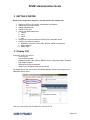
2.1 Deploy OVF........................................................................................................................ 6
2.2 Logging On......................................................................................................................... 7
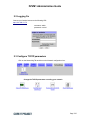
2.3 Configure TCP/IP parameters............................................................................................. 7
2.3.1 Network interfaces...................................................................................................... 8
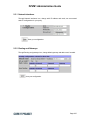
2.3.2 Routing and Gateways................................................................................................ 8
2.3.3 Hostname and DNS Client.......................................................................................... 9
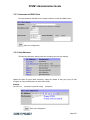
2.3.4 Host Adresses............................................................................................................. 9
2.4 Configure Time zone......................................................................................................... 10
2.5 Change the passwords...................................................................................................... 11
2.5.1 Change the Webmin password.................................................................................11
2.5.2 Change the Linux root password..............................................................................12
2.6 Configure zabbix settings.................................................................................................. 13
2.6.1 Select your zabbix version........................................................................................13
2.6.2 Configure zabbix proxy parameters..........................................................................14
2.6.3 Configure zabbix agent parameters..........................................................................15
2.6.4 Configure zabbix java parameters............................................................................15
2.7 Configure Crypted Connection.......................................................................................... 16
2.8 Configure Database Plugins............................................................................................. 17
2.8.1 Configure DB2 Monitoring parameters......................................................................17
2.8.2 Configure Oracle Monitoring parameters..................................................................18
2.8.3 Configure MS SQL Server Monitoring parameters....................................................19
2.8.4 Configure MYSQL Monitoring parameters................................................................20
2.8.5 Configure POSTGRESQL Monitoring parameters....................................................21
2.9 Configure other Plugins..................................................................................................... 22
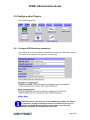
2.9.1 Configure ESX Monitoring parameters.....................................................................22
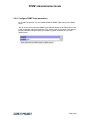
2.9.2 Configure SNMP Traps parameters..........................................................................23
3 TEMPLATES............................................................................................................................. 24
3.1 Proxy Template................................................................................................................. 24
3.2 Other templates................................................................................................................ 24
4 TROUBLESHOOTING.............................................................................................................. 25
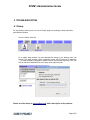
4.1 Dump................................................................................................................................ 25
5 SSH CONNECTION.................................................................................................................. 26
6 CAVEATS AND EXCEPTIONS.................................................................................................26
7 ROADMAP................................................................................................................................ 27
8 SUPPORT................................................................................................................................. 27
Page 2/27