1
! Excel example
CONNECT ODBC,’DSN=MyExcel;DBQ=ssxmpl.xls’
TABLES
MYSIZES(2)
DISKDATA –c
MYSIZES = 'select * from SIZES'
!
!
!
!
!
!
Line
Line
Line
Line
Line
Line
1
2
3
4
5
6
LET Nprod = MYSIZES(1)
LET Nrm = MYSIZES(2)
! Line 8
! Line 9
TABLES
PneedsR(Nprod,Nrm)
! Line 11
! Line 12
DISKDATA –c
PneedsR = 'select * from USAGE'
! Line 14
! Line 15
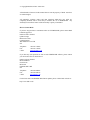
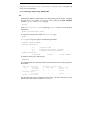
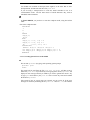
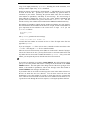
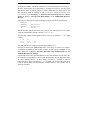
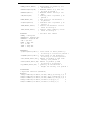
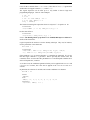
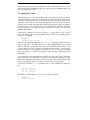
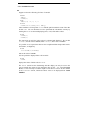
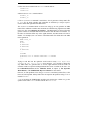
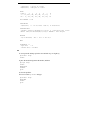
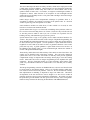
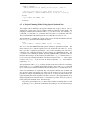
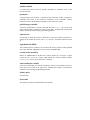
Lines 3 and 4 define a little table which is going to hold the model sizing parameters.
Lines 5 and 6 read the contents of the spreadsheet range SIZES into our little
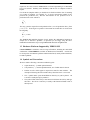
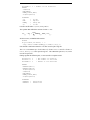
XPRESS-MP table MYSIZES. Then in lines 8 and 9 we set up some parameters
internal to XPRESS-MP which hold the values. This is not a required step - it is just a
lot clearer to refer later in the model to Nprod and Nrm rather than MYSIZES(1) and
MYSIZES(2). It is likely, for instance, that we will need to define some decision
variables dimensioned by Nprod.
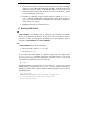
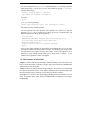
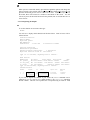
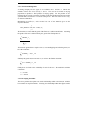
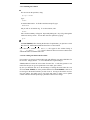
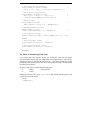
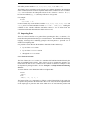
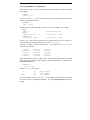
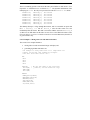
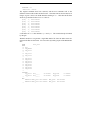
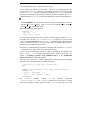
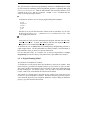
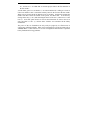
Then in lines 11 and 12 we define an Nprod by Nrm table to hold the requirements of
the products for the raw materials. This is the key step. If the size of USAGE changes
in the spreadsheet then via the range SIZES and our XPRESS-MP table MYSIZES, the
dimensions of the PneedsR table will adjust automatically. Then lines 14 and 15 will
read the USAGE range into the XPRESS-MP table array PneedsR of the correct
dimensions.
5.3.4 The ASSIGN Section
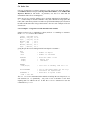
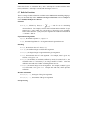
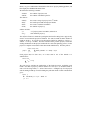
The third common way to obtain data in XPRESS-MP is to use the ASSIGN section to
calculate the values of data you require from values in other tables.
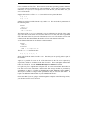
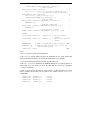
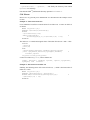
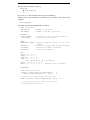
We saw an example of this in the chapter on the Coco company (Section 4.3), where the
statements below were used to calculate the profit contributions of making particular
products at various factories. The tables SP, RMREQ, RMP and VC held primary data,
and the ASSIGN section was used to calculate the values of the dependent data:
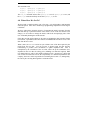
ASSIGN
PC(p=1:NProd,f=1:NFact) = &
SP(p,f)-SUM(r=1:NRMat)RMREQ(p,r)*RMP(r)-VC(p,f)