1
MK-720 Mount Kit
INSTALLATION MANUAL
Applied Machines: d-Color MF360/MF280/MF220
COLOR MFP: 36 ppm/28 ppm/22 ppm
Product Code: A0ED
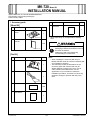
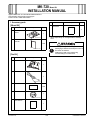
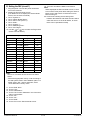
I. Accessory parts
No.
[Mount Kit]
No.
Name
Shape
Name
Shape
Q’ty
7. Installation
procedure
Q’ty
1
1. PCI expansion
board
1
* Varies depending on the applicable marketing
area
A0YAIXC001DA
2. Installation
manual
1 set
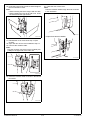
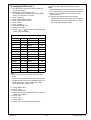
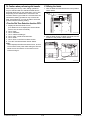
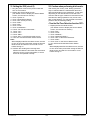
After unpacking, be sure to get rid of the
packaging materials and keep them out of
the reach of children.
4980IXC019DA
Putting the head in the plastic bag
involves danger of suffocation.
[Fax Kit]
No.
Name
Shape
Q’ty
Note:
• When installing the mount kit (MK-720) on
MF220, MF220 needs to have the hard disk (HD515) installed in advance.
• This manual provides the illustrations of the
accessory parts and machine that may be
slightly different in shape from yours. In that
case, instead of the illustrations, use the
appearance of your machine to follow the
installation procedure. This does not cause any
significant change or problem with the procedure.
3. FAX kit
1
4037IXC118DA
4. Modular cable*
1
4442U015AA
5. Label*
1 set
6. Installation
precautions
1
Y110431-2
E-1
Installation Manual