1
Chapter 3: Prompting messages and Troubleshooting
Prompting Messages
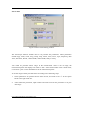
Device not found: Prompting that the software does not detect the connection between the
oscilloscope and the computer.
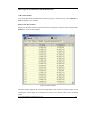
File not found: Prompting that Ultrascope could not find the control file or data sheet file
when starting up.
This Item Query Only: Prompting that this item is only for display the setting or status of
the oscilloscope. You could not double-click this item to setup the oscilloscope.
Save the changes to the Control File: Prompting users to save the changes of the control
file before quit Ultrascope software.
Save the changes to the Data Sheet File: Prompting users to save the changes of the data
sheet file before quit Ultrascope software.
Troubleshooting
1. After running the Ultrascope, the software could not detect the connection between
the instrument and the computer. Please inspect the settings of the software and the
oscilloscope according to the following steps:
(1) Make sure that the oscilloscope is powered on.
(2) Check the cable connection between the oscilloscope and PC.
(3) Check if the settings for the baud rate of the oscilloscope are same as those of the
Ultrascope software. (The default baud rate is 9600.)
(4) After the inspections above, restart the Ultrascope software.
(5) If the problem still remains, please contact RIGOL for help.
Copyright 2006 Rigol Technologies,Inc.
UltraScope For DS1000
55