1
16. Troubleshooting
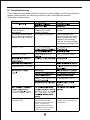
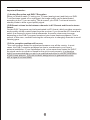
If you experience problems with this receiver or its intallation,in the first instance
please read carefully the relevant sections of this User Manual and this
Troubleshooting section.
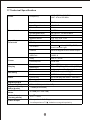
Standby
The status indicator flashes
in red and green
alternatively.
A recording session is
schedule but no USB
support is inserted.
The remote control buttons A recording is in progress
are not active, impossible to
change the DVB-T channel.
Insert a USB key into
the unit.
During recording, you
cannot change the channel
since the unit's tuner must
remain on the recording
channel. You can also stop
recording by pressing STOP.
The channel is encrypted
The unit shuts down
automatically.
If no operation is
performed from the
remote control for three
hours, the unit will
automatically switch to
standby mode to reduce
power consumption.
20
Press the Standby button
to put the unit back into
operation.