1
Contents
Chapter 1 Motion Command Assist Function .............................................1-1
1.1 Motion Command Assist Function.......................................................... 1-2
1.1.1 Insert the Motion Command ....................................................................1-2
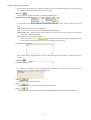
( 1 ) Input Motion Instruction..........................................................................1-2
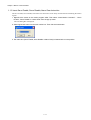
1.1.2 Insert Servo Enable, Servo Disable, Alarm Clear Instruction .................1-4
Chapter 2 System Sub-window ..................................................................2-1
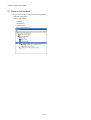
2.1 System Sub-window............................................................................... 2-2
Chapter 3 Test Run .....................................................................................3-1
3.1 Test Run.................................................................................................. 3-2
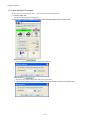
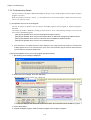
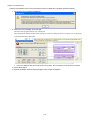
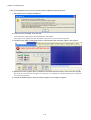
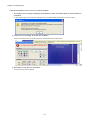
3.1.1 Test Run Procedure .................................................................................3-2
3.2 Servo Enable, Servo Disable ................................................................. 3-5
3.2.1 Servo Enable............................................................................................3-5
3.2.2 Servo Disable...........................................................................................3-5
3.3 Jog Operation ......................................................................................... 3-6
( 1 ) Set the speed reference ........................................................................3-6
3.3.1 Jog Forward .............................................................................................3-7
3.3.2 Jog Reverse .............................................................................................3-7
3.4 Step Operation........................................................................................ 3-8
3.4.1 Step Operation Procedure .......................................................................3-9
Chapter 4 Axis Monitor................................................................................4-1
4.1 Axis Monitor ............................................................................................ 4-2
4.2 Axis Monitor Display ............................................................................... 4-3
4.2.1 Toolbar......................................................................................................4-3
4.2.2 Circuit and Axis Display ...........................................................................4-3
( 1 ) Circuit Display ........................................................................................4-3
( 2 ) Axis Display............................................................................................4-3
4.2.3 Status Display ..........................................................................................4-4
( 1 ) Ready, Enabled......................................................................................4-4
( 2 ) Alarm, Warning.......................................................................................4-4
( 3 ) Profile Complete, In Position .................................................................4-4
( 4 ) Motion Command...................................................................................4-4
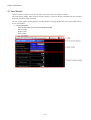
4.2.4 Monitor Parameter Display ......................................................................4-5
( 1 ) Monitoring the Monitor Parameters .......................................................4-5
Chapter 5 Alarm Monitor .............................................................................5-1
5.1 Alarm Monitor ......................................................................................... 5-2
5.1.1 Alarm Monitor Display..............................................................................5-3
( 1 ) Toolbar....................................................................................................5-3
( 2 ) Status......................................................................................................5-3
( 3 ) Show, Hide the Circuit............................................................................5-3