1
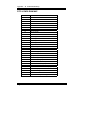
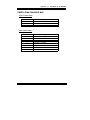
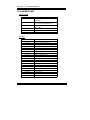
Contents
TABLE OF CONTENTS
CHAPTER
1-1
1-2
1-3
CHAPTER
2-1
2-2
2-3
2-4
2-5
2-6
2-7
1
INTRODUCTION
About This Manual .......................................................
System Specification .....................................................
Safety Precautions .........................................................
2
HARDWARE CONFIGURATION
Jumper & Connector Quick Reference Table ................
Component Locations ...................................................
How to Set Jumpers ......................................................
RS232/422/485 (COM2) Selection ...............................
PS/2 Mouse & Keyboard Selection ...............................
CPU Voltage Selection ..................................................
CPU Type & CPU Clock Selection ...............................
2-7-1
Intel 75/150, Cyrix P-120+, CPU type & Clock Jumper Setting
.......
2-7-2
Intel 90/120, Cyrix P-150+, CPU type & Clock Jumper Setting
.......
2-7-3
Intel 100/133/166 CPU type & Clock Jumper Setting
2-7-4
Intel 200, Cyrix P-166+ CPU type & Clock Jumper Setting
2-8
2-9
2-10
2-11
2-12
2-13
2-14
2-15
2-16
2-17
2-18
2-19
2-20
2-21
2-22
2-23
2-24
1-2
1-3
1-6
.......................
.............
COM1 Connector ..........................................................
COM2 Connector ..........................................................
Keyboard Connector .....................................................
External Keyboard Connector .......................................
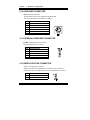
Green Function Connector ............................................
Floppy Disk Drive Connector .......................................
Hard Disk Drive LED Connector ..................................
Hard Disk Drive Connector ...........................................
Power LED & Keylock Connector ................................
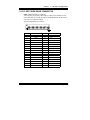
VGA CRT Connector ....................................................
LCD Panel Connector ...................................................
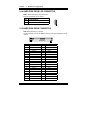
Power Connector ...........................................................
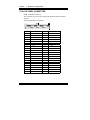
Printer Connector ..........................................................
Reset Connector ............................................................
External Speaker Connector ..........................................
Turbo LED Connector ...................................................
Memory Installing .........................................................
2-2
2-3
2-4
2-6
2-7
2-8
2-9
2-9
2-10
2-11
2-12
2-13
2-13
2-14
2-14
2-14
2-15
2-16
2-16
2-17
2-17
2-18
2-19
2-19
2-20
2-20
2-20
2-21