1
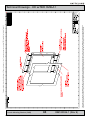
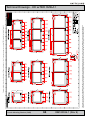
Backpack / Bracket Replace / Removal - Series 2
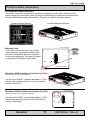
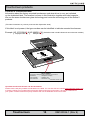
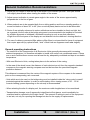
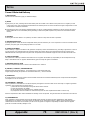
4: Lift the backpack gently with both hands upwards from the
display module. Now change backpack and repeat steps 3-2
above in reverse.
Again note the length of the screws and their locations
as shown in the previous steps.
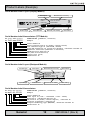
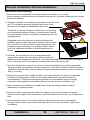
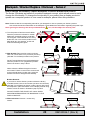
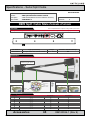
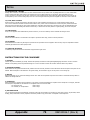
5: Note serial numbers of backpack AND the
main display module. The serial numbers
are located on the labels. Like:
HD MMD01-A01-0000128 (Backpack)
HD 19T03 BOAA-0000120 (Display module)
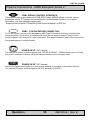
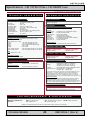
6: The HATTELAND® Series 2 products are shipped mounted and fully operational with a customized combination of
display unit and backpack unit. The two serial numbers are linked and registered by Hatteland, and together
constitute an important basis for future customer service, quality records and technology improvements.
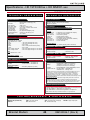
IMPORTANT: Hatteland Display provides normal warranty after any changes of backpack / display module
combinations, when changes are made according to this manual AND when information of serial
numbers after such changes are reported back to the Hatteland Display service department.
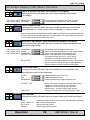
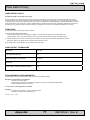
The following information should be returned to Hatteland Display AS, attn: Service Department:
- Customer / end-user name and address
- Date of change
- Serialnumber of display module.
- Serialnumber of backpack module.
fax
e-mail
- Serialnumber of replaced module (display or backpack).
phone
If several units are reported, note which units are mounted together.
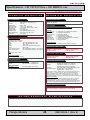
7: For the MMD backpacks you must SETUP DDC
(Display Data Channel) to reset/optimize image
information. It allows the display to send its specifications
to the display controller.
For more information on how to use the On Screen Display (OSD)
menu, please review the “OPERATION” chapter in this manual first.
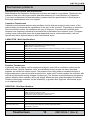
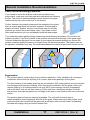
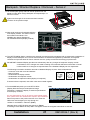
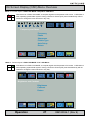
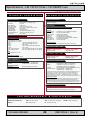
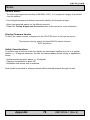
Reconnect power to the product and turn it on. Enter the
OSD menu and navigate your way through the
“Utilities / Load Default “ submenu. (FIG 1)
FIG 1
Utilities
User Setting
OSD Setting
Zoom
Calibrate RGB Gain
Display Orientation
Load Default
Test Pattern
Return
Load User Default
Save User Default
Load Factory Default
Setup DDC
Return
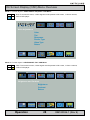
FIG 2
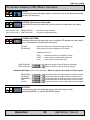
Navigate down to SETUP DDC and execute it. (FIG 2)
A message “Press MENU to Setup DDC” will appear. Press the navigator button/knob to execute.
Installation
IND100078-13
21
INB100026-1 (Rev 9)