1
Contents
Contents..................................................................................... 3
Contents of package...........................................................................6
General....................................................................................... 7
Introduction to Hatteland Display AS................................................... 8
About this manual................................................................................9
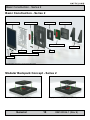
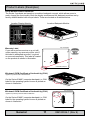
Basic Construction - Series 2............................................................ 10
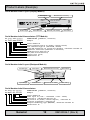
Product Labels (Examples)............................................................... 11
Serial Number Labels Placement.................................................. 11
Warranty Label.............................................................................. 11
Windows® OEM Certificate of Authenticity (COA)........................ 11
Serial Number Label Layout (Display Module)..............................12
Serial Number Label Layout (Backpack Module)..........................12
Touchscreen products.......................................................................13
Location of Touchscreen label.......................................................14
Installation................................................................................ 15
Installation and mounting..................................................................16
Panel cut-out mounting precaution.................................................... 17
Ergonomics.......................................................................................17
Cables...............................................................................................19
Cable Entries & Connectors (Marked area) - Illustration only.......19
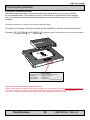
Backpack / Bracket Replace / Removal - Series 2............................ 20
Operation.................................................................................. 23
User Controls....................................................................................24
Status LED Overview........................................................................25
For ECDIS Calibrated Products........................................................ 25
On Screen Display (OSD) Menu Navigating..................................... 26
On Screen Display (OSD) Menu Overview....................................... 27
On Screen Display (OSD) Menu Functions....................................... 29
Physical Connections - MMD Backpack Series 2............................. 34
IND100130-16
IND100130-18
INB100026-1 (Rev 9)