1
1. Welcome to Samplit
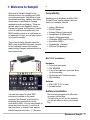
Welcome to Samplit. Samplit is the
ultimate solution for sampling your MIDI
and real instruments. Everything is here:
automated recording, naming, truncating,
compression, normalization, looping,
resampling and even playing. There are
several ways to use Samplit to create
Sampler programs, but the most common
one is to capture the sounds from your
MIDI hardware (such as a synthesizer or
an expander) so that you can play them in
your favorite sampler.
This is how it works: Samplit sends the
MIDI notes to the MIDI hardware, records
all the individual sounds and creates
ready-to-play Sampler instruments with a
few mouse clicks.
it.
Compatibility
Samplit runs on Windows and Mac OSX
(PowerPC and Intel processor) and can
export to 9 sampler formats:
·
·
·
·
·
·
·
·
·
Halion (Steinberg)
EXS24 (Apple)
Kontakt (Native Instruments)
Sampletank (IK Multimedia)
Reason (Propellerheads)
VSampler (MAZ Sound Tools)
Soundfont (EMU)
Gigasampler (Tascam)
Structure (Digidesign)
MAC OS X Installation
Hardware
· G4 or Intel processor
· 256 MB RAM
· A lot of free space on your hard drive
for the recording
· Soundcard with CoreAudio driver
· Midi interface
Software
· Mac OSX 10.3.9 or later
· Acrobat reader
Software installation
You can also record a virtual MIDI
instrument installed on the same
computer. But Samplit is not limited to
recording from sources that can be
controlled by MIDI. You can use Samplit to
record any kind of sound. It could be a
real instrument, a human voice, special
effects (hammer hits, birds...). You name
Run the setup program and follow the
on-screen instructions
The first time you will run the software,
you will be asked to enter your license
key
Welcome to Samplit
2