1
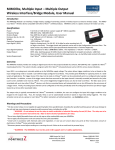
MIMOlite, Multiple Input – Multiple Output
Wireless Interface/Bridge Module, User Manual
* MIMOlite functionality is based on wireless (RF) transmissions. Any wireless transmission can be subject to RF interference or loss-ofcommunication. This interference or loss-of-communication may cause the unit to not operate as intended. You, the end-user, are responsible
for ensuring that the MIMOlite functionality and installation meet your desired requirements.
* Do not mount the MIMOlite inside a metal enclosure.
* Do not place MIMOlite on or near metal objects. This decreases range and/or blocks wireless transmissions.
* Information provided in this manual is for your convenience and may be superseded by updates. The specifications and this manual are subject
to change without notice. It is your responsibility to ensure that the MIMOlite functionality meets your needs and specifications.
Using the MIMOlite in a Z-WaveTM Network
INCLUSION in (adding to) a network: 1) Set up the inclusion mode at the controller (for detailed directions, please refer to your controller user
manual); 2) If the LED has a periodic single blink, the unit will be automatically included. Otherwise, the button has been previously pressed
and automatic inclusion mode is no longer active. In this case, briefly press the button once and the controller will indicate that the unit has
been included in the network. Also, the Status LED will blink when the inclusion completes. Inclusion and exclusion are always done at normal
transmit power mode.
EXCLUSION from (removing from) a network: 1) Set up the exclusion mode at the controller (for detailed directions, please refer to your
controller user manual); 2) Press the MIMOlite button and the controller will indicate the unit has been removed from the network. The Status
LED will blink when the exclusion completes.
TM
ASSOCIATIONS: Once in a network, your controller can be used to associate the MIMOlite with other devices in the Z-Wave network, such as
a light or remote audible alarm. Refer to your controller’s documentation on how to associate the MIMOlite with another device in your
network. The MIMOlite input supports five association groups with a maximum of two associated devices in each group.
Group 1:
Group 2:
Group 3:
Group 4:
Group 5:
When the input is triggered/untriggered, a command is sent to turn on/off the device(s) associated with the input.
The MIMOlite will periodically send a report indicating the input’s analog voltage level.
If a power dropout occurs, the MIMOlite will send a notification (depending on available residual power)
When the input is triggered or untriggered, a Binary Sensor report is sent to this group’s associated device(s).
Pulse meter counts will be sent to this group’s associated device(s).
STATUS INDICATIONS: The MIMOlite provides a status light to indicate various situations.
variable number of times, fast or slow, periodically or only once.
Fast Blinks
Slow Blinks
Periodic?
1
Yes
2
No
4
Yes
1
Yes
As shown in the table below, the light blinks a
Description
Network-Wide Inclusion Mode (NWI mode is automatically entered at
power-up when MIMOlite is not ‘in-network’)
MIMOlite ‘in-network’ indication (after inclusion / power up)
MIMOlite is not ‘in-network’ (after button is pressed during NWI mode or if
inclusion fails or after exclusion)
Power input has dropped out (voltage has dropped to below approx. 10.5V)
Input Analog-to-Digital Characteristics
The input signal voltage conversion to Multilevel Sensor value (ADC reading or count) is non-linear. A typical conversion curve (Voltage to ADC
reading) is shown in the Technical Appendix on the FortrezZ website. These are the values returned via the Multilevel Sensor report in response
to a Multilevel Sensor Get request (or if association Group 2 is set up). The conversion is a 12-bit conversion which allows values from 0 to 4095.
Input Configuration
The voltage conversion described above also applies to the triggering configuration. Refer to the Technical Appendix for details on changing the
triggering configuration. The default trigger configuration for the analog input, SIG1, is a threshold around 1V. That is, the input will trigger
when the level goes above approximately 1V and will untrigger when the level goes below approximately 1V. If the input is left open, the input
will remain triggered because of the internal pull-up resistor. The trigger ranges for SIG1 are very flexible and can be changed to meet many
application requirements. Refer to the Technical Appendix for details.
1080 Centre Rd. Ste C
Auburn Hills, MI 48326
www.fortrezz.com
Phone: (248) 481-7092
[email protected]
Made in USA
011814