1
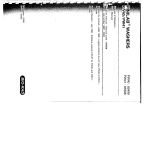
Press the programming button
keep it pressed.
Press the button
Roller Shutter
Drives
3. Deleting the limit positions via
the programming unit
and
and keep it pressed.
Release the programming button
Press the programming button
until the drive clicks twice
again
Note: When the shutters close for the
first time (installation run), the drive
uses less force for safety reasons.
If the force is configurated close to
the limit, the drive may stop before
reaching the upper limit position. After reversing a short way, the drive is
started again until it reaches the upper limit position.
The drive indicates the lack of a limit
position by driving forward, stopping
and then continuing (limit position status
indicator). Once the limit positions have
been detected 3 times consecutively
without problems (3 opening and closing
movements), the drive saves the limit
positions.
4. Activating the cyclic curtain
length adjustment (optional)
By pressing the programming button on
the programming unit for 10 seconds,
you activate the cyclical curtain length
adjustment. The drive confirms the
action by clicking three times.
After the programming is completed
(3 complete opening and closing
movements), the roller shutters stop
shortly before reaching the upper limit
position and will only reach the stop
every 32nd time (correction run).
R-19
3x click