1
Network Computing Devices, Inc.
NCBridge Installation Manual for
UNIX Environments
Version 3.2
May 1999
Printed in USA
Network Computing Devices, Inc.
350 North Bernardo Avenue
Mountain View, CA 94043 USA
1-800-800-9599 (USA and Canada)
1-503-641-2200
http://www.ncd.com
Copyright 1999 Network Computing Devices, Inc., 350 North Bernardo Avenue, Mountain View, California 94043.
Copyright 1990, 1992, 1993, 1994, 1995, 1996 Tektronix, Inc. Wilsonville, Oregon.
Printed in the United States of America or the United Kingdom. All rights reserved. This document may not be copied
in whole or in part, or otherwise reproduced except as specifically permitted under U.S. copyright law, without the
prior written consent of Network Computing Devices, Inc., 350 North Bernardo Avenue, Mountain View, CA 94043
USA.
WinDD and NCBridge are trademarks of Network Computing Devices, Inc.
TEKTRONIX, TEK, UTek, Profile, TekColor, Serial Xpress, SXp, and ErgoCable are trademarks or registered
trademarks of Tektronix, Inc.
Portions of the network computer source code are copyrighted 1989 by Sun Microsystems, Inc. Sun design patents
pending in the U.S. and foreign countries. OPEN LOOK is a trademark of AT&T. Used by written permission of the
owners.
Portions of this NCBridge software 1984-95 Adobe Systems Incorporated. All rights reserved.
Some fonts are copyrighted 1986, 1985 by Bigelow & Holmes. Lucida is a registered trademark of Bigelow &
Holmes.
Ethernet is a trademark of Xerox Corporation; UNIX is a registered trademark of AT&T; DEC, DECnet, DECwindows,
ULTRIX, SCAMP, VMS, and VT are trademarks of Digital Equipment Corporation; SPARCstation is a registered
trademark of SPARC International, licensed exclusively to Sun Microsystems, Inc.; Sun Microsystems, SunOS, NFS,
Sun, Sun-3, Sun-4, and OpenWindows are trademarks of Sun Microsystems, Inc.; OSF, OSF/Motif, and Motif are
trademarks of Open Software Foundation, Inc.; X and X Window System are trademarks of the Massachusetts
Institute of Technology. Hewlett-Packard, HP, and vue are trademarks of the Hewlett-Packard company. IBM and
SMIT are trademarks of International Business Machines. Silicon Graphics and IRIS are registered trademarks and
IRIX is a trademark of Silicon Graphics, Inc. OpenConnect is a registered trademark of OpenConnect Systems, Inc.
Other trade names used in this document are trademarks or registered trademarks of the manufacturers or vendors
of the associated products.
Microsoft, Windows NT and Windows95 are registered trademarks of the Microsoft Corporation.
Adobe, Acrobat, Display PostScript, and ShowPS are trademarks of Adobe Systems Incorporated which may be
registered in certain jurisdictions.
Manual Revision Status
UNIX Installation
Rev Date
Description
July 1997
Original Issue.
May 1999
Document new features included in NCBridge ver. 3.2.
UNIX Installation
Revision Status
UNIX Installation
Contents
Related Documentation ........................................................................ix
Pieces of the Puzzle .............................................................................x
Chapter 1
Installing the Software
Quick Start ............................................................................................1-2
NCBridge installation .......................................................................1-2
Font Setup .......................................................................................1-2
NC terminal installation ....................................................................1-3
Media Contents ....................................................................................1-5
Installing NCBridge ...............................................................................1-8
Sun Installation .....................................................................................1-9
Installation Considerations...............................................................1-9
Preparing for Installation ..................................................................1-11
Installing from a CD-ROM Drive ......................................................1-12
Installing from a Remote Tape Drive ...............................................1-13
Extracting the INSTALL Script .........................................................1-14
IBM Installation .....................................................................................1-15
Installation Considerations...............................................................1-15
Preparing for Installation ..................................................................1-15
Installing from a CD-ROM Drive ......................................................1-17
Installing from a Remote Tape Drive ...............................................1-18
Extracting the INSTALL Script .........................................................1-19
Hewlett-Packard Installation .................................................................1-20
Installation Considerations...............................................................1-20
Preparing for Installation ..................................................................1-20
Installing from a CD-ROM Drive ......................................................1-22
Installing from a Remote Tape Drive ...............................................1-23
Extracting the INSTALL Script .........................................................1-24
Silicon Graphics Installation .................................................................1-25
Installation Considerations...............................................................1-25
Preparing for Installation ..................................................................1-26
Installing from a CD-ROM Drive ......................................................1-27
Installing from a Remote Tape Drive ...............................................1-28
Extracting the INSTALL Script .........................................................1-29
Alpha_OSF Installation .........................................................................1-30
Installation Considerations...............................................................1-30
Preparing for Installation ..................................................................1-31
Installing from a CD-ROM Drive ......................................................1-32
Installing from a Remote Tape Drive ...............................................1-33
Extracting the INSTALL Script .........................................................1-34
Generic UNIX Installation .....................................................................1-35
Installation Considerations...............................................................1-35
Preparing for Installation ..................................................................1-37
UNIX Installation
i
Contents
Installing from a Remote CD-ROM Drive ........................................ 1-38
Installing from a Remote Tape Drive ............................................... 1-39
Extracting the Files .......................................................................... 1-39
Using the INSTALL Script .................................................................... 1-43
Making the Utilities ............................................................................... 1-47
Getting Acquainted............................................................................... 1-49
Basic Installation Example .............................................................. 1-50
Network Computer Worksheet ........................................................ 1-51
Powering on the Network Computer .................................................... 1-53
Booting the Network Computer ............................................................ 1-54
Starting a Session with Launcher......................................................... 1-57
Opening a Telnet Session ............................................................... 1-58
Closing a Telnet Window................................................................. 1-59
Using Setup ..................................................................................... 1-60
Exiting Setup ................................................................................... 1-64
Chapter 2
Making Choices
Configuration Strategies....................................................................... 2-3
Booting Strategies ........................................................................... 2-5
File Access Strategies..................................................................... 2-9
Host Connection Strategies............................................................. 2-11
ROM and Flash Memory Strategies ................................................ 2-15
Boot Host Check List ....................................................................... 2-16
File Host Check List ........................................................................ 2-16
Network Computer Check List......................................................... 2-17
What Next? .......................................................................................... 2-17
Configuration Workbook....................................................................... 2-18
Chapter 3
Supporting a Centralized System - Sun
Enabling NFS on SunOS 4 .................................................................. 3-3
Enabling NFS on SunOS 5 .................................................................. 3-4
Enabling TFTP ..................................................................................... 3-5
Using Secure TFTP ......................................................................... 3-7
Enabling BOOTP.................................................................................. 3-8
Setting Up the bootptab File ............................................................ 3-9
Running BOOTP ............................................................................. 3-11
Enabling RARP on SunOS 4................................................................ 3-14
Enabling RARP on SunOS 5................................................................ 3-15
Enabling XDM ...................................................................................... 3-16
Enabling the XDM from the Media ....................................................... 3-18
Adding DNS Entries ............................................................................. 3-20
ii
UNIX Installation
Contents
Chapter 4
Supporting a Centralized System - IBM
Enabling NFS Access ...........................................................................4-2
Enabling TFTP......................................................................................4-4
Enabling BOOTP ..................................................................................4-5
Setting Up the bootptab File ............................................................4-6
Running BOOTP ..............................................................................4-7
Enabling XDM.......................................................................................4-9
Adding DNS Entries..............................................................................4-11
Chapter 5
Supporting a Centralized System - HP
Enabling NFS Access ...........................................................................5-3
Enabling TFTP......................................................................................5-4
Enabling bootp......................................................................................5-6
Ensuring that bootp is Running........................................................5-8
Chapter 6
Supporting a Centralized System - Silicon Graphics
Enabling NFS Access ...........................................................................6-3
Enabling TFTP......................................................................................6-4
Using Secure TFTP .........................................................................6-5
Enabling BOOTP ..................................................................................6-6
Setting Up the Silicon Graphics bootptab File .................................6-7
Setting Up the bootptab File from the Installation Media ................. 6-8
Running BOOTP ..............................................................................6-10
Enabling XDM.......................................................................................6-11
Adding DNS Entries..............................................................................6-13
Chapter 7
Supporting a Centralized System - Alpha_OSF
Enabling NFS Access ...........................................................................7-3
Enabling TFTP......................................................................................7-4
Enabling BOOTP ..................................................................................7-5
Using the DEC Bootptab File...........................................................7-5
Using the Bootptab File from the Installation Media ........................ 7-7
Running BOOTP ..............................................................................7-9
Enabling RARP.....................................................................................7-12
Enabling Xprompter ..............................................................................7-13
Adding DNS Entries..............................................................................7-14
Chapter 8
Supporting a Centralized System - Generic UNIX
Enabling NFS Access ...........................................................................8-3
Enabling TFTP......................................................................................8-5
Using Secure TFTP .........................................................................8-7
Enabling BOOTP ..................................................................................8-8
Setting Up the bootptab File ............................................................8-9
Running BOOTP ..............................................................................8-10
Enabling RARP.....................................................................................8-13
Adding DNS Entries..............................................................................8-15
UNIX Installation
iii
Contents
Chapter 9
Local Clients
Starting Local Clients With xpsh...................................................... 9-2
Starting Local Clients In The xp.cnf File .......................................... 9-12
Starting Local Clients with rsh .............................................................. 9-13
Enabling rsh .................................................................................... 9-13
Editing the .rhosts File ..................................................................... 9-13
Starting Local Clients with rsh ......................................................... 9-14
Client Launcher .................................................................................... 9-15
Configuring the Client Launcher...................................................... 9-15
Downloading the Client Launcher ................................................... 9-18
Using the Client Launcher ............................................................... 9-20
Authorization Key Manager .................................................................. 9-21
Setting Up SNMP ............................................................................ 9-21
The authkey.dat File........................................................................ 9-22
Starting the Authorization Key Manager.......................................... 9-22
Using the Authorization Key Manager Client................................... 9-23
Setting up XIE ...................................................................................... 9-28
XIE Authorization............................................................................. 9-28
Enabling XIE.................................................................................... 9-28
Setting up XBlink .................................................................................. 9-29
XBlink Authorization ........................................................................ 9-29
Enabling XBlink ............................................................................... 9-29
Using XBlink .................................................................................... 9-29
Setting Up the XPT/A Graphics Tablet................................................. 9-30
Touchscreen Calibration Client ............................................................ 9-31
Common Desktop Environment ........................................................... 9-33
Starting the Local TED/CDE Client ................................................. 9-34
Chapter 10
Window Managers
Setting Up Local MWM ........................................................................ 10-1
Starting Local MWM ........................................................................ 10-2
Accessing MWM Configuration Files............................................... 10-2
Accessing the MWM Resource Description File.............................. 10-2
Accessing the MWM Defaults File................................................... 10-5
Accessing Bitmap Files ................................................................... 10-7
Specifying Virtual Key Bindings....................................................... 10-7
Setting up Virtual Desktop Panning................................................. 10-7
Troubleshooting MWM .................................................................... 10-9
Setting Up XP Window Manager.......................................................... 10-11
Accessing the XPWM Defaults File ................................................. 10-11
Starting the XP Window Manager ................................................... 10-11
Using XPWM ................................................................................... 10-12
Customizing XPWM ........................................................................ 10-14
iv
UNIX Installation
Contents
Chapter 11
Using Additional Fonts
How the X Server Builds the Font Database ........................................ 11-3
Resident and Boot Directory Fonts.......................................................11-5
Installing Fonts .....................................................................................11-7
Adding IBM Fonts to fonts.tbl...........................................................11-7
Using xset to Add or Delete Font Paths........................................... 11-8
Converting Sun Fonts ......................................................................11-9
SCF Font Issues ..............................................................................11-10
Chapter 12
Troubleshooting
Appendix A
Installing and Configuring PSXpress
Installing PSXpress ..............................................................................A-2
Running the adobe.install Script .....................................................A-3
Manual Installation ...........................................................................A-7
Accessing Example Files and Applications ..........................................A-8
Administering PSXpress .......................................................................A-9
Adding Fonts and UPR Files ...........................................................A-10
Configuring the Services Port ..........................................................A-12
Allocating Display PostScript Agents...............................................A-13
Exclusive Authorization for NCD Network Computers ..................... A-14
Limit of 16 Agents per Host .............................................................A-15
Starting an Agent with execnx .........................................................A-16
Using PSXpress with Other Display PostScript Applications........... A-19
Updating XKeysymDB .....................................................................A-20
Understanding Display PostScript NX ..................................................A-21
The Display PostScript Extension....................................................A-22
Display PostScript NX Network Software ........................................ A-23
UNIX Installation
v
Contents
vi
UNIX Installation
Preface
This manual presents installation and configuration information for the network
computers. This manual is written for system and network administrators
responsible for installing network computers in a distributed-computing
environment. The procedures in this manual assume you are familiar with:
• the operating system and administration of the intended host computer
• the network protocols and concepts related to your local-area network (LAN)
• the X environment, including window managers and display managers
The following conventions and terminology is used in this manual.
• Pointing: use the mouse to position the pointer on an object on the display
• Moving: use the mouse to change the location of the pointer on the display
• Clicking: press and release a mouse button without moving the pointer
• Dragging: press and hold down a mouse button while moving the pointer
• Releasing: release the mouse button to complete a dragging action
UNIX Installation
vii
Preface
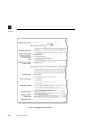
Figure 1 Typographical Conventions.
viii
UNIX Installation
Related Documentation
Related Documentation
The following user manuals are included in the Documentation CD-ROM:
• Network Computer User
Provides operating information for the novice user.
• Network Computer Reference
Provides detailed reference information for system administrators.
• 3270/3179G User
Provides operating information for the 3270/3179G terminal emulators.
• 3270E/5250 User
Provides operating information for the 3270E/5250 terminal emulators.
The following manuals are available in paper:
• Network Computer Installation for UNIX — 9300845
Network Computer Installation for VMS — 9300846
Network Computer Installation for Windows NT — 9300847
Explains how to install and configure network computers on a specific host.
• Serial Xpress User —9300834
Provides information about using Serial Xpress which enables a network
computer to connect to a remote host over an RS-232 serial connection.
The following document is available in local bookstores:
• X Window System User’s Guide — O’Reilly & Associates, Inc.
Presents window system concepts and includes tutorials for many client
programs.
The following documentation from your computer manufacturer would be
helpful to look up additional options, subnet masking, and broadcast addresses:
• System Administrator’s Manual
• Network Administrator’s Manual
UNIX Installation
ix
Preface
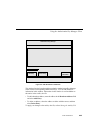
Pieces of the Puzzle
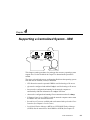
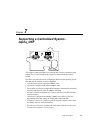
Configuration is the key to the successful integration of network computers into
your environment. System configuration is represented as a puzzle: each piece
must be completed and integrated before the entire system configuration is
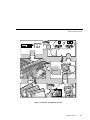
complete. The configuration puzzle is illustrated in Figure 2.
Throughout this manual, the individual puzzle pieces are used to visually guide
you through the system configuration process. As you complete each piece, you
are one step closer to a centralized system. When the puzzle is complete, you
have created a custom environment tailored to your computing resources, your
applications, and your users’ requirements. As an added bonus, the system is
centrally administered, easy to maintain, and has the flexibility to adapt to your
changing computing needs.
Chapter 1, Installing the Software, is the first step in the configuration
process. This chapter describes how to load the network computer
software onto your computer.
Chapter 2, Making Choices, helps you analyze your environment and
select the best methods to configure your network computers and your
environment. Strategies for using a centralized configuration, integrating
additional network computers, and using Flash memory are also
included.
Chapters 3 - 8, Supporting a Centralized System, provides the host
specific procedures you need to implement your configuration decisions
you made in Chapter 2. Refer to Chapter 2 for information on which
procedures to perform.
Chapter 9, Local Clients, provides information about starting and using
the XpressWare local clients. Local clients execute on the network
computer instead of the host, thus reducing network traffic.
Chapter 10, Window Managers, provides information about the local
window managers; Motif Window Manager, OpenLook Window
Manager, and XpressWare Window Manager.
Chapter 11, Using Additional Fonts, describes the procedures and
utilities necessary to make your fonts available to the network computer.
Chapter 12, Troubleshooting, describes debugging methods and
solutions to help troubleshoot your configuration.
x
UNIX Installation
Pieces of the Puzzle
?
Ho
st
ilen name
am :
e:
Vpl
ay
y
Apla
50
:
me
X
Volu
4X
Bla
ck/W
colossus
ing
Good morn
Mr. Forbin.....
hite
guardian
Co
ntr
File
:
me
tna
Hos name:
File
Launch
ast
Volu
:
Brig
htn
me
0
ess
L
:
B
0d
50
vel:
. Le
R
0
er
:
Rec
/etc/hosts
60
ons
cs)
z
edia
H
000
8
Mic
Rec
Pas
swo
Rety
rd
pe
r
Ste
(se
e
. L
Audio
Player
Law
it u
Digital
Video8-b
e
XIE Vie
hon
wer
rop
ic
Audio
M
Mixer
eo
agers
ngth
st
:
Boo
***
*
r
ow
M
r
age
nd
Wi
dow
e
S
WM
OL
M
MW M
W
XP
Man
er
g
Mana
ndow
gs
File
in
Sett
M
OLW
MWM
M
XPW
S..FONTS..
T
N
guardian
Win
gs
in
ett
Fil
FO
ge
a
an
Wi
gs
File
Settin
OLWM
MWM
XPWM
m-3
Figure 2 The System Configuration Process.
UNIX Installation
xi
Preface
xii
UNIX Installation
Chapter
1
Installing the Software
The first step is to install the network computer software on one or more hosts.
The network computer plugs directly into the network, so you can install the
software on one host or distribute it across different hosts on the same network.
The media contains all of the files you need to boot and configure your network
computers. With the INSTALL script you can install everything or select only
the files you need for your environment.
NOTE: Before starting the installation process, verify your root
umask is set correctly, so file permissions are preserved. Your umask
should be set to 022, so root has read, write, and execute privileges,
but others only have read and execute. To set your umask, type:
# umask 022
This manual provides detailed installation information but first, a quick-start list
is provided as an overview. It is also useful for experienced users who don’t
need a lot of detail.
UNIX Installation
1-1
Chapter 1
Installing the Software
Quick Start
The following steps provide an overview describing how to install NCBridge on
the host and to configure an NC for operation. Details can be found in the
remainder of this manual and in the Network Computer Reference Manual.
NCBridge installation
1. Log on to installation host.
2. Insert the installation CD-ROM into the host CD-ROM drive. Set the mount
point and path (for details, see Installing from a CD-ROM Drive on page 1-12).
3. Extract the INSTALL script (see Extracting the INSTALL Script on page
1-14 for details).
4. Run the install script. Choose the options you wish to install as you are
prompted. Choose options as they apply to your system. The remainder of
this chapter covers many different UNIX platforms (i.e. Sun, IBM, HP, etc.).
5. Configure the fonts for your workstation. This is a common source of
installation problems. One of the following two methods may be used.
Font Setup
Providing access to the correct fonts is key to the function and appearance of
windows on the NC’s display. Font access is most easily done by matching the
NC fonts to the fonts used by other X window workstations. For example, if you
normally run an application on a Solaris workstation, then ensure the fonts used
by the NC match the Solaris workstation’s fonts.
Method 1 (for Solaris workstations with font servers):
1. Point to the font server using the format TCP:/<ipaddr>:7100 (<ipaddr> is
the ip address of the font server). Add this command to the fonts.tbl file
in the /tekxp/boot/config directory.
1-2
UNIX Installation
NC terminal installation
Method 2 (other systems):
1. Determine the fonts used by the workstation you’re trying to simulate by
entering the command xset -q. A list of fonts and paths similar to the
following will appear:
/usr/openwin/lib/X11/fonts/F3bitmaps
/usr/openwin/lib/X11/fonts/Type1
/usr/openwin/lib/X11/fonts/Speedo
/usr/openwin/lib/X11/fonts/misc
/usr/openwin/lib/X11/fonts/75dpi
/usr/openwin/lib/X11/fonts/100dpi
2. Enter the path information obtained in the previous step into the
fonts.tbl file in the /tekxp/boot/config directory.
3. Using nfs boot, the boot and font directories need to be exported for file
sharing. See Chapters 3 - 8 for details regarding your specific system.
4. Set up the terminal for nfs file sharing. File sharing allows the terminal to
have nfs access to font files listed in the fonts.tbl file. Do this by adding the
following to the nfs_table entry in the xp.cnf file for the terminal:
nfs_table "<file_system_name>" "<local_directory>" "<transfer_size>".
<file_system_name> is the remote host path specified by either name or ip
address and path, <local_directory> is the local path specification and
<transfer_size> is the byte size for transfers. The following is a typical
example:
nfs_table "oregon:/usr" "/usr" "8192"
See the Network Computer Reference Manual for more details.
NOTE: With newer versions of UNIX on our supported workstations,
it is recommended to configure NCBridge to use the fonts provided by
the UNIX vendor.
NC terminal installation
1. Unpack the NC hardware and assemble according to Installation Guide
provided.
2. Turn on the NC.
3. When the boot screen appears, press the spacebar.
UNIX Installation
1-3
Chapter 1
Installing the Software
4. Set the following items:
IA <ip address of NC>
IH <ip address of boot host>
IM <subnet mask>
BP </installation_directory/tekxp/boot/os.500>
IGate <ip address of gateway host>
NVS (to save settings in NVRAM)
B (to start boot process)
The network computer should boot for basic operation. Make custom changes
to the installation, as desired.
After booting, a TekHostMenu window should appear, showing a list of
available hosts.
1-4
UNIX Installation
Media Contents
Media Contents
The directory hierarchy is created relative to the current directory. For example,
if you are at the root partition (/), the INSTALL script creates the directory /
tekxp, if you are at the /usr partition, the directory would be /usr/tekxp. For
consistency throughout the manuals, the install directory is assumed to be /
tekxp. The directory hierarchy is illustrated in Figure 1-1. In addition, there are
three host-dependent optional directories: AcroRead_2.1, audioIntercept, and
dpsnx_2.1.
tekxp
INSTALL
bin
boot
fonts
hp700
examples
config
ibm
RS6000
data_xp
danish
mgmt
obsolete
src
include
mwm
finnish
risc_ultrix
man
french
xcmsdb
german
xmodmap
lib
100dpi
sgi
75dpi
italian
sun4
japanese
katakana
solaris
misc
solaris_i86
norwegian
oldx11
spanish
mipsabi
openlook
swedish
speedo
tek100dpi
swissgerman
uk
type1
usascii
dir-1
Figure 1-1 Directory Hierarchy.
UNIX Installation
1-5
Chapter 1
Installing the Software
Here are the standard installed directories:
• /tekxp/INSTALL
Contains the installation scripts and the installation log files.
• /tekxp/bin/<host>
Contains one or more host subdirectories containing network
computer-specific executables for font conversion, hardcopy, and
communications.
• /tekxp/boot
Contains the boot files, boot fonts, local clients, and input files. For files that
differ between network computer models, the format file.model is used.
Refer to Table 1-8 for model information.
• /tekxp/boot/config
Contains the network computer configuration files (xp.cnf and .tbl files).
• /tekxp/boot/fonts
Contains subdirectories for the supplied non-resident fonts.
• /tekxp/boot/<language_directory>/app-defaults
Contains translated text for network computer clients.
• /tekxp/examples
Contains examples of resource files, such as Xsession and Xresources. There
are subdirectories containing sample files for data_xp, mwm, and xcmsdb
and keyboard mapping files for use with 7 bit national character sets.
• /tekxp/man
Contains on-line manual pages for many of the binaries in /tekxp/bin/<host>
• /tekxp/mgmt
Contains a sample SNMP MIB file.
• /tekxp/src
Contains source files for various utilities.
1-6
UNIX Installation
Media Contents
Here are the optional directories:
• /tekxp/AcroRead_2.1
Contains the Adobe Acrobat programs available with the PSXpress option.
• /tekxp/audioIntercept
Contains files that allow host based audio applications to redirect audio
output to the network computer.
• /tekxp/dpsnx_2.1
Contains the Adobe Display PostScript files available with the PSXpress
option on selected hosts
UNIX Installation
1-7
Chapter 1
Installing the Software
Installing NCBridge
The following sections explain installation considerations, preparations, and
script extraction for the different hosts on which you can install NCBridge:
• Sun (page 1-9)
• IBM (page 1-15)
• Hewlett Packard (page 1-20)
• Silicon Graphics (page 1-25)
• Alpha_OSF (page 1-30)
• Generic UNIX (page 1-35)
1-8
UNIX Installation
Sun Installation
Sun Installation
This section describes installing NCBridge on Sun hosts. It includes installation
considerations, preparing for the installation, installing NCBridge, and
extracting the INSTALL script.
Installation Considerations
The binary files in the directory /tekxp/bin/sun4 support Sun hosts running
SunOS versions 4.1.3 or greater (referred to as SunOS 4 in this manual). The
binary files in the directory /tekxp/bin/solaris support Sun Sparc hosts running
Solaris 2.3 or greater, (referred to as SunOS 5 in this manual), and the binary
files in the directory /tekxp/bin/solaris_i86 supports Intel solaris version 2.4.
Before you install the tape, there are two topics you need to consider:
• NFS boot security
• Secure tftp
The following sections describe the general considerations. If you need more
in-depth or introductory information, refer to your Sun documentation.
NFS Boot Security
If you are planning to boot via NFS, the installation directory must be exported
so the network computer can access the boot files. Select an installation
directory tree that does not contain secured or proprietary information. For
example, you may wish to install files under the directory /usr/tekxp instead of
/tekxp. Thereby exporting the /usr partition instead of the root partition (/).
UNIX Installation
1-9
Chapter 1
Installing the Software
Secure tftp
There are considerations if the boot or font host use secure tftp. To determine if
you use secure tftp, check the file /etc/inetd.conf for a line similar to:
tftp dgram udp wait root /usr/etc/in.tftpd in.tftpd -s /tftpboot
The -s indicates the host is using secure tftp. The partial path name following
the -s is the secure path (the only path searched for files used in tftp transfers).
If you are using secure tftp, note the secure directory at the end of the line. Use
this directory as the parent directory for /tekxp.
Secure tftp does not follow symbolic links to files outside the secure directory,
so all boot and configuration files must share a common parent directory. For
example, you cannot link the file /tftpboot/tekxp/boot/config/xp.cnf to /usr/
tekxp/xp.cnf. However, it is possible to symbolically link the secure directory to
another partition if disk space is limited in the secure directory. For example, /
tftpboot/tekxp could be linked to /usr/tftpboot/tekxp. Refer to your host
documentation.
1-10
UNIX Installation
Preparing for Installation
Preparing for Installation
1. Log in to the host system as root:
# su
NOTE: If you are not logged in as root, you are not be able to
overwrite files from a previous installation.
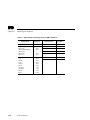
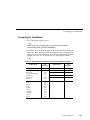
2. Use Table 1-1 to calculate the approximate size of the files you need to
install. Use df to make sure you have enough disk space in the partition
where you want to install the files. If not, select another partition that has
enough space, like /usr, or increase the size of the logical volume.
# df
Table 1-1 Approximate File Package Sizes for Sun Installations.
Package Name
tekxp/boot
Size
(kilobytes)
2256
44996
9416
7064
Package Name
tekxp/man
tekxp/mgmt
Size
(kilobytes)
512
92
tekxp/boot (all binaries)
XP10 only
XP100/XP200/XP350/
XP400 only
NC200
XP330 only
~7064
4516
tekxp/bin
8390
tekxp/boot/fonts (all)
misc
100dpi
75dpi
japanese
oldx11
openlook
tek100dpi
Speedo
Type1
12884
2496
2396
2092
2532
1056
104
564
568
1072
tekxp/src
192
tekxp/audioIntercept
756
tekxp/obsolete
468
tekxp/examples
212
tekxp/DpsNx_2.1
24412
UNIX Installation
1-11
Chapter 1
Installing the Software
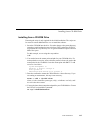
Installing from a CD-ROM Drive
Extracting the script is only required for the initial installation. The script can
be reused to extract additional files or to re-install the software.
1. Insert the CD-ROM into the drive. Use cd to change to the parent directory
(must have world read and execute privilege). This is where the INSTALL
script builds the tekxp directory tree. A typical installation requires about 80
MB of free space.
For this example, we are using the root partition:
# cd /
2. You need to know the mount point and path for your CD-ROM drive. If a
mount point does not exist, create a directory named cdrom to be used as the
mount point for the CD-ROM by entering the following command:
# mkdir /cdrom
3. Enter the command to mount the CD-ROM to the /cdrom directory: If you
are running an automounter, this step is not necessary.
For Sun4:
mount -t hsfs -r /dev/sr0 /cdrom
The -t indicates the file system type (hsfs), the -r indicates the contents are
read-only, and /dev/sr0 is the device name.
For Sun5:
mount -F hsfs -r /dev/sd6c /cdrom
The -F indicates the file system type (hsfs), the -r indicates the contents are
read-only, and /dev/sd6c is the device name.
4. You need to know the mount point and path for your CD-ROM drive.
Defaults are shown in the extraction examples. Extract the INSTALL script
with the command:
tar -xvpf /cdrom/sun/install.tar
NOTE: For Sun5, the Solaris 2.3 automounter mounts the CD-ROM
as /cdrom/NCBridge_version_X_X/common, where X_X is the
version number (for example, 8_0).
1-12
UNIX Installation
Installing from a Remote Tape Drive
Installing from a Remote Tape Drive
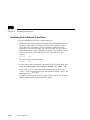
If you are installing the files from a remote tape drive:
1. Establish remote shell privileges between the remote host with the tape drive
and the local host where you want to install the files. Each host needs an
.rhosts file in the root directory. The file contains the other host name
followed by root as the user name. For security reasons, you may want to
delete this file when you the installation is complete. As an example, assume
you have two hosts: oregon and montana. The .rhosts file on oregon
contains:
montana
root
The .rhosts file on montana contains:
oregon
root
2. Use the remote shell command to extract the INSTALL script from the tape:
# rsh -n <remote_host> dd if=<device> bs=20b | tar xvBfb - 20
where <remote_host> is the name of the host with the tape drive, and
<device> is the no-rewind device type. The default no-rewind <device> for
Sun tape drives is /dev/nrst0
Continue on with Using the INSTALL Script on page 1-40. Be sure to use the
-host and -user switches with the INSTALL script.
UNIX Installation
1-13
Chapter 1
Installing the Software
Extracting the INSTALL Script
You only need to extract the INSTALL script for your initial installation, as the
script can be reused for subsequent installations. To extract the script:
1. Use cd to change to the parent directory. This is where the INSTALL script
builds the tekxp directory tree. The parent directory should have world read
and execute privileges. For this example, we are using the root partition:
# cd /
2. Insert the media into the drive.
3. You need to know the path and name of your no-rewind tape device. The
default no-rewind <device> for Sun tape drives is /dev/nrst0. Extract the
INSTALL script with the command:
# tar -xvpf <device>
For example:
# tar -xvpf /dev/nrst0
After extracting the INSTALL script, continue to Using the INSTALL Script on
page 1-40.
1-14
UNIX Installation
IBM Installation
IBM Installation
This section describes installing NCBridge on IBM hosts. It includes
installation considerations, preparing for the installation, installing NCBridge,
and extracting the INSTALL script.
Installation Considerations
NFS Boot Security
If you are planning to boot via NFS, the installation directory must be exported
so the network computer can access the boot files. Select an installation
directory tree that does not contain secured or proprietary information. For
example, you may wish to install files under the directory /usr/tekxp instead of
/tekxp. Thereby exporting the /usr partition instead of the root partition (/).
If you need more in-depth or introductory information, refer to your IBM host
documentation.
Preparing for Installation
1. Log in to the host system as root:
# su
NOTE: If you are not logged in as root, you are not be able to
overwrite files from a previous installation.
2. Use Table 1-2 to calculate the approximate size of the files you need to
install. Use df to make sure you have enough disk space in the partition
where you want to install the files. If not, select another partition that has
enough space, like /usr, or increase the size of the logical volume.
# df
UNIX Installation
1-15
Chapter 1
Installing the Software
Table 1-2 Approximate File Package Sizes for IBM Installations.
Package Name
tekxp/boot
1-16
Size
(kilobytes)
2256
Package Name
tekxp/man
tekxp/mgmt
Size
(kilobytes)
512
92
tekxp/boot (all binaries)
XP10 only
XP100/XP200/XP350/
XP400 only
XP330 only
PEX only
44996
9416
7064
4516
3792
tekxp/bin
2928
tekxp/boot/fonts (all)
misc
100dpi
75dpi
japanese
oldx11
openlook
tek100dpi
Speedo
Type1
12884
2496
2396
2092
2532
1056
104
564
568
1072
tekxp/src
1100
UNIX Installation
tekxp/obsolete
468
tekxp/examples
212
Installing from a CD-ROM Drive
Installing from a CD-ROM Drive
Extracting the script is only required for the initial installation. The script can
be reused to extract additional files or to re-install the software.
1. Insert the CD-ROM into the drive. Use cd to change to the parent directory
(must have world read and execute privilege). This is where the INSTALL
script builds the tekxp directory tree. A typical installation requires about 80
MB of free space.
For this example, we are using the root partition:
# cd /
2. You need to know the mount point and path for your CD-ROM drive. If a
mount point does not exist, create a directory named cdrom to be used as the
mount point for the CD-ROM. Create the mount point with SMIT. To add
access to a local drive:
System Management ⇒
Physical & Logical Storage ⇒
File Systems ⇒
Add/Change/Show/Delete File Systems ⇒
3. Enter the command to mount the CD-ROM to the /cdrom directory: If you
are running an automounter, this step is not necessary.
mount -v cdrfs -r /dev/cd0 /cdrom
where -v is the virtual file system type (cdrfs), -r indicates read-only, and /
dev/cd0 is the device name.
4. You need to know the mount point and path for your CD-ROM drive. Extract
the INSTALL script with the command:
tar -xvpf /cdrom/ibm/install.tar
UNIX Installation
1-17
Chapter 1
Installing the Software
Installing from a Remote Tape Drive
If you are installing the files from a remote tape drive:
1. Establish remote shell privileges between the remote host with the tape drive
and the local host where you want to install the files. Each host needs an
.rhosts file in the root directory. The file contains the other host name
followed by root as the user name. For security reasons, you may want to
delete this file when you the installation is complete. As an example, assume
you have two hosts: oregon and montana. The .rhosts file on oregon
contains:
montana
root
The .rhosts file on montana contains:
oregon
root
2. Use the remote shell command to extract the INSTALL script from the tape:
# rsh -n <remote_host> dd if=<device> bs=20b | tar xvBfb - 20
where <remote_host> is the name of the host with the tape drive, and
<device> is the no-rewind device type. The default no-rewind <device> for
IBM tape drives is /dev/rmt0.1
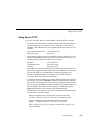
Continue on with Using the INSTALL Script on page 1-40. Be sure to use the
-host and -user switches with the INSTALL script.
1-18
UNIX Installation
Extracting the INSTALL Script
Extracting the INSTALL Script
You must extract the script from the media. This only needs to be done for your
initial installation, as the script can be reused for subsequent installations.
1. Use cd to change to the parent directory. This is where the INSTALL script
builds the tekxp directory tree. The parent directory should have world read
and execute privileges. For this example, we are using the root partition:
# cd /
2. Insert the media into the drive.
3. You need to know the path and name of your no-rewind tape device. The
default no-rewind <device> for IBM RS/6000 tape drives is /dev/rmt0.1.
Extract the INSTALL script with the command:
# tar -xvpf <device>
For example:
# tar -xvpf /dev/rmt0.1
After extracting the INSTALL script, continue to Using the INSTALL Script
on page 1-40.
UNIX Installation
1-19
Chapter 1
Installing the Software
Hewlett-Packard Installation
This section describes installing NCBridge on Hewlett-Packard hosts. It
includes installation considerations, preparing for the installation, installing
NCBridge, and extracting the INSTALL script.
The binary files in the directory /tekxp/bin/hp700 support Series 700 and 800
hosts.
Installation Considerations
NFS Boot Security
If you plan to boot via NFS, you must export the directories that contain the
network computer software before you load the installation media. Use SAM
to export and create the selected boot and install directories. When selecting a
boot and install directory, create a tree structure that does not contain secured
or proprietary information. For example, you may wish to install files under the
directory /usr/tekxp instead of /tekxp. Thereby exporting the /usr partition
instead of the root partition (/).
Preparing for Installation
1. Log in to the host system as root:
# su
NOTE: If you are not logged in as root, you are not be able to
overwrite files from a previous installation.
1-20
UNIX Installation
Preparing for Installation
2. Use Table 1-3 to calculate the approximate size of the files you need to
install. Use df to make sure you have at enough disk space in the partition
where you want to install the files. If not, select another partition that has
enough space, like /usr, or increase the size of the logical volume.
# df
or from the SAM menu:
File Systems->
Status Operations->
View Disk Space Information
Table 1-3 Approximate File Package Sizes for Hewlett-Packard Installations.
Package Name
tekxp/boot
Size
(kilobytes)
2088
tekxp/boot (all binaries)
XP10 only
XP100/XP200/XP350/
XP400 only
XP330 only
PEX only
38676
10356
17560
14556
3792
tekxp/boot/fonts (all)
misc
100dpi
75dpi
japanese
oldx11
openlook
tek100dpi
Speedo
Type1
12880
2496
2396
2092
2532
1056
104
564
568
1072
Package Name
tekxp/man
tekxp/mgmt
Size
(kilobytes)
504
92
tekxp/obsolete
236
tekxp/examples
212
tekxp/bin
5839
UNIX Installation
1-21
Chapter 1
Installing the Software
Installing from a CD-ROM Drive
Extracting the script is only required for the initial installation. The script can
be reused to extract additional files or to re-install the software.
1. Insert the CD-ROM into the drive. Use cd to change to the parent directory
(must have world read and execute privilege). This is where the INSTALL
script builds the tekxp directory tree. A typical installation requires about 80
MB of free space.
For this example, we are using the root partition:
# cd /
2. You need to know the mount point and path for your CD-ROM drive. If a
mount point does not exist, create a directory named cdrom to be used as the
mount point for the CD-ROM by entering the following command:
# mkdir /cdrom
3. Enter the command to mount the CD-ROM to the /cdrom directory: If you
are running an automounter, this step is not necessary.
mount -t cdfs -r /dev/dsk/4s0 /cdrom
where -t is the file system type (cdfs), -r indicates read-only, and /dev/dsk/
4s0 is the device name.
4. You need to know the mount point and path for your CD-ROM drive.
Defaults are shown in the extraction examples. Extract the INSTALL script
with the command:
tar -xvpf /cdrom/HP/INSTALL.TAR\;1
NOTE: To use NFS as a file access method, use SAM to export the
boot_directory (/tekxp/boot) before running the script.
1-22
UNIX Installation
Installing from a Remote Tape Drive
Installing from a Remote Tape Drive
If you are installing the files from a remote tape drive:
1. Establish remote shell privileges between the remote host with the tape drive
and the local host where you want to install the files. Each host needs an
.rhosts file in the root directory. The file contains the other host name
followed by root as the user name. For security reasons, you may want to
delete this file when you the installation is complete. As an example, assume
you have two hosts: oregon and montana. The .rhosts file on oregon
contains:
montana
root
The .rhosts file on montana contains:
oregon
root
2. Use the remote shell command to extract the INSTALL script from the tape:
# remsh -n <remote_host> dd if=<device> bs=20b | tar xvfb - 20
where <remote_host> is the name of the host with the tape drive, and
<device> is the no-rewind device type. The default no-rewind <device> for
Hewlett-Packard tape drives is /dev/update.src.
Continue on with Using the INSTALL Script on page 1-40. Be sure to use the
-host and -user switches with the INSTALL script.
UNIX Installation
1-23
Chapter 1
Installing the Software
Extracting the INSTALL Script
You must extract the script from the media. This only needs to be done for your
initial installation, as the script can be reused for subsequent installations.
1. Use cd to change to the parent directory. This is where the INSTALL script
builds the tekxp directory tree. The parent directory should have world read
and execute privileges. For this example, we are using the root partition:
#
cd /
2. Insert the media into the drive.
3. You need to know the path and name of your no-rewind tape device. The
default no-rewind <device> for Hewlett-Packard tape drives is /dev/
update.src. Extract the INSTALL script with the command:
# tar -xvpf <device>
For example:
# tar -xvpf /dev/update.src
NOTE: If you intend to use NFS as a file access method, use SAM to
export the boot_directory before loading the software.
After extracting the INSTALL script, continue to Using the INSTALL Script on
page 1-40.
1-24
UNIX Installation
Silicon Graphics Installation
Silicon Graphics Installation
This section describes installing NCBridge on Silicon Graphics hosts. It
includes installation considerations, preparing for the installation, installing
NCBridge, and extracting the INSTALL script.
Installation Considerations
The following sections describe the general considerations. Your Silicon
Graphics operating system version should be 4.0.5 or higher. If you need more
in-depth or introductory information, refer to your Silicon Graphics IRIS
System Administration Guide.
NFS Boot Security
If you are planning to boot via NFS, the installation directory must be exported
so the network computer users can access the boot files. Select an installation
directory tree that does not contain secured or proprietary information. For
example, you may wish to install files under the directory /usr/tekxp instead of
/tekxp. Thereby exporting the /usr partition instead of the root partition (/).
Secure tftp
There are considerations if the boot or font host use secure tftp. To determine if
you use secure tftp, check the file /etc/inetd.conf for a line similar to:
tftp dgram udp wait guest /usr/etc/tftpd tftpd -s /usr/local/boot
The -s indicates the host is using secure tftp. The partial path name following
the -s is the secure path.
Secure tftp does not follow symbolic links to files outside the secure directory,
so all boot and configuration files must share a common parent directory. For
example, you cannot link the file /tekxp/boot/config/xp.cnf to /usr/tekxp/boot/
config/xp.cnf. However, it is possible to symbolically link the secure directory
to another partition if disk space is limited in the secure directory. For example,
/tekxp could be linked to /usr/tekxp. Refer to your host documentation.
UNIX Installation
1-25
Chapter 1
Installing the Software
Preparing for Installation
1. Log in to the host system as root:
# su
NOTE: If you are not logged in as root, you are not be able to
overwrite files from a previous installation.
2. Use Table 1-4 to calculate the approximate size of the files you need to
install. Use df to make sure you have enough disk space in the partition
where you want to install the files. If not, select another partition that has
enough space, like /usr, or increase the size of the logical volume.
# df
Table 1-4 Approximate File Package Sizes for SGI Installations.
Package Name
tekxp/boot
1-26
Size
(kilobytes)
2256
Package Name
tekxp/man
tekxp/mgmt
Size
(kilobytes)
512
92
tekxp/boot (all binaries)
XP10 only
XP100/XP200/XP350/
XP400 only
XP330 only
PEX only
44996
9416
7064
4516
3792
tekxp/bin
8390
tekxp/boot/fonts (all)
misc
100dpi
75dpi
japanese
oldx11
openlook
tek100dpi
Speedo
Type1
12884
2496
2396
2092
2532
1056
104
564
568
1072
tekxp/src
192
UNIX Installation
tekxp/obsolete
468
tekxp/examples
212
Installing from a CD-ROM Drive
Installing from a CD-ROM Drive
Extracting the script is only required for the initial installation. The script can
be reused to extract additional files or to re-install the software.
1. Insert the CD-ROM into the drive. Use cd to change to the parent directory
(must have world read and execute privilege). This is where the INSTALL
script builds the tekxp directory tree. A typical installation requires about 80
MB of free space.
For this example, we are using the root partition:
# cd /
2. You need to know the mount point and path for your CD-ROM drive. If a
mount point does not exist, create a directory named cdrom to be used as the
mount point for the CD-ROM by entering the following command:
# mkdir /cdrom
3. Enter the command to mount the CD-ROM to the /cdrom directory: If you
are running an automounter, this step is not necessary.
mount -t iso9660 -r /dev/scsi/<device> /cdrom
the -t indicates the file system type (iso9660), the -r indicates the contents
are read-only, and /dev/scsi/<device> is the device name.
4. You need to know the mount point and path for your CD-ROM drive.
Defaults are shown in the extraction examples. Extract the INSTALL script
with the command:
tar -xvpf /cdrom/sgi/install.tar
UNIX Installation
1-27
Chapter 1
Installing the Software
Installing from a Remote Tape Drive
If you are installing the files from a remote tape drive:
1. Establish remote shell privileges between the remote host with the tape drive
and the local host where you want to install the files. Each host needs an
.rhosts file in the root directory. The file contains the other host name
followed by root as the user name. For security reasons, you may want to
delete this file after installing. As an example, assume you have two hosts:
oregon and montana. The .rhosts file on oregon contains:
montana
root
The .rhosts file on montana contains:
oregon
root
2. Use the remote shell command to extract the INSTALL script from the tape:
# rsh -n <remote_host> dd if=<device> bs=20b | tar xvBfb - 20
where <remote_host> is the name of the host with the tape drive, and
<device> is the no-rewind device type. The default no-rewind <device> for
Silicon Graphics tape drives is /dev/nrtape
Continue on with Using the INSTALL Script on page 1-40. Be sure to use the
-host and -user switches with the INSTALL script.
1-28
UNIX Installation
Extracting the INSTALL Script
Extracting the INSTALL Script
You only need to extract the INSTALL script for your initial installation, as the
script can be reused for subsequent installations. To extract the script:
1. Use cd to change to the parent directory. This is where the INSTALL script
builds the tekxp directory tree. The parent directory should have world read
and execute privileges. For this example, we are using the root partition:
# cd /
2. Insert the media into the drive.
3. You need to know the path and name of your no-rewind tape device. The
default no-rewind <device> for Silicon Graphics tape drives is /dev/nrtape.
Extract the INSTALL script with the command:
# tar -xvpf <device>
For example:
# tar -xvpf /dev/nrtape
After extracting the INSTALL script, continue to Using the INSTALL Script on
page 1-40.
UNIX Installation
1-29
Chapter 1
Installing the Software
Alpha_OSF Installation
This section describes installing NCBridge on Alpha_OSF hosts. It includes
installation considerations, preparing for the installation, installing NCBridge,
and extracting the INSTALL script.
The files for Alpha AXP running OSF/1 are in the directory /tekxp/bin/
AlphAXP_OSF1.
Installation Considerations
NFS Boot Security
If you plan to boot via NFS, you must export the directories that contain the
network computer software before you load the installation media. When
selecting a boot and install directory, create a tree structure that does not contain
secured or proprietary information. For example, you may wish to install files
under the directory /usr/tekxp instead of /tekxp. Thereby exporting the /usr
partition instead of the root partition (/).
Secure tftp
There are considerations if the boot or font host use secure tftp. To determine if
you use secure tftp, check the file /etc/inetd.conf for a line similar to:
tftp dgram udp wait /usr/etc/tftpd tftpd -r /tftpboot
The -r indicates the host is using secure tftp. The partial path name following
the -r is the secure path (the only path searched for files used in tftp transfers).
If you are using secure tftp, note the secure directory at the end of the line. Use
this directory as the parent directory for /tekxp.
Secure tftp does not follow symbolic links to files outside the secure directory,
so all boot and configuration files must share a common parent directory. For
example, you cannot link the file /tftpboot/tekxp/boot/config/xp.cnf to /usr/
tekxp/xp.cnf. However, it is possible to symbolically link the secure directory to
another partition if disk space is limited in the secure directory. For example, /
tftpboot/tekxp could be linked to /usr/tftpboot/tekxp. Refer to your host
documentation.
1-30
UNIX Installation
Preparing for Installation
Preparing for Installation
1. Log in to the host system as root:
# su
NOTE: If you are not logged in as root, you are not be able to
overwrite files from a previous installation.
2. Use Table 1-5 to calculate the approximate size of the files you need to
install. Use df to make sure you have at enough disk space in the partition
where you want to install the files. If not, select another partition that has
enough space, like /usr, or increase the size of the logical volume.
# df
Table 1-5 Approximate File Package Sizes for Alpha_OSF Installations.
Package Name
tekxp/boot
Size
(kilobytes)
2256
Package Name
tekxp/man
tekxp/mgmt
Size
(kilobytes)
512
92
tekxp/boot (all binaries)
XP10 only
XP100/XP200/XP350/
XP400 only
XP330 only
PEX only
44996
9416
7064
4516
3792
tekxp/bin
6536
tekxp/boot/fonts (all)
misc
100dpi
75dpi
japanese
oldx11
openlook
tek100dpi
Speedo
Type1
12884
2496
2396
2092
2532
1056
104
564
568
1072
tekxp/src
192
tekxp/obsolete
468
tekxp/examples
212
UNIX Installation
1-31
Chapter 1
Installing the Software
Installing from a CD-ROM Drive
Extracting the script is only required for the initial installation. The script can
be reused to extract additional files or to re-install the software.
1. Insert the CD-ROM into the drive. Use cd to change to the parent directory
(must have world read and execute privilege). This is where the INSTALL
script builds the tekxp directory tree. A typical installation requires about 80
MB of free space.
For this example, we are using the root partition:
# cd /
2. You need to know the mount point and path for your CD-ROM drive. If a
mount point does not exist, create a directory named cdrom to be used as the
mount point for the CD-ROM by entering the following command:
# mkdir /cdrom
3. Enter the command to mount the CD-ROM to the /cdrom directory: If you
are running an automounter, this step is not necessary.
mount -t cdfs -o noversion /dev/rzNc /cdrom
where -t is the file system type (cdfs), -o noversion strips version numbers
and does not convert file names to uppercase. /dev/rzNc is the device name
where N is the logical unit number of the CD-ROM.
4. You need to know the mount point and path for your CD-ROM drive.
Defaults are shown in the extraction examples. Extract the INSTALL script
with the command:
tar -xvpf /cdrom/ultrix/install.tar
1-32
UNIX Installation
Installing from a Remote Tape Drive
Installing from a Remote Tape Drive
If you are installing the files from a remote tape drive:
1. Establish remote shell privileges between the remote host with the tape drive
and the local host where you want to install the files. Each host needs
an .rhosts file in the root directory. The file contains the other host name
followed by root as the user name. For security reasons, you may want to
delete this file when the installation is complete. As an example, assume you
have two hosts: oregon and montana. The .rhosts file on oregon contains:
montana
root
The .rhosts file on montana contains:
oregon
root
2. Use the remote shell command to extract the INSTALL script from the tape:
# rsh -n <remote_host> dd if=<device> bs=20b | tar xvBfb - 20
where <remote_host> is the name of the host with the tape drive, and
<device> is the no-rewind device type. The default no-rewind <device> for
ULTRIX tape drives is /dev/nrmt0h
Continue on with Using the INSTALL Script on page 1-40. Be sure to use the
-host and -user switches with the INSTALL script.
UNIX Installation
1-33
Chapter 1
Installing the Software
Extracting the INSTALL Script
You must extract the script from the media. This only needs to be done for your
initial installation, as the script can be reused for subsequent installations.
1. Use cd to change to the parent directory. This is where the INSTALL script
builds the tekxp directory tree. The parent directory should have world read
and execute privileges. For this example, we are using the root partition:
cd /
2. Insert the media into the drive.
#
3. You need to know the path and name of your no-rewind tape device. The
default no-rewind <device> for ULTRIX tape drives is /dev/nrmt0h. Extract
the INSTALL script with the command:
# tar -xvpf <device>
For example:
# tar -xvpf /dev/nrmt0h
After extracting the INSTALL script, continue to Using the INSTALL Script on
page 1-40.
1-34
UNIX Installation
Generic UNIX Installation
Generic UNIX Installation
This section describes installing NCBridge on Generic UNIX hosts. It includes
installation considerations, preparing for the installation, installing NCBridge
software, and extracting the INSTALL script.
The media contains all of the files you need to boot and configure your network
computers. With the INSTALL script you can install everything or select only
the files you need for your environment The generic files can also be installed
without using the INSTALL script.
NOTE: Examples in this chapter are based on a Sun Sparcstation2
running SunOS.
Installation Considerations
Before you install the tape, there are two topics you need to consider:
• NFS boot security
• Secure tftp
The following sections describe the general considerations. If you need more
in-depth or introductory information, refer to your host documentation.
NFS Boot Security
If you are planning to boot via NFS, the installation directory must be exported
so the network computer can access the boot files. Select an installation
directory tree that does not contain secured or proprietary information. For
example, you may wish to install files under the directory /usr/tekxp instead of
/tekxp. Thereby exporting the /usr partition instead of the root partition (/).
UNIX Installation
1-35
Chapter 1
Installing the Software
Secure tftp
There are considerations if the boot or font host use secure tftp. To determine if
you use secure tftp, check the file /etc/inetd.conf for a line similar to:
tftp dgram udp wait root /usr/etc/in.tftpd in.tftpd -s /tftpboot
The -s indicates the host is using secure tftp. The partial path name following
the -s is the secure path (the only path searched for files used in tftp transfers).
If you are using secure tftp, note the secure directory at the end of the line. Use
this directory as the parent directory for /tekxp.
Secure tftp does not follow symbolic links to files outside the secure directory,
so all boot and configuration files must share a common parent directory. For
example, you cannot link the file /tftpboot/tekxp/boot/config/xp.cnf to /usr/
tekxp/xp.cnf. However, it is possible to symbolically link the secure directory to
another partition if disk space is limited in the secure directory. For example, /
tftpboot/tekxp could be linked to /usr/tftpboot/tekxp. Refer to your host
documentation.
1-36
UNIX Installation
Preparing for Installation
Preparing for Installation
1. Log in to the host system as root:
# su
NOTE: If you are not logged in as root, you are not be able to
overwrite files from a previous installation.
2. Use Table 1-6 to calculate the approximate size of the files you need to
install. Use df to make sure you have enough disk space in the partition
where you want to install the files. If not, select another partition that has
enough space, like /usr, or increase the size of the logical volume.
# df
Table 1-6 Approximate File Package Sizes for Generic UNIX Installations.
Package Name
tekxp/boot
Size
(kilobytes)
2256
Package Name
tekxp/man
tekxp/mgmt
Size
(kilobytes)
512
92
tekxp/boot (all binaries)
XP10 only
XP100/XP200/XP350/
XP400 only
XP330 only
PEX only
44996
9416
7064
4516
3792
tekxp/bin
8390
tekxp/boot/fonts (all)
misc
100dpi
75dpi
japanese
oldx11
openlook
tek100dpi
Speedo
Type1
12884
2496
2396
2092
2532
1056
104
564
568
1072
tekxp/src
996
tekxp/obsolete
468
tekxp/examples
212
UNIX Installation
1-37
Chapter 1
Installing the Software
Installing from a Remote CD-ROM Drive
You may need to establish access to the drive.
On the host with the CD-ROM drive
1. Edit the /etc/exports file to export the CD-ROM drive. Add the line:
/cdrom
-ro
2. To enable the export:
#
/usr/etc/exportfs -a
3. To verify the export:
#
1-38
/usr/etc/exportfs
UNIX Installation
Installing from a Remote Tape Drive
Installing from a Remote Tape Drive
If you are installing the files from a remote tape drive:
1. Establish remote shell privileges between the remote host with the tape drive
and the local host where you want to install the files. Each host needs an
.rhosts file in the root directory. The file contains the other host name
followed by root as the user name. For security reasons, you may want to
delete this file when the installation is complete. As an example, assume you
have two hosts: oregon and montana. The .rhosts file on oregon contains:
montana
root
The .rhosts file on montana contains:
oregon
root
2. Use the remote shell command to extract the files from the tape:
# rsh -n <remote_host> dd if=<device> bs=20b | tar xvBfb - 20
where <remote_host> is the name of the host with the tape drive, and
<device> is the device type. Refer to Table 1-7 for the default <device>. If
the tar command fails, skip to the section titled Making the Utilities on page
1-36
If the tar command executes properly, continue on with Using the INSTALL
Script on page 1-40. Be sure to use the -host and -user switches with the
INSTALL script.
Extracting the Files
1. Use cd to change to the parent directory. This is where the INSTALL script
builds the tekxp directory tree. The parent directory should have world read
and execute privileges. For this example, we are going to use the root
partition:
# cd /
2. Insert the media into the drive.
3. You need to know the path and name of your tape device or the mount point
and path for your CD-ROM drive. Table 1-7 shows some typical no-rewind
tape device types, such as /dev/nrst0. A rewind device can also be used. The
default CD-ROM mount point is /cdrom/unix/install.tar
UNIX Installation
1-39
Chapter 1
Installing the Software
.
Table 1-7 Typical No-rewind Tape Device Names for UNIX Hosts.
Host
Media
Default Tape Device
Control Data EP/IX
streamer
/dev/nrmt/ctape4
IBM RS/6000
streamer
/dev/nrmt0.1
MIPS
streamer
/dev/nrmt/Q24n-0
SCO
streamer
/dev/nrct0
Silicon Graphics
streamer
/dev/nrtapens
Sun, Sparcstation,
Solbourne
streamer
/dev/nrst8
Tektronix 4300
streamer
/dev/ntc
Tektronix XD88
streamer
/dev/rmt/ctapen
Generic AT&T System V
streamer
/dev/rmt/ctapen
Generic BSD
streamer
/dev/ntc
Continue on to one of the following extraction/installation methods:
• For CD-ROM installation, continue to the section Installing from CD-ROM
• To use the INSTALL script to extract and install the files, continue to the
section Extracting All or Partial with the INSTALL Script
• If your system does not have an mt command, or the tar command failed
with the INSTALL script, continue to the appropriate section, either
Extracting All Files with tar or Extracting Partial File List with tar.
1-40
UNIX Installation
Extracting the Files
Installing from CD-ROM
If you are installing via CD-ROM, you need to perform these steps:
1. If a CD-ROM mount point does not exist, create a directory named cdrom to
be used as the mount point for the CD-ROM:
#
mkdir /cdrom
2. Enter the mount command appropriate for your host to mount the
CD-ROM to the /cdrom directory. This is an example for a Sun host:
#
mount -t hsfs -r /dev/sr0 /cdrom
The -t switch indicates the file system type (hsfs), the -r switch indicates the
CD-ROM contents are read-only, and /dev/sr0 is the device name.
NOTE: If there is another CD-ROM in the drive you must unmount
(umount command) and remove the disc before you can insert and
mount (mount command) the TekXpress CD-ROM.
3. Extract the files from the CD-ROM:
#
tar -xvpf /cdrom/unix/install.tar
4. Continue to the section Using the INSTALL Script on page 1-40 to install the
files.
Extracting All or Partial with the INSTALL Script
This procedure unloads the INSTALL script and then uses the script to select,
extract and install the other files. The script automatically preserves existing
configuration files when extracting the new files.
1. Unload the INSTALL directory, then abort the tar command with Ctrl-C or
whatever sequence you would normally use to stop a command.
#
tar -xvpf <device> tekxp/INSTALL
2. Continue to the section Using the INSTALL Script on page 1-40 to extract
and install all or part of the files.
UNIX Installation
1-41
Chapter 1
Installing the Software
Extracting All Files with tar
If your system does not support the mt command, or if you have a non-standard
tar command, use this procedure to extract and install the files:
1. Extract the media contents (Table 1-7 lists <device> names):
# tar -xvpf <device>
2. Connect to the tekxp/INSTALL directory:
# cd tekxp/INSTALL
3. Run the INSTALL script to ensure the /tekxp directory tree is correctly built,
and to modify applicable configuration files:
# ./INSTALL -move
After extracting the INSTALL script, continue to the Using the INSTALL Script
section on page 1-40.
Extracting Partial File List with tar
If your system does not support the mt command, or if you have a non-standard
tar command, use this procedure to extract and install a subset of the files:
1. Extract the media contents, specifying only the directories ([ opt_dir ]) you
want. Figure 1-1 illustrates the available directories. Table 1-7 lists
<device> names:
# tar -xvpf <device> tekxp/INSTALL [ opt_dir] [ opt_dir ]
2. Connect to the tekxp/INSTALL directory:
# cd tekxp/INSTALL
3. Run the INSTALL script to ensure the /tekxp directory tree is correctly built,
and to modify applicable configuration files:
# ./INSTALL -move
After extracting the INSTALL script, continue to the Using the INSTALL Script
section on page 1-40.
1-42
UNIX Installation
Using the INSTALL Script
Using the INSTALL Script
Files are installed from the media using the provided INSTALL script. With the
script, you can install everything or select only the files you need.
Refer to the Installation section for your host type earlier in this chapter.
When you run INSTALL, it creates a log file (/tekxp/INSTALL/install.log) to
track installation activities. If you have multiple log files, the installation date
and time are appended to the file. An example of why you might run the script
multiple times, is if you do a partial installation now, and as you add additional
models or require additional support, you can install the other files as needed.
If you have a current installation, your configuration files are saved for you. Be
sure to check the new configuration files for any new commands, and add any
applicable commands to your saved configuration files.
• If there is a previous installation in the current directory, the configuration
files (.cnf and .tbl files) are automatically preserved. The new configuration
files unloaded from the media are stored in the file /tekxp/config_date where
date is the installation date and time.
• If you have a current installation in another directory location, you can
invoke the INSTALL script with the -oldq and -oldu switches to preserve
your existing configuration files. New configuration files unloaded from the
media are then saved as file.date, where date is the installation date and time.
• Use the -host and -user switches to install the files from a remote host.
• For Generic UNIX hosts, use the -move command to have the INSTALL
script move files that have already been extracted. This ensures the /tekxp
directory structure is correctly built.
UNIX Installation
1-43
Chapter 1
Installing the Software
To run the installation script:
1. Use cd to change to the INSTALL directory, tekxp/INSTALL.
# cd tekxp/INSTALL
2. Make sure the media is in the drive, then run the script:
# ./INSTALL -f device [-move] [-oldq dir] [-oldu dir] [-host host] [-user user]
-f device specifies the no-rewind tape device or the CD-ROM device (for
example: /dev/nrst0 or /cdrom/common/tekxp.tar).
-move is used to skip the extraction portion of the script and only run the
portion that relocates unloaded files to their correct location.
-oldq and -oldu options are used to save the configuration files from a
previous installation using the TekXpress Quick Install and TekXpress Utility
tapes. The dir variable specifies the location of those configuration files. For
example, the default path for the xp.cnf file would be: -oldq /tftpboot/XP, and
for the .tbl files: -oldu /usr/lib/X11/XP/site.
-host and -user options are used to install the files from a remote host. You
must specify a valid user name (user) for the remote host.
3. The INSTALL script displays:
Installation file selection is done by answering one or more
yes/no questions. The default answer is ’y’ or yes. The first
question will ask if you want to do a full install. If you answer
’y’ to this question, no more questions will be asked.
Size of the entire installation is 54557 kilobytes.
Do you wish to do a full install (y/n)?
4. If you select y, the installation begins. If you answer n, then prompts are
displayed so you can select the groups to install. The xpbinaries and font
groups are further subdivided for your selection.
1-44
UNIX Installation
Using the INSTALL Script
The following groups are available:
- tekxp/boot files
- tekxp/boot/(XP binaries) files (Select y for yes, n for no, or p for partial)
xp10
xp330
xp100, xp200, xp350 and xp400
nc200
- tekxp/boot/fonts files (Select y for all, n for none, or p to select
sub-groups)
misc
100dpi
75dpi
japanese
oldx11
openlook
tek100dpi
Speedo
Type1
- tekxp/man files (Select y for all, n for none)
- tekxp/mgmt files (Select y for all, n for none)
- tekxp/obsolete files (Select y for all, n for none)
- tekxp/examples files (Select y for all, n for none)
- tekxp/bin files (Select y for all, n for none)
- tekxp/src (Select y for all, n for none)
- tekxp/AcroRead_2.1 files (Select y for all, n for none)
- tekxp/audioIntercept files (Select y for all, n for none)
- tekxp/dpsnx_2.1 files (Select y for all, n for none)
NOTE: The AcroRead, and DpsNx files are available for Sun and
Hewlett-Packard hosts only, and the Audio Intercept files are
available for Sun hosts only.
UNIX Installation
1-45
Chapter 1
Installing the Software
5. A confirmation prompt is displayed, showing the groups you have selected.
Enter y to confirm the installation, or n to abort.
NOTE: For Silicon Graphics hosts, if you installed NCBridge from a
tape, rewind the media:
# mt rew
6. When complete, remove the media from the drive.
If you installed NCBridge from a CD-ROM, you need to unmount the disc:
# umount cdrom
After you complete the installation process, continue through this chapter and
manual to configure the network computers for your environment.
1-46
UNIX Installation
Making the Utilities
Making the Utilities
For generic UNIX hosts, the media contains source for clients in case they are
not on your host.
NOTE: You may need to modify the source code or Makefiles to build
these utilities in your environment.
Create these libraries only if you need to make one or more utilities. In addition,
utilities such as xpsh also require the system to have a libX11 and libXext
(-lX11, -lXext on the link command line). The libXext library may be integrated
into libX11 on some systems. If so, only the -lX11 switch would be needed.
1. Create the libXp.a library:
#
#
cd /tekxp/src/lib/Xp
make
2. The cc command line define requirements are as follows:
TEKXP
-DTEKX11
-DX11R5
Do not define
Always define
Only define if system is using X11R5
3. Host specific cc and linker options may be found if X has been built
somewhere else on the system. Look in the X tree’s config directory for an
xxx.cf file, where xxx is the system abbreviation, for example, hp.cf or
cray.cf. Check the -D defines to see how they are used on your system for
building other X clients. Other system defines may be needed, such as:
-DSVR4
-DSYSV
System V Release 4 UNIX compatible system
System V pre-release 4 UNIX compatible system
4. Trial and error may be necessary. When a compile error occurs, it is often an
incompatibility in an include file. Check the include files for other -D defines
or for other files being included. Another common possibility is if an
included file is actually located in a different directory. Consult the
appropriate man pages for more information.
UNIX Installation
1-47
Chapter 1
Installing the Software
5. The user may want to #ifdef any changes with a system specific label which
the compiler automatically defines, such as #ifdef sun for Sun systems. The
user can usually find this with man cc or man cpp or sometimes by running
cc -v.
#ifdef __xyz /* Xyz's compiler defines __xyz automatically */
#include "sys/xxx.h"
#else
#include "xxx.h"
#endif /* __xyz */
These utilities are only necessary if they are not already on your system:
• /tekxp/src/bootp -- bootp (Bootstrap Protocol) establishes network
communications. Refer to the Supporting a Centralized System chapter for
your host type for bootp instructions.
• /tekxp/src/killall -- killall may be used by the other utilities.
• /tekxp/src/tftp -- tftp (Trivial File Transfer Protocol) is a file transfer
protocol that can be used to download the boot file and other files. Refer to
the Supporting a Centralized System chapter for your host type for tftp
instructions.
• /tekxp/src/xev -- xev prints the contents of X events.
• /tekxp/src/xlock -- xlock locks the local X display until a password is entered
• /tekxp/src/xlsfonts -- xlsfonts is a server font list displayer for X.
• /tekxp/src/xmodmap -- xmodmap modifies keymaps.
• /tekxp/src/xpsh -- xpsh downloads and executes local clients on a network
computer.
• /tekxp/src/xrdb -- xrdb is used to read X resource files.
• /tekxp/src/xsetprop -- xsetprop is used to print hardcopies. Refer to
Appendix C of the Network Computer Reference Manual.
1-48
UNIX Installation
Getting Acquainted
Getting Acquainted
This section describes adding the first network computer to your system. It
contains an example step-by-step procedure for performing a basic network
computer installation. By following the instructions in this section, you become
familiar with the network computer’s network configuration parameters, Boot
Monitor, and Setup utility. In addition to learning about the network computer,
the procedure presented in this section leads you through the basic host
configuration procedures for supporting network computers.
These steps are performed during the basic network computer installation:
• Configure host files to support the network computer
• Collect information about your environment which is needed to boot the
network computer
• Use the Boot Monitor to enter network computer communication parameters
and establish a host connection
• Log in through a Telnet session from Client Launcher
• Use Setup to enter the network computer configuration parameters
After the basic network computer installation is complete, the network
computer can:
• Locate the host on the network
• Download the operating system, configuration, and font files
• Apply configuration files residing on the host
UNIX Installation
1-49
Chapter 1
Installing the Software
Basic Installation Example
Here is an example of the information needed for a sample Sun host
environment:
Boot Host:
SPARCstation SunOS 4.1.2
and OpenWindows 3.0
Boot Host Name:
oregon
IP Address: 128.07.60.01
Network Computer model: XP17
Network Computer Name: portland
IP Address: 128.07.60.30
Netmask:
255.255.255.0
Gateway Address:
128.07.60.100
Broadcast Address:
128.07.60.255
Boot Method:
nfs
Font Host Name:
oregon
IP Address: 128.07.60.01
File Access Method:
tftp
Configuring Host Files
Modify the host configuration files and utilities to support the network
computer:
• nfs (Network File Service) to provide booting service
• tftp (Trivial File Transfer Protocol) to provide backup booting service
• xdm (X Display Manager) to provide a host log in interface
• Set up HP VUE to manage network computer accounts (Hewlett-Packard
hosts only)
• Export the boot and install directories (IBM hosts only)
For details about these configuration files and utilities, refer to the Supporting
a Centralized System chapter for your host type.
1-50
UNIX Installation
Network Computer Worksheet
Network Computer Worksheet
Complete this worksheet prior to powering on the network computer. When
completed, the information on this worksheet assists you in booting the network
computer and performing other procedures.
1. Network computer model: XP_____
Find this information on the network computer’s serial number tag.
2. Network computer hardware address: ____:____:____:____:____:____
Find this information on the network computer’s serial number tag.
3. Network computer name: _____________________
4. Network computer IP address: ____._____._____._____
5. Boot Path: _________________________________boot_directory
(/<boot_directory>/boot/<boot file> For example, /tekxp/boot/os.330)
Use Table 1-8 to determine your boot file.
Table 1-8 Boot Files.
Boot File
Supported Network Computer Series
os.10
XP10 Series (example: XP18)
os-tr.10
XP10 Token Ring Series (example: XP18T)
os.330
XP100D, XP330 Series (example: XP338)
ospex.330
XP338P
os.350
XP100 Series, XP200 Series, XP300 Series, XP350
Series, and XP400 Series (examples: XP117C, XP219,
XP358, XP317CVJ)
os.500
NC200
NOTE: Once booted, to see the OS file version currently in use, use
the UNIX what command. For example what os.350.
6. Boot Method: nfs 8192
UNIX Installation
1-51
Chapter 1
Installing the Software
7. Subnet mask: ____._____._____._____ ip_subnet_mask
Valid values are: (Class A) 255.0.0.0, (Class B) 255.255.0.0,
or (Class C) 255.255.255.0.
8. Boot Host:
a. Host name:
_____________
b. Host IP address: IP address: _____._____._____._____
9. Gateway on the network computer’s subnet: ____.____.____.____
NOTE: Steps 10, 11, and 12 are only used when adding a network
computer to a Token-Ring network. If the network computer does not
have a Token-Ring interface, omit these items.
10. Locally-administered address(LAA): ____:____:____:____:____:____
11. Maximum Transmission Unit (MTU): ______ number
Sets a maximum length of the information field of the frame. Valid numbers are: 516
or 1500 or 2052 or 4472 or 8144 or 11407 or 17800. The default is 1500.
12. Lanspeed: ______rate
Valid rates are: 4 or 16 (Mbps).
1-52
UNIX Installation
Powering on the Network Computer
Powering on the Network Computer
Verify the physical installation of the network computer’s cables, power cords,
keyboard, mouse, and network connection with the pictorial installation sheet
included in the packing box.
Turn on the network computer’s power switch. On the first power-up, you must
specify the keyboard you’re using. By default, the North American 101/102 or
VT200 is selected (depending on the connected keyboard). Press Enter or
Return to accept this keyboard. If using a different keyboard or nationality,
press the Spacebar to scroll through the list of available keyboards and press
Enter or Return to select the appropriate keyboard.
After specifying the keyboard, press the Return or Enter key again to display
the BOOT> prompt.
The BOOT> prompt indicates that you are in the Boot Monitor. The Boot
Monitor is a simple, command-line utility that provides an easy way to input
boot commands. These boot commands set the parameters which describe the
network computer in your network environment.
The scoreboard is an area in the upper right-hand corner of the boot screen. At
this time, the scoreboard shows only default values. Use the scoreboard to
verify the entries you make in the steps that follow.
UNIX Installation
1-53
Chapter 1
Installing the Software
Booting the Network Computer
To enter a boot command, type the command plus its associated parameter after
the BOOT> prompt. To complete an entry, press Enter. To see a list of the Boot
Monitor commands, type help and press Enter.
NOTE: An “unrecognized command” error message and description
appears on the screen if an invalid command is entered.
The line numbers in the steps refer to lines on the network computer Worksheet
(page 1-40) where you filled in the appropriate information. If you have not
completed the Worksheet, do so now.
Using the Boot Monitor, perform the following steps:
NOTE: The lanspeed, mtu, and localaddr commands are only used
when adding a network computer equipped with a Token-Ring
interface. Skip to Step 4 if you are installing an Ethernet network
computer.
1. Enter the lanspeed command. (See Line 12.)
A Lanspeed setting is required if you are installing the network computer on
a Token-Ring network. There is no automatic default for lanspeed.
Lanspeed can only be entered with the lanspeed command in the Boot
Monitor.
>>> CAUTION: Disruption to the Token-Ring LAN may occur if you attempt
to open communications with the wrong lanspeed setting.
BOOT> lanspeed rate
2. Enter the mtu command. (See Line 11.)
If the mtu command is not entered, the default setting of 1500 is used. MTU
can also be set in Setup.
BOOT> mtu number
3. Enter the localaddr command. (See Line 10.)
It is not essential that a locally-administered address be set. The localaddr
command is optional.
BOOT> localaddr address
1-54
UNIX Installation
Booting the Network Computer
4. Use the iaddr command to enter the network computer’s ip address. (See
Line 4.)
BOOT> iaddr ip_address
5. Use the bpath command to enter the boot path. (See Line 5.)
BOOT> bpath /<boot_directory>/boot/os.<model>
6. Use the imask command to enter the subnet mask. (See Line 7.)
BOOT> imask ip_subnet_mask
7. Use the ihost command to enter the boot host’s ip address. (See Line 8b.)
BOOT> ihost ip_address
8. Use the igate command to enter the ip address for a gateway host if the
network computer is booting through a gateway. (See Line 9.)
BOOT> igate ip_address
9. Use the bmethod command to specify NFS as the boot method. The 8192
parameter represents an NFS read size.
BOOT> bmethod nfs 8192
NOTE: Check the scoreboard to verify your entries. If there is an
error, re-enter the command using the correct value.
10. Use the nvsave command to save the values in nonvolatile memory.
BOOT> nvsave
11. Use the boot command to initiate the boot process.
BOOT> boot
If the network computer locates the host and boot files, a bar appears on the boot
screen showing the percent of download complete. Once the network computer
downloads all of the files required, a gray screen with an X-shaped cursor
appears. If the boot process fails without error messages, you probably entered
an incorrect parameter. Enter the appropriate command and parameter to
correct the error. After correcting the error, execute the nvsave and boot
commands. If booting fails again, refer to Chapter 12: Troubleshooting.
UNIX Installation
1-55
Chapter 1
Installing the Software
The TekHostMenu client appears. The network computer broadcasts XDMCP
requests to all hosts on its subnet by default. All hosts that respond to the
XDMCP broadcasts appear on this list. If you set up xdm on your host according
to the instructions presented earlier in this chapter, the host should be listed on
the TekHostMenu list.
Figure 1-2 TekHostMenu.
1-56
UNIX Installation
Starting a Session with Launcher
Starting a Session with Launcher
Client Launcher is used to start local clients by selecting a client from a menu.
An arrow to the right of a Client Launcher entry indicates a submenu that
contains additional local clients. In Figure 1-3 selecting Host Connections
displays a sub-menu listing available host connections, such as Telnet or Cterm.
Figure 1-3 Example Client Launcher.
Launcher
• Press the Setup key to bring up the Client Launcher. The symbol in the left
margin indicates a Launcher menu selection. If the Launcher is not present,
press the Setup key or key sequence for your keyboard.
Table 1-9 Setup Key and Key Sequences.
Keyboard Type
Press
101/102 with Setup
Setup key
101/102 with Pause
SHIFT-Pause
Sun keyboard
ALT-GRAPH-HELP
3270 keyboard
Right ALT-ExSel (The left ALT key does not work)
LK401
F3 key
UNIX keyboard
Alt-Graph
You can customize the Launcher client for your users through the
system.launcher file. Refer to the Local Clients chapter for details.
UNIX Installation
1-57
Chapter 1
Installing the Software
Opening a Telnet Session
Telnet provides a direct connection from the network computer to a host
computer. When Telnet is running, the network computer acts as a standard
VT102 terminal.
To open a Telnet session from Launcher:
1. Position the pointer on the Host Connections option to display the submenu.
Select Telnet to open a Telnet window.
Telnet>
Figure 1-4 Telnet Window Waiting for an Open Command.
2. Use the mouse to position the pointer in the Telnet window. You can type h
and press Enter to see a list of Telnet commands.
3. Type:
Telnet> open hostname
where hostname is the name or network address of the host.
Telnet> open oregon
Figure 1-5 Telnet Open Command.
1-58
UNIX Installation
Closing a Telnet Window
Once a connection is made (Figure 1-6), you can log in.
Trying...
Connected to 128.07.60.01.
Escape character is ‘^]’
login:
Figure 1-6 Telnet Window With a Host Connection.
4. At the login: prompt, log in to the host computer by entering your user name:
login: user_name
5. At the password: prompt, enter your password:
password: password
Now that you are connected to the host, type the command plus its associated
parameter after the # prompt. To terminate an entry, press Enter.
6. Set the display environment variable for the network computer by entering
the following using the network computer’s IP address:
# setenv DISPLAY <ip_address>
7. Enter the command to start your window manager. For example, if you run
the OPENLOOK window manager, you can type the following:
# olwm &
At this time, your host environment appears.
Closing a Telnet Window
To close the Telnet window from the Telnet> prompt, type quit and press
Enter. When you are ready to conclude the Telnet session, log out of your host:
# exit
then enter quit to close the Telnet window:
Telnet>
quit
UNIX Installation
1-59
Chapter 1
Installing the Software
Using Setup
Setup is a utility where you can add, modify, display, and save network
parameters. Parameters can be saved in NVRAM, or written to a file.
The Setup main menu is illustrated in Figure 1-7. The Setup main menu is made
up of four different areas: Menu Bar, Menu Input, Function Bar, and Message
Box.
Figure 1-7 The Setup Main Menu.
NOTE: The Setup window on your network computer may look
different from this example based on your network computer model.
1-60
UNIX Installation
Using Setup
Use the following procedures to enter configuration parameters using Setup.
After each typed entry, press Enter.
1. Drag in the Configuration Summaries menu and release on TCP/IP.
- Enter the following:
Network Computer Name
Default Telnet Host
Name Server 1
network_computer_name
host_ name
ip_address of name server
- Click on Return to Main Menu.
2. Drag in the Configuration Summaries menu and release on
X Environment.
- Select the following:
Host Connect Method
Default Host List
TekHostMenu
XDMCP
- Click on the following:
XDMCP Query Method
Broadcast
- Click on Return to Main Menu.
3. Drag in the Network Tables and Utilities menu and release on NFS Mount.
Click on Add Table Entry.
- Add an entry for each directory exported in the /etc/exports file:
File System Name
Local Directory
Transfer Size
exported directory
local_directory
read size for transferring files
- Click on Return to Main Menu.
UNIX Installation
1-61
Chapter 1
Installing the Software
4. Drag in the Configuration Summaries menu and release on
Host File Access.
- Select the following:
Primary File Access
Primary Mount Path
NFS
local_directory (from previous step)
- Click on Return to Main Menu.
5. Drag in the Network Tables and Utilities menu and release on Internet Host.
Click on Add Table Entry.
- Add your boot host and login host as follows:
Host IP Address
Host Name
ip_address
host_name
- Click on Return to Main Menu.
6. Click on Save Current Settings to store the current settings in NVRAM.
1-62
UNIX Installation
Using Setup
Saving Setup Settings to a File
Setup entries can be saved to a host-based file which is then used to configure
one or more network computers. This is a good utility to create an initial remote
configuration file, or for users to create an individual, customized file.
• If the specified file already exists, Setup overwrites it. Unless you are sure
you wish to overwrite the file, you may want to specify a temporary file
name or create a backup of your previous file.
NOTE: If using TFTP as the access method, the new file must
exist before performing the Save Settings to File.
• Only settings available in Setup are saved to the file. Features that are only
available in the remote configuration file (xp.cnf) must be manually added to
the file written by Setup.
To save the current Setup settings to a sample remote configuration file:
1. Drag on Configuration Summaries and release on Save Settings to File.
2. Enter your host name or address:
Save Settings File Host
host_name
3. Click on NFS for the Save Setting Access Method.
4. Enter the NFS local directory you defined earlier in this chapter along with
the file name. You can look up the local directory name by dragging on
Network Tables and Utilities and releasing on NFS Mount. An example file
name is /tekxp/boot/config/xp_cnf_new. You can then compare the saved file
with your existing xp.cnf file.
Save Settings File Name
local_directory/file_name
5. Click on Save Settings to File. A message appears to confirm the settings
were written to the file.
6. Click on Return to Main Menu.
You can edit or view the created file with a text editor. Since we have only made
a few changes in this chapter, the created file probably does not have all the
information your site requires, but can serve as an example of a remote
configuration file.
UNIX Installation
1-63
Chapter 1
Installing the Software
Exiting Setup
When you are ready to exit Setup, click on the Exit Setup button.
Once you have successfully completed a basic network computer installation,
go on to the Supporting a Centralized System chapter for your host type.
1-64
UNIX Installation
Chapter
2
Making Choices
Hello, wor
ld
This chapter helps you collect and organize the information you need to create
a centralized system, tailored to your environment. A Workbook is provided to
assist you in this process.
At first glance, the Workbook resembles a tax form, but give it a try. The time
you spend gathering information before you start is far less than the time to
debug configuration later in the installation process. To use this chapter:
• Make a copy of the Workbook (page 2-18 to the end of this chapter). The
Workbook follows the same organization as the remote configuration file
(xp.cnf) to simplify implementing your choices.
• Read through the strategy sections beginning on the next page. The strategy
sections are organized to help you analyze your environment and lead you
through the decision-making process.
• As you make configuration choices (indicated by a ✔ symbol in the text),
place a check mark (✔) on the Workbook line as directed, then fill in the
requested information. Some lines in the Workbook direct you to other
Workbook lines. Place a check mark (✔) on the new line and fill in the
information. Whenever possible, entries have been filled in for you.
• After you complete a Workbook line, return to the strategy text where you
left off.
UNIX Installation
2-1
Chapter 2
Making Choices
• When the Workbook is complete, continue on to the chapter Supporting a
Centralized System for your host type. Edit the files as needed to incorporate
your configuration choices from the completed Workbook. When you edit a
line in the xp.cnf file, it matches the line in your Workbook.
2-2
UNIX Installation
Configuration Strategies
Configuration Strategies
System configuration is the key to successfully integrate network computers
into your environment. With proper configuration, you can ensure your users a
smooth transition to network computers with little or no disruption of their
work.
Network computers run efficiently in a distributed-computing environment,
where processing is shared by a number of networked host computers. This
means applications competing for resources at any given time can be distributed
across the system to maximize performance. Files can also be stored and
transferred among the accessible computers to share mass storage resources.
The network computer typically connects directly to the network, so it can
effectively communicate with any host on the network. The network computer
receives files and display information over the network and manages
communications between processes running on the network computer and on
the host.
In a distributed computer environment, host computers perform a variety of
functions. The strategy sections refer to three types of hosts, although in reality
the functions can be as distributed or consolidated as you choose.
A boot host contains the files necessary to boot the network computers. This
includes the model-specific operating system files and xp.cnf file. These files
are downloaded to the network computer via the specified boot method.
A file host contains additional configuration files, fonts, and optional
host-specific utilities for the network computer. The network computer may
frequently access this host during a user session. Files are downloaded to the
network computer via the specified file access method.
A login host is the host where the user’s login account is found. You can specify
a host for each user, or allow the user to select from a list of hosts, depending
on your host connection method. The login host supplies a login window to the
network computer, using a utility that provides login services.
UNIX Installation
2-3
Chapter 2
Making Choices
The strategy sections discuss the basics required to configure and support a
centralized system. To simplify this task, all of the network computer features
are not covered. Once your initial configuration is working, you can enable
additional features as needed.
NOTE: When you add a feature, perform the necessary host
configuration to support the feature. Refer to Chapter 2 of the
Network Computer Reference manual for more information.
These topics are discussed:
• Booting Strategies
- Boot Methods
- Automatic or Manual First Boot
- Subsequent Boots
• File Access Strategies
- File Access Methods
• Host Connection Strategies
• ROM and Flash Memory Strategies
• Boot Host Check List
• Network Computer Check List
• File Host Check List
• What Next?
2-4
UNIX Installation
Booting Strategies
Booting Strategies
On a system with many network computers, you might want to install the boot
software on more than one host. Then you can either set up different network
computers to boot and download files from different hosts, or set up all the
network computers to boot from the first available host.
Boot Methods
The network computer uses the boot method to download the X server. Many
of the other booting decisions in this section depend on the boot method you
select. The boot methods are TFTP, NFS, MOP, and ROM.
NOTE: NT systems only support NFS or ROM booting.
• TFTP (Trivial File Transfer Protocol) can be used on TCP/IP networks. It is
not as efficient as NFS, but can be made more secure. TFTP is the default
method to boot network computers not equipped with TDEnet or the Flash
Memory or ROM options.
• NFS (Network File Service) can be used on hosts supporting NFS (typically
in a TCP/IP network). The advantage to NFS is faster booting and increased
efficiency.
• ROM (Read-Only Memory) can be used with network computers equipped
with Flash Memory or a ROM board. ROM is the default method to boot all
network computers equipped with the Flash Memory or the ROM options.
Refer to ROM and Flash Memory Strategies later in this chapter for more
information.
• MOP (Maintenance Operation Protocol) is used on DECnet networks to
download the boot files to the network computers. This is the default boot
method if the network computer is not equipped with Flash Memory or the
ROM options, and if the TDEnet option is enabled on the network computer.
Decide which boot method to use. Continue to the next pages to see how to
implement the method you selected.
UNIX Installation
2-5
Chapter 2
Making Choices
Automatic or Manual First Boot
For a first time boot, the network computers can boot automatically or
manually, depending on how you configure your environment. This decision
does not relate to ROM-based network computers.
Automatic means that the network computer determines boot parameters from
the network and boots without operator intervention. In addition, with
automatic booting you can implement a strategy where network computers can
boot from the first available host.
Manual means that an operator would have to enter the boot parameters before
the network computer could boot.
Implement the manual method if you are installing a single network computer.
Use the Boot Monitor to enter the boot parameters. Implement your other
Workbook selections with the Setup commands. Remember that Setup
commands only affect the individual network computer.
Implement the automatic method if you are installing or planning to install
more than one network computer, or want the network computers to boot from
the first available host. Implement your other Workbook selections with the
xp.cnf commands so they apply to each network computer.
For automatic booting:
✔ If you are going to use TFTP or NFS as the boot method:
Check Workbook line 58 to use bootp (BOOTstrap Protocol) or check
Workbook line 59 to use DHCP for automatic booting. A host that
recognizes the network computer’s hardware address responds with the
following information: the network computer’s Internet address, the boot
server’s Internet address, the name of the file to download, the subnet mask,
and the primary gateway.
✔ As an additional method for TFTP or NFS:
Check Workbook line 60 to use rarp (Reverse Address Resolution
Protocol) for automatic booting. A host responds with the Internet address
of the network computer and the Internet address of the responding host.
The boot directory must be located (or linked) in the default (/tekxp/boot)
directory on the host that replies. rarp and bootp can run simultaneously.
The network computer alternates between bootp and rarp broadcasts.
✔ If you are going to use MOP as the boot method:
Check Workbook line 65 and Workbook line 66 for automatic booting.
2-6
UNIX Installation
Booting Strategies
Subsequent Boots
The next boot decision determines how subsequent boots occur. There are three
main strategies:
• Booting from a specific host, using parameters stored in NVRAM:
- Controls which host is used. In the case of different workgroups on
different hosts, each workgroup can have their own configuration.
- Easier to provide a fixed environment.
- Provides a specific backup (secondary) boot.
• Booting from the first available host, using parameters obtained from the
network:
- The least-busy host responds to the boot requests.
- Provides backup booting. Booting occurs as long as any host is
responding.
• Booting from a specific host, using parameters obtained from the network:
- Controls which host is used. In the case of different workgroups on
different hosts, each workgroup can have their own configuration.
- Easier to administer in a dynamic environment, where network
computers, workgroups, and network addresses tend to migrate.
- Easier to provide a consistent environment.
Decide which strategy to use. Continue to the next page to see how to
implement the strategy you selected.
UNIX Installation
2-7
Chapter 2
Making Choices
Booting from a specific host, using parameters stored in NVRAM. For this
method, specify all of the required information, change booting to NVRAM,
and save it. You can specify a secondary boot in case the primary boot fails.
The network computer has already booted once. If the current boot parameters
are acceptable, do not change the primary boot information. The network
computer saves the current method, host, and path as the primary.
To change the primary booting information:
✔ Choose the primary boot method to use, either TFTP, NFS, or MOP:
For TFTP, check Workbook line 28.
For NFS, check Workbook line 29.
For MOP, check Workbook line 30.
✔ Check Workbook line 37 to boot from NVRAM instead of NETWORK.
✔ Check Workbook line 42 to save the new method.
To optionally set secondary booting information:
✔ Choose the secondary boot method to use, either TFTP, NFS, or MOP:
For TFTP, check Workbook line 32.
For NFS, check Workbook line 33.
For MOP, check Workbook line 34.
Booting from the first available host, using parameters obtained from the
network. Set up automatic booting (from the previous section) on every boot
host. Add the information for every network computer to every boot host.
- You can explicitly set the boot method but obtain the remainder of the
boot parameters from the network. For example, if you want to boot with
NFS instead of TFTP. To change the default boot method:
✔ Choose the primary boot method to use, either TFTP, NFS, or MOP:
For TFTP, check Workbook line 28. Ignore boot host and path settings.
For NFS, check Workbook line 29. Ignore boot path setting.
For MOP, check Workbook line 30. Ignore boot path setting.
✔ Check Workbook line 42 to save the new method.
Booting from a specified host, using parameters obtained from the network. Set
up automatic booting (from the previous section) on every boot host. Add the
information for the specific network computer to the specific boot host.
- You can change only the boot method. Follow the preceding check mark
paragraphs for the booting from the first available host section.
2-8
UNIX Installation
File Access Strategies
File Access Strategies
File access determines how the network computer locates and downloads
configuration and font files. As discussed in the Configuration Strategies
section, you can have one or more file hosts.
The file access path you specify is actually the path to the configuration (.tbl)
files. For fonts, the fonts.tbl file contains the actual paths to the files, not the
actual fonts. This may be confusing at first, but makes sense if you think about
it. Font files take up a lot of disk space. By having the configuration file point
to the various locations, you can distribute fonts across disks, partitions, or
different hosts, depending on your disk space.
Here are some considerations for a file host:
• The host may be frequently accessed during a user session.
• Font files use a lot of disk space, so make sure you only have the ones you
need. Many of the fonts on the installation media are probably duplicates of
your host computer’s native fonts. If the X server can read your computer’s
native fonts, use them and only keep the unique fonts from the installation
media.
• Place the files on a machine with enough room. This does not have to be the
boot host; the files can be installed in any directory on any machine on the
network accessible to the network computers.
• The entries in the fonts.tbl file use network computer memory, so only add
the font directories your applications require.
UNIX Installation
2-9
Chapter 2
Making Choices
File Access Methods
The file access method choices are similar to the boot method choices. The file
access methods are: TFTP, NFS, DAP, and SXP. The method you select is
dependent on your network type and how your users connect.
NOTE: When a file_path is requested, provide the path to the .tbl
files. The default path is .
If you do not enable any file access hosts or methods, the boot host and boot
method are used by the network computer.
• NFS can be used on hosts supporting NFS (typically on a TCP/IP network).
The advantage to NFS is downloading speed and efficiency.
• TFTP can be used on TCP/IP networks. It is not as efficient as NFS.
• DAP is used on DECnet networks to download files to the network
computers.
• SXP is used to download files for a Serial Xpress connection.
✔ Select a primary file access method:
Check Workbook line 10 to use NFS as the primary file access method.
Check Workbook line 11 to use TFTP as the primary file access method.
Check Workbook line 12 to use DAP as the primary file access method.
Check Workbook line 13 to use SXP as the primary file access method.
In addition, a secondary (backup) method can be enabled. The secondary
information is only used if the primary method fails.
✔ Select a secondary file access method:
Check Workbook line 14 to use NFS as the secondary method.
Check Workbook line 15 to use TFTP as the secondary method.
Check Workbook line 16 to use DAP as the secondary method.
Check Workbook line 17 to use SXP as the secondary method.
NOTE: If the last method tried is NFS, the network computer
automatically tries TFTP using the last file path specified. TO take
advantage of this feature, make sure TFTP is enabled.
✔ Check Workbook line 56 to enable TFTP.
2-10
UNIX Installation
Host Connection Strategies
Host Connection Strategies
Host connection specifies how a user connects to their login host. There are
several possibilities:
• TekHostMenu presents a list of hosts. The user uses the mouse to select a
session type and login host (this is the default method). This is easy to use
and provides flexibility for users who need access to multiple hosts.
• Login Window to a Specific Host. Displays a host login box where the user
simply logs in to the host.
• Session Window to a Specific Host. Opens a session window and connects
to the specific host. The user simply logs in.
• Session Window with no Specified Host. Opens a session window. The
user would have to specify a host connection and then log in.
• No connection method. The user would have to start a session from the
Client Launcher and then log in.
Pick the method that best fits your users and your environment.
UNIX Installation
2-11
Chapter 2
Making Choices
TekHostMenu
TekHostMenu is the default connection method. Within the TekHostMenu
interface, there are multiple lists of hosts available: XDMCP, VMS (both
TDEnet and TCP/IP connections), TELNET, CTERM, LAT, IBM and
WinDD. A user can pick the list to view, and then pick a host from that list. You
can support as many of the lists as apply to your environment.
• XDMCP - this is a generated list based on hosts that respond to the network
computer’s xdm broadcast. xdm must be enabled on the host. Responding
hosts can be optionally prioritized to appear at the top of the list.
✔ Check Workbook line 61 to enable xdm on the host.
✔ Check Workbook line 43 to optionally prioritize hosts on the list.
• VMS TDEnet - this is a list of entries you specify in the xp.cnf file. Use this
list if you connect to DEC hosts running DECnet.
✔ Check Workbook line 44 to add VMS TDEnet host entries.
• VMS TCP/IP - this is a list of entries you specify in the xp.cnf file. Use this
list if your users connect to DEC hosts running TCP/IP.
✔ Check Workbook line 45 to add VMS TCP/IP host entries.
• TELNET - this is a list of entries you specify in the xp.cnf file. In addition,
the boot host and the default Telnet host (if defined) appears on the list. Use
this list if your users connect to TCP/IP hosts via Telnet.
✔ Check Workbook line 46 to add TELNET host entries.
✔ Check Workbook line 38 to define a default TELNET host.
• CTERM - this is a list of entries you specify in the xp.cnf file. In addition,
the boot host and the default CTERM host (if defined) appears on the list.
Use this list if your users connect to DECnet hosts via CTERM.
✔ Check Workbook line 47 to add CTERM host entries.
✔ Check Workbook line 39 to define a default CTERM host.
• LAT - this is a generated list based on available LAT services.
✔ Check Workbook line 9 to start LAT services on the host
• IBM - this is a list of IBM host entries you specify in the xp.cnf file.
✔ Check Workbook line 47 to add IBM host entries.
• WinDD - this is a list of WinDD servers you specify in the xp.cnf file.
✔ Check Workbook line 49 to add WinDD server entries.
2-12
UNIX Installation
Host Connection Strategies
Login Window to a Specific Host
This option uses a utility on the specified host to display a login box on the
network computer. The method you select for this option is network and host
connection dependent.
If your user logs in to a TCP/IP host on a TCP/IP network:
✔ Check Workbook line 18 to specify a direct host connection.
✔ Check Workbook line 61 to enable xdm on the host.
If your user logs in to a DECnet node in a DEC environment:
✔ Check Workbook line 19 to specify a direct host connection.
✔ Check Workbook line 67 to enable DECwindows on the host.
If your user logs in to a TCP/IP host in a DEC environment:
✔ Check Workbook line 20 to specify a direct host connection.
✔ Check Workbook line 61 to enable xdm on the host.
If your user logs in to a Windows NT server:
✔ Check Workbook line 20 to specify a direct WinDD host connection.
✔ Check Workbook line 68 to install WinDD on the Windows NT server.
Session Window to a Specific Host
This option can be used to display either a TELNET or CTERM session
window on a defined host or node. The session you select for this option is host
dependent.
If your user logs in to a TCP/IP host, specify the connect method to be
TELNET, and define the default Telnet host:
✔ Check Workbook line 21 to specify TELNET.
✔ Check Workbook line 38 to define a default Telnet host.
If your user logs in to a DECnet node, specify the connect method to be
CTERM, and define the default CTERM host:
✔ Check Workbook line 22 to specify CTERM.
✔ Check Workbook line 39 to define a default CTERM host.
UNIX Installation
2-13
Chapter 2
Making Choices
Session Window with No Specific Host
This option opens a session window. The user would have to open a host
connection or service. Several sessions are available: TELNET, CTERM,
LAT, SERIAL0, and SERIAL1. The session type you select is network and
host connection dependent.
If your user logs in to a TCP/IP host:
✔ Check Workbook line 21 to specify a Telnet session.
If your user logs in to a DECnet node:
✔ Check Workbook line 22 to specify a CTERM session.
If your user logs in to a LAT service:
✔ Check Workbook line 23 to specify a LAT session.
If your user logs in via a serial connection on their network computer
serial port 0:
✔ Check Workbook line 24 to specify a Serial0 session.
If your user logs in via a serial connection on their network computer
serial port 1:
✔ Check Workbook line 25 to specify a Serial1 session.
No Connection Method
You can have the network computer simply display the root weave and X cursor
by disabling host connections. A user would have to start a session from the
Client Launcher.
To disable host connections:
✔ Check Workbook line 27.
2-14
UNIX Installation
ROM and Flash Memory Strategies
ROM and Flash Memory Strategies
Reading Host-Based Remote Configuration Files
Network computers with Flash Memory can be set up to read an xp.cnf file on
the host. Another strategy if you have space in Flash Memory, is to flash a
version of xp.cnf, to free the network computer from trying to find a host during
the boot process.
✔ Check Workbook line 35 to read a host-based xp.cnf file with a network
computer equipped with Flash Memory.
XP10 models equipped with the ROM (Read Only Memory) options can also
read an xp.cnf file.
✔ Check Workbook line 31 to read an xp.cnf file with an XP10 ROM model.
Saving your Configuration in Flash Memory
As you have worked through this chapter, you have selected the commands to
implement in the configuration file. For RAM-based network computers, this
configuration can either be saved in NVRAM, or loaded each time the network
computer boots and reads the xp.cnf file. To take advantage of the Flash
Memory option, you can flash all or part of your configuration.
This section provides the basic flash procedure. Refer to Chapter 2 of the
Network Computer Reference manual for the specific flash commands.
• Create a remote configuration file with the do_flash and appropriate
flash_feature enabled. Change the boot_method to ROM (for subsequent
boots). If you are not going to flash the remote configuration file, you may
wish to set the network computer to read a host-based xp.cnf file.
• Boot only the network computers that you want to flash. Use TFTP, NFS,
or MOP as the boot method. You cannot flash a network computer that
booted from Flash Memory (boot method ROM).
• Once flashing is complete, comment out the flash information in the xp.cnf
file. Restore the boot_method settings as needed for your other network
computers.
Enabling a Master Network Computer
A network computer equipped with Flash memory can be used as a master
network computer to boot other network computers.
✔ Check Workbook line 36 to enable or boot from a master network computer.
UNIX Installation
2-15
Chapter 2
Making Choices
Boot Host Check List
Use this check list to verify that each boot host is completely configured:
• Boot software installed
• ip_host_table and ip_host_entry commands added to the xp.cnf file (TCP/IP)
✔ Check Workbook line 1.
• gateway_table and gateway_entry commands added to the xp.cnf file if the
netstations are located on different subnets and require a gateway (TCP/IP)
✔ Check Workbook line 3.
• tde_host_table and tde_host__entry commands added to the xp.cnf file
(DECnet)
✔ Check Workbook line 2.
• Primary and Secondary (if used) boot method enabled
• xp.cnf file configured
• Supporting host processes enabled and running
NOTE: The _table (ip_host_table) commands store up to four entries
in the network computer’s NVRAM. Use them for the most frequently
accessed hosts. The _entry (ip_host_entry) commands store all
subsequent entries into RAM.
File Host Check List
Use this check list to verify that each file host is completely configured:
• Configuration and font files installed
• ip_host_table and ip_host_entry commands added to the xp.cnf file (TCP/IP)
✔ Check Workbook line 1.
• gateway_table and gateway_entry commands added to the xp.cnf file if the
netstations are located on different subnets and require a gateway (TCP/IP)
✔ Check Workbook line 3.
• tde_host_table and tde_host__entry commands added to the xp.cnf file
(DECnet)
✔ Check Workbook line 2.
• Primary and Secondary (if used) file access method enabled
• Font paths added to fonts.tbl file
✔ Check Workbook line 55.
2-16
UNIX Installation
Network Computer Check List
Network Computer Check List
Gather the following information for each network computer:
• Network computer model (to determine boot path)
• Network computer hardware address
• Network computer name
• Network computer network address
This list shows the various host files that need network computer information:
• /etc/host or \winnt35\system32\drivers\etc\hosts(TCP/IP) is needed on all
hosts the netstation accesses.
✔ Check Workbook line 62.
• bootptab file, if bootp is used, is needed on all boot hosts.
✔ Check Workbook line 58.
• /etc/arp, if rarp is used, is needed on all hosts.
✔ Check Workbook line 60.
• NCP database (DECnet), is needed on all boot hosts (can be clustered).
✔ Check Workbook line 65.
• Proxy database (DECnet), is needed on all boot hosts.
✔ Check Workbook line 66.
What Next?
• Edit the xp.cnf file and implement any commands you checked on Workbook
page 2-18 through page 2-31. Or, if the majority of your check marked lines
have a corresponding Setup menu item, you may wish to enter your
information in Setup and use the Save Settings to File feature. Any remaining
check marked items could be added to the created file.
• Edit any of the .tbl files you checked on Workbook page 2-33.
When you are done editing the configuration files, continue on to the chapter
Supporting a Centralized System for your host type.
• Perform the host procedures you checked on Workbook page 2-34.
UNIX Installation
2-17
Chapter 2
Making Choices
Configuration Workbook
To
Do
__
Setup Menu
Paths
xp.cnf File
1. Enter one or more host address/names (NVRAM).
Network Tables
and Utilities
ip_host_table _______________
________________
ip_host_table _______________
________________
⇓
ip_host_table _______________
________________
Internet Host
ip_host_table _______________
________________
If you have additional hosts, fill out Workbook line 5.
…………………………
__
2. Enter one or more node address/names (NVRAM).
……
Network Tables
and Utilities
tde_host_table _______________
_______________
tde_host_table _______________
_______________
⇓
tde_host_table _______________
_______________
TDEnet Host
tde_host_table _______________
_______________
If you have additional nodes, fill out Workbook line 6.
…………………………
__
3. Enter one or more net address/gateway addresses (NVRAM).
……
Network Tables
and Utilities
gateway_table _______________
________________
gateway_table _______________
________________
⇓
gateway_table _______________
________________
Gateway
gateway_table _______________
________________
If you have additional hosts, fill out Workbook line 7.
__
…………………………
……
4. Enter one or more file system name/local directories (NVRAM)
along with the file transfer size (128 - 8192).
Network Tables
and Utilities
nfs_table ______________
_______________ _____
⇓
nfs_table ______________
_______________ _____
NFS Mount
nfs_table ______________
_______________ _____
nfs_table ______________
_______________ _____
Fill out Workbook line 57. Also, if you have additional NFS
entries, fill out Workbook line 8.
…………………………
2-18
UNIX Installation
……
Configuration Workbook
To
Do
__
Setup Menu
Paths
xp.cnf File
5. Enter one or more host address/names (RAM).
Not available
ip_host_entry _______________
________________
ip_host_entry _______________
________________
ip_host_entry _______________
________________
ip_host_entry _______________
________________
Continue adding entries as needed.
…………………………
__
……
6. Enter one or more node address/names (RAM).
Not available
tde_host_entry _______________
_______________
tde_host_entry _______________
_______________
tde_host_entry _______________
_______________
tde_host_entry _______________
_______________
Continue adding entries as needed.
…………………………
__
……
7. Enter one or more net address/gateway addresses (RAM).
Not available
gateway_entry _______________
________________
gateway_entry _______________
________________
gateway_entry _______________
________________
gateway_entry _______________
________________
Continue adding entries as needed.
…………………………
__
……
Not available
8. Enter one or more file system name/local directories (RAM)
along with the file transfer size (128 - 8192).
nfs_entry ______________
_______________ _____
nfs_entry ______________
_______________ _____
nfs_entry ______________
_______________ _____
nfs_entry ______________
_______________ _____
Continue adding entries as needed.
Fill out Workbook line 57.
…………………………
……
UNIX Installation
2-19
Chapter 2
Making Choices
To
Do
__
xp.cnf File
9. Enter node name/LAT service tables (up to 20 services).
Setup Menu
Paths
Not available
lat_services_table ____________ ______________
lat_services_table ____________ ______________
lat_services_table ____________ ______________
Continue adding services up to 20.
__
…………………………
……
10. Enter the file system name (for file_host_name) and the local
directory (for file_path).
Configuration
Summaries
file_access_1 NFS
file_host_name_1 _____________________________
⇓
Host File Access
file_path_1 __________________________________
Fill out Workbook line 4 and Workbook line 57.
…………………………
__
11. Enter the host address or name and the file path.
file_access_1 TFTP
……
Configuration
Summaries
file_host_name_1 _____________________________
⇓
file_path_1 __________________________________
Host File Access
Fill out Workbook line 56.
…………………………
__
12. Enter the node address or name and the file path.
file_access_1 DAP
……
Configuration
Summaries
file_host_name_1 ____________________________
⇓
file_path_1 _________________________________
Host File Access
Fill out Workbook line 64.
…………………………
__
13. No host name or file path is used.
file_access_1 SXP
Fill out Workbook line 63.
……
Configuration
Summaries
⇓
Host File Access
…………………………
2-20
UNIX Installation
……
Configuration Workbook
To
Do
__
xp.cnf File
14. Enter the file system name (for file_host_name) and the local
directory (for file_path).
file_access_2 NFS
file_host_name_2 ____________________________
Setup Menu
Paths
Configuration
Summaries
⇓
Host File Access
file_path_2 _________________________________
Fill out Workbook line 4 and Workbook line 57.
…………………………
__
15. Enter the host address or name and the file path.
file_access_2 TFTP
……
Configuration
Summaries
file_host_name_2 ____________________________
⇓
file_path_2 _________________________________
Host File Access
Fill out Workbook line 56.
…………………………
__
16. Enter the node address or name and the file path.
file_access_2 DAP
……
Configuration
Summaries
file_host_name_2 ____________________________
⇓
file_path_2 _________________________________
Host File Access
Fill out Workbook line 64.
…………………………
__
17. No host name or file path is used.
file_access_1 SXP
Fill out Workbook line 63.
……
Configuration
Summaries
⇓
Host File Access
…………………………
__
18. Enter the address or name of the XDMCP host.
host_connect_method XDMCP
xdmcp_connect DIRECT
xdmcp_server ___________________________
……
Configuration
Summaries
⇓
X Environment
Fill out Workbook line 61.
…………………………
……
UNIX Installation
2-21
Chapter 2
Making Choices
To
Do
__
xp.cnf File
19. Enter the node address or name.
host_connect_method VMS
vms_autologin_transport TDENET
vms_autologin_tdenet_host _______________::
Setup Menu
Paths
Configuration
Summaries
⇓
X Environment
Fill out Workbook line 67.
…………………………
__
20. Enter the host address or name.
host_connect_method VMS
vms_autologin_transport TCPIP
vms_autologin_tcpip_host ___________________
……
Configuration
Summaries
⇓
X Environment
Fill out Workbook line 61.
…………………………
__
21. host_connect_method TELNET
Fill out Workbook line 38.
……
Configuration
Summaries
⇓
X Environment
…………………………
__
22. host_connect_method CTERM
Fill out Workbook line 39.
……
Configuration
Summaries
⇓
X Environment
…………………………
__
23. host_connect_method LAT
Fill out Workbook line 9.
……
Configuration
Summaries
⇓
X Environment
…………………………
__
24. host_connect_method SERIAL0
Fill out Workbook line 40 and Workbook line 63.
……
Configuration
Summaries
⇓
X Environment
…………………………
2-22
UNIX Installation
……
Configuration Workbook
To
Do
__
Setup Menu
Paths
xp.cnf File
25. host_connect_method SERIAL1
Fill out Workbook line 41 and Workbook line 63.
Configuration
Summaries
⇓
X Environment
…………………………
__
……
26. host_connect_method WINDD
Fill out Workbook line 49.
Configuration
Summaries
⇓
X Environment
…………………………
__
……
27. host_connect_method DISABLED
Configuration
Summaries
⇓
X Environment
…………………………
__
……
Configuration
Summaries
28. Enter the host address or name and path to the os file.
boot_method TFTP
boot_host_name ____________________________
⇓
boot_path _________________________________
Boot
If you have multiple families of network computers, replace the
boot_path command with the applicable select commands.
select FAMILY=XP10
boot_path ___________os.10
select FAMILY=XP100 boot_path ___________os.350
select FAMILY=XP330 boot_path ___________os.330
select FAMILY=XP350 boot_path ___________os.350
select FAMILY=NC200 boot_path ___________os.500
Fill out Workbook line 56.
…………………………
……
UNIX Installation
2-23
Chapter 2
Making Choices
To
Do
__
xp.cnf File
29. Enter the NFS read size and the path to the os file.
boot_method NFS ___________________________
boot_path _________________________________
If you have multiple families of network computers, replace the
boot_path command with the applicable select commands.
select FAMILY=XP10
Setup Menu
Paths
Configuration
Summaries
⇓
Boot
boot_path ___________os.10
select FAMILY=XP100 boot_path ___________os.350
select FAMILY=XP330 boot_path ___________os.330
select FAMILY=XP350 boot_path ___________os.350
select FAMILY=NC200 boot_path ___________os.500
Fill out Workbook line 57.
…………………………
__
30. Enter the path to the OS file.
boot_method MOP
boot_path _________________________________
If you have multiple families of network computers, replace the
boot_path command with the applicable select commands.
select FAMILY=XP10
……
Configuration
Summaries
⇓
Boot
boot_path _________XP10_OS
select FAMILY=XP100 boot_path _________XP350_OS
select FAMILY=XP330 boot_path _________XP330_OS
select FAMILY=XP350 boot_path _________XP350_OS
select FAMILY=NC200 boot_path _________NC200_OS
Fill out Workbook line 64.
…………………………
2-24
UNIX Installation
……
Configuration Workbook
To
Do
__
Setup Menu
Paths
xp.cnf File
31. If you have an XP10 series with a ROM card (not a Flash
Memory card) you can optionally read an xp.cnf file during
subsequent boots by specifying a host address or name and path
to the xp.cnf file.
Configuration
Summaries
⇓
Boot
boot_method ROM
boot_host _________________________________
boot_path _________________________________
If you have multiple families of network computers, replace the
boot_path command with the applicable select commands.
select FAMILY=XP10
boot_path ___________os.10
select FAMILY=XP100 boot_path ___________os.350
select FAMILY=XP330 boot_path ___________os.330
select FAMILY=XP350 boot_path ___________os.350
select FAMILY=NC200 boot_path ___________os.500
…………………………
__
……
Configuration
Summaries
32. Enter the host address or name and path to the os file.
boot_method_2 TFTP
boot_host_name_2 __________________________
⇓
boot_path_2 _______________________________
Boot
If you have multiple families of network computers, replace the
boot_path command with the applicable select commands.
select FAMILY=XP10
boot_path ___________os.10
select FAMILY=XP100 boot_path ___________os.350
select FAMILY=XP330 boot_path ___________os.330
select FAMILY=XP350 boot_path ___________os.350
select FAMILY=NC200 boot_path ___________os.500
Fill out Workbook line 56.
…………………………
……
UNIX Installation
2-25
Chapter 2
Making Choices
To
Do
__
xp.cnf File
33. Enter the NFS read size and the path to the os file.
boot_method_2 NFS _________________________
boot_path_2 _______________________________
If you have multiple families of network computers, replace the
boot_path command with the applicable select commands.
select FAMILY=XP10
Setup Menu
Paths
Configuration
Summaries
⇓
Boot
boot_path ___________os.10
select FAMILY=XP100 boot_path ___________os.350
select FAMILY=XP330 boot_path ___________os.330
select FAMILY=XP350 boot_path ___________os.350
select FAMILY=NC200 boot_path ___________os.500
Fill out Workbook line 57.
…………………………
__
34. Enter the path to the OS file.
boot_method_2 MOP
boot_path_2 _______________________________
If you have multiple families of network computers, replace the
boot_path command with the applicable select commands.
select FAMILY=XP10
……
Configuration
Summaries
⇓
Boot
boot_path _________XP10_OS
select FAMILY=XP100 boot_path _________XP350_OS
select FAMILY=XP330 boot_path _________XP330_OS
select FAMILY=XP350 boot_path _________XP350_OS
select FAMILY=NC200 boot_path _________NC200_OS
Fill out Workbook line 64.
…………………………
2-26
UNIX Installation
……
Configuration Workbook
To
Do
__
Setup Menu
Paths
xp.cnf File
35. If you have a Flash Memory card you can optionally read an
xp.cnf file during subsequent boots by specifying a boot
method other than ROM (either MOP, TFTP or NFS) and a host
address or name and path to the xp.cnf file.
Configuration
Summaries
⇓
Boot
boot_method_2 _____________________________
boot_host_2 _______________________________
boot_path_2 _______________________________
If you have multiple families of network computers, replace the
boot_path command with the applicable select commands.
select FAMILY=XP10
boot_path ___________os.10
select FAMILY=XP100 boot_path ___________os.350
select FAMILY=XP330 boot_path ___________os.330
select FAMILY=XP350 boot_path ___________os.350
select FAMILY=NC200 boot_path ___________os.500
…………………………
__
……
36. Set booting to be from a flash-equipped master network
computer. Use the name or address of the master network
computer.
Configuration
Summaries
⇓
boot_method TFTP
Boot
boot_host ____________________
boot_path /rom/os.<model>
select TERMINAL NAME=___ enable_tftp_daemon YES
…………………………
__
37. Set booting to be from values stored in NVRAM, instead of
values obtained from the network.
determine_address_from NVRAM
……
Configuration
Summaries
⇓
Boot
…………………………
__
38. Enter the address or name of the default Telnet host.
default_telnet_host _________________________
……
Configuration
Summaries
⇓
TCP/IP
…………………………
……
UNIX Installation
2-27
Chapter 2
Making Choices
To
Do
__
xp.cnf File
39. Enter the address or name of the default CTERM node.
default_cterm_host _________________________
Setup Menu
Paths
Configuration
Summaries
⇓
TDEnet
…………………………
__
40. Enter the parameters for Serial port 0.
data_bits_0 ___________
stop_bits_0 ___________
parity_0
_____________
……
Configuration
Summaries
⇓
Peripheral Ports
flow_control_0 ________
baud_rate_0
__________
…………………………
__
41. Enter the parameters for Serial port 1.
data_bits_1 ___________
stop_bits_1 ___________
parity_1
_____________
……
Configuration
Summaries
⇓
Peripheral Ports
flow_control_1 ________
baud_rate_1
__________
…………………………
__
__
42. save_current_settings
……
Not available
…………………………
……
43. Add an address or name for the XDMCP hosts to appear at the
top of the TekHostMenu XDMCP list.
Not available
xdmcp_menu_entry ____________________
xdmcp_menu_entry ____________________
xdmcp_menu_entry ____________________
Continue adding entries as needed.
…………………………
2-28
UNIX Installation
……
Configuration Workbook
To
Do
xp.cnf File
Setup Menu
Paths
__
44. Add an address or name for all preferred nodes to appear at the
top of the TekHostMenu VMS TDEnet list.
Not available
vms_menu_entry TDEnet _______________ PREF
vms_menu_entry TDEnet _______________ PREF
vms_menu_entry TDEnet _______________ PREF
Add an address or name for all other nodes to appear on the
TekHostMenu VMS TDEnet list.
vms_menu_entry TDEnet ___________ NOTPREF
vms_menu_entry TDEnet ___________ NOTPREF
vms_menu_entry TDEnet ___________ NOTPREF
Continue adding entries as needed.
__
…………………………
……
45. Add an address or name for all preferred nodes to appear at the
top of the TekHostMenu VMS TCP/IP list.
Not available
vms_menu_entry TCPIP ________________ PREF
vms_menu_entry TCPIP ________________ PREF
vms_menu_entry TCPIP ________________ PREF
Add an address or name for all other nodes to appear on the
TekHostMenu VMS TCPIP list.
vms_menu_entry TCPIP ____________ NOTPREF
vms_menu_entry TCPIP ____________ NOTPREF
vms_menu_entry TCPIP ____________ NOTPREF
Continue adding entries as needed.
…………………………
……
UNIX Installation
2-29
Chapter 2
Making Choices
To
Do
__
xp.cnf File
46. Add an address or name for all preferred hosts to appear at the
top of the TekHostMenu TELNET list. Specify the emulator to
use for the session (TEK220 or TEK340).
telnet_menu_entry ________________ PREF _______
Setup Menu
Paths
Network Tables
and Utilities
⇓
Internet Host
telnet_menu_entry ________________ PREF _______
telnet_menu_entry ________________ PREF _______
Add an address or name for all other hosts to appear on the
TekHostMenu TELNET list. Specify the emulator to use for the
session (TEK220 or TEK340).
telnet_menu_entry ______________ NOTPREF ______
telnet_menu_entry ______________ NOTPREF ______
telnet_menu_entry ______________ NOTPREF ______
Continue adding entries as needed.
__
…………………………
……
47. Add an address or name for all preferred nodes to appear at the
top of the TekHostMenu CTERM list. Specify the emulator to
use for the session (TEK220 or TEK340).
Network Tables
and Utilities
cterm_menu_entry __________________ PREF ______
⇓
TDEnet Host
cterm_menu_entry __________________ PREF ______
cterm_menu_entry __________________ PREF ______
Add an address or name for all other nodes to appear on the
TekHostMenu CTERM list. Specify the emulator to use for the
session (TEK220 or TEK340).
cterm_menu_entry _______________ NOTPREF ______
cterm_menu_entry _______________ NOTPREF ______
cterm_menu_entry _______________ NOTPREF ______
Continue adding entries as needed.
…………………………
2-30
UNIX Installation
……
Configuration Workbook
To
Do
__
Setup Menu
Paths
xp.cnf File
48. Add an address or name for all preferred IBM hosts to appear at
the top of the TekHostMenu IBM list. Specify the emulator to
use for the session (TEK220 or TEK340), the model (2, 3, 4,
5), and the protocol (TN or OCS).
Not available
ibm_menu_entry ____________ PREF ______ __ ____
ibm_menu_entry ____________ PREF ______ __ ____
ibm_menu_entry ____________ PREF ______ __ ____
Add an address or name for all other IBM hosts to appear on
the TekHostMenu IBM list.
cterm_menu_entry ________ NOTPREF _____ __ ____
cterm_menu_entry ________ NOTPREF _____ __ ____
cterm_menu_entry ________ NOTPREF _____ __ ____
Continue adding entries as needed.
__
…………………………
……
49. Add an address or name for all preferred WinDD servers to
appear at the top of the TekHostMenu WinDD list. Specify the
window size to use for the session (640, 800, 1024, 1280),
whether to reconnect after a session log off (NORECONNECT,
RECONNECT), and whether to display the menubar
(MENUBAR, NOMENUBAR).
Not available
windd_menu_entry ________ PREF __ _______ _____
windd_menu_entry ________ PREF __ _______ _____
windd_menu_entry ________ PREF __ _______ _____
Add an address or name for all other WinDD servers to appear
on the TekHostMenu WinDD list.
windd_menu_entry _______ NOTPREF __ ______ ____
windd_menu_entry _______ NOTPREF __ ______ ____
windd_menu_entry _______ NOTPREF __ ______ ____
Continue adding entries as needed.
…………………………
……
UNIX Installation
2-31
Chapter 2
Making Choices
To
Do
__
xp.cnf File
50. Add the name or address and configuration information for the
WinDD server when the host_connect_method is set to
WINDD. windd_size can be 640, 800, 1024, 1280).
windd_auto_connect, windd_auto_reconnect, and
windd_entrybox can be set as ENABLED or DISABLED.
windd_menubar can be set as YES or NO.
Setup Menu
Paths
Not available
windd_host_name _____________________
windd_size ___________________________
windd_auto_connect ___________________
windd_auto_reconnect _________________
windd_menubar ________________________
windd_entrybox _______________________
…………………………
2-32
UNIX Installation
……
Configuration Workbook
To
Do
*.tbl Files
Setup Menu
Paths
__
51. Edit the gateway.tbl file and enter as many additional gateways
as needed.
Network Tables
and Utilities
⇓
Gateway
…………………………
__
……
52. Edit the hosts.tbl file and enter as many additional hosts as
needed.
Network Tables
and Utilities
⇓
Internet Host
…………………………
__
……
53. Edit the file nodes.tbl and enter as many additional nodes as
needed.
Network Tables
and Utilities
⇓
TDEnet Host
__
…………………………
……
54. Edit the nfs.tbl file and enter as many additional NFS mounts as
needed.
Network Tables
and Utilities
⇓
NFS Mount
__
…………………………
……
55. Edit the fonts.tbl file and enter the directory paths (Example: ).
Network Tables
and Utilities
______________________________________________
______________________________________________
⇓
______________________________________________
Font Directory
______________________________________________
…………………………
……
UNIX Installation
2-33
Chapter 2
Making Choices
To
Do
__
Host Configuration Procedures
56. Enable tftp on the host
…………………………
__
57. Enable NFS on the host
…………………………
__
58. Enable bootp on the host
…………………………
__
59. Enable DHCP on the host
…………………………
__
60. Enable rarp on the host
…………………………
__
61. Enable XDM on the host
…………………………
__
62. Add network computer entries to /etc/host file
…………………………
__
63. Set up Serial Xpress (see the Serial Xpress User manual)
…………………………
__
64. Enable MOP on the host
…………………………
__
65. Add the nodes to the NCP database
…………………………
__
66. Create Proxy accounts on the host
…………………………
__
67. Enable DECwindows on the host
…………………………
__
68. Install WinDD on the Windows NT server.
…………………………
2-34
UNIX Installation
Chapter
3
Supporting a Centralized System - Sun
?
This chapter contains procedures for setting up the necessary operating system
support files. Use the Workbook in Chapter 2 to determine the procedures
needed.
Your environment and the features you enable dictate the operating system
tasks. You must be root to modify the host files.
• NFS directories must be exported if NFS is used for booting or file access
• tftp must be configured and enabled if tftp is used for booting or file access
• bootp and/or rarp must be configured and running for the network computer
to automatically find boot information for a tftp or NFS boot
• xdm must be configured and running if host connection method is xdmcp
• If Domain Name Service (DNS) is used, network computer entries must be
added to the zone and local host files
• Several Local Clients are available and can be started with xpsh or the Client
Launcher (See Chapter 9: Local Clients)
• Audio Intercept Driver and Server can be enabled to redirect host audio
output to the network computer (See Chapter 9: Local Clients)
• Local Motif Window Manager (MWM) or OPENLOOK Window Manager
UNIX Installation
3-1
Chapter 3
Supporting a Centralized System - Sun
(OLWM) must be started to use local MWM or OLWM (See Chapter 10:
Window Managers)
• XIE must be enabled to run XIE applications (See Chapter 9: Local Clients)
• XPT/A graphics tablet must be configured on the host if it is used for input.
(See Chapter 9: Local Clients)
3-2
UNIX Installation
Enabling NFS on SunOS 4
Enabling NFS on SunOS 4
This section describes the steps necessary to set up the host if NFS is used as
the boot_method or file_access_method.
1. Edit the /etc/exports file. Add each of the file systems to be exported at boot
time, along with any options.
The file systems must be exported to be accessible to the network computer.
The exported systems are specified with an nfs_table command in the xp.cnf
file, or in the nfs.tbl file. An example xp.cnf file entry:
nfs_table
"montana:/tekxp"
"/tekxp"
"8192"
An example nfs.tbl entry:
montana:/tekxp
/tekxp
8192
/etc/exports entry, shown with the read only option (-ro):
/tekxp -ro
2. To enable the mount point immediately, without booting, run:
# /usr/etc/exportfs -a [-o options]
3. Use /usr/etc/exportfs without any parameters to verify the exports.
4. Edit the /etc/hosts file and add the network computer name and address. For
example:
128.07.60.30
128.07.60.31
portland
corvallis
5. Use the ps command to see if nfsd is running:
# ps -aux | grep nfsd | sed /grep/d
root 88 1 0 Jul 27 ?
0:01 nfsd
a. If nfsd is not running, type:
# /usr/etc/nfsd 8 &
b. If nfsd is running, use the kill command with the PID to restart the
daemon (the PID is 88 in the preceding ps example):
# kill -HUP PID
UNIX Installation
3-3
Chapter 3
Supporting a Centralized System - Sun
Enabling NFS on SunOS 5
This section describes the steps necessary to set up the host if NFS is used as
the boot_method or file_access_method.
1. Edit the /etc/dfs/dfstab file. Add each of the file systems to be exported at
boot time, along with any options.
The file systems must be exported to be accessible to the network computer.
The exported systems are specified with an nfs_table or nfs_entry commands
in the xp.cnf file, or in the nfs.tbl file. An example xp.cnf file entry:
nfs_table
"montana:/tekxp"
"/tekxp"
"8192"
An example nfs.tbl entry:
montana:/tekxp
/tekxp
8192
/etc/dfs/dfstab entry, shown with the read only option (ro):
share -F nfs -o ro -d "network computer files" /tekxp
2. To enable the mount point immediately, without booting, run:
# shareall
3. Edit the /etc/hosts file and add the network computer name and address.
128.07.60.30
portland
4. Use the ps command to see if nfsd is running:
# ps -edf | grep nfsd | sed /grep/d
root 88
1
22
Jul 27
?
0:00 /usr/lib/nfs/nfsd -a 8
a. If nfsd is not running, type:
# /usr/lib/nfs/nfsd 8 &
b. If nfsd is running, use the kill command with the PID to restart the
daemon (the PID is 88 in the preceding ps example):
# kill -HUP PID
5. Use the ps command to see if mountd is running:
# ps -edf | grep mountd | sed /grep/d
root 88
1
74
Jul 27
?
If mountd is not running, type:
# /usr/lib/nfs/mountd &
3-4
UNIX Installation
0:01 /usr/lib/nfs/mountd
Enabling TFTP
Enabling TFTP
This section describes the steps necessary to set up tftp if it is used as the
boot_method or file_access_method. This is the default boot method for
network computers not equipped with TDEnet, Flash Memory or ROM options.
For details, see the tftp man page on your host, or in /tekxp/man.
1. Verify that the tftp startup command is in the /etc/inetd.conf file. Add the
line if it does not exist in your inetd.conf file. For SunOS 4, the path is
/usr/etc/in.tftpd, for SunOS 5, the path is /usr/sbin. To verify the command:
# grep tftp /etc/inetd.conf
tftp dgram udp wait root /usr/etc/in.tftpd in.tftpd
or
tftp dgram udp wait root /usr/sbin/in.tftpd in.tftpd
2. If /etc/inetd.conf contains a tftp entry with the -s (secure tftp) option:
tftp dgram udp wait root /usr/etc/in.tftpd in.tftpd -s /tekxp
or
tftp dgram udp wait root /usr/sbin/in.tftpd in.tftpd -s /tekxp
both the boot_directory and install_directory used during the tape
installation would have to be within the secure path, in this case, /tftpboot.
Refer to the following section for information on secure tftp.
3. Verify that in.tftpd, the tftp binary, resides where it is specified in
/etc/inetd.conf. For the preceding examples, tftp would be located in /usr/etc
(SunOS 4) or /usr/sbin (SunOS 5). If there is a mismatch between the actual
location and the specified location, either move the binary or change the
/etc/inetd.conf file.
UNIX Installation
3-5
Chapter 3
Supporting a Centralized System - Sun
4. If you edited inetd.conf, restart the inetd daemon. Use the ps command to
find the process ID number (PID) for inetd. In this example the PID is 112.
a. For SunOS 4:
# ps -aux | grep inetd | sed /grep/d
root 112 1 0 Jul 27 ?
0:01 /usr/etc/inet/inetd
b. For SunOS 5:
# ps -edf | grep inetd | sed /grep/d
root 112 1143 Jul 27 ?
0:06 /usr/sbin/inetd -s
The -s indicates standalone. The process is running outside the Service
Access Facility (SAF).
5. If inetd is running, use the kill command with the PID to restart the inetd
daemon.
# kill -HUP PID
6. If inetd is not running, either reboot the host or start inetd:
a. For SunOS 4:
# inetd
b. For SunOS 5:
# inetd -s
NOTE: The /tekxp/bin/sun4/tftp binary from the installation media
requires a /usr/tmp directory to perform the file transfers. If this
directory does not exist, it must be created.
3-6
UNIX Installation
Using Secure TFTP
Using Secure TFTP
If you use secure tftp, there are various things to consider before you begin:
• Do not use the secure directory (usually /tekxp) as part of the path when you
specify file paths in xp.cnf, fonts.tbl, nfs.tbl, bootptab, or at the network
computer’s Boot Monitor. The secure option adds the secure directory.
Actual path to the boot file:
Path you specify:
/tekxp/boot/os.350
/boot/os.350
NOTE: You must supply the initial slash (/) in the path that you
specify (e.g. you cannot use boot/os.350 in the previous example).
• Secure tftp only allows access to files within the secure directory (usually
/tekxp), so all boot and configuration files must share a common parent
directory. For example, place the network computer files as follows:
Boot files:
Configuration files:
Font files:
/tekxp/boot
/tekxp/boot/config
/tekxp/boot/fonts
• Secure tftp does not follow symbolic links outside of the secure directory. If
there is not enough room on the /tekxp partition, use NFS to access fonts and
files on other disks. It is also possible to symbolically link the secure
directory to another partition. For example, /tekxp could be linked to
/usr/tekxp. Refer to your host documentation.
• To allow the network computer to configure itself from the network the first
time it boots, you must use bootpd to establish communications, and enter
the boot file name (without the secure directory in the path) in the bootptab
file. Both bootp and a bootptab file are included on the installation media.
If the boot file in the following example is /tekxp/boot/os.350, the boot file
(bf) command line changes if secure tftp is used. For example:
- network computer entry in the bootptab file for non-secure tftp:
corvallis: tc=subnet60: ht=ethernet: ha=080011010046:\
ip=128.07.60.31: bf=/tekxp/boot/os.350:
- network computer entry in the bootptab file for secure tftp:
eugene: tc=subnet60: ht=ethernet: ha=080011010048:\
ip=128.07.60.33: bf=/boot/os.350:
Refer to Setting Up the bootptab File on page 3-9 for command details.
UNIX Installation
3-7
Chapter 3
Supporting a Centralized System - Sun
Enabling BOOTP
Bootstrap protocol, bootp, is the recommended way to establish
communications from the host to the network computer in an internet protocol
environment. Bootp obtains booting data from the bootptab file. With the
proper information stored in the bootptab file, the network computer can find
its own name and IP address and boot from the network without any
intervention, even for a first time boot.
1. Verify that the bootpd and bootptab files are in the /etc directory:
# ls /etc/bootp*
2. If they are not there:
# cp /tekxp/bin/sun4/bootpd /etc
or
# cp /tekxp/bin/solaris/bootpd /etc
# cp /tekxp/examples/bootptab /etc
3. Edit the /etc/hosts file to add the network computer internet addresses and
names:
128.07.60.30
128.07.60.31
portland
corvallis
4. Set up the bootptab file.
5. Start or restart the inetd or bootpd daemon.
3-8
UNIX Installation
Setting Up the bootptab File
Setting Up the bootptab File
The bootptab file contains the data used by bootp. A sample bootptab file is
located in /tekxp/examples. Refer to the bootp man page in /tekxp/man for more
information. The file contains three sections:
• Global template entries define general information about the host. They are
used as part of the subnet template entries. Examples include:
- Setting the subnet mask (sm)
- Specifying the address for one or more Domain Name Servers (ds) if your
site uses Domain Name Service (DNS) as an option
- Sets the network computer name (hn).
- Sets the home directory for the files (hd), typically used for secure tftp.
• Subnet template entries define information specific to each subnet. They are
used for each network computer entry. Subnet template entries generally
include:
- Using the template command (tc) to point to the global entry
- Specifying the gateway or router to be used for each subnet (gw)
• Network computer entries are used to set information for a specific network
computer. network computer entries are specified by the network computer
name and generally include:
- Using the template command (tc) to point to the appropriate subnet entry
- Specifying the hardware type (ht), use ethernet for network computers
- Specifying the network computer’s hardware (ethernet) address (ha)
- Specifying the network computer’s internet protocol address (ip)
- Specifying the network computer’s boot file (bf)
- Specifying the location and name of the remote configuration file (T134)
NOTE: T134 is a user-defined variable to the bootptab file. It is
intended for use with the bootp and bootptab file included on the
media.
UNIX Installation
3-9
Chapter 3
Supporting a Centralized System - Sun
Example 3-1 Sample bootptab File.
# Global entries for all hosts
global.d:\
:sm=255.255.255.0:\
:ds=128.07.5.200 128.07.61.150:\
:hn:\
:hd=/tftpboot:
# Master entries for each subnet template
subnet60: :tc=global.d:gw=128.07.60.100:
subnet61: :tc=global.d:gw=128.07.61.150:
# Individual network computer entries (no secure TFTP)
portland: tc=subnet60:ht=ethernet:ha=080011010045:\
ip=128.07.60.30: bf=/tekxp/boot/os.10:
T134=config/admin.cnf:
corvallis: tc=subnet60: ht=ethernet: ha=080011010046:\
ip=128.07.60.31: bf=/tekxp/boot/os.330:
astoria:
tc=subnet60: ht=ethernet: ha=080011010047:\
ip=128.07.60.32: bf=/tekxp/boot/os.350:
3-10
UNIX Installation
Running BOOTP
Running BOOTP
There are two methods for using bootp:
• Only running the bootpd daemon when a process sends a bootp request
• Always running the bootpd daemon so it is waiting for bootp requests
(SunOS 4 only)
Select the method that best fits your environment.
Only Running BOOTP on Request
1. If the bootpd daemon is started within the inetd.conf file, it is only run when
bootp requests are sent to the host. If necessary, add the bootpd command to
the inetd.conf file. To verify the bootps command in the file:
# grep bootp /etc/inetd.conf
bootps dgram udp wait root /etc/bootpd bootpd
2. Verify that bootpd resides where it is specified in /etc/inetd.conf. For the
preceding examples, bootpd is in /etc. If there is a mismatch between the
actual location and the specified location, either move the bootpd binary or
change the /etc/inetd.conf file.
3. The port numbers for bootp listening and replying must be set in the
/etc/services file. If they are not set, edit the file and add them. To verify that
the ports are set in the file:
# grep bootp /etc/services
bootps 67/udp
bootpc 68/udp
UNIX Installation
3-11
Chapter 3
Supporting a Centralized System - Sun
4. If you edited inetd.conf, restart the inetd daemon. Use the ps command to
find the process ID number (PID) for inetd. In this example the PID is 112.
a. For SunOS 4:
# ps -aux | grep inetd | sed /grep/d
root 112 1 0 Jul 27 ?
0:01 /usr/etc/inet/inetd
b. For SunOS 5:
# ps -edf | grep inetd | sed /grep/d
root 112 1143 Jul 27 ?
0:06 /usr/sbin/inetd -s
The -s indicates standalone. The process is running outside the Service
Access Facility (SAF).
5. If inetd is running, use the kill command with the PID to restart the inetd
daemon.
# kill -HUP PID
6. If inetd is not running, either reboot the host or start inetd:
a. For SunOS 4:
# inetd
b. For SunOS 5:
# inetd -s
3-12
UNIX Installation
Running BOOTP
Always Running BOOTP (SunOS 4 Only)
1. If the bootpd daemon is started within the /etc/rc.local file or a similar
startup file, it is always running and waiting for bootp requests. If the bootp
command line does not exist in your /etc/rc.local file, you need to add it. To
verify that the bootp startup command is in the file:
# grep bootp /etc/rc.local
/etc/bootpd -s ;
echo -n ’ bootpd’
The -s option specifies continuous execution.
2. Verify that bootpd resides where it is specified in /etc/rc.local. For the
preceding examples, bootpd would be located in /etc. If there is a mismatch
between the actual location and the specified location, either move the
bootpd binary or change the /etc/rc.local file.
3. The port numbers for bootp listening and replying must be set in the
/etc/services file. If they are not set, edit the file and add them. To verify that
the ports are set in the file:
# grep bootp /etc/services
bootps 67/udp
bootpc 68/udp
4. To start the bootpd daemon without rebooting the system:
# /etc/bootpd -s &
UNIX Installation
3-13
Chapter 3
Supporting a Centralized System - Sun
Enabling RARP on SunOS 4
In addition to bootp the network computer can use rarp (TCP/IP Reverse
Address Resolution Protocol) to establish communications. With rarp, the
network computer broadcasts its ethernet address across the network, and
receives its internet address back from the first host to respond. Whichever host
responds first becomes the boot host.
NOTE: rarp is not supported for Token-Ring networks.
1. If the rarpd daemon is started within the /etc/rc.local file or a similar startup
file, it is always running and waiting for rarp broadcasts. If the rarp
command line does not exist in your /etc/rc.local file, you need to add it. To
verify that the rarp startup command is in the file:
# grep rarp /etc/rc.local
/usr/etc/rarpd -a ;
echo -n ’ rarpd’
2. Verify that rarpd resides where it is specified in /etc/rc.local. For the
preceding examples, rarpd would be located in /usr/etc. If there is a
mismatch between the actual location and the specified location, either move
the rarpd binary or change the /etc/rc.local file.
3. Edit the /etc/hosts file to add the network computer internet addresses and
names:
128.07.60.30
128.07.60.31
portland
corvallis
4. Edit the /etc/ethers file to add the network computer ethernet addresses and
names:
08.00.11.01.00.45
08.00.11.01.00.46
portland
corvallis
5. Use the ps command to see if the rarpd daemon is running:
# ps -aux | grep rarp | sed /grep/d
root 69
1
0
Jul 27
?
0:01 /etc/rarpd
a. If rarp is running, use the kill command with the PID to restart the daemon:
# kill -HUP PID
b. If rarp is not running, type:
# /usr/etc/rarpd -a &
3-14
UNIX Installation
Enabling RARP on SunOS 5
Enabling RARP on SunOS 5
In addition to bootp the network computer can use rarp (TCP/IP Reverse
Address Resolution Protocol) to establish communications. With rarp, the
network computer broadcasts its ethernet address across the network, and
receives its internet address back from the first host to respond. Whichever host
responds first becomes the boot host.
NOTE: rarp is not supported for Token-Ring networks.
1. The rarpd daemon is automatically enabled by default in the K60nfs.server
file if you have a /tftpboot directory. Refer to your documentation for more
information. To verify that the rarp startup command is in the file:
# grep rarp /etc/rc2.d/K60nfs.server
/usr/sbin/in.rarpd -a
2. Edit the /etc/hosts file to add the network computer internet addresses and
names:
128.07.60.30
128.07.60.31
portland
corvallis
3. Edit the /etc/ethers file to add the network computer ethernet addresses and
names:
08.00.11.01.00.45
08.00.11.01.00.46
portland
corvallis
4. Use the ps command to see if the rarpd daemon is running:
# ps -edf | grep rarp | sed /grep/d
root 69
1
19
Jul 27
?
0:00 /usr/sbin/in.rarpd -a
a. If rarp is running, use the kill command with the PID to restart the
daemon:
# kill -HUP PID
b. If rarp is not running, type:
# /usr/sbin/in.rarpd -a &
UNIX Installation
3-15
Chapter 3
Supporting a Centralized System - Sun
Enabling XDM
The X Display Manager (xdm) provides services similar to a character terminal
session, where a login window is displayed, error messages logged, and the
operator’s environment can easily be provided. The interface is customized
through the use of several resource files
This section enables the xdm supplied with OpenWindows 3.0. If you do not
run OpenWindows 3.0, follow the Enabling the XDM from the Media
procedure next in this section.
1. Verify that the xdm binary (/usr/openwin/bin/xdm) and the configuration
files (/usr/openwin/lib/xdm) exist on the host.
NOTE: If you are running OpenWindows 3.0 and the files are not on
the host, they may not have been loaded from the CDROM. Install the
files from the CDROM (SunView_Users, OpenWindows_Users, and
OpenWindows_Fonts modules).
2. Create a system startup script to enable xdm to restart each time the host is
booted. For SunOS 4, the script is /etc/rc.xdm. For SunOS 5 the script would
be named /etc/rc2.d/SXXxdm, where XX is a user-assigned number (such as
93) for startup files. The script should contain these lines:
#!/bin/sh
OPENWINHOME=${OPENWINHOME:=/usr/openwin}
## Note: if OPENWINHOME isn't set, it gets set to
## /usr/openwin; otherwise it is left alone.
LD_LIBRARY_PATH=$OPENWINHOME/lib:/usr/lib
PATH=$OPENWINHOME/bin:$PATH
export OPENWINHOME LD_LIBRARY_PATH PATH
$OPENWINHOME/bin/xdm -config $OPENWINHOME/lib/xdm/xdm-config
3. Change the protections on the appropriate start-up file:
# chmod 755 /etc/rc.xdm
or
# chmod 755 /etc/rc2.d/S93xdm
4. For SunOS 4, add the following lines to the end of the /etc/rc.local file:
if [ -f /etc/rc.xdm ]; then
/etc/rc.xdm; echo 'starting XDM.'
fi
3-16
UNIX Installation
Enabling XDM
5. Modify the file /usr/openwin/lib/xdm/Xservers so xdm does not try to open
a session window on the system console. To do this, comment out the line:
:0 Local local $OPENWINHOME/lib/xdm/StartOW :0
The new line should look like this:
##:0 Local local $OPENWINHOME/lib/xdm/StartOW :0
6. If you have monochrome network computers, you may have color conflicts
and end up with both background and foreground colors interpreted as white.
Edit the /usr/openwin/lib/xdm/Xresources file and add or modify the
following entries:
#ifdef COLOR
xlogin*greetColor: #f63
xlogin*failColor: red
xlogin*Foreground: white
xlogin*Background: grey
#else
xlogin*Foreground: black
xlogin*Background: white
#endif
7. Start the rc.xdm script manually so you do not have to reboot:
# /etc/rc.xdm
8. Use the appropriate ps command to verify the xdm process started:
a. For SunOS 4:
# ps -auxw | grep xdm | sed /grep/d
root 113 0.0 0.0 108 0 ? IW Nov 15 0:09
/usr/openwin/bin/xdm -config /usr/openwin/lib/xdm/xdm-config
b. For SunOS 5:
# ps -edf | grep xdm | sed /grep/d
root 3472 1 80 Sep 30 ? 15:54
/usr/openwin/bin/xdm -config /usr/openwin/lib/xdm/xdm-config
UNIX Installation
3-17
Chapter 3
Supporting a Centralized System - Sun
Enabling the XDM from the Media
If you do not have OpenWindows 3.0, you can use the xdm from the installation
media. Refer to Chapter 1: Installing the Software for information.
NOTE: The paths and the two Xsession and Xresources files
described in this section apply to the version of xdm included on the
installation media. If you are installing xdm from the installation
media and have an xdm session running, be sure to kill it before
installing the new xdm file. The new file cannot be installed over the
existing file.
You must edit the xdm-config script and change the paths from
/usr/lib/X11/XP/bin/sun4 to the complete path where you installed
the media, such as /tekxp/bin/sun4 or /tekxp/bin/solaris.
1. To manually start xdm (where <os> is either sun4 or solaris):
# /tekxp/bin/<os>/xdm -config \
/tekxp/bin/<os>/xdmconfig/xdm-config
2. For SunOS 4, edit the /etc/rc.local startup file to include the xdm command,
so xdm is started as part of the host boot process. For SunOS 5, create a
system startup script to enable xdm to start each time the host is booted. The
script would be named /etc/rc2.d/SXXxdm, where XX is a user-assigned
number (such as 93) for startup files. Add lines similar to:
# Start xdm
if [ -f /tekxp/bin/<os>/xdmconfig/xdm-config ]; then
/tekxp/bin/<os>/xdm -config \
/tekxp/bin/<os>/xdmconfig/xdm-config;
echo "Starting xdm"
fi
where <os> is either sun4 or solaris.
3. The /tekxp/bin/<os>/Xresources and Xsession system files (where <os> is
either sun4 or solaris) can be modified to set system wide information,
including starting the user’s environment.
3-18
UNIX Installation
Enabling the XDM from the Media
4. Be sure that the fonts you select are in the network computer’s font path. The
openlook and misc font directories must be in the fonts.tbl file, otherwise
olwm fails.
5. To use xdm with OpenWindows, edit the file
/tekxp/bin/<os>/xdmconfig/Xsession (where <os> is either sun4 or solaris)
and add these lines after the "Let user/system scripts know" comments:
OPENWINHOME=/usr/openwin
LD_LIBRARY_PATH=$OPENWINHOME/lib:/usr/lib
XDM_INITIATED=TRUE
export OPENWINHOME LD_LIBRARY_PATH XDM_INITIATED
TEKXP_ROOT
Boot the network computer. If host_connect_method is TekHostMenu or
XDMCP with xdmcp_connect set to BROADCAST, TekHostMenu displays
the hosts that responded to the xdmcp broadcast when the XDMCP list is shown.
If xdmcp_connect is DIRECT, the host login window is displayed. You can
modify the appearance of the login window by modifying the file
/tekxp/bin/<os>/xdmconfig/Xresources, where <os> is either sun4 or solaris.
NOTE: If the host list is incomplete, verify that the broadcast
addresses and subnet masks are compatible on the host (see the
ifconfig command) and on the network computer (can be set in the
bootptab file, the remote configuration file, in Setup, or with the boot
monitor). If they are not compatible, change the masks and reboot the
host or network computer.
UNIX Installation
3-19
Chapter 3
Supporting a Centralized System - Sun
Adding DNS Entries
This section assumes that your site is currently running Domain Name Service
(DNS). The instructions in this section deal strictly with adding network
computer names and addresses to your existing zone and local host files on the
name server. The following structure is used for the examples:
DOC 128.07.50.1 is the primary name server for the DOC company, oregon
128.07.60.1 is the secondary name server, serving the site’s network computers
portland 128.07.60.30 and corvallis 128.07.60.31 are network computers.
1. Add the network computer entries to the local host file for the name server.
The typical file name is named.local. Depending on your system, the path for
this example could be /var/named/oregon.DOC.COM/named.local.
; named.local for server oregon
IN
NS
oregon.DOC.COM
30 IN
PTR
portland.oregon.DOC.COM
31 IN
PTR
corvallis.oregon.DOC.COM
IN indicates Internet Protocol, NS is the name server, and PTR sets up reverse
pointers for the network computers.
2. Add the network computer entries to the zone file for the name server. The
typical file name is the name of your server. Depending on your system, the
full path name for this example could be
/var/named/hosts/oregon.DOC.COM.
; zone hosts file for server oregon
oregon
A
128.07.60.1
HINFO
Sparc2
portland
A
128.07.60.30
HINFO
network computer
corvallis A
128.07.60.31
HINFO
network computer
A indicates an IP address record, HINFO is an information entry.
3. Use ps -aux (SunOS 4) or ps -edf (SunOS 5) to see if named is running:
# ps -aux | grep named | sed /grep/d
root 88
1 0 Jul 27 ?
0:01 named
a. If named is not running, type:
# named
b. If named is running, use kill and the PID to restart the daemon:
# kill -HUP PID
3-20
UNIX Installation
Chapter
4
Supporting a Centralized System - IBM
?
This chapter contains procedures for setting up the necessary operating system
support files. Use the Workbook in Chapter 2 to determine the procedures
needed.
The values selected in the remote configuration file dictate the operating system
files that must be enabled, created, or modified.
• NFS directories must be exported if NFS is used for booting or file access
• tftp must be configured and enabled if tftp is used for booting or file access
• bootp must be configured and running for the network computer to
automatically find boot information for a tftp or NFS boot
• xdm must be configured and running if host connection method is xdmcp
• If Domain Name Service (DNS) is used, the network computer entries must
be added to the zone and local host files
• Several Local Clients are available and can be started with xpsh or the Client
Launcher (See Chapter 9: Local Clients)
• Local Motif Window Manager (MWM) or OPENLOOK Window Manager
(OLWM) must be started to use local MWM or OLWM (See Chapter 10:
UNIX Installation
4-1
Chapter 4
Supporting a Centralized System - IBM
Window Managers)
• XIE must be enabled to run XIE applications (See Chapter 9: Local Clients)
• XPT/A graphics tablet must be configured on the host if it is used for input
(See Chapter 9: Local Clients)
NOTE: You must log in as root to perform the tasks in this chapter.
Enabling NFS Access
This section describes the steps necessary to set up the NFS host so the network
computer can search the host for fonts and configuration files. You need to
enable access if the primary or secondary file access method or the boot method
is set to NFS.
If you have the SMIT interface, use the following menu path to access NFS
information. In addition, export entries with the read-mostly option.
Communication Applications and Services —>
NFS —>
Network File System (NFS) —>
Configure NFS on This System —>
Start NFS
Respond to the following by accepting both, the system default.
Start NFS now, on system restart or both
both
Press Enter or, if using the window interface, click DO.
Follow any additional instructions provided by the Command Status screen.
When the status is displayed as OK, the command is complete.
Use this procedure if you do not use SMIT:
1. Edit the /etc/exports file. Add each of the file systems to be exported at boot
time, along with any options.
The file systems must be exported to be accessible to the network computer.
The exported systems are specified with an nfs_table command in the xp.cnf
file, or in the nfs.tbl file. An example xp.cnf file entry:
nfs_table
"montana:/tekxp"
"/tekxp"
An example nfs.tbl entry:
montana:/tekxp
4-2
UNIX Installation
/tekxp
8192
"8192"
Enabling NFS Access
/etc/exports entry, shown with the read only option (-ro):
/tekxp -ro
2. To enable the mount point immediately, without booting, run:
# /usr/etc/exportfs -a[-o options]
3. Use /usr/etc/exportfs without any parameters to verify the exports.
4. Edit the /etc/hosts file and add the network computer name and address. For
example:
128.07.60.30
128.07.60.31
portland
corvallis
5. Update the arp table to add the new entries:
# arp -s ether portland 08:00:11:01:00:45
# arp -s ether corvallis 08:00:11:01:00:46
The ether switch indicates you are providing an hardware address. If you are
installing a large quantity of network computers, you might want to take
advantage of the -f filename option to the arp command. Where filename is
a file of all the network computer entries to set.
6. Use the ps command to see if nfsd is running:
# ps aux | grep nfsd | sed /grep/d
root 88
1
0
Jul 27
?
0:01 nfsd
7. If nfsd is not running, type:
# /usr/etc/nfsd 8 &
8. If nfsd is running, use the kill command with the PID to restart the daemon:
# kill -HUP PID
UNIX Installation
4-3
Chapter 4
Supporting a Centralized System - IBM
Enabling TFTP
tftp is one boot and file access method for network computers not equipped with
DECnet or the ROM option. To use tftp to download the boot files from a host,
or for font or any other file access, tftp service must be enabled on the host. For
further information see the tftp man page for your host, or the supplied man
page from /tekxp/man.
Use this procedure if you do not use SMIT:
1. The tftpd daemon should be started each time the host boots. The
/etc/inetd.conf file is read at startup, and should contain the tftp command
line. If the line does not exist in your inetd.conf file, you need to add it. To
verify that the tftp startup command is in the file:
#
grep tftp /etc/inetd.conf
tftp dgram udp wait nobody /usr/etc/tftp -n tftp
2. Verify that in.tftpd, the tftp binary, resides where it is specified in
/etc/inetd.conf. For the preceding examples, tftp would be located in
/usr/etc. If there is a mismatch between the actual location and the specified
location, either move the binary or change the /etc/inetd.conf file.
3. If you have edited inetd.conf, restart the inetd daemon for your changes to
take effect:
- Restart the inet subsystem:
#
inetimp
- Restart inetd and read the inetd.conf file:
#
4-4
refresh -s inetd
UNIX Installation
Enabling BOOTP
Enabling BOOTP
Bootstrap protocol, bootp, is a method of ensuring that a particular network
computer will always boot from the correct host using the proper configuration
files. The bootpd daemon provides a name, IP address, boot path, and boot file
name based on the hardware address of the network computer. Bootpd obtains
booting data from the bootptab file. With the proper bootptab file and the
network computer configured to boot from NETWORK, the network computer
will boot from the network without any intervention, even for a first time boot.
1. Verify that the bootpd and bootptab files are in the /etc directory:
# ls /etc/bootp*
2. If they are not there, copy the versions provided on the installation media:
# cp /tekxp/bin/ibmRS6000/bootpd /etc
# cp /tekxp/examples/bootptab /etc
3. Edit the /etc/hosts file to add the network computer IP addresses and names:
128.07.60.30
128.07.60.31
portland
corvallis
4. Update the arp table to add the new entries:
# arp -s ether portland 08:00:11:01:00:45
# arp -s ether corvallis 08:00:11:01:00:46
The ether switch indicates you are providing a hardware address. The arp
command also runs with a -f filename option, where filename is a file of all
network computer entries to set.
5. Set up the bootptab file with the instructions presented in the next section.
6. Add the bootpd daemon start up to rc.tcpip:
/etc/bootpd -s
7. Use the ps command to find the process ID number (PID) for bootpd. In this
example the PID is 112.
#
ps aux | grep bootpd | sed /grep/d
root 112 0.0 1.0 116
180
-S
10:0:01
0:00 /usr/etc/bootpd -s
8. Use the kill command with the PID to restart the bootpd daemon.
#
kill -9 PID
9. If bootpd is not running, type:
#
/etc/bootpd -s
UNIX Installation
4-5
Chapter 4
Supporting a Centralized System - IBM
Setting Up the bootptab File
The bootptab file contains the data used by bootpd. A sample bootptab file is
located in /tekxp/examples. Refer to the bootpd man page in /tekxp/man for
more information on the bootpd daemon provided on the installation media.
The bootptab file contains three sections:
• Global template entries define general information about the host. They are
used as part of the subnet template entries. Examples of global entries
include:
- Setting the subnet mask (sm)
- Specifying the address for one or more Domain Name Servers (ds) if your
site uses Domain Name Service (DNS) as an option
- Sets the network computer name (hn)
- Sets the home directory (boot_directory) for the files (hd)
• Subnet template entries define information specific to each subnet. They are
used for each network computer entry. Subnet template entries generally
include:
- Using the template command (tc) to point to the global entry
- Specifying the gateway or router to be used for each subnet (gw)
• Network computer entries are used to set information for a specific network
computer. Network computer entries are specified by the network computer
name and generally include:
- Using the template command (tc) to point to the appropriate subnet entry
- Specifying the hardware type (ht), use ethernet for network computers
- Specifying the network computer’s hardware (ethernet) address (ha)
- Specifying the network computer’s internet protocol address (ip)
- Specifying the network computer’s boot file (bf)
- Specifying the location and name of the remote configuration file (T134)
NOTE: T134 is a user-defined variable to the bootptab file. It is
intended for use with the bootp and bootptab file included on the
media.
4-6
UNIX Installation
Running BOOTP
Example 4-1 Sample bootptab File.
# Global entries for all hosts
global.d:\
:sm=255.255.255.0:\
:ds=128.07.5.200 128.07.61.150:\
:hn:\
:hd=/tekxp:
#
# Master entries for each subnet template
subnet60: :tc=global.d:gw=128.07.60.100:
subnet61: :tc=global.d:gw=128.07.61.150:
#
# Individual network computer entries
portland: tc=subnet60:ht=ethernet:ha=080011010045:\
ip=128.07.60.30: bf=/boot/os.10:\
T134=config/admin.cnf:
corvallis:tc=subnet60: ht=ethernet: ha=080011010046:\
ip=128.07.60.31: bf=/boot/os.330:
astoria: tc=subnet60: ht=ethernet: ha=080011010047:\
ip=128.07.60.32: bf=/boot/os.350:
Running BOOTP
There are two methods for using bootp:
• Always running the bootpd daemon so it is waiting for bootp requests
• Only running the bootpd daemon when a process sends a bootp request
Select the method that best fits your environment.
Always Running BOOTPD
1. If the bootpd daemon is started within the /etc/rc.tcpip file or a similar startup
file, bootpd is always running and waiting for bootp requests. If the bootp
command line does not exist in your /etc/rc.tcpip file, you need to add it. To
verify that the bootpd -s startup command is in the file:
# grep bootp /etc/rc.tcpip
start /etc/bootpd -s ;echo -n ’ bootpd’
The -s option specifies continuous execution.
2. Verify that bootpd resides where specified in /etc/rc.tcpip. For the preceding
examples, bootpd would be located in /etc. If there is a mismatch between
the actual location and the specified location, either move the bootpd binary
or change the /etc/rc.tcpip file.
UNIX Installation
4-7
Chapter 4
Supporting a Centralized System - IBM
3. The port numbers for bootp listening and replying must be set in the
/etc/services file. If they are not set, edit the file and add them. To verify that
the ports are set in the file:
#
grep bootp /etc/services
bootps 67/udp
bootpc 68/udp
4. To start the bootpd daemon without rebooting the system:
#
/etc/bootpd -s &
Only Running BOOTPD on Request
1. If the bootpd daemon is started without the -s option, it is only run when
bootp requests are sent to the host. If the bootpd command line does not exist
in your inetd.conf file, you need to add it. To verify that the bootpd - s startup
command is in the file:
# grep bootp /etc/inetd.conf
bootps dgram udp wait nobody /etc/bootpd bootpd
2. Verify that bootpd resides where it is specified in /etc/inetd.conf. For the
preceding examples, bootpd would be located in /etc. If there is a mismatch
between the actual location and the specified location, either move the
bootpd binary or change the /etc/inetd.conf file.
3. The port numbers for bootp listening and replying must be set in the
/etc/services file. If they are not set, edit the file and add them. To verify that
the ports are set in the file:
#
grep bootp /etc/services
bootps 67/udp
bootpc 68/udp
4. If you have edited inetd.conf, restart the inetd daemon for your changes to
take effect:
NOTE: In some installations, you may have to reboot the workstation
to force a re-read of inetd.conf.
- Restart the Inet subsystem:
# inetimp
- Restart inetd and read the inetd.conf file:
# refresh -s inetd
4-8
UNIX Installation
Enabling XDM
Enabling XDM
The X Display Manager (xdm) provides services similar to a character terminal
session, where a login window is displayed, error messages logged, and the
operator’s environment can easily be provided. The interface is customized
through the use of several resource files.
This procedure enables the xdm program provided with the AIX 3.2 or later
operating system. The procedure assumes that you have already built the
Makefiles for the Xamples directory. If you have not, see
/usr/lpp/X11/README for instructions. If the host is running xdm already, skip
this section.
As root, do the following.
1. If you do not have a /usr/bin/X11 directory, make one.
# mkdir /usr/bin/X11
2. Copy the xdm program to the /usr/bin/X11 directory.
# cp /usr/lpp/X11/Xamples/bin/xdm
/usr/bin/X11
3. Set permissions for the new file.
# chmod 755 /usr/bin/X11/xdm
4. If you do not have a /usr/lib/X11/xdm directory, make one.
# mkdir /usr/lib/X11/xdm
5. Copy the xdm configuration files to the /usr/lib/X11/xdm directory.
# cp /usr/lpp/X11/Xamples/clients/xdm/config/*
/usr/lib/X11/xdm
6. Set permissions for the new directory.
# chmod 755 /usr/lib/X11/xdm/*
UNIX Installation
4-9
Chapter 4
Supporting a Centralized System - IBM
7. Using a text editor, open the /usr/lib/X11/xdm/Xsession file. The file should
look similar to Example 4-2.
Example 4-2 Sample Xsession File.
#!/bin/sh
#
#
Xsession
#
case $# in
1)
case $1 in
failsafe)
exec xterm -geometry 80x24-0-0 -ls
;;
esac
esac
startup=$HOME/.xsession
resources+$HOME/.Xresources
if [
-f $startup ]; then
exec $startup
exec /bin/sh $startup
else
if [ -f $resources ]; then
xrdb -load $resources
fi
mwm &
exec xterm -geometry 80x24+10-10 -ls
fi
8. Edit the last four lines of the file to look like the example below. This change
directs xdm to look at the system’s xinitrc file to provide the user with the
same environment as running xinit from the workstation console HFT.
fi
#mwm &
#exec xterm -geometry 80x24+10-10 -ls
/usr/lpp/X11/defaults/xinitrc
fi
9. Save and exit the file.
10. Run the xdm daemon:
# /usr/bin/X11/xdm -config
4-10
UNIX Installation
/usr/lib/X11/xdm/xdm-config
Adding DNS Entries
Adding DNS Entries
This section assumes that your site is currently running Domain Name Service
(DNS). The instructions in this section deal strictly with adding network
computer names and addresses to your existing zone and local host files on the
name server. The following structure is used for the examples:
DOC 128.07.50.1 is the primary name server for the DOC company, oregon
128.07.60.1 is the secondary name server, serving the site’s network computers,
and portland 128.07.60.30 and corvallis 128.07.60.31 are network computers.
1. Edit the local host file for the name server. The typical file name is
named.local. Depending on how you set up your system, the full path name
for this example could be /var/named/oregon.DOC.COM/named.local. Add
the network computer entries to the file. For example:
; named.local for server oregon
IN NS
oregon.DOC.COM
30 IN PTR
portland.oregon.DOC.COM
31 IN PTR
corvallis.oregon.DOC.COM
IN indicates Internet Protocol, NS designates the name server, and PTR sets
up reverse pointers for the network computers.
2. Edit the zone file for the name server. The typical file name is the name of
your server. Depending on how you set up your system, the full path name
for this example could be /var/named/hosts/oregon.DOC.COM. Add the
network computer entries to the file. For example:
; zone hosts file
oregon
A
HINFO
portland A
HINFO
corvallis A
HINFO
for server oregon
128.07.60.1
Sparc2
128.07.60.30
network computer
128.07.60.31
network computer
A indicates an IP address record, HINFO is an information
entry.
UNIX Installation
4-11
Chapter 4
Supporting a Centralized System - IBM
3. Use the ps command to see if named is running:
#
ps aux | grep named | sed /grep/d
root 88
1
0
Jul 27
?
0:01 named
4. If named is not running, type:
#
named
5. If named is running, use the kill command with the PID to restart the
daemon:
#
4-12
kill -HUP PID
UNIX Installation
Chapter
5
Supporting a Centralized System - HP
?
This chapter contains procedures for setting up the necessary operating system
support files. Use the Workbook in Chapter 2 to determine the procedures
needed.
Your environment and the features you enable dictate the operating system
tasks. You must be root to modify the host files.
• NFS directories must be exported if NFS is used for booting or file access
• tftp must be configured and enabled if tftp is used for booting or file access
• bootp must be configured and running for the network computer to
automatically find boot information for a tftp or NFS boot
• HP-VUE must be running to use vuelogin to manage your network
computer’s display. For further information on vuelogin, see the HP Visual
User Environment System Administration manual. If you do not use
vuelogin, you can use xdm to manage the display and login procedures.
Refer to Appendix C of the Network Computer Reference manual for
information on configuring xdm.
UNIX Installation
5-1
Chapter 5
Supporting a Centralized System - HP
NOTE: To enable vuelogin to read the user’s $HOME/.xsession file,
modify the /usr/vue/config/Xconfig file as follows:
Vuelogin*xdmMode:
True
• Local Motif Window Manager (MWM) or OPENLOOK Window Manager
(OLWM) must be started to use local MWM or OLWM. (See Chapter 10:
Window Managers.)
• XIE must be enabled to run XIE applications. (See Chapter 9: Local Clients.)
• XPT/A graphics tablet must be configured on the host if it is used for input.
(See Chapter 9: Local Clients.)
5-2
UNIX Installation
Enabling NFS Access
Enabling NFS Access
NFS is included as part of the optional NFS services software package for the
Hewlett-Packard operating system. If the boot host does not provide NFS, use
tftp to download network computer files. This section describes the steps
necessary to set up the host if NFS is used as the boot_method or
file_access_method.
1. Edit the /etc/exports file. Add each of the file systems to be exported now and
at boot, along with any options.
The file systems must be exported to be accessible to the network computer.
The exported systems are specified with an nfs_table command in the xp.cnf
file, or in the nfs.tbl file. An example xp.cnf file entry:
nfs_table
"montana:/tekxp"
"/tekxp"
"8192"
An example nfs.tbl entry:
montana:/tekxp
/tekxp
8192
/etc/exports entry:
/tekxp
2. Invoke SAM to edit the /etc/hosts file. Choose the menu items:
Network Communication->
ARPA Services Configuration->
Add Connectivity to a Remote System
Specify the host name, Internet address, and optional hostname aliases and
comments in response to the SAM prompts. For example:
128.07.60.30
portland
3. Use the ps command to see if nfsd is running:
# ps -ef | grep nfsd | sed /grep/d
root 75 74 0 Aug 14 ?
root 76 74 0 Aug 14 ?
root 77 74 0 Aug 14 ?
0:05
0:04
0:04
/etc/nfsd
/etc/nfsd
/etc/nfsd
4
4
4
4. If nfsd is running, use the kill command with the PIDs to kill the daemons:
# kill -15 PID
The output from step 3 shows the PID of the nfsd process in the second
column and the parent process in the third column. Several daemons can be
started by the same parent process; check the third column for a repeated
number. If you kill this PID, you may not need to kill the others.
5. Restart the NFS daemon to enable NFS access with the command:
# /etc/nfsd 4 &
UNIX Installation
5-3
Chapter 5
Supporting a Centralized System - HP
Enabling TFTP
This section describes the steps necessary to set up tftp if it is used as the
boot_method or file_access_method.This is the default boot method for
network computers not equipped with TDEnet, Flash Memory or ROM options.
For details, see the tftp man page on your host, or in /tekxp/man.
NOTE: The executable for the tftp daemon, tftpd, is not normally
available on pre-8.0 HP-UX systems. To use tftp on pre-8.0 HP-UX
systems or systems without Hewlett-Packard’s optional ARPA
software, install the executable and follow the instructions below.
The tftpd executable is on the installation media, and is installed in
/tekxp/bin/<host>/tftpd (where <host> is either hp300 or hp700) by
default. For details on Hewlett-Packard’s tftp daemon, see Volume 3
of the HP-UX Reference.
1. The tftpd daemon should be started each time the host boots. The
/etc/inetd.conf file is read at startup, and should contain the tftp command
line. If the line does not exist in your inetd.conf file, you need to add it. To
verify that the tftp startup command is in the file:
# grep tftp /etc/inetd.conf
tftp dgram udp wait root /etc/tftpd tftpd
2. The boot_directory and install_directory used during the tape installation
must have a common parent directory. In addition, if the /etc/inetd.conf file
contains a tftp entry with the -s (secure tftp) option:
tftp dgram udp wait root /etc/tftpd tftpd -s /tekxp
both the boot_directory and install_directory used during the tape
installation would have to be within the secure path, in this case, /tekxp.
3. Check the /etc/services file for a tftp entry. If a tftp entry does not exist, edit
the file and add the line (maintain numeric order with other entries):
tftp
69/udp
4. Check the /etc/passwd file for a tftp entry. This entry provides secure tftp
access and allows tftp operations. If it does not exist, add the line:
tftp:*user_ID:group_ID:tftp server:/tekxp:/bin/false
Use appropriate values for user_ID and group_ID.
5-4
UNIX Installation
Enabling TFTP
5. If /etc/tftpd does not exist, copy /tekxp/bin/<host>/tftpd to /etc.
6. After you edit inetd.conf to add the tftp entry, kill and restart the inetd
daemon for your changes to take effect:
# /etc/inetd -k
# /etc/inetd
The host starts tftpd whenever it receives an external request for tftp service.
NOTE: The tftp binary from the installation media requires a
/usr/tmp directory to perform the file transfers. If this directory does
not exist, it must be created.
UNIX Installation
5-5
Chapter 5
Supporting a Centralized System - HP
Enabling bootp
This section describes the steps necessary to set up the host so that the network
computer automatically boots using the Internet Boot Protocol to transfer boot
information upon power-up. The bootp daemon is included as part of HewlettPackard’s optional ARPA software package for HP-UX release 8.0 operating
system. If the bootp daemon is not available, contact Hewlett-Packard or use
the boot monitor and Setup to configure each network computer. For additional
information on the configuration of bootpd, see Volume 3 of the HP-UX
Reference manual
To enable bootp, perform the following steps:
1. Edit the /etc/bootptab file:
A typical section of the /etc/bootptab file looks like the following:
# Global entry that every host uses:
global.d:\
sm=255.255.255.0:\
hd=/tekxp:\
ds=134.62.5.17 134.62.61.219:\
:to=18000:
# Subnet entry:
subnet64:\
tc=global.d: gw=134.62.64.120:
# Individual entry:
portland:\
c=subnet64: ht=ethernet: ha=080011010031:\
ip=134.62.64.53: bf=/boot/os.350:\
T134=config/admin.cnf:
A sample bootptab file is located in /tekxp/examples. Table 5-1 briefly
describes the bootp fields.
5-6
UNIX Installation
Enabling bootp
Table 5-1 bootp Fields.
Field
Description
hostname
The Internet name of the host (required)
hd
The full path of the home directory (typically /tftpboot)
bf
The path and name of the bootfile within the home directory (ie /XP10/os)
cs
The Internet address of the cookie server(s)
ds
The Internet address of the domain name server(s)
gw
The Internet address of the gateway server(s)
ha
The network computer’s hardware address
ht
The network computer’s hardware type (typically ethernet)
im
The Internet address of the impress server(s)
ip
The Internet address of the host
lg
The Internet address of the log server(s)
lp
The Internet address of the LPR server(s)
ns
The Internet address of the IEN-116 name server(s)
rl
The resource location protocol servers
sm
The subnet mask
tc
The template entry which bootp uses
to
The time offset in seconds
ts
The Internet address of the time server(s)
T134
The location and name of the remote configuration file
NOTE: T134 is a user-defined variable to the bootptab file. It is
intended for use with the bootp and bootptab file included on the
media.
UNIX Installation
5-7
Chapter 5
Supporting a Centralized System - HP
Ensuring that bootp is Running
The final step is to ensure that bootp is running. To see if bootp is running:
# ps -e | grep bootpd | sed /grep/d
61 ? 0:01 bootpd
If bootp is not running:
1. Verify that bootpd and its associated data file bootptab are in /etc:
# ls /etc
2. If necessary, add the bootps command to the inetd.conf file. To verify the
bootps command in the inetd.conf file:
# grep bootp /etc/inetd.conf
bootps dgram udp wait root /etc/bootpd bootpd
3. Verify that bootpd resides where it is specified in /etc/inetd.conf. For the
preceding examples, bootpd is in /etc. If there is a mismatch between the
actual location and the specified location, either move the bootpd binary or
change the /etc/inetd.conf file.
4. The port numbers for bootp listening and replying must be set in the
/etc/services file. If they are not set, edit the file and add them. To verify that
the ports are set in the file:
# grep bootp /etc/services
bootps 67/udp
bootpc 68/udp
5. If you have edited inetd.conf, restart the inetd daemon:
# inetd -k
# /etc/inetd
To run bootpd as a stand-alone daemon, start bootp directly from /etc using the
-s option as follows:
# /etc/bootpd -s
This method of invocation often works better in environments with large
numbers of network computers making bootp requests.
5-8
UNIX Installation
Chapter
6
Supporting a Centralized System - Silicon
Graphics
?
This chapter contains procedures for setting up the necessary operating system
support files. Use the Workbook in Chapter 2 to determine the procedures
needed.
Your environment and the features you enable dictate the operating system
tasks. You must be root to modify the host files.
• NFS directories must be exported if NFS is used for booting or file access
• tftp must be configured and enabled if tftp is used for booting or file access
• bootp must be configured and running for the network computer to
automatically find boot information for a tftp or NFS boot
xdm
•
must be configured and running if host connection method is xdmcp
• If Domain Name Service (DNS) is used, network computer entries must be
added to the zone and local host files
• Several Local Clients are available and can be started with xpsh or the Client
Launcher (See Chapter 9, Local Clients)
• Local Motif Window Manager (MWM) or OPENLOOK Window Manager
(OLWM) must be started to use local MWM or OLWM (See Chapter 10,
Window Managers)
UNIX Installation
6-1
Chapter 6
Supporting a Centralized System - Silicon Graphics
• XIE must be enabled to run XIE applications (See Chapter 9, Local Clients)
• XPT/A graphics tablet must be configured on the host if it is used for input
(See Chapter 9, Local Clients)
6-2
UNIX Installation
Enabling NFS Access
Enabling NFS Access
This section describes the steps necessary to set up the host if NFS is used as
the boot_method or file_access_method.
Edit the /etc/exports file. Add each of the file systems to be exported at boot
time, along with any options. The file systems must be exported to be
accessible to the network computer. The exported systems are specified with
an nfs_table command in the xp.cnf file, or in the nfs.tbl file. An example
xp.cnf file entry:
nfs_table
"montana:/tekxp"
"/tekxp"
"8192"
An example nfs.tbl entry:
montana:/tekxp
/tekxp
8192
/etc/exports entry, shown with the read only option (-ro):
/tekxp -ro
1. To enable the mount point immediately, without booting, run:
#
/usr/etc/exportfs -a [-o options]
2. Use /usr/etc/exportfs without any parameters to verify the exports.
3. Edit /etc/hosts and add the network computer’s name and address. For example:
128.07.60.30
128.07.60.31
portland
corvallis
4. Update the arp table to add new entries:
# arp
# arp
-s portland 08:00:11:01:00:45
-s corvallis 08:00:11:01:00:46
arp can also be run with a -f filename option, where filename is a file of
network computer entries to set.
5. Use the ps command to see if nfsd is running:
# ps -eaf
root 88
1
0
Jul 27
?
0:01 nfsd
a. If nfsd is not running, type:
# /usr/etc/nfsd 8 &
b. If nfsd is running, use the kill command with the PID to restart the
daemon (the PID is 88 in the preceding ps example):
# kill -HUP PID
UNIX Installation
6-3
Chapter 6
Supporting a Centralized System - Silicon Graphics
Enabling TFTP
This section describes the steps necessary to set up tftp if it is used as the
boot_method or file_access_method. This is the default boot method for
network computers not equipped with TDEnet, Flash Memory or ROM options.
For details see the tftp man page on your host, or in /tekxp/XP/man.
1. The /usr/etc/inetd.conf file is read at startup, and should contain the tftp
command line. Verify that the tftp startup command is in the /inetd.conf file.
Add the line if it does not exist in your inetd.conf file. To verify the
command:
# grep tftp /etc/inetd.conf
tftp dgram udp wait guest /usr/etc/tftpd tftpd
/usr/local/boot /tekxp
2. If /etc/inetd.conf contains a tftp entry with the -s (secure tftp) option:
tftp dgram udp wait root /usr/etc/tftpd tftpd -s /tekxp
the installation directory used during the media installation would have to be
within the secure path, in this case, /tekxp. Refer to the following section for
information on secure tftp.
3. Verify that tftpd, the tftp binary, resides where it is specified in inetd.conf.
For the preceding examples, tftp would be located in /usr/etc. If there is a
mismatch between the actual location and the specified location, either move
the binary or change the /usr/etc/inetd.conf file.
4. If you edited inetd.conf, restart the inetd daemon. Use the ps command to
find the process ID number (PID) for inetd. In this example the PID is 112.
# ps -eaf | grep inetd | sed /grep/d
root 112 1 0 Jul 27 ?
0:01 /usr/etc/inet/inetd
a. If inetd is running, use the kill command with the PID to restart the inetd
daemon.
# kill -HUP PID
b. If inetd is not running, either reboot the host or type:
# inetd
6-4
UNIX Installation
Using Secure TFTP
Using Secure TFTP
If you use secure tftp, there are various things to consider before you begin:
• Do not use the secure directory (usually /tekxp) as part of the path when you
specify file paths in xp.cnf, fonts.tbl, nfs.tbl, bootptab, or at the network
computer’s Boot Monitor. The secure option adds the secure directory. For
example:
Actual path to the boot file:
Path you specify:
>/tekxp/boot/os.350
boot/os.350
• Secure tftp only allows access to files within the secure directory /tekxp so
all boot and configuration files must share a common parent directory. For
example, place the network computer files as follows:
Boot files:
Configuration files:
Font files:
/tekxp/boot/XP10
/tekxp/boot/config
/tekxp/boot/fonts
• Secure tftp does not follow symbolic links outside of the secure directory. If
there is not enough room on the /tekxp partition, use NFS to access fonts and
files on other disks. It is also possible to symbolically link the secure
directory to another partition. For example, /tekxp could be linked to
/usr2/fonts. Refer to your host documentation.
• To allow the network computer to configure itself from the network the first
time it boots, you must use bootpd to establish communications, and enter
the boot file name (without the secure directory in the path) in the bootptab
file. You can use the bootp executable and bootptab file supplied with your
Silicon Graphics host to boot network computers. In addition, a generic
bootp and bootptab file are included on the installation media.
If the boot file is /tekxp/boot/os.350, the boot file (bf) command line changes
if secure tftp is used. For example:
- Network computer entry in the bootptab file for non-secure tftp:
corvallis: 1 08:00:11:01:00:46 128.07.60.31 /tekxp/boot/os.350:
- Network computer entry in the bootptab file for secure tftp:
eugene: 1 08:00:11:01:00:48 128.07.60.33 boot/os.350:
Refer to Setting Up the Silicon Graphics bootptab File on page 6-7 for
command details.
UNIX Installation
6-5
Chapter 6
Supporting a Centralized System - Silicon Graphics
Enabling BOOTP
Bootstrap protocol, bootp, is the recommended way to establish
communications from the host to the network computer in an internet protocol
environment. bootp obtains booting data from the bootptab file. With the
proper information stored in the bootptab file, the network computer can find
its own name and IP address and boot from the network without any
intervention, even for a first time boot.
1. Verify that bootpd and the bootptab file are in the /usr/etc directory:
# ls bootp*
2. If they are not there, you can use the files from the installation media:
# cp /tekxp/bin/sgi/bootpd /usr/etc
# cp /tekxp/examples/bootptab /usr/etc
3. Edit the /etc/hosts file to add the network computer internet addresses and
names:
128.07.60.30
128.07.60.31
portland
corvallis
4. Update to the arp table to add the new entries:
# arp
# arp
-s portland 08:00:11:01:00:45
-s corvallis 08:00:11:01:00:46
arp can also be run with a -f filename option, where filename is a file of all
the network computer entries to set.
5. Set up the bootptab file.
6. Start or restart the inetd or bootpd daemon.
NOTE: The bootptab file formats differ depending on which bootp
you use. If you use the bootp that came with your Silicon Graphics
host, follow the instructions in the section Setting Up the Silicon
Graphics bootptab File. If you copied the bootp from the installation
media, follow the instructions in the section Setting Up the bootptab
File from the Installation Media.
6-6
UNIX Installation
Setting Up the Silicon Graphics bootptab File
Setting Up the Silicon Graphics bootptab File
The bootptab file contains the data used by bootp. Refer to the bootp man page
on your host for more information. For the Silicon Graphics bootptab file, you
need the following information for each network computer:
• Network computer name
• Hardware type (1 for ethernet)
• Hardware address (the network computer’s ethernet address can be obtained
from the label on the network computer, from the Boot Monitor, or through
Setup)
• Boot file (network computer model dependent, either XP10, XP330 or XP350)
Example 6-1 Sample Silicon Graphics bootptab File.
# /usr/etc/bootptab: config file for bootp server
# (/usr/etc/bootp)
#
# Blank lines and lines beginning with '#' are ignored.
#
# Root of boot subtree. If tftpd(1M) is running in #"secure"
mode, this directory must be specified on
# tftpd's entry in #/usr/etc/inetd.conf.
#/usr/local/boot
/tekxp
# default bootfile
unix
# end of first section
%%
#
#
#
#
#
#
#
The remainder of this file contains one line per
client interface with the information shown by the
table headings below. The 'host' name is also tried
as a suffix for the 'bootfile' when searching the home
directory. (e.g., bootfile.host)
host
htype haddr
portland 1 08:00:11:01:00:45
corvallis 1 08:00:11:01:00:46
astoria
1 08:00:11:01:00:47
iaddr
bootfile
128.07.60.30
128.07.60.31
128.07.60.32
boot/os.10
boot/os.330
boot/os.350
UNIX Installation
6-7
Chapter 6
Supporting a Centralized System - Silicon Graphics
Setting Up the bootptab File from the Installation Media
NOTE: You only need to set up this file if you are using the bootp
daemon from the installation media. A sample bootptab file is located
in /tekxp/examples.
The bootptab file contains the data used by bootp. Refer to the bootp man page
in /tekxp/man for more information. The file contains three sections:
• Global template entries define general information about the host. They are
used as part of the subnet template entries. Examples of global entries
include:
- Setting the subnet mask (sm)
- Specifying the address for one or more Domain Name Servers (ds) if your
site uses Domain Name Service (DNS) as an option
- Sets the network computer name (hn).
- Sets the home directory for the files (hd), typically used for secure tftp.
• Subnet template entries define information specific to each subnet. They are
used for each network computer entry. Subnet template entries generally
include:
- Using the template command (tc) to point to the global entry
- Specifying the gateway or router to be used for each subnet (gw)
• Network computer entries are used to set information for a specific network
computer. Network computer entries are specified by the network computer
name and generally include:
- Using the template command (tc) to point to the appropriate subnet entry
- Specifying the hardware type (ht), use ethernet for network computers
- Specifying the network computer’s hardware (ethernet) address (ha)
- Specifying the network computer’s internet protocol address (ip)
- Specifying the network computer’s boot file (bf)
- Specifying the location and name of the remote configuration file (T134)
6-8
UNIX Installation
Setting Up the bootptab File from the Installation Media
NOTE: T134 is a user-defined variable to the bootptab file. It is
intended for use with the bootp and bootptab file included on the
media.
Example 6-2 Sample bootptab File from the Installation Media.
# Global entries for all hosts
global.d:\
:sm=255.255.255.0:\
:ds=128.07.5.200 128.07.61.150:\
:hn:\
:hd=/tekxp:
# Master entries for each subnet template
subnet60: :tc=global.d:gw=128.07.60.100:
subnet61: :tc=global.d:gw=128.07.61.150:
# Individual network computer entries
portland: tc=subnet60:ht=ethernet:ha=080011010045:\
ip=128.07.60.30: bf=/boot/os.10:\
T134=config/admin.cnf:
corvallis:tc=subnet60: ht=ethernet: ha=080011010046:\
ip=128.07.60.31: bf=/boot/os.330:
astoria: tc=subnet60: ht=ethernet: ha=080011010047:\
ip=128.07.60.32: bf=/boot/os.350:
UNIX Installation
6-9
Chapter 6
Supporting a Centralized System - Silicon Graphics
Running BOOTP
1. If the bootpd daemon is started within the inetd.conf file, it is only run when
bootp requests are sent to the host. If the bootps command line does not exist
in your inetd.conf file, you need to add it. To verify that the bootp startup
command is in the file:
# grep bootp /usr/etc/inetd.conf
bootp dgram udp wait root /usr/etc/bootp bootp -s
2. Verify that bootpd resides where it is specified in inetd.conf. For the
preceding examples, bootpd would be located in /usr/etc. If there is a
mismatch between the actual location and the specified location, either move
the bootpd binary or change the inetd.conf file.
3. The port numbers for bootp listening and replying must be set in the
/etc/services file. If they are not set, edit the file and add them. To verify that
the ports are set in the file:
# grep bootp /etc/services
bootp 67/udp
bootpc 68/udp
4. If you edited inetd.conf, restart the inetd daemon. Use the ps command to
find the process ID number (PID) for inetd. In this example the PID is 112.
# ps -eaf
root 112
1
0
Jul 27
?
0:01 /usr/etc/inet/inetd
a. If inetd is running, use the kill command with the PID to restart the inetd
daemon.
# kill -HUP PID
b. If inetd is not running, either reboot the host or type:
# inetd
6-10
UNIX Installation
Enabling XDM
Enabling XDM
The X Display Manager (xdm) provides a convenient method for you to set up
log in services for network computer users. The TekHostMenu client can be
used to supply a list of xdm hosts for user selection, or you can set up a direct
connection to a specific host. Silicon Graphics provides xdm and sets it up to
start when the system boots. Use the ps command to verify xdm is running:
# ps -eaf
root 118 1
0
Jul 27
?
0:01 /usr/bin/X11/xdm
If xdm is not running, you need to set it up. This section outlines the default
method your Silicon Graphics host uses to start xdm:
1. When booting in multi-user mode, the host looks in the /etc/rc2.d directory
to determine which processes to run. Process files that begin with an S are
started at boot time. For xdm, the process file is named /etc/rc2.d/S98xdm.
2. The /etc/rc2.d/S98xdm process file is a link to the xdm startup script
/etc/init.d/xdm:
# ls -l
l--------- 1 root sys 15 Jul 27 0:01 S98xdm -> /etc/init.d/xdm
3. This is the default /etc/init.d/xdm startup script provided on your host:
#!/bin/sh
#Tag 0x00000f00
# Start X Display Manager
# $Revision: 1.2 $
IS_ON=/etc/chkconfig
XSGI=/usr/bin/X11/Xsgi
XDM=/usr/bin/X11/xdm
case "$1" in
'start')
if test -x $XDM; then
if $IS_ON windowsystem && test -x $XSGI || $IS_ON xdm;
then
exec $XDM
fi
fi
;;
'stop')
/etc/killall -TERM xdm
;;
*)
echo "usage: /etc/init.d/xdm {start|stop}"
;;
esac
UNIX Installation
6-11
Chapter 6
Supporting a Centralized System - Silicon Graphics
4. Configuration commands for xdm are read by default from the file
/usr/lib/X11/xdm/xdm-config. You can customize this file for your
environment. Many of the commands in this configuration file use resource
files for the actual settings.
5. You can customize the resource files /usr/lib/X11/xdm/Xresources and
/usr/lib/X11/xdm/Xsession for your environment.
6. Be sure that the fonts you select are in the network computer’s font path.
Boot the network computer. If host_connect_method is TekHostMenu or
XDMCP with xdmcp_connect set to BROADCAST, TekHostMenu displays
the hosts that responded to the xdmcp broadcast when the XDMCP list is shown.
If xdmcp_connect is DIRECT, the host login window is displayed. You can
modify the appearance of the login window by modifying the file Xresources.
NOTE: If the host list is incomplete, verify that the broadcast
addresses and subnet masks are compatible on the host (see the
ifconfig command) and on the network computer (can be set in the
bootptab file, the remote configuration file, in Setup, or with the boot
monitor). If they are not compatible, change the masks and reboot the
host or network computer.
6-12
UNIX Installation
Adding DNS Entries
Adding DNS Entries
This section assumes that your site is currently running Domain Name Service
(DNS). The instructions in this section deal strictly with adding network
computer names and addresses to your existing zone and local host files on the
name server. The following structure is used for the examples:
DOC 128.07.50.1 is the primary name server for the DOC company
oregon 128.07.60.1 is the secondary name server, serving the site’s network computers
portland 128.07.60.30 and corvallis 128.07.60.31 are network computers
1. Edit the local host file for the name server. The typical file name is
named.local. Depending on how you set up your system, the full path name
for this example could be /var/named/oregon.DOC.COM/named.local. Add
the network computer entries to the file. For example:
; named.local for server oregon
IN
NS
oregon.DOC.COM
30 IN
PTR
portland.oregon.DOC.COM
31 IN
PTR
corvallis.oregon.DOC.COM
IN = Internet Protocol, NS = name server, PTR = set reverse pointers
2. Edit the zone file for the name server. The typical file name is the name of
your server. Depending on how you set up your system, the full path name
for this example could be /var/named/hosts/oregon.DOC.COM. Add the
network computer entries to the file. For example:
; zone hosts file
oregon
A
HINFO
portland A
HINFO
corvallis A
HINFO
for server oregon
128.07.60.1
Sparc2
128.07.60.30
network computer
128.07.60.31
network computer
A = IP address record, HINFO = information entry.
3. Use the ps command to see if named is running:
# ps -eaf
root 88
1
0
Jul 27
?
0:01 named
a. If named is not running, type:
# named
b. If named is running, use kill and the PID to restart the daemon:
# kill -HUP PID
UNIX Installation
6-13
Chapter 6
Supporting a Centralized System - Silicon Graphics
6-14
UNIX Installation
Chapter
7
Supporting a Centralized System Alpha_OSF
?
This chapter contains procedures for setting up the necessary operating system
support files. Use the Workbook in Chapter 2 to determine the procedures
needed.
The values selected in the remote configuration file dictate the operating system
files that must be enabled, created, or modified.
• NFS directories must be exported if NFS is used.
• tftp must be configured and enabled if tftp is used.
• bootp and/or rarp must be configured and running to automatically download
boot files and network values for a tftp or NFS boot.
• Xprompter must be configured if it is used to start dxsession (DECwindows
session manager).
• xdm must be configured and running if xdm is used. Refer to your host
documentation for instructions on loading and configuring xdm.
• If Domain Name Service (DNS) is used, the network computer entries must
be added to the zone and local host files
• Several Local Clients are available and can be started with xpsh or the Client
Launcher (See Chapter 9: Local Clients)
UNIX Installation
7-1
Chapter 7
Supporting a Centralized System - Alpha_OSF
• Local Motif Window Manager (MWM) or OPENLOOK Window Manager
(OLWM) must be started to use local MWM or OLWM (See Chapter 10:
Window Managers)
• XIE must be enabled to run XIE applications. (See Chapter 9: Local Clients.)
• XPT/A graphics tablet must be configured on the host if it is used for input
(See Chapter 9: Local Clients)
NOTE: You must log in as root to perform the tasks in this chapter.
7-2
UNIX Installation
Enabling NFS Access
Enabling NFS Access
This section describes the steps necessary to set up the NFS host so the network
computer can search the host for fonts and configuration files. You need to
enable access if the primary or secondary file access method or the boot method
is set to NFS.
1. Edit the /etc/exports file. Add each of the file systems to be exported at boot
time, along with any options.
The file systems must be exported to be accessible to the network computers
or other hosts. The systems to be exported are specified in the xp.cnf or
nfs.tbl file. An example xp.cnf file entry:
nfs_table
"montana:/tekxp"
"/tekxp"
"8192"
An example nfs.tbl entry:
montana:/tekxp
/tekxp
8192
/etc/exports entry, shown with the read only option (-o for ULTRIX, -ro for
OSF/1):
/tekxp -o
or
/tekxp -ro
2. Edit the /etc/hosts file and add the network computer name and address. For
example:
128.07.60.30
128.07.60.31
portland
corvallis
3. Use the ps command to see if nfsd is running. For OSF/1 use -edf for
options, for ULTRIX use -aux for options.
#
ps options | grep nfsd | sed /grep/d
root 88
1
0
Jul 27
?
0:01 nfsd
4. If nfsd is not running, type:
#
/usr/etc/nfsd 8 &
5. If nfsd is running, use the kill command with the PID to restart the daemon:
#
kill -HUP PID
UNIX Installation
7-3
Chapter 7
Supporting a Centralized System - Alpha_OSF
Enabling TFTP
This is the default boot method for network computers not equipped with
DECnet or the ROM option. To use tftp to download the boot files from a host,
or for font or any other file access, tftp service must be enabled on the host. For
further information see the tftp man page in /tekxp/man.
1. The tftpd daemon should be enabled each time the host boots. The
/etc/inetd.conf file is read at startup, and should contain the tftp command
line. If the line does not exist in your inetd.conf file, you need to add it. To
verify that the tftp startup command is in the file:
#
grep tftp /etc/inetd.conf
tftp dgram udp wait /usr/etc/tftpd tftpd
2. If /etc/inetd.conf contains a tftp entry with the -s (secure tftp) option:
tftp dgram udp wait /usr/etc/tftpd tftpd -s /tekxp
both the boot_directory and install_directory used during the tape
installation would have to be within the secure path, in this case, /tekxp.
3. Verify that in.tftpd, the tftp binary, resides where it is specified in
/etc/inetd.conf. For the preceding examples, tftp would be located in
/usr/etc. If there is a mismatch between the actual location and the specified
location, either move the binary or change the /etc/inetd.conf file.
4. If you have edited inetd.conf, restart the inetd daemon for your changes to
take effect:
5. Use the ps command to find the process ID number (PID) for inetd. In this
example the PID is 112. For OSF/1 use -edf for options, for ULTRIX use
-aux for options.
- # ps options | grep inetd | sed /grep/d
root 112
1
0
Jul 27
?
0:01 /usr/etc/inet/inetd
- Use the kill command with the PID to restart the inetd daemon. It only
takes a few moments for the daemon to restart.
# kill -HUP PID
- If inetd is not running, either reboot the host or type:
# inetd
NOTE: The tftp binary from the media requires a /usr/tmp directory
to perform the file transfers. Create this directory if it does not exist.
7-4
UNIX Installation
Enabling BOOTP
Enabling BOOTP
Bootstrap protocol, bootp, is the recommended way to establish
communications from the host to the network computer in an internet protocol
environment. Bootp obtains booting data from the bootptab file. With the
proper information stored in the bootptab file, the network computer can find
its own boot filename and IP address and boot from the network without any
intervention, even for a first time boot.
You can use DEC’s bootp, or the bootp and bootptab file from the Utility tape.
If you are currently using DEC’s bootptab file, you may continue using it and
simply add the additional network computer’s IP and boot file information. You
cannot, however, mix the two. For example, you cannot use DEC’s bootptab
file with bootp from the Utility tape. You must use bootp and the bootptab file
from the same source.
Using the DEC Bootptab File
DEC supplies a bootpd daemon that enables a network computer to find its
internet address, the boot server address, and the name of the boot file. Bootpd
retrieves this information from the bootptab file. If you do not currently have a
bootptab file, you need to create one.
To create a bootptab file:
1. Create the bootptab file in the /etc directory.
2. Edit the file to include the following information:
Example 7-1 Sample DEC Bootptab File.
# /etc/bootptab: database for bootp server (etc/bootpd)
#
# boot directory (Enter your boot directory)
/tekxp/boot
#
# default bootfile (Enter your bootfile)
os.350
#
#
# host
htype
haddr
iaddr
bootfile
NOTE: For additional information about DEC’s bootptab file, refer
to the bootpd man page.
UNIX Installation
7-5
Chapter 7
Supporting a Centralized System - Alpha_OSF
For each network computer, enter the host name, host type, hardware address,
and the network computer’s internet protocol address and boot file. Refer to the
following example:
NOTE: Host type is always 1. Refer to the bootpd man page.
# /etc/bootptab: database for bootp server (etc/bootpd)
#
# boot directory
/tekxp/boot
#
# default bootfile
os.330
#
#
# host
htype
haddr
iaddr
bootfile
oregon
montana
7-6
UNIX Installation
1
1
08:00:11:01:32:2A
08:00:11:01:70:3A
192.65.42.100
192.65.42.250
os.350
os.330
Using the Bootptab File from the Installation Media
Using the Bootptab File from the Installation Media
NOTE: The bootpd daemon used by the network computers does not
run simultaneously with the ULTRIX VAXELN software
(ewsbootpd). Either de-install the VAXELN daemons and use bootpd
with the bootptab file supplied on the media, or use rarp or MOP to
establish communications.
1. Check if the VAXELN daemons are running:
- Use the ps command to find the process ID number (PID) for ewsd or
ewsbootpd. In this example the PIDs are 112 and 114. For OSF/1 use -edf
for options, for ULTRIX use -aux for options.
#
ps options | grep ews
root 112
root 114
1
1
0 Jul 27
0 Jul 27
?
?
0:01 /etc/ewsd
0:01 /etc/ewsbootpd
- Use the kill command with the PID:
#
kill PID
- Edit the /etc/rc.local file and comment out the EWSSTART lines.
2. Rename the bootptab file used by ewsbootpd to preserve it as a backup copy.
3. Copy the bootpd and bootptab files (from the media) to the /etc directory:
# cp
/tekxp/bin/risc_ultrix/bootpd /etc
# cp
/tekxp/examples/bootptab /etc
4. Edit the /etc/hosts file to add the network computer internet addresses and
names:
128.07.60.30
128.07.60.31
portland
corvallis
5. Set up the bootptab file and start or restart the inetd or bootpd daemon. For
details, refer to the next section, Setting Up the bootptab File from the
Installation Media.
UNIX Installation
7-7
Chapter 7
Supporting a Centralized System - Alpha_OSF
Setting Up the bootptab File from the Installation Media
The bootptab file contains the data used by bootp. A sample bootptab file is
located in /tekxp/examples. Refer to the bootp man page in /tekxp/man for more
information. The file contains three sections:
• Global template entries define general information about the host. They are
used as part of the subnetwork template entries. Examples of global entries
include:
- Setting the subnet mask (sm)
- Specifying the address for one or more Domain Name Servers (ds) if your
site uses Domain Name Service (DNS) as an option
- Sends the network computer host name (hn)
- Sets the home directory (boot_directory) for the files (hd)
• Subnetwork template entries define information specific to each subnet.
They are used for each network computer entry. Subnetwork template entries
generally include:
- Using the template command (tc) to point to the global entry
- Specifying the gateway or router to be used for each subnet (gw)
• Network computer entries are used to set information for a specific network
computer. Network computer entries are specified by the network computer
name and generally include:
- Using the template command (tc) to point to the appropriate subnet entry
- Specifying the hardware type (ht), use ethernet for network computers
- Specifying the network computer’s hardware (ethernet) address (ha)
- Specifying the network computer’s internet protocol address (ip)
- Specifying the network computer’s boot file (bf)
- Specifying the location and name of the remote configuration file (T134)
NOTE: T134 is a user-defined variable to the bootptab file. It is
intended for use with the bootp and bootptab file included on the
media.
7-8
UNIX Installation
Running BOOTP
Example 7-2 Sample bootptab File from the Installation Media.
# Global entries for all hosts
global.d:\
:sm=255.255.255.0:\
:ds=128.07.5.200 128.07.61.150:\
:hn:\
:hd=/tekxp/boot:
# Master entries for each subnet template
subnet60: :tc=global.d:gw=128.07.60.100:
subnet61
:tc=global.d:gw=128.07.61.150:
# Individual network computer entries
bend:
tc=subnet60:ht=ethernet:ha=080011010045:\
ip=128.07.60.30: bf=/os.10:\
T134=config/admin.cnf:
burns:
tc=subnet60: ht=ethernet: ha=080011010046:\
ip=128.07.60.31: bf=/os.330:
salem:
tc=subnet60: ht=ethernet: ha=080011010047:\
ip=128.07.60.32: bf=/os.350:
Running BOOTP
There are two methods for using bootp:
• Only running the bootpd daemon when a process sends a bootp request
• Always running the bootpd daemon so it is waiting for bootp requests
Select the method that best fits your environment.
UNIX Installation
7-9
Chapter 7
Supporting a Centralized System - Alpha_OSF
Only Running BOOTP on Request
1. If the bootpd daemon is started by inetd, it is only run when bootp requests
are sent to the host. If the bootp command line does not exist in your
inetd.conf file, you need to add it. To verify that the bootp startup command
is in the file:
#
grep bootps /etc/inetd.conf
bootps dgram udp wait /etc/bootpd bootpd
2. The port number for bootps must be set in the /etc/services file. The name
field must match the name field set in the inetd.conf file. To verify that the
port is set in the file:
#
grep bootp /etc/services
bootps 67/udp
3. Verify that bootpd resides where it is specified in /etc/inetd.conf. For the
preceding examples, bootpd would be located in /etc. If there is a mismatch
between the actual location and the specified location, either move the
bootpd binary or change the /etc/inetd.conf file.
4. If you have edited inetd.conf, restart the inetd daemon for your changes to
take effect:
- Use the ps command to find the process ID number (PID) for inetd. In this
example the PID is 112. For OSF/1 use -edf for options, for ULTRIX use
-aux for options.
#
ps options | grep inetd | sed /grep/d
root 112
1
0
Jul 27
? 0:01 /etc/inetd
- Use the kill command with the PID to restart the inetd daemon. It only
takes a few moments for the daemon to restart.
#
kill -HUP PID
- If inetd is not running, either reboot the host or type:
#
7-10
inetd
UNIX Installation
Running BOOTP
Always Running BOOTP
1. If the bootpd daemon is started within the /etc/rc.local file or a similar
startup file, it is always running and waiting for bootp requests. If the bootp
command line does not exist in your /etc/rc.local file, you need to add it. To
verify that the bootp startup command is in the file:
#
grep bootp /etc/rc.local
/etc/bootpd -s ;
echo -n ’ bootpd’
The -s option specifies continuous execution.
2. Verify that bootpd resides where it is specified in /etc/rc.local. For the
preceding examples, bootpd would be located in /etc. If there is a mismatch
between the actual location and the specified location, either move the
bootpd binary or change the /etc/rc.local file.
3. The port numbers for bootp listening and replying must be set in the
/etc/services file. If they are not set, edit the file and add them. To verify that
the ports are set in the file:
#
grep bootp /etc/services
bootps 67/udp
bootpc 68/udp
4. To start the bootpd daemon without rebooting the system:
#
/etc/bootpd -s &
UNIX Installation
7-11
Chapter 7
Supporting a Centralized System - Alpha_OSF
Enabling RARP
In addition to bootp the network computer can use rarp (TCP/IP Reverse
Address Resolution Protocol) to establish communications. With rarp, the
network computer broadcasts its ethernet address across the network, and
receives its internet address back from the first host to respond. Whichever host
responds first becomes the boot host. The network computer uses the boot paths
stored in NVRAM or tries the default path /tekxp/boot/os.<model>.
NOTE: To use rarp, the kernel must be configured with the Ethernet
Packet Filter option.
1. If the rarpd daemon is started within the /etc/rc.local file or a similar startup
file, it is always running and waiting for rarp broadcasts. If the rarp
command line does not exist in your /etc/rc.local file, you need to add it. To
verify that the rarp startup command is in the file:
#
grep rarp /etc/rc.local
/usr/etc/rarpd ;
echo -n ’ rarpd’
2. Verify that rarpd resides where it is specified in /etc/rc.local. For the
preceding examples, rarpd would be located in /usr/etc. If there is a
mismatch between the actual location and the specified location, either move
the rarpd binary or change the /etc/rc.local file.
3. Edit the /etc/hosts file to add the network computer internet addresses and names:
128.07.60.30
128.07.60.31
portland
corvallis
4. Edit the /etc/ethers file to add the network computer ethernet addresses and
names:
08.00.11.01.00.45
08.00.11.01.00.46
portland
corvallis
5. Use the ps command to see if the rarpd daemon is running. For OSF/1 use
-edf for options, for ULTRIX use -aux for options.
#
ps options | grep rarp | sed /grep/d
root 69
1
0
Jul 27
?
0:01 /usr/etc/rarpd
6. If rarp is running, use the kill command with PID to restart the daemon:
# kill -HUP PID
7. If rarp is not running, type:
#
7-12
/usr/etc/rarpd &
UNIX Installation
Enabling Xprompter
Enabling Xprompter
Xprompter can be enabled and used to automatically start dxsession
(DECwindows session manager). If using xprompter, the host connect method
must be DISABLED.
Network computers cannot simultaneously use both xdm and Xprompter.
1. Edit the file /tekxp/bin/risc_ultrix/XP-lst and add each network computer’s
name and display definition. For example:
portland
corvallis
128.07.60.30:0
34.8::0
NOTE: Check the /etc/ttys file and verify there are no entries
following the NCD entries. If there are, move the NCD entries to the
end of the file. Any entries following the NCD entries are deleted.
2. Run the script /tekxp/bin/risc_ultrix/XP-lst-to-ttys to update the /etc/ttys file
with the information in the XP-lst file. The script adds a line for each network
computer entry to initialize Xprompter and properly close the session.
XP-lst-to-ttys copies the original ttys file to ttys.old.
The XP-lst file is used by XP-prompter to obtain the display variable needed
to display the login window. Whenever you add additional network
computers to your environment, you need to repeat these steps.
3. Run the XP-set-dir script.
NOTE: If the XP-prompter, XP-start, and XP-lst-to-ttys files are
located in a different path than /tekxp/bin/risc_ultrix, enter the
following command to specify the path where they are located:
#
XP-set-dir path
UNIX Installation
7-13
Chapter 7
Supporting a Centralized System - Alpha_OSF
Adding DNS Entries
This section assumes that your site is currently running Domain Name Service
(DNS). The instructions in this section deal strictly with adding network
computer names and addresses to your existing zone and local host files on the
name server. The following structure is used for the examples:
DOC 128.07.50.1 is the primary name server for the DOC company
oregon 128.07.60.1 is the secondary name server, serving the site’s network
computers bend 128.07.60.30 burns 128.07.60.31 are network computers
1. Edit the local host file for the name server. The typical file name is
named.local. Depending on how you set up your system, the full path name
for this example could be /var/named/oregon.DOC.COM/named.local. Add
the network computer entries to the file. For example:
; named.local
IN NS
30 IN PTR
31 IN PTR
for server oregon
oregon.DOC.COM
bend.oregon.DOC.COM
burns.oregon.DOC.COM
IN indicates Internet Protocol, NS designates the name server, and PTR sets
up reverse pointers for the network computers.
2. Edit the zone file for the name server. The typical file name is the name of
your server. Depending on how you set up your system, the full path name
for this example could be /var/named/hosts/oregon.DOC.COM. Add the
network computer entries to the file. For example:
; zone hosts file for server oregon
oregon
A
128.07.60.1
HINFO
Sparc2
bend
A
128.07.60.30
HINFO
network computer
burns
A
128.07.60.31
HINFO
network computer
A indicates an IP address record, HINFO is an information entry.
7-14
UNIX Installation
Adding DNS Entries
3. Use the ps command to see if named is running. For OSF/1 use -edf for
options, for ULTRIX use -aux for options.
#
ps options | grep named | sed /grep/d
root 88
1
0
Jul 27
?
0:01 named
- If named is not running, type:
#
/usr/etc/named
- If named is running, use the kill command and PID to restart the daemon:
#
kill -HUP PID
UNIX Installation
7-15
Chapter 7
Supporting a Centralized System - Alpha_OSF
7-16
UNIX Installation
Chapter
8
Supporting a Centralized System Generic UNIX
?
This chapter contains procedures for setting up the necessary operating system
support files. Use the Workbook in Chapter 2 to determine the procedures
needed.
Your environment and the features you enable dictate the operating system
tasks. You must be root to modify the host files.
NOTE: This chapter is based on a Sun Sparcstation 2. Both the
Berkeley (ps -aux) and System V (ps -eaf) ps commands are shown.
• NFS directories must be exported if NFS is used for booting or file access
• tftp must be configured and enabled if tftp is used for booting or file access
• bootp and/or rarp must be configured and running for the network computer
to automatically find boot information for a tftp or NFS boot
• xdm must be configured and running if host connection method is xdmcp
• If Domain Name Service (DNS) is used, network computer entries must be
added to the zone and local host files
UNIX Installation
8-1
Chapter 8
Supporting a Centralized System - Generic UNIX
• Several Local Clients are available and can be started with xpsh or the Client
Launcher (See Chapter 9, Local Clients)
• Local Motif Window Manager (MWM) must be started to use local MWM
(See Chapter 10, Window Managers)
• XIE must be enabled to run XIE application (See Chapter 9, Local Clients)
• XPT/A graphics tablet must be configured on the host if it is used for input
(See Chapter 9, Local Clients)
8-2
UNIX Installation
Enabling NFS Access
Enabling NFS Access
This section describes the steps necessary to set up the host if NFS is used as the
boot_method or file_access_method.
Edit the /etc/exports file. Add each of the file systems to be exported at boot
time, along with any options. The file systems must be exported to be
accessible to network computers. The exported systems are specified with an
nfs_table command in the xp.cnf file, or in the nfs.tbl file. An example xp.cnf
file entry:
nfs_table
"montana:/tekxp"
"/tekxp"
"8192"
An example nfs.tbl entry:
montana:/tekxp
/tekxp
8192
/etc/exports entry, shown with the read only option (-ro):
/tekxp -ro
4. To enable the mount point immediately, without booting, run:
#
/usr/etc/exportfs -a [-o options]
5. Use /usr/etc/exportfs without any parameters to verify the exports.
6. Edit /etc/hosts and add the network computer name and address. For
example:
128.07.60.30
portland
7. Some hosts require an explicit update to the arp table to add new entries:
# arp
# arp
-s ether portland 080011010045
-s ether corvallis 080011010046
The ether switch indicates an ethernet address. arp can be run with a
-f filename option, where filename is a file of network computer entries to
set.
8. Use the appropriate ps command to see if nfsd is running:
# ps -aux
# ps -eaf
root 88
1
0
Jul 27
?
0:01 nfsd
a. If nfsd is not running, type:
# /usr/etc/nfsd 8 &
UNIX Installation
8-3
Chapter 8
Supporting a Centralized System - Generic UNIX
b. If nfsd is running, use the kill command with the PID to restart the
daemon (the PID is 88 in the preceding ps example):
# kill -HUP PID
8-4
UNIX Installation
Enabling TFTP
Enabling TFTP
This section describes the steps necessary to set up tftp if it is used as the
boot_method or file_access_method.This is the default boot method for
network computers not equipped with TDEnet, Flash Memory or ROM options.
For details see the tftp man page on your host, or in /tekxp/man.
1. The /etc/inetd.conf or /usr/etc/inetd.conf file is read at startup, and should
contain the tftp command line. Verify that the tftp startup command is in the
/inetd.conf file. Add the line if it does not exist in your inetd.conf file. To
verify the command:
# grep tftp /etc/inetd.conf
tftp dgram udp wait root /usr/etc/in.tftpd in.tftpd
Your startup could be different. Check the man page for specifics. Here is
another example:
tftp dgram udp wait nobody /usr/etc/tftpd tftpd
2. If /etc/inetd.conf contains a tftp entry with the -s (secure tftp) option:
tftp dgram udp wait root /usr/etc/in.tftpd in.tftpd -s /tekxp
both the boot_directory and install_directory used during the media
installation would have to be within the secure path, in this case, /tekxp.
Refer to the following section for information on secure tftp.
3. Verify that in.tftpd, the tftp binary resides where it is specified in inetd.conf.
For the preceding examples, tftp would be located in /usr/etc. If there is a
mismatch between the actual location and the specified location, either move
the binary or change the /etc/inetd.conf file.
UNIX Installation
8-5
Chapter 8
Supporting a Centralized System - Generic UNIX
4. If you edited inetd.conf, restart the inetd daemon. Use the appropriate ps
command to find the process ID number (PID) for inetd. In this example the
PID is 112.
# ps -aux | grep inetd | sed /grep/d
# ps -eaf
root 112 1 0 Jul 27 ?
0:01 /usr/etc/inet/inetd
a. If inetd is running, use the kill command with the PID to restart the inetd
daemon.
# kill -HUP PID
b. If inetd is not running, either reboot the host or type:
# inetd
NOTE: The tftp binary from the installation media requires a
/usr/tmp directory to perform the file transfers. If this directory does
not exist, it must be created.
8-6
UNIX Installation
Using Secure TFTP
Using Secure TFTP
If you use secure tftp, there are various things to consider before you begin:
• Do not use the secure directory (usually /tekxp) as part of the path when you
specify file paths in xp.cnf, fonts.tbl, nfs.tbl, bootptab, or at the network
computer’s Boot Monitor. The secure option adds the secure directory.
Actual path to the boot file:
Path you specify:
/tekxp/boot/os.350
/boot/os.350
NOTE: You must supply the initial slash (/) in the path that you
specify (e.g. you cannot use boot/os.350 in the previous example).
• Secure tftp only allows access to files within the secure directory (usually
/tekxp), so all boot and configuration files must share a common parent
directory. For example, place the network computer files as follows:
Boot files:
Configuration files:
Font files:
/tekxp/boot
/tekxp/boot/config
/tekxp/boot/fonts
• Secure tftp does not follow symbolic links outside of the secure directory. If
there is not enough room on the /tekxp partition, use NFS to access fonts and
files on other disks. It is also possible to symbolically link the secure
directory to another partition. For example, /tekxp could be linked to
/usr/tekxp. Refer to your host documentation.
• To allow the network computer to configure itself from the network the first
time it boots, you must use bootpd to establish communications, and enter
the boot file name (without the secure directory in the path) in the bootptab
file. Both bootp and a bootptab file are included on the installation media.
If the boot file in the following example is /tekxp/boot/os.350, the boot file
(bf) command line changes if secure tftp is used. For example:
- Network computer entry in the bootptab file for non-secure tftp:
corvallis: tc=subnet60: ht=ethernet: ha=080011010046:\
ip=128.07.60.31: bf=/tekxp/boot/os.350:
- Network computer entry in the bootptab file for secure tftp:
eugene: tc=subnet60: ht=ethernet: ha=080011010048:\
ip=128.07.60.33: bf=/boot/os.350:
Refer to Setting Up the bootptab File on page 8-9 for command details.
UNIX Installation
8-7
Chapter 8
Supporting a Centralized System - Generic UNIX
Enabling BOOTP
Bootstrap protocol, bootp, is the recommended way to establish
communications from the host to the network computer in an internet protocol
environment. Bootp obtains booting data from the bootptab file. With the
proper information stored in the bootptab file, the network computer can find
its own name and IP address and boot from the network without any
intervention, even for a first time boot.
NOTE: If bootp is not already on your host, you must build it from
the source included on the installation media. Refer to the Making
the Utilities section in Chapter 1: Installing the Software for more
information.
1. Verify that the bootpd and bootptab files are in the /etc or /usr/etc directory:
# ls bootp*
2. If they are not there, make the utility, then:
# cp /tekxp/src/bootp/bootpd /etc
# cp /tekxp/examples/bootptab /etc
3. Edit the /etc/hosts file to add the network computer internet addresses and
names:
128.07.60.30
128.07.60.31
portland
corvallis
4. Some hosts may require an explicit update to the arp table to add the new
entries:
# arp -s ether portland 08:00:11:01:00:45
# arp -s ether corvallis 08:00:11:01:00:46
The ether switch indicates you are providing an ethernet address. The arp
command can also be run with a -f filename option, where filename is a file
of all the network computer entries to set.
5. Set up the bootptab file.
6. Start or restart the inetd or bootpd daemon.
8-8
UNIX Installation
Setting Up the bootptab File
Setting Up the bootptab File
The bootptab file contains the data used by bootp. A sample bootptab file is
located in /tekxp/examples. Refer to the bootp man page in /tekxp/man for more
information. The file contains three sections:
• Global template entries define general information about the host. They are
used as part of the subnet template entries. Examples of global entries
include:
- Setting the subnet mask (sm)
- Specifying the address for one or more Domain Name Servers (ds) if your
site uses Domain Name Service (DNS) as an option
- Sets the network computer name (hn).
- Sets the home directory for the files (hd), typically used for secure tftp.
• Subnet template entries define information specific to each subnet. They are
used for each network computer entry. Subnet template entries generally
include:
- Using the template command (tc) to point to the global entry
- Specifying the gateway or router to be used for each subnet (gw)
• Network computer entries are used to set information for a specific network
computer. Network computer entries are specified by the network computer
name and generally include:
- Using the template command (tc) to point to the appropriate subnet entry
- Specifying the hardware type (ht), use ethernet for network computers
- Specifying the network computer’s hardware (ethernet) address (ha)
- Specifying the network computer’s internet protocol address (ip)
- Specifying the network computer’s boot file (bf)
- Specifying the location and name of the remote configuration file (T134)
NOTE: T134 is a user-defined variable to the bootptab file. It is
intended for use with the bootp and bootptab file included on the
media.
UNIX Installation
8-9
Chapter 8
Supporting a Centralized System - Generic UNIX
Example 8-1 Sample bootptab File.
# Global entries for all hosts
global.d:\
:sm=255.255.255.0:\
:ds=128.07.5.200 128.07.61.150:\
:hn:\
:hd=/tekxp:
# Master entries for each subnet template
subnet60: :tc=global.d:gw=128.07.60.100:
subnet61: :tc=global.d:gw=128.07.61.150:
# Individual network computer entries
portland: tc=subnet60:ht=ethernet:ha=080011010045:\
ip=128.07.60.30: bf=/boot/os.10:\
T134=config/admin.cnf:
corvallis:tc=subnet60: ht=ethernet: ha=080011010046:\
ip=128.07.60.31: bf=/boot/os.330:
astoria: tc=subnet60: ht=ethernet: ha=080011010047:\
ip=128.07.60.32: bf=/boot/os.350:
Running BOOTP
There are two methods for using bootp:
• Only running the bootpd daemon when a process sends a bootp request
• Always running the bootpd daemon so it is waiting for bootp requests
Select the method that best fits your environment.
8-10
UNIX Installation
Running BOOTP
Only Running BOOTP on Request
1. If the bootpd daemon is started within the inetd.conf file, it is only run when
bootp requests are sent to the host. If the bootps command line does not exist
in your inetd.conf file, you need to add it. To verify that the bootps startup
command is in the file:
# grep bootp /etc/inetd.conf
bootps dgram udp wait root /etc/bootpd bootpd
Your startup could be different, check the man page. Another example:
bootps dgram udp wait nobody /usr/etc/bootpd bootpd
2. Verify that bootpd resides where it is specified in inetd.conf. For the
preceding examples, bootpd would be located in /usr/etc. If there is a
mismatch between the actual location and the specified location, either move
the bootpd binary or change the inetd.conf file.
3. The port numbers for bootp listening and replying must be set in the
/etc/services file. If they are not set, edit the file and add them. To verify that
the ports are set in the file:
# grep bootp /etc/services
bootps 67/udp
bootpc 68/udp
4. If you edited inetd.conf, restart the inetd daemon. Use the appropriate ps
command to find the process ID number (PID) for inetd. In this example the
PID is 112.
# ps -aux
# ps -eaf
root 112
1
0
Jul 27
?
0:01 /usr/etc/inet/inetd
a. If inetd is running, use the kill command with the PID to restart the inetd
daemon.
# kill -HUP PID
b. If inetd is not running, either reboot the host or type:
# inetd
UNIX Installation
8-11
Chapter 8
Supporting a Centralized System - Generic UNIX
Always Running BOOTP
1. If the bootpd daemon is started within the /etc/rc.local file or a similar
startup file, it is always running and waiting for bootp requests. If the bootp
command line does not exist in your /etc/rc.local file, you need to add it. To
verify that the bootp startup command is in the file:
# grep bootp /etc/rc.local
/etc/bootpd -s ;
echo -n ’ bootpd’
The -s option specifies continuous execution.
2. Verify that bootpd resides where it is specified in /etc/rc.local. For the
preceding examples, bootpd would be located in /etc. If there is a mismatch
between the actual location and the specified location, either move the
bootpd binary or change the /etc/rc.local file.
3. The port numbers for bootp listening and replying must be set in the
/etc/services file. If they are not set, edit the file and add them. To verify that
the ports are set in the file:
# grep bootp /etc/services
bootps 67/udp
bootpc 68/udp
4. To start the bootpd daemon without rebooting the system:
# /etc/bootpd -s &
8-12
UNIX Installation
Enabling RARP
Enabling RARP
In addition to bootp, rarp (TCP/IP Reverse Address Resolution Protocol) can
be used to establish communications. The network computer broadcasts its
ethernet address across the network, and receives its internet address from the
first host to respond. The /tekxp directory must be on the host.
NOTE: rarp is not supported for Token-Ring networks.
1. If the rarpd daemon is started within the /etc/rc.local file or a similar startup
file, it is always running and waiting for rarp broadcasts. If the rarp
command line does not exist in your /etc/rc.local file, you need to add it. To
verify that the rarp startup command is in the file:
# grep rarp /etc/rc.local
/usr/etc/rarpd -a ; echo -n ’ rarpd’
2. Verify that rarpd resides where it is specified in /etc/rc.local. For the
preceding examples, rarpd would be located in /usr/etc. If there is a
mismatch between the actual location and the specified location, either move
the rarpd binary or change the /etc/rc.local file.
3. Edit the /etc/hosts file to add the network computer internet addresses and
names:
128.07.60.30
128.07.60.31
portland
corvallis
4. Edit the /etc/ethers file to add the network computer ethernet addresses and
names:
08.00.11.01.00.45
08.00.11.01.00.46
portland
corvallis
5. Some hosts require an explicit update to the arp table to add new entries:
# arp -s ether portland 08:00:11:01:00:45
# arp -s ether corvallis 08:00:11:01:00:46
The ether switch indicates an ethernet address. arp can be run with a
-f filename option, where filename is a file of the network computer entries
to set.
UNIX Installation
8-13
Chapter 8
Supporting a Centralized System - Generic UNIX
6. Use the appropriate ps command to see if the rarpd daemon is running:
# ps -aux
# ps -eaf
root 69
1
0
Jul 27
?
0:01 /etc/rarpd
a. If rarp is running, use kill with the PID to restart the daemon:
# kill -HUP PID
b. If rarp is not running, type:
# /usr/etc/rarpd -a &
8-14
UNIX Installation
Adding DNS Entries
Adding DNS Entries
This section assumes that your site is currently running Domain Name Service
(DNS). The instructions in this section deal strictly with adding network
computer names and addresses to your existing zone and local host files on the
name server. The following structure is used for the examples:
DOC 128.07.50.1 is the primary name server for the DOC company, oregon
128.07.60.1 is the secondary name server, serving the site’s network computers
portland 128.07.60.30 and corvallis 128.07.60.31 are network computers.
1. Edit the local host file for the name server. The typical file name is
named.local. Depending on how you set up your system, the full path name
for this example could be /var/named/oregon.DOC.COM/named.local. Add
the network computer entries to the file. For example:
; named.local for server oregon
IN
NS
oregon.DOC.COM
30 IN
PTR
portland.oregon.DOC.COM
31 IN
PTR
corvallis.oregon.DOC.COM
IN = Internet Protocol, NS = name server, PTR = set reverse pointers
2. Edit the zone file for the name server. The typical file name is the name of
your server. Depending on how you set up your system, the full path name
for this example could be /var/named/hosts/oregon.DOC.COM. Add the
network computer entries to the file. For example:
; zone hosts file
oregon
A
HINFO
portland A
HINFO
corvallis A
HINFO
for server oregon
128.07.60.1
Sparc2
128.07.60.30
network computer
128.07.60.31
network computer
A = IP address record, HINFO = information entry.
3. Use the appropriate ps command to see if named is running:
# ps -aux
# ps -eaf
root 88
1
0
Jul 27
?
0:01 named
a. If named is not running, type:
# named
b. If named is running, use kill and the PID to restart the daemon:
# kill -HUP PID
UNIX Installation
8-15
Chapter 8
Supporting a Centralized System - Generic UNIX
8-16
UNIX Installation
Chapter
9
Local Clients
This chapter describes various ways to start local client. Local clients are those
applications that execute on the network computer, rather than on the host, thus
reducing network traffic. TekHostMenu, Telnet, Cterm, and Setup are examples
of local clients. Local clients can be started with xpsh, the remote configuration
file (xp.cnf), with rsh, or with the Client Launcher.
This chapter also describes the Client Launcher, Audio Intercept Driver and
Server, Authorization Key Manager, XIE, XBlink, XPT/A Graphics Tablet,
Touchscreen Calibration, and the Common Desktop Environment.
UNIX Installation
9-1
Chapter 9
Local Clients
The following local clients are available on the network computer:
Analog Video Player
Audio Mixer
Audio Player
Authorization Key Manager
Cterm session
Common Desktop Environment (CDE)
Digital Video Player
LAT session
Local Client Launcher
Motif Window Manager (MWM)
Serial session
Setup
Telnet session
Touchscreen Calibration
WinDD
XBlink
XIE Viewer
Xlock client
XP Window Manager (XPWM)
NOTE: MWM, LAT, Cterm, XIE, the Tek340 emulator, the Digital
Video player, and CDE require an authorization key.
Determining Local Client Versions
To see the version of any local client in the boot directory, use the UNIX ident
command. For example, to see the version of Setup currently in use, enter ident
setup.350 (where 350 is the OS level you booted with). The version and level
information displays. You can use this command for any of the local clients.
Starting Local Clients With xpsh
xpsh is a host program used to download local clients to a network computer.
It is a two-way communication mechanism between the host program (xpsh)
and the local daemon (xpshd). xpsh sends information to the network computer
specifying which local clients to download, and xpsh receives local client error
messages and exit information from the network computer. xpsh can download
and start:
Starting a client using xpsh enables the client to run locally instead of from the
host. The host environment, client name, and arguments are sent to the local
network computer. For example, using xpsh to download MWM enables access
to files in $HOME. This allows you to customize the MWM environment for
an individual user.
9-2
UNIX Installation
Starting Local Clients With xpsh
NOTE: When starting local clients with xpsh, instead of entering the
-display variable each time, you can set the environment variable
DISPLAY to network_computer_name:0. Then when starting local
clients with xpsh, enter xpsh and the local client only. For example:
xpsh tek220 -e cterm
xpsh tek340 -e telnet
xpsh mwm
xpsh tek220 -e llogin
xpsh tek220 -e tip tty0
xpsh tek340 -e tip tty1
xpsh xlock -mode 1
xpsh setup
To reduce the startup time for a local client started with xpsh, you can access
the client through an NFS path. (For information about NFS, refer to the
Supporting a Centralized System chapter for your host.) For example, if you
mount host_name:/tekxp/boot to /host_name/tekxp/boot on your network
computer, you can invoke MWM with the command:
xpsh /host_name/tekxp/boot/mwm
To start a local client using xpsh, enter the appropriate command below:
Starting the Analog Video Player
xpsh -display network_computer_name:0 xpvideo
The following options can be set on the xpsh command line:
-encode specifies the encoding format. Specify either NTSC (National
Television System Committee) or PAL (Phase Alternation Line-rate).
-source specifies the video source to which the video device is connected.
Specify either COMPOSITE_1, COMPOSITE_2 or SVIDEO1.
-color specifies the color intensity of the video being played. Specify a
number from -1000 to 1000. 0 is the default.
-bright specifies the color brightness intensity of the video being played.
Specify a number from -1000 to 1000. 0 is the default.
-contrast specifies the color contrast intensity of the video being played.
Specify a number from -1000 to 1000. 0 is the default.
-tint specifies the color tint of the video being player. Specify a number from
-1000 to 1000. 0 is the default.
UNIX Installation
9-3
Chapter 9
Local Clients
Starting the Audio Mixer
xpsh -display network_computer_name:0 mixer
Starting the Audio Player
xpsh -display network_computer_name:0 aplay
The following options can be set on the xpsh command line:
-h
host — specifies the host name or address on which the audio file
resides. The host must be entered in the network computer’s Internet
Host Table in Setup. This host displays in the Audio Player’s File
Information area.
-f
filename and path — specifies the audio file name and its entire path.
This file displays in the Audio Player’s File Information area.
-a
access method — specifies the access method used to access the audio
file. Available access methods are tftp, nfs, and dap.
-v
volume level — specifies the volume level to use when playing the
audio file. Specify a number between 0 and 100, with 0 indicating no
volume, and 100 indicating the loudest volume setting.
-p
when used with the -h, -f, -a, and -v options, the specified file plays
without opening the Audio Player. The entire file plays and cannot be
interrupted.
Starting the Authorization Key Manager
xpsh authkey
The network computer reads the authkey.dat file when booting and updates
the network computer and authorization key information. (Be sure that
SNMP is available and enabled.)
Starting a Cterm session
A Cterm session can be started with a Tek220 or Tek340 emulator.
xpsh -display network_computer_name:0 tek220 -e cterm
xpsh -display network_computer_name:0 tek340 -e cterm
Resource settings can be specified for a Cterm session. Refer to the next
section, Specifying Client Resource Settings.
9-4
UNIX Installation
Starting Local Clients With xpsh
Starting the Digital Video Player
xpsh -display network_computer_name:0 vplay
The following vplay options can be set on the xpsh command line:
-h
host — specifies the host name or address on which the video file
resides. The host must be entered in the network computer’s Internet
Host Table in Setup. This host displays in the Video Player’s File
Information area. When Multicasting, -h specifies the IP address. The
port number displays in the Video Player’s Addr/Port Information
area.
-f
filename and path — specifies the video file name and its entire path.
This file displays in the Video Player’s File Information area. When
Multicasting, -f specifies the port number. The address displays in the
Video Player’s Addr/Port Information area
-a
access method — specifies the access method used to access the video
file. Available access methods are tftp, nfs, dap, and Multicast. NFS
is the preferred file access method for faster and more accurate data
transfer rates required by the player. In addition, there is a 16MB limit
on files transferred with TFTP.
-v
volume level — specifies the volume level to use when playing the
video file. Specify a number between 0 and 100, with 0 indicating no
volume, and 100 indicating the loudest volume setting.
-m (Mute) specifies that the video file plays with no sound.
-c
(Color) specifies that the video file displays in color (used only if the
video was recorded in color).
-nc (No Color) specifies that the video file displays in greyscale images.
-brightness n — sets the brightness level of the video file. Specify a
number between -50 and +50.
-contrast n — sets the contrast level of the video file. Specify a number
between -50 and +50.
-b
(Big) specifies that the video file displays in a frame four times the
size of the original file.
UNIX Installation
9-5
Chapter 9
Local Clients
-p
(Playonly) when used with the options above, the specified file plays
without showing the Video Player. The entire file plays and cannot be
interrupted.
-all (Play All; software player only) plays all frames in a video file. Frame
scheduling is ignored and the audio will not be in sync.
-title "string" — assigns a title for the vplay windows.
-propcmd — creates properties that allow other clients to send command
strings to the Video Player. These properties cannot be changed or
modified and are used to control the Video Player from another client
that you create. For details about the properties, see the vplay man page.
-BUFSIZE n — (Hardware Player only) specifies the size of the Video
Player’s memory buffer (in kilobytes). The value defaults to 1024 and
can not be set lower than 1 kilobyte. If the value specified is greater than
available memory when trying to play a file, the Video Player reduces
its buffer to the available memory.
-CHKSIZE n — (Hardware Player only) specifies that the Video Player’s
memory buffer is divided into “chunks”, measured in kilobytes. The
network fills the chunks, and the Video Player empties them as they are
accessed. The default is 32, which divides the buffer into 32 kilobyte
chunks. If the chunk size is set to a number larger than the buffer size,
the chunk size will be truncated to one half the buffer size. The chunk
size cannot be set less than 1 kilobyte.
-CHKDELAY n — (Hardware Player only) specifies the time delay (in
milliseconds) that the Video Player waits following each read request
that fills a chunk.
-chan n — (Multicast only) specifies an index into an array of available
Multicast channels. Do not use with the -h, -f, -a, or -text options.
-text "string" — (Multicast only) specifies the channel string to be displayed
by the Video Player. Do not use with the -chan option.
9-6
UNIX Installation
Starting Local Clients With xpsh
Starting a LAT session
A LAT session can be started with a Tek220 or Tek340 emulator.
xpsh -display network_computer_name:0 tek220 -e llogin
xpsh -display network_computer_name:0 tek340 -e llogin
Resource settings can be specified for a LAT session. Refer to the next
section, Specifying Client Resource Settings.
Starting the Local Client Launcher
xpsh -display network_computer_name:0 launcher
The following options can be added to the xpsh command line when starting
the Client Launcher:
-auto Configures the Client Launcher with the automatic default settings
even if a configuration file exists.
-file filename Configures the Client Launcher using a user-defined
configuration file.
Starting local MWM
xpsh -display network_computer_name:0 mwm
NOTE: If both MWM version 1.1 and MWM version 2.0 are
authorized, the 2.0 version will start.
Starting a Serial Session for Port 0 and Port 1
A serial session can be started with a Tek220 or Tek340 emulator for port 0
or port 1.
xpsh -display network_computer_name:0 tek220 -e tip tty0
xpsh -display network_computer_name:0 tek340 -e tip tty1
Starting Setup
xpsh -display network_computer_name:0 setup
A network computer’s Setup and Console window can also be started and
displayed on a remote network computer or host using xpsh. Once started,
you can use Setup to configure network computer settings, establish
communication connections, and monitor network computer operations.
UNIX Installation
9-7
Chapter 9
Local Clients
To access a network computer’s Setup from a remote network computer or
host using C shell, enter:
setenv TEKSETUP_DISPLAY display_device:0
xpsh -display network_computer:0 setup
If using a different type of shell tool, enter:
xpsh -display network_computer:0 -xpenv “TEKSETUP_DISPLAY \
= display_device:0” setup
where network computer is the remote network computer whose Setup and
Console window is accessed, and display_device is the network computer or
host where Setup is to display. Use IP addresses if the remote network
computer does not know the host name of the display device (set up in the
Internet Host Table in Setup).
If the network computer user currently has Setup started, it is not accessible
remotely via xpsh. Likewise, if a remote network computer or host has Setup
open via xpsh, it is not available to the network computer user.
NOTE: To prevent other users from accessing your network
computer’s Setup and resetting the server, set enable_access_control
to Yes (in either the xp.cnf file or in Setup).
Starting a Telnet session
A Telnet session can be started with a Tek220 or Tek340 emulator.
xpsh -display network_computer_name:0 tek220 -e telnet
xpsh -display network_computer_name:0 tek340 -e telnet
Resource settings can be specified for a Telnet session. Refer to the next
section, Specifying Client Resource Settings.
9-8
UNIX Installation
Starting Local Clients With xpsh
Starting WinDD
xpsh can start the WinDD client as needed. To start WinDD with xpsh, enter
the following (where network_computer_name is the name or address of
your network computer):
xpsh -display network_computer_name:0 windd [options]
The following options can be set on the xpsh command line:
-display network_computer:0
Specifies the network_computer name or address to display the WinDD
local client.
-c
Auto-connect to the first application server in the application server list.
If there are no application servers in the list, this option is ignored and
the client window is displayed.
-nc Do not auto-connect to an application server. (Default)
-d
Displays the menu bar and the internal borders. (Default)
-nd Does not display the menu bar or the internal borders. For example, this
allows a 1280x1024 WinDD window to fully display on a 1280x1024
monitor (minus windows manager decorations).
-e
Enables the Application Server edit field window so that users can add
application servers to the application server list. (Default)
-ne Disables the Application Server edit field window so that users are not
allowed to add application servers to the application server list.
-floppy
Allows supported host versions of WinDD to use its local floppy drive
as a network connected drive for the Application Server. Only the first
host client to specify this option will be allowed to use the floppy
device. NOTE: For host clients (with local floppy drive) only.
-no_floppy_cache
Disables use of local floppy write cache. This is a fail-safe option to
ensure the entire file has been updated in the event a user suddenly
ejects a disk mechanically (when disks are ejected via the GUI button,
that process flushes the cache so no information is lost).
-geometry <geometry>
Standard X11 geometry option, <WidthxHeight+X+Y>.
UNIX Installation
9-9
Chapter 9
Local Clients
-h <application server>
Adds the named application server(s) to the application server list.
Multiple application servers can be added to the list by listing them
separated by spaces.
-help
Displays a brief help list on the available WinDD command line
options.
-initprog <prog> [-initdir <dir>]
Specifies the application to execute upon application server login. The
login session is terminated when the application is terminated.
Prog specifies the application and can also specify its path (up to 259
characters) and parameters. The program path and name are written
consecutively (and not separated by a space) when they are both
specified in prog. A space separates the program name and its
parameters. These parameters are program specific and can specify
program settings or data files to invoke on execution. Dir specifies the
path of the executable program.
-keysym_only
Specifies that all NCD network computer keyboards are supported with
keysym translations within WinDD.
-local_numlock
Specifies that WinDD manages the state of the Num_Lock independent
of any Xserver support.
-no_auto_numlock
Specifies that WinDD does not control the Num_Lock setting.
-login <username> [pass <passwd>] [-domain <domainname>]
Specifies the application server user account login name, login
password, and domain. These values will be used for user account
verification.
When using a WinDD client and connecting to a WinDD application
server, your username, password, domain, initial program, and initial
directory are encrypted as they are sent across the network.
Username, password, domainname, dir, and prog are not viewable or
changeable from the WinDD configuration window.
-r
9-10
Reconnect to the application server after log off.
UNIX Installation
Starting Local Clients With xpsh
-nr Does not reconnect to the application server after log off. (Default)
-version
Displays the WinDD version in use. (If the license is 8019, this option
also prints For evaluation purposes only.)
-x
Exits the WinDD client upon logging out of, or disconnecting from, the
application server.
-nx Does not exit the WinDD client upon logging out of, or disconnecting
from, the application server. (Default)
-force_xcursor
Specifies that monochrome pointers within the WinDD desktop are to
be implemented using X cursors. Some monochrome pointers are xor’d
with the underlying desktop. When this switch is specified, it is no
longer xor’d, as X cursors do not support that mode.
NOTE: The force_xcursor feature is intended to compensate for
workstations that do not have a particularly high performance X
server. Consider using this option if the pointer flashes when move,
or poor performance is observed entering text in dialog boxes. Using
this switch improves user interactivity. The only side effect is the
pointer is displayed in a single color.
Starting the XIE Viewer
xpsh -display network_computer_name:0 xieview
The following options can be set on the xpsh command line:
-ifg color
specifies the color used as the foreground on bitonal images.
The color specified must be in the network computer’s rgb.txt
file.
-ibg color
specifies the color used as the background on bitonal images.
The color specified must be in the network computer’s rgb.txt
file.
-cc color
specifies the background color for the image window. The color
specified must be in the network computer’s rgb.txt file.
UNIX Installation
9-11
Chapter 9
Local Clients
-fullpan True or False
If True, the image uses less memory when zoomed. If False, the
image uses more memory when zoomed. When set to False,
panning the image is faster. If there is not enough memory to
view the entire zoomed image, only part of the image will be
available when panning. The default is True.
Starting Xlock
xpsh -display network_computer_name:0 xlock -mode <mode>
where <mode> is an optional setting. If set to 1, Xlock locks the keyboard
only. If set to 0, Xlock locks the keyboard and the screen. If a mode setting
is not given, Xlock locks the keyboard and the screen by default.
A password is required to use the Xlock client. The same password is used
throughout the entire session. If while using Xlock you forget the password,
you must reboot the network computer or reset the server (in Setup) to clear
the password and unlock the keyboard and screen.
Starting local XpressWare Window Manager
xpsh -display network_computer_name:0 xpwm
Starting Local Clients In The xp.cnf File
Using the start and/or preload commands in the remote configuration file
(xp.cnf), you can determine which local clients are downloaded and/or started
at boot time. The specified clients are loaded into the network computer’s
memory and remain there until started. Even after closing the client, it remains
in RAM so that it can be restarted again. For information about starting local
clients from the remote configuration file, refer to the start and preload
commands in Chapter 2, Remote Configuration in the Network Computer
Reference Manual.
9-12
UNIX Installation
Starting Local Clients with rsh
Starting Local Clients with rsh
rsh is a host program used to download local clients to a network computer. rsh
sends information to the network computer specifying which local clients to
download, however, unlike xpsh, rsh does not receive local client error
messages and exit information from the network computer.
Security for rsh is set through the .rhosts file. If user security is not set in
the .rhosts file, then users will be able to access all local clients. The
rshd_security command in the remote configuration file (xp.cnf) is used to
determine whether users can override the security features set by the system
administrator.
Enabling rsh
Before starting local clients with rsh, you must first enable it. To do this, use the
start command with the parameter RSDH in the remote configuration file
(xp.cnf):
start
RSHD
Yes
Editing the .rhosts File
The .rhosts file is used to authenticate user requests to execute local clients.
Entries are either positive or negative, depending on the permissions you want
to give users. Positive entries enable user to access the specified local clients;
negative entries deny access. The entries should include the hostname,
username and client name. The order of entries within the files is important. If
the file contains both positive and negative entries, the entry that appears first
takes precedence.
Examples
For example, the entry below allows user judyl access to the Setup and Client
Launcher clients while logged into the host Sierra:
sierra
judyl
+setup
+launcher
If you do not list specific clients, then all clients are available to the specified
user:
sierra
judyl
UNIX Installation
9-13
Chapter 9
Local Clients
A negative entry means that the client is not available to the user, but all other
clients are. For example, user judyl cannot access the Digital Video Player or
the Audio Player, but can access any of the other available clients:
sierra
judyl
-vplay
-aplay
You can also use the positive and negative specification for hostname and
usernames. In the following example, user paulb can access all clients from any
remote host:
+
paulb
In the next example, any user from any host can access the Setup and Launcher
clients:
+
+
+setup
+launcher
In the final example, user davidb is not allowed access to the Setup and Xlock
clients from any host:
+
-davidb
+setup
+xlock
For details about the .rhosts file, refer to the rhosts man page for your host.
Starting Local Clients with rsh
rsh uses the same local client options as xpsh. When using rsh to start clients,
you do not enter the -display environment variable, and you must use the
network computer name instead of an address. For example, to start Setup with
rsh:
rsh network_computer_name setup
For details about starting local clients using rsh, refer to the Starting Local
Clients with xpsh section earlier in this chapter and substitute rsh for xpsh and
omit the -display environment variable and the :0 in all examples.
NOTE: rsh can start all the local clients that xpsh can start, except
for the Remote Setup client.
9-14
UNIX Installation
Client Launcher
Client Launcher
The local Client Launcher allows users to start local clients by simply selecting
a client from a menu using the mouse. Figure 9-1 shows a sample Client
Launcher menu. The Client Launcher can be configured automatically using
default options, or with a customized configuration file. It can be downloaded
to the network computer using the remote configuration file (xp.cnf) or using
xpsh
.
Figure 9-1 Client Launcher Menu.
Configuring the Client Launcher
There are two ways to configure the Client Launcher: default automatic
configuration, or with a specific configuration file. When the Client Launcher
is started, if a user-defined configuration file is not specified, it first searches
for a system.launcher configuration file. (A sample system.launcher file is
located in /tekxp/boot/config.) If that file is not found, it configures
automatically.
Automatic Configuration
If there is no configuration file present, the Client Launcher automatically
configures and includes the following clients by default: Telnet, TekHostMenu,
Lock Screen, Console, and Setup. Serial Port 0 and/or 1 are included if the
network computer has serial ports. If Motif Window Manager, OPENLOOK
UNIX Installation
9-15
Chapter 9
Local Clients
Window Manager, TDEnet, LAT, or Tek340 are authorized, they are included
as well. The Audio and Video players are included if authorized and if the
required hardware is present.
Configuration Files
The configuration files are accessed when the Client Launcher starts, and are
used to determine which clients are available to users. There are two different
types of configuration files:
• The system.launcher file configures multiple network computers so that the
clients available on the Client Launcher are the same for all who use the file.
This allows a system administrator to control which clients are available to
users.
• A user-defined configuration file customizes the Client Launcher for a user.
To create a configuration file:
1. Create a new file, naming it either system.launcher for a system-wide
configuration file, or whatever you like for a user-defined file, for example,
launch. A sample system.launcher file is located in /tekxp/boot/config.
2. Move the new file to the same directory where the xp.cnf file is located. (The
default location is /tekxp/boot/config.)
3. In the file, use a text editor to enter the main Client Launcher menu name in
uppercase letters.
4. On subsequent lines, enter each of the clients and sub-menu names (if used)
in double quotation marks to include on the Client Launcher followed by the
f.exec or f.menu option:
9-16
f.menu
specifies that a sub-menu is available with additional options. For
example, if you have both Motif Window Manager and
OPENLOOK Window Manager authorized, you could have a
Window Managers entry on the Client Launcher menu that opens a
second menu containing MWM and OLWM. You can use any
name or description you like with the f.menu option, however it
must end with the letters menu.
f.exec
specifies a local client to start immediately upon selecting it. Enter
the client name exactly as you would on the xpsh command line,
usually with all lower case letters and with double quotation marks.
For example, “telnet”, “console”, “setup”, and “mwm”.
UNIX Installation
Configuring the Client Launcher
The order in which you enter clients and sub-menus in the configuration file
determines the order they appear on the Client Launcher.
5. On the last line of the main menu, enter ENDMENU in uppercase letters.
6. Create the submenus, if used, by entering the submenu name in all uppercase
letters. On subsequent lines, list the clients to include followed by f.exec
option in the same manner described in Step 4.
7. On the last line of each sub-menu, enter ENDMENU in uppercase letters.
In the following example, the Client Launcher menu contains the following
entries: Sessions (displays a submenu of available session clients), Multimedia
(displays a submenu), Console, TekHostMenu, Window Managers (displays a
submenu), and Setup.
Example 9-1 Sample Client Launcher Configuration File.
# Configuration file for Client Launcher
#
MAINMENU
"Sessions"
f.menu SESSIONS
"Multimedia"
f.menu MULTIMEDIA
"Console"
f.exec "console"
f.exec "HostMenu"
"HostMenu"
f.menu WINDOWS
"Window Managers"
"Setup"
f.exec "setup"
f.exec "quit"
"Exit"
ENDMENU
SESSIONS
"Serial 0"
"Telnet 220"
"Telnet 340"
ENDMENU
f.exec "tip -e tip tty0"
f.exec "xterm -e telnet"
f.exec "tek340 -e telnet"
MULTIMEDIA
"Audio Player"
"Digital Video"
"XIE Viewer"
"Audio Mixer"
ENDMENU
f.exec
f.exec
f.exec
f.exec
"aplay -v 50"
"vplay -v 50"
"xieview"
"mixer"
UNIX Installation
9-17
Chapter 9
Local Clients
WINDOWS
"MWM"
"OLWM"
"XPWM"
ENDMENU
f.exec "mwm"
f.exec "olwm"
f.exec "xpwm"
In the previous example, the f.exec option immediately starts a client or session,
and the f.menu option specifies that a submenu is to appear. The word
ENDMENU specifies the end of the menu options.
The main Client Launcher menu contains the MAINMENU entries of the
configuration file. When Sessions or Window Managers is selected, the
appropriate submenu displays.
Downloading the Client Launcher
The Client Launcher can be downloaded using the remote configuration file
(xp.cnf) or with xpsh.
Downloading Using the xp.cnf File
The start command in the xp.cnf file can be set to automatically download and
start the Client Launcher when the network computer boots. For information
about the start command and available parameters, refer to Chapter 2, Remote
Configuration in the Network Computer Reference Manual.
9-18
UNIX Installation
Downloading the Client Launcher
Downloading With xpsh
When downloading and starting the Client Launcher using xpsh, the following
options can be set:
• -auto Configures the Client Launcher with the automatic default settings
even if a configuration file exists
• -file filename Configures the Client Launcher using a user-defined
configuration file
• -geometry x, y Configures the position of the Client Launcher. A positive
entry (+x, +y) orients from the upper left corner of the display. A negative
entry (-x, -y) orients from the lower right corner of the display.
Examples
The following example downloads and starts the Client Launcher with
automatic configuration on the network computer sierra:
xpsh
-display
sierra:0
launcher -auto
The following example downloads and starts the Client Launcher with
automatic configuration on the network computer sierra and positions it 30
pixels from the lower right corner:
xpsh
-display
sierra:0
launcher -auto -geometry -30-30
The following example downloads and starts the Client Launcher, configuring
its contents using a user-defined file named launch on the network computer
sierra:
xpsh -display sierra:0
/u1/user3/launch
launcher
-file\
The following example downloads and starts the Client Launcher, configuring
its contents using the system.launcher file on the network computer rocky:
xpsh -display rocky:0
launcher
The following example starts the Client Launcher with the automatic
configuration using the start command in the xp.cnf file:
start
launcher
-auto
UNIX Installation
9-19
Chapter 9
Local Clients
Using the Client Launcher
Once the Client Launcher is downloaded, press the Setup key to display the
Client Launcher main menu.
NOTE: To start the Client Launcher on a UNIX keyboard, press and
hold the AltGraph key (three keys to the right of the space bar) and
press the Help/Setup key (at the bottom left of the keyboard).
When the Client Launcher is started, it searches for configuration information
in the following order:
• In a user-defined configuration file, if specified
• The system.launcher configuration file
• If neither configuration file is found, the Client Launcher automatically
configures by listing all default and authorized clients
To open a client listed on the Client Launcher, simply position the mouse
pointer on the client name and click the mouse button once. To open a submenu, position the mouse pointer on the menu name. The sub-menu displays to
the right of the Client Launcher main menu (refer to Figure 9-1). Position the
mouse pointer an item in the sub-menu and click the mouse button once.
If the Client Launcher is iconified, pressing the Setup key displays it again (or
the AltGraph and Help/Setup keys on a UNIX keyboard). This is especially
useful if the Client Launcher icon is hidden under other open files.
9-20
UNIX Installation
Authorization Key Manager
Authorization Key Manager
The Authorization Key Manager enables a system administrator to easily
update the authorization keys of several network computers. Authorization
keys are used to authorize special options used on the network computer, such
as window managers, XIE, TDEnet, and the video player.
Instead of entering each network computer’s authorization key one at a time,
you can update and maintain them from a central file. The Manager reads the
authkey.dat file, which contains the authorization keys for those network
computers you want to update with new options. When the file is read, those
network computers listed in the authkey.dat file are updated with a new key.
How the Authorization Key Manager Works
The Authorization Key Manager uses SNMP to query specific broadcast
addresses and network computers listed in the authkey.dat file, or in the
Authorization Key Manager client. Those network computers are then assigned
a new authorization key, also listed in the authkey.dat file. Therefore, you must
have and enable SNMP.
Setting Up SNMP
In the xp.cnf file, use the snmp_comm_list command to set the community list
to public and to allow read and write permissions:
snmp_comm_list
“host”
public
RW
where “host” is the host that performs the GET and SET operations when
querying the subnet, public is the community string, and RW indicates read and
write permissions.
UNIX Installation
9-21
Chapter 9
Local Clients
The authkey.dat File
The authkey.dat file is located in /tekxp/boot/config by default and is empty.
Edit the file to contain the broadcast address to query, the network computers
to update, and the new authorization keys. The following parameters are used
in the authkey.dat file:
broadcast
specify the broadcast address to query using SNMP.
terminal
for each network computer you want to update with a new
authorization key, enter its hardware address.
authorization key
For each network computer, enter the authorization key.
Each network computer must have a unique authorization
key.
The example below shows a sample authkey.dat file:
broadcast
terminal
terminal
terminal
terminal
144.67.33.255
08:00:34:94:33:EJ
08:46:22:69:47:32
08:42:90:00:31:69
08:47:35:69:21:21
JAB(4%>3+[=T;fjqc
AK)&AMB@.?JTOR&]\
Jk%3+=]klw\jvv<?!
Uu$^qvuIi#=/>1GLq
Starting the Authorization Key Manager
You can update authorization keys automatically with the xp.cnf file (and the
authkey.dat file), or you can open the Authorization Key Manager client. The
client provides a user interface where you can enter and delete authorization
key and network computer information before updating the authorization keys.
Updating the Authorization Key When Booting
To automatically update authorization keys when booting, edit the xp.cnf file to
uncomment the update_authkey command. The network computer reads the
authkey.dat file when booting and updates the network computer and
authorization key information. (Be sure that SNMP is available and enabled.)
Starting the Authorization Key Manager Client With xpsh
Use xpsh to open the Authorization Key Manager client as shown in Figure 1.
The client’s interface allows you to add and delete information from the
authkey.dat file, and to force the authkey.dat file to be read without having to
reboot the network computer.
9-22
UNIX Installation
Using the Authorization Key Manager Client
To start the client with xpsh, enter the following:
xpsh authkey
Using the Authorization Key Manager Client
The Authorization Key Manager client can be started only with xpsh. When it
starts, the window shown in Figure 9-2 appears.
Authorization Key Manager
network computer
Ethernet
Authorization Key
08:00:34:94:33:EJ
JAB(4%>3+[=T;fjqc
None
08:46:22:69:47:32
AK)&AMB@.?JTOR&]\
None
08:42:90:00:31:69
Jk%3+=]klw\jvv<?!
None
08:47:35:69:21:21
Uu$^qvuIi#=/>1GLq
None
Ethernet Address
IP Address
Authorization Key
Add Entry
Update
Authkey
Status
Edit
Broadcast List
Save
Authkey File
Delete Entry
Exit
Figure 9-2 Authorization Key Manager window.
UNIX Installation
9-23
Chapter 9
Local Clients
This window shows the ethernet addresses and authorization keys as listed in
the authkey.dat file. Before updating authorization keys, you can add and delete
information in this window. This information is read in addition to the entries
in the authkey.dat file. The following topis are discussed:
• Adding and Deleting Network Computer Information
• Editing the Broadcast List
• Updating Authorization Keys
• Saving the authkey.dat File
Adding and Deleting Network Computer Information
The Authorization Key Manager window contains network computer
information necessary for updating authorization keys. If you have information
in the authkey.dat file, it displays in this window.
• To delete an entry, select the information to delete with the mouse and it
prefills in the Ethernet Address and Authorization Key fields. Then select
Delete Entry
• To add an entry, enter its ethernet address in the Ethernet Address field, and
its new authorization key in the Authorization Key field and select Add
Entry.
To apply your changes to the authkey.dat file, refer to Saving the Authkey File.
Editing the Broadcast List
The Authorization Key Manager searches the specified broadcast address for
those network computers that match the ethernet addresses listed in the
authkey.dat file. To view and or edit the broadcast list, select the Edit
Broadcast List button. The window shown in Figure 9-3 appears.
9-24
UNIX Installation
Using the Authorization Key Manager Client
Authorization Key Manager
Broadcast List
144.67.33.255
Broadcast Address
Add Entry
Delete Entry
Return to
Main Menu
Figure 9-3 Edit Broadcast List Window.
This window lists the broadcast addresses that the Authorization Key Manager
client searches when updating authorization keys. You can add and delete
information in this window. Information in this window is read in addition to
the entries in the authkey.dat file.
• To add a broadcast address, enter the address in the Broadcast Address field
and select Add Entry.
• To delete an address, select the address to delete with the mouse, and then
select Delete Entry.
To apply your changes to the authkey.dat file, refer to Saving the Authkey File.
UNIX Installation
9-25
Chapter 9
Local Clients
Updating Authorization Keys
When the correct information is in the Authorization Key Manager window,
select the Update Authkey button. The authorization keys are updated for
those network computers listed.
The update status for each network computer is displayed as either Successful
or Unreachable. If the status is Unreachable, check that you entered the correct
ethernet and authorization key information. Make sure also that you have
SNMP enabled.
Saving the Authkey File
After making changes to the ethernet addresses, authorization key, or broadcast
information, you can save those changes to the authkey.dat file. To save
changes, select Save Authkey File. The window shown in Figure 9-4 appears.
9-26
UNIX Installation
Using the Authorization Key Manager Client
Authorization Key Manager
Save Authorization Key File
Access Method
TFTP
NFS
Host
File Name
Save
Authkey File
Return to
Main Menu
Figure 9-4 Save Authkey File Window.
1. Select the access method for saving the information to the file: NFS or TFTP.
NOTE: If you use TFTP as the access method, the file authkey.dat
must already exist and have world write permissions.
2. Enter the host name on which the authkey.dat file is located.
3. Enter the path and file name to which the information is to be saved.
4. Select the Save Authkey File button to save the information in the
Authorization Key Manager client to the authkey.dat file.
5. Select Return to Main Menu to exit the Save Authkey File window.
UNIX Installation
9-27
Chapter 9
Local Clients
Setting up XIE
X Imaging Extension (XIE) is a standard extension to the X11 Window System.
XIE is a library of support routines to add image enhancements and display
operations to applications. XIE programmer documentation is available from
MIT.
The XIE server is a network computer option. If the XIE option is available and
enabled, the XIE server is downloaded and attached to the network computer’s
X server. The XIE server requires approximately 400K of memory. XIE must
be authorized for the network computer, and then enabled through Setup or the
remote configuration file.
XIE Authorization
Use Setup to verify if XIE is authorized. There are two ways to verify XIE:
• Drag on Configuration Summaries and release on X Environment. If the
Enable XIE option appears on the screen, XIE is authorized.
• Drag on Statistics and release on Options. If XIE is listed, it is authorized.
If XIE was factory-loaded, the authorization key is already entered and XIE
should be available. If XIE was purchased separately, the authorization key
must be entered at the network computer Boot Monitor with the Authorize
command. See Chapter 4 Boot Monitor of the Network Computer Reference
manual.
Enabling XIE
XIE can be enabled through Setup or in the remote configuration file. In Setup,
drag on Configuration Summaries and release on X Environment. The Enable
XIE option should be Yes. In the xp.cnf file, use enable_xie.
To automatically download XIE each time the network computer is booted,
enable XIE and then use Save Current Settings. To download XIE on demand,
enter Setup and enable it, but do not select Save Current Settings. As soon as
it is enabled, XIE is downloaded.
To unload XIE from the server, enter Setup and disable it (use Save Current
Settings if you previously saved XIE as enabled), then reboot the network
computer.
9-28
UNIX Installation
Setting up XBlink
Setting up XBlink
XBlink provides the ability to cause graphics primitives to blink using a set of
dynamically loadable X extension functions. By modifying applications to call
these functions, a graphic element, such as text or a line, can alternate colors to
create a blinking affect. For example, to create the blink affect, a function could
be called passing in blue/yellow and 500/500 milliseconds, and return index 5.
If text is drawn with color index 5, then every 500 milliseconds the text would
alternate between the colors blue and yellow.
The XBlink Extension is applicable only for PseudoColor, DirectColor and
GrayScale visuals.
XBlink Authorization
XBlink must be authorized for use on a network computer. To use Setup to
verify if XBlink is authorized, drag on Statistics and release on Options. If
XBlink is listed, it is authorized.
If XBlink was factory-loaded, the authorization key is already entered and
XBlink should be available. If XBlink was purchased separately, the
authorization key must be entered at the network computer Boot Monitor with
the Authorize command. See Chapter 4 Boot Monitor of the Network
Computer Reference manual.
Enabling XBlink
XBlink is enabled in the remote configuration file with the enable_xblink
command. Uncomment the command in the xp.cnf file, set the parameter to
YES, and reboot the network computer.
enable_xblink
YES
To unload XBlink from the server, comment out the enable_xblink command,
or set its parameter to NO. Reboot the network computer.
Using XBlink
For details about the XBlink feature and its functions, refer to the xblink man
page, documented in Appendix C of the Network Computer Reference manual.
UNIX Installation
9-29
Chapter 9
Local Clients
Setting Up the XPT/A Graphics Tablet
The XPT/A graphics tablet provides a way to input graphics into your network
computer applications. Using the graphics tablet with an appropriate network
computer application, you can digitize and insert images, control cursor
movements, and make menu selections.
NOTE: The network computer must have a serial port in order to
connect the XPT/A Graphics Tablet
1. Install the graphics tablet using the procedure in the XPT/A Graphics Tablet
manual.
2. Specify the device description file for each port that a device will be
connected using either the remote configuration file or Setup:
- In the remote configuration file, use the input_ext_config_file_0 or
input_ext_config_file_1 command to specify the device description file.
Refer to Chapter 2: Remote Configuration in the Network Computer
Reference manual.
- In Setup, drag on Configuration Summaries and release on Input
Extension. Select the device connected to the appropriate port using the
Device on Serial Port 0 or Device on Serial Port 1 option, and then select
the core pointer using the Select Core Pointer Device option.
9-30
UNIX Installation
Touchscreen Calibration Client
Touchscreen Calibration Client
The Trident Touchscreen Calibration Client enables you to calibrate the
touchscreen. The Calibration Client is shown in Figure 9-5.
Calibrate
Up Threshold: 4
Down Threshold: 1
Jitter Control: 4
OutOfBounds Data: 0
Normal Mode
Figure 9-5 Calibration Client.
To invoke the Calibration Client, first map it to a keysym using the
keysym_action_entry command. For example, to invoke the client with the F1
key, enter the following in the xp.cnf file:
keysym_action_entry F1
TOUCH_CALIBRATE
ALL
Touchscreen jitter can be controlled with the touchSc_Jitter command:
touchSc_Jitter
4
# touch screen jitter control
In this example, the 4 indicates that a change of less than 5 pixels when touching
the screen will not move the cursor.
The Calibration Client includes the following elements:
NOTE: Not all elements are available on all touchscreen devices.
Only those elements needed for your touchscreen appear.
Up Threshold — controls the touch up threshold
Down Threshold — controls the touch down threshold
Jitter Control — controls the jitter and SAW touchscreen pressure threshold
OutOfBounds Data — controls the out of bounds data
UNIX Installation
9-31
Chapter 9
Local Clients
Normal Mode — controls the different touch modes. The available modes
are:
- Normal Mode: user touching the screen generates a button press; user
dragging his finger generates a button press motion (like pressing the
mouse button and dragging the mouse), user lifting his finger generates a
button release event.
- Point Mode: user touching the screen generates a button press and release
event immediately.
- Tap Mode: allows the touchscreen to operate like a mouse. The user
touching the screen generates a motion event allowing the user to drag the
cursor around the screen (like moving the mouse). Lifting his finger from
the screen and touching the screen again within a predefined time limit
(about 1/4 second) causes a button press event (like pressing a mouse
button). The user can now move his finger around the screen causing
button press motion events (like pressing the mouse button and moving
the mouse simultaneously). Removing his finger from the screen
generates a button release event (like releasing the mouse button).
- Release Mode: creates motion events as the user touches the screen and
drags his finger. When the user removes his finger, a button press event is
generated, followed immediately by a button release event.
9-32
UNIX Installation
Common Desktop Environment
Common Desktop Environment
The Common Desktop Environment (CDE) is a collection of software
standards which defines an integrated, standard, and consistent graphical user
interface desktop environment.
CDE enables the network computer user to interact with a common
environment even though the network computer may be connected to a
heterogeneous network. It gives the user a common way of accessing resources
(printers, viewers, applications, etc.) that is independent of any particular host
on the network. In addition, CDE allows some services, such as the window
manager, to be run locally, thus reducing the load on the host.
The window manager component of TriTeal’s CDE implementation, called
TED, has been ported to NCD network computers. TED consists of two parts:
one running on the host, the other, known as local TED/CDE, running on the
network computer.
Requirements
The following requirements are needed to use local TED/CDE:
• You must have an appropriately licensed version of TED 4.0 running on your
host. Contact TriTeal to acquire a copy of TED which supports local TED.
• TED requires the network computer to have at least 12 MB of RAM,
although your usage of TED may require more memory
• The /usr/dt/config/xfonts/C directory must be accessible to the network
computer. This directory contains a fonts.alias file used by CDE.
• A network computer authorization key is required to use local CDE
UNIX Installation
9-33
Chapter 9
Local Clients
Starting the Local TED/CDE Client
To load the local dtwm window manager from dtlogin, each user must perform
the following steps:
NOTE: Be sure that tftp is enabled on the server if you will be using
it to load the fonts.
1. Change directories to the /examples directory.
cd <install_dir>/tekxp/examples
2. Execute the setup script for local TED:
# setup4localted
The setup script prompts you for the name of your host, the name of the
network computer, the path to dtpeer, and the path to xpsh. For all but the
network computer name, the script attempts to provide defaults. You can
override these defaults.
The script creates the following directory:
$HOME/.dt/bin/<host_name>/<network_computer_name>
In this directory, the script creates a link to dtpeer called dtwm, and a link to
xpsh called xpsh.
3. Logout and log back in.
When dtsession is run, the session manager loads the local dtwm and
connects with the peer. If this fails, the default host dtwm is run.
4. Make sure the network computer’s name is fully qualified on the host
machine in the file /etc/hosts. The entry should be this format:
<IP Address> <network_computer_name> <network_computer_name>.<domain_name>
For example,
134.62.10.199
9-34
UNIX Installation
twinkle
twinkle.tek.com
Starting the Local TED/CDE Client
Troubleshooting
If you experience problems, do the following:
• To determine if local TED is locating the host, look for the following
message in the Console:
Peer has been initialized and we can start dtwm.
Numerous "Cannot open file:" messages appear in the Console window.
Disregard these messages.
If local TED cannot locate the host, the following message appears:
No host entry for <hostname>
No socket.
• The dt peer waits for up to several minutes for the local dtwm to start. To
confirm that you are using the local dtwm, check the Workspace Menu to
see which dtwm was loaded. (Click on the right mouse button anywhere on
the background to bring up the menu.) The Restart Workspace Manager...
item should be grayed out.
• Make sure that the network computer name is defined in Setup’s TCP/IP
Configuration Menu
• The host must be included in Setup’s Internet Host Table, or Domain Name
Service (DNS) must be enabled and configured
• Make sure that /var/dt is writable
• Look at the files $HOME/.dt/startlog and $HOME/.dt/errorlog for any
suspicious messages and correct the indicated problems
• Make sure tftp is enabled on the host
• The directory /usr/dt/config/xfonts/C must be accessible
• Check the gateway and name server addresses
• Check that the network computer name and address do not conflict with
others on the network
UNIX Installation
9-35
Chapter 9
Local Clients
9-36
UNIX Installation
Chapter
10
Window Managers
colossus
ing
Good morn
Mr. Forbin.....
guardian
/etc/hosts
This chapter describes the local window managers available on the network
computer. These window managers are: Motif Window Manager (MWM),
OpenLook Window Manager (OLWM), and XP Window Manager (XPWM).
Setting Up Local MWM
Starting local Motif Window Manager (MWM) from your host allows MWM to
access the configuration and resource files in a standard location, for example,
the $HOME directory. It also allows you to customize the window manager
menus and to define menu selections that include host commands. For detailed
information about MWM configuration, refer to the MWM man page located in
/tekxp/man by default.
10-1
Chapter 10 Window Managers
Starting Local MWM
Enter the following command in the user’s session start up file.
xpsh -display displayname:0.0 mwm
This assumes that xpsh is in your search path. The default search path is
/tekxp/bin/<host>. You need not specify -display displayname:0.0 if you have
set the DISPLAY environment variable.
NOTE: You can also start local MWM using the remote
configuration file or the Client Launcher. However, these methods
do not allow MWM access to the system-level and user-level
customization files on your host.
Starting MWM With The xp.cnf File
The start and preload commands in the xp.cnf file can be used to start MWM.
For details about these commands, refer to Chapter 2, Remote Configuration in
the Network Computer Reference Manual.
Starting MWM With the Client Launcher
The Client Launcher can be customized to include those clients that you use
most often. If authorized, MWM is listed on the Client Launcher by default as
part of the Window Managers sub-menu. To start MWM, move the mouse
pointer to MWM and click the mouse button. For information about the Client
Launcher, refer to the Client Launcher section in Chapter 9: Local Clients.
Accessing MWM Configuration Files
When starting local MWM using xpsh, using the -access xpsh command line
option enables local MWM to access full resource and file access as if it was
started from a host. For example, the following line starts local MWM and
accesses system-level and user-level customization files on the host:
xpsh -access xpsh mwm
Accessing the MWM Resource Description File
MWM searches for a resource description file in this order:
1. The value of the MWM configFile resource
2. $HOME/$LANG/.mwmrc
10-2
Accessing the MWM Resource Description File
3. $HOME/.mwmrc
4. /usr/lib/X11/$LANG/system.mwmrc
5. /usr/lib/X11/system.mwmrc
If MWM does not find a resource description file in one of the above locations,
it defaults to a language-specific defaults file under the boot directory,
typically, /tekxp/boot/<language>/system.mwmrc. The <language> variable is
determined by the language command in the remote configuration file, or in
Setup. To see the current language setting, enter Setup and look at the
Language option. A sample system.mwmrc file is located in
/tekxp/examples/mwm.
Creating a Local MWM Resource Description File
You can copy the system.mwmrc file to your home directory and then modify
the file to customize your Motif environment. Table 10-1 shows the functions
you can add to the file.
Table 10-1 MWM Functions.
Function
Description
f.beep
Causes a beep
f.cci
Controls the placement and naming of client-command interface (CCI)
commands generated by applications
f.circle_down
Moves the top window to the bottom of the window stack
f.circle_up
Moves the bottom window to the top of the window stack
f.exec or !
Executes the following shell command
f.focus_color
Sets the colormap focus to a window
f.focus_key
Sets the keyboard input focus to a window
f.goto
Moves the root window to a specified location
f.kill
Kills an application and its window
f.lower
Moves a window to the bottom of the window stack
f.maximize
Maximizes a window
f.menu
Activates the named menu. This function can be used to create cascading
and Popup Menus
f.minimize
Iconifies a window
f.move
Starts an interactive move for a window
10-3
Chapter 10 Window Managers
Table 10-1 MWM Functions. (Continued)
Function
f.next_cmap
Description
Installs the next colormap
f.next_key
Moves the keyboard input focus to the next window in the window stack
f.nop
Does nothing
f.normalize
Causes an icon or a maximized window to be displayed at its normal size
f.normalize_and_raise Causes an icon or a maximized window to be displayed at its normal size
and raised to the top of the window stack
10-4
f.pack_icons
Reorganizes the icons according to the current icon placement policy
f.pan
Moves the root window a specified amount
f.pass_keys
Toggles the use of special key bindings
f.post_wmenu
Posts the Window Menu
f.prev_cmap
Installs the previous colormap in the list of colormaps for the window with
the colormap focus
f.prev_key
Moves the keyboard input focus to the previous window in the window
stack
f.quit_mwm
Exits the window manager without exiting the X Window System
f.raise
Raises a window to the top of the window stack
f.raise_lower
If obscured, raises a window to the top of the window stack; otherwise,
lowers it to the bottom of the window stack
f.refresh
Redraws all the windows on the screen
f.refresh_win
Redraws a single window
f.resize
Starts an interactive resize for a window
f.restart
Stops and restarts the window manager
f.restore
Restores an iconified window to its previous state
f.restore_and_raise
Restores an iconified window to its previous state and raises it to the top
of its stack
f.screen
Moves a pointer to a specific screen
f.send_msg
Sends a client message to the application
f.separator
Draws a separator in a menu pane
f.set_behavior
Restarts the window manager with the default behavior or reverts to any
custom behavior
f.title
Inserts a title in a menu pane
f.track_pan
Continuously moves the root window in the direction of the mouse
Accessing the MWM Defaults File
Accessing the MWM Defaults File
MWM is configured from its resource database. This database is built from the
following sources, listed in the order that MWM accesses them.
1. MWM command line options
2. File specified by the XENVIRONMENT environment variable, if it set;
otherwise
$HOME/.Xdefaults-terminal_name, if it exists
These values do not override the existing values in the database.
3. RESOURCE_MANAGER root window property, if it is set;
otherwise
$HOME/.Xdefaults, if it exists
The RESOURCE_MANAGER is typically set with the xrdb command.
These values do not override the existing values in the database. An example
.Xdefaults file is shown in Example 10-1.
4. The user’s application specific app-defaults file;
$HOME/$LANG/Mwm, if it exists;
otherwise
$HOME/Mwm
The actual location of this file depends on the XUSERFILESEARCHPATH
and XAPPLRESDIR environmental variables. These values do not override
the existing values in the database.
5. The application’s specific app-defaults file;
/usr/lib/X11/$LANG/app-defaults/Mwm, if it exists;
otherwise
/usr/lib/X11/app-defaults/Mwm
The actual location of this file depends on the XFILESEARCHPATH
environmental variable. These values do not override the existing values in
the database.
If none of the above application specific app-defaults files are found, MWM
defaults to a language-specific defaults file from the boot configuration
directory, typically, /tekxp/boot. The language is specified by the Language
command in the remote configuration file (xp.cnf), or in Setup. To see the
current language setting, enter Setup and look at the Language option.
10-5
Chapter 10 Window Managers
Example 10-1 Example .Xdefaults File.
! For the monochrome (or 4 bit plane=16 color/grey) device,
! decorations are shaded with pixmaps.The window title is
! reverse video to improve visibility.
#if PLANES > 4
Mwm*menu*background
#d4d8e8
Mwm*menu*foreground:
Black
Mwm*background:
#7c8498
Mwm*foreground:
#fce089
Mwm*activeForeground:
#ffff00
Mwm*activeBackground:
#9db5cd
#else
Mwm*bitmapDirectory:
/usr/include/X11/bitmaps
Mwm*bottomShadowColor:
Black
Mwm*topShadowColor:
White
Mwm*activeBottomShadowColor:
Black
Mwm*activeTopShadowColor:
White
Mwm*background:
Black
Mwm*client*backgroundPixmap:
flipped_gray
Mwm*activeBackground:
White
Mwm*activeBackgroundPixmap:
gray
Mwm*foreground:
White
Mwm*client*foregroundPixmap:
flipped_gray
Mwm*activeForeground:
Black
Mwm*activeForegroundPixmap:
gray
Mwm*iconImageBackground:
Black
Mwm*iconImageForeground:
White
Mwm*iconImageBottomShadowPixmap:flipped_gray
Mwm*iconImageTopShadowPixmap:
flipped_gray
#endif
Mwm*buttonBindings:
DefaultButtonBindings
Mwm*clientDecoration:
all
Mwm*clientAutoPlace:
True
Mwm*frameBorderWidth:
5
Mwm*iconAutoPlace:
True
Mwm*iconClick:
False
Mwm*iconBoxGeometry:
6x1+0-0
Mwm*iconDecoration:
image label
Mwm*iconFrameBorderWidth:
20
Mwm*iconPlacement:
bottom left
Mwm*iconPlacementMargin:
10
Mwm*interactivePlacement:
False
Mwm*keyBindings:
DefaultKeyBindings
Mwm*passSelectButton:
True
Mwm*resizeBorderWidth:
8
Mwm*showFeedback:
all
Mwm*systemButtonClick:
False
Mwm*systemMenu:
DefaultRootMenu
Mwm*useIconBox:
True
Mwm*windowMenu:
DefaultWindowMenu
Mwm*cleanText:
True
Mwm*saveUnder:
True
10-6
Accessing Bitmap Files
Accessing Bitmap Files
The MWM iconImage and bitmapDirectory resources are used to specify paths
to bitmap files. The default value for bitmapDirectory is the
/usr/include/X11/bitmaps directory. To access a bitmap file star in your
$HOME directory, the iconImage resource can be set in your
$HOME/.Xdefaults file as follows:
Mwm*program_name*iconImage:
~/star
Specifying Virtual Key Bindings
MWM reads the $HOME/.motifbind file, if it exists, to install a virtual key
bindings property on the root window. Example motif bindings files are
installed in the /tekxp/examples/mwm directory by default.
Setting up Virtual Desktop Panning
The Virtual Desktop Panning feature is available with MWM 2.0. This section
provides an example of how you can modify your .Xdefaults and .mwmrc files
to activate virtual panning in MWM. The MWM functions f.pan, f.goto, and
f.track_pan need to be bound either to keys or to mouse buttons.
Editing .mwmrc for Virtual Desktop Panning
Add the following to your .mwmrc file to use virtual panning. Make sure that
the name of the button bindings match the name given for the resource value
Mwm*buttonBindings in your .Xdefaults file.
Buttons
{
<Btn2Down>
Meta<Btn1Down>
}
MyButtonBindings
Keys
{
MyKeyBindings
Meta<Key>Up
Meta<Key>Down
Meta<Key>Left
Meta<Key>Right
}
root
root
window|root
window|root
window|root
window|root
f.menu GotoMenu
f.track_pan
f.pan
f.pan
f.pan
f.pan
0,-100
0,100
-100,0
100,0
10-7
Chapter 10 Window Managers
To set up a menu that lets you quickly switch to different locations on the virtual
desktop, enter the following. Then restart MWM.
Menu
{
Up-Left
Up
Up-Right
Left
Home
Right
Down-Left
Down
Down-Right
}
GotoMenu
f.goto
f.goto
f.goto
f.goto
f.goto
f.goto
f.goto
f.goto
f.goto
1500,1100
0,1100
-1500,1100
1500,0
0,0
-1500,0
1500,-1100
0,-1100
-1500,-1100
Editing .Xdefaults for Virtual Desktop Panning
Add the following to your .Xdefaults file to keep MWM from moving all your
windows back to the visible part of the screen at startup:
Mwm*positionOnScreen:
False
Note that it is important to set the positionOnScreen resource to False because
MWM automatically repositions all off-screen windows back to the display
screen on restart.
To set up a menu to go to preset positions on the virtual canvas, add the
following lines:
Mwm*GotoMenu*numColumns:
Mwm*GotoMenu*packing:
Mwm*GotoMenu*orientation:
Mwm*GotoMenu*alignment:
3
PACK_COLUMN
HORIZONTAL
ALIGNMENT_CENTER
For consistency with the .mwmrc file, add the following lines:
Mwm*buttonBindings:
Mwm*keyBindings:
MyButtonBindings
MyKeyBindings
To prevent the client and icon windows from moving, add the following lines:
Mwm*XBiff*iconPinned:
Mwm*XBiff*clientPinned:
Mwm*iconPinned:
10-8
True
True
True
Troubleshooting MWM
Troubleshooting MWM
This section contains some information on possible solutions to correct some
common MWM problems:
• If MWM does not come up at all:
- Your DISPLAY environment variable may not be set correctly. The
DISPLAY environment variable may be set to unix:0, as in a
configuration file such as $HOME/.cshrc. You may see output directed to
your host display, instead of to the network computer.
- Your local MWM authorization key may not be entered. To check your
enabled options, press Setup. Drag on Statistics and release on Options. If
mwm is not there, enter the correct authorization key at the Boot Monitor.
Refer to Chapter 4: Boot Monitor of the Network Computer Reference
Manual.
- If you start MWM with xpsh and it fails to execute clients from the MWM
menus, make sure that the path to the client is in the xpsh environment.
- Check the console window for a message indicating that there is not
enough memory to run MWM. Increase the amount of available memory
if necessary.
• If you customize a file which is read by local MWM but the changes are not
reflected when you run MWM:
- Make sure the customized file has world read permissions.
- If the file is accessed using TFTP, make sure you are using the version of
xpsh included with the software version 6.1 or greater. If you are using an
earlier version of xpsh, enter your hostname in the Internet host table.
• Do not kill an xpsh process that invoked MWM with a -9 (SIGKILL) signal.
Neither MWM nor xpsh can clean up before they exit. Use kill -15
(SIGTERM) instead.
• If your keyboard has neither a Meta key nor an Alt key, use the xmodmap
command to display and modify the values of mapped keys, including the
key mapped to mod1, which MWM uses for Meta or Alt.
10-9
Chapter 10 Window Managers
Starting OLWM With The xp.cnf File
The start and preload commands in the xp.cnf file can be used to start OLWM.
For details about these commands, refer to Chapter 2, Remote Configuration in
the Network Computer Reference Manual.
Starting OLWM With the Client Launcher
The Client Launcher can be customized to include those clients that you use
most often. If authorized, OLWM is listed on the Client Launcher by default as
part of the Window Managers sub-menu. To start OLWM, move the mouse
pointer to OLWM and click the mouse button. For information about the Client
Launcher, refer to the Client Launcher section in Chapter 9: Local Clients.
When starting local OLWM using xpsh, using the -access xpsh command line
option enables OLWM to access full resource and file access as if it was started
from a host. For example, the following line starts local OLWM and accesses
system-level and user-level customization files on the host:
xpsh -access xpsh olwm
10-10
Setting Up XP Window Manager
Setting Up XP Window Manager
XP Window Manager (XPWM) is a local window manager available with the
network computer. XPWM provides a basic window manager that uses a
minimum amount of network computer memory.
Accessing the XPWM Defaults File
XPWM is configured from its resource database. This database is built from the
following sources, listed in the order that XPWM accesses them (the last setting
takes precedence over the first).
1. RESOURCE_MANAGER root window property, if it is set
The RESOURCE_MANAGER is typically set with the xrdb command.
These values do not override the existing values in the database.
2. The application’s specific app-defaults file;
/usr/lib/X11/<language>/app-defaults/xpwm
3. XPWM default values
Starting the XP Window Manager
XPWM can be started with xpsh, from the remote configuration file (xp.cnf),
or from the Client Launcher.
Starting XPWM With xpsh
Enter the following command in the user’s session start up file.
xpsh -display displayname:0.0 xpwm
This assumes that xpsh is in your search path. The default search path is
/tekxp/bin/<host>.
NOTE: You need not specify -display displayname:0.0 if you have set
the DISPLAY environment variable.
Starting XPWM With the xp.cnf File
The start and preload commands in the xp.cnf file can be used to start XPWM.
For details about these commands, refer to Chapter 2, Remote Configuration in
the Network Computer Reference Manual.
10-11
Chapter 10 Window Managers
Starting XPWM With the Client Launcher
The Client Launcher can be customized to include those clients that you use
most often. The XPWM is listed on the Client Launcher by default as part of
the Window Managers sub-menu. To start XPWM, move the mouse pointer to
XPWM and click the mouse button. For information about the Client Launcher,
refer to the Client Launcher section in Chapter 9: Local Clients.
Using XPWM
You use XPWM much like any other window manager. The windows have
many of the same elements as Motif Window Manager and OpenLook Window
Manager. Figure 5-9 shows a sample XPWM window and its elements.
Window Name
Iconify
Button
Title Bar
Resize Button
xterm
eagle>
Scroll Bar
Window with
Input Focus
TEK
TEK
Icon
xterm
8049-144
Figure 10-1 Elements of an XPWM Window.
10-12
Using XPWM
You can move and resize windows using either the mouse alone, or the
commands located on the XPWM menu. Table 10-2 shows the mouse interface.
Table 10-2 Working With XPWM Windows.
To
Do This
Move a window
Position the mouse pointer on the title bar, click and drag
the window to the new position
Resize a window
Click on the Resize button and drag the window to the new
size
Make a window active
Position the mouse pointer on the title bar and click
Iconify a window
Click on the Iconify button
Un-iconify a window
Click on the window’s icon
Raise a window to the top Position the mouse pointer in the window and click
To access the XPWM menu, position the mouse pointer outside of a window,
and click. First select a command, and then move the mouse pointer to the
window you want the command to affect. Table 10-3 shows the commands
available on the XPWM menu.
Table 10-3 XPWM Menu Commands.
Command
Description
Iconify
Iconify a window
Resize
Resize a window
Move
Move a window
Raise
Move a window to the top of other windows
Lower
Move a window behind other windows
Icon Manager
Open the icon manager, which lists the open windows and
applications on the screen
Kill
Close a window and any processes running in the window
Delete
Close a secondary window, such as a dialog box for an application.
Restart XPWM
Exit and restart the XP Window Manager. Open windows and
processes will remain while the window manager restarts.
Exit XPWM
Exit the XP Window Manager
10-13
Chapter 10 Window Managers
Customizing XPWM
You can change the appearance of XPWM using the resource settings listed in
Table 10-4. XPWM does not allow user-defined bindings or user-defined
menus.
Table 10-4 XPWM Resource Settings.
Resource
Description
xpwm.IconForeground <color>
Specifies foreground color of icons
xpwm.IconBackground <color>
Specifies background color of icons
xpwm.IconFont <font>
Specifies the font used with icon names
xpwm.TitleForeground <color>
Specifies the foreground color of the title bar
xpwm.TitleBackground <color>
Specifies the background color of the title bar
xpwm.TitleFont <font>
Specifies the font used in the title bar
xpwm.MenuForeground <color>
Specifies the foreground color of the XPWM menu
xpwm.MenuBackground <color>
Specifies the background color of the XPWM menu
xpwm.MenuFont <font>
Specifies the font used in the XPWM menu
xpwm.BorderWidth <integer>
Specifies the width of the border around the windows
xpwm.BorderColor <color>
Specifies the color of the borders around the windows
xpwm.BorderHighlightColor <color> Specifies the border highlight color
10-14
xpwm.IconPosition <position>
Specifies the icon position
xpwm.InteractivePlacement <state>
Specifies whether placement is interactive or static
(true/false)
xpwm.InputFocus <method>
Specifies the method used by the mouse to activate a
window. Enter either click or point.
Chapter
11
FO
Using Additional Fonts
S..FONTS..
NT
This chapter describes how to set up fonts on the host to support entries added
in the remote configuration file and the fonts.tbl file. The network computers
use PCF format as standard, but can read SNF, SCF, SNF.Z, PCF, PCF.Z,
PCFZ, BDF, DECW$FONT, and many compressed formats.
The font access method is specified in the remote configuration file. The
network computer can access fonts via TFTP, NFS, DAP, or SXp. Font files
tend to be large; they do not have to be installed on the same disk as the boot
files.
NOTE: SXp is optional. Refer to your SXp User Manual for
information on setting up SXp as a host access method.
If you use NFS as the file access method, the fonts can be placed anywhere in
the host file system, with NFS directories and exports set accordingly. Use an
nfs_table command or add an nfs.tbl entry, and enable NFS access.
NOTE: With newer versions of UNIX on our supported workstations,
it is recommended to configure NCBridge to use the fonts provided by
the UNIX vendor.
UNIX Installation
11-1
Chapter 11 Using Additional Fonts
To use secure tftp for loading fonts, the font directories must reside in the secure
directory. Secure tftp does not follow symbolic links outside the secure
directory. If there is insufficient space within the secure directory for the fonts,
you may install them elsewhere, and use NFS to access them. When setting font
paths, do not use the secure directory name in the path. For example:
Secure directory:
Actual font directory:
Specified font path:
/tekxp
/tekxp/boot/fonts
/boot/fonts/100dpi
Refer to Chapter 1 for more information on secure tftp.
11-2
UNIX Installation
How the X Server Builds the Font Database
How the X Server Builds the Font Database
At boot time, the X server builds a font database based on the following
sequence of events:
1. The X server searches the primary path for a fonts.tbl file.
If a fonts.tbl file is not found with the primary path, the X server searches the
secondary path for a fonts.tbl file. The secondary path is used if the primary
path is not specified. Primary and secondary paths are specified in either the
remote configuration file or in Setup. If fonts are not found through the
primary or secondary paths, the X server searches the boot host and the boot
method.
In this example, the primary file path for the configuration files is
/tekxp/boot/fonts on the host arizona, accessed with tftp.
ip_host_table
file_access_1
file_host_name_1
file_path_1
"128.07.60.12" "arizona"
TFTP
"arizona"
"/tekxp/boot/fonts"
In this example, the secondary file path for the configuration files is
/usr/tekxp/boot/fonts, where /usr/tekxp/boot/fonts is an exported directory
from the host oregon and accessed through NFS. The file_host_name is not
needed for NFS, but is specified as a null string to ensure a correct path.
file_access_2
file_host_name_2
file_path_2
NFS
""
"/usr/tekxp/boot/fonts"
This example assumes that you have an entry similar to the following in the
nfs.tbl file:
oregon:/usr/tekxp/boot/fonts /usr/tekxp/boot/fonts
UNIX Installation
11-3
Chapter 11 Using Additional Fonts
2. When the X server finds a fonts.tbl file, it searches the directories listed in
this file for fonts.dir and fonts.alias files. The X server uses the information
in the fonts.dir and fonts.alias files to search for specific font files. The X
server rejects the path unless it finds both fonts.dir and fonts.alias files.
NOTE: Once the fonts.tbl file is found, the X server ignores
file_path_1 and file_path_2 when searching for specific font files.
The fonts.dir file maps file names to an X logical font descriptive name
(XLFD); the fonts.alias file lists alternative names for the XLFD font names.
A typical entry for fonts.dir is:
5x8.snf -misc-fixed-medium-r-normal--8-80-75-75-c-50-iso8859-1
Typical entries for fonts.alias are:
FILE_NAMES_ALIASES
5x8 -misc-fixed-medium-r-normal--8-80-75-75-c-50-iso8859-1
3. The network computer resolves font paths in this order:
a. Primary access and font path
b. Secondary access and font path
c. Boot host and boot method
Access can be a host if using TFTP or DAP as the access method, or a mount
point if using NFS. If not resolved, the font path is rejected.
4. Resident fonts are always available unless explicitly removed with the
xset fp- command. Refer to Table 11-1 for the list of resident fonts.
11-4
UNIX Installation
Resident and Boot Directory Fonts
Resident and Boot Directory Fonts
Resident fonts (Table 11-1) are loaded with the X server, and are always
available unless preceded by a fonts.dir or fonts.alias file entry. Boot directory
fonts (Table 11-2) are loaded from the installation media into the directory
/tekxp/boot.
Table 11-1 Resident Fonts.
Font
X Logical Font Description Name (XLFD)
6x10
-misc-fixed-medium-r-normal--10-100-75-75-c-60-iso8859-1
6x13
-misc-fixed-medium-r-semicondensed--13-120-75-75-c-60-iso8859-1
6x13B
-misc-fixed-bold-r-semicondensed--13-120-75-75-c-60-iso8859-1
8x13
-misc-fixed-medium-r-normal--13-120-75-75-c-80-iso8859-1
8x13B
-misc-fixed-bold-r-normal--13-120-75-75-c-80-iso8859-1
9x15
-misc-fixed-medium-r-normal--15-140-75-75-c-90-iso8859-1
9x15B
-misc-fixed-bold-r-normal--15-140-75-75-c-90-iso8859-1
LucidaV2RT10
-bigelow & holmes-lucidav2-medium-r-normal-typewriter-16-100-100100-m-80-iso8859-1
cursor
cursor
Table 11-2 Boot Directory Fonts.
Font
X Logical Font Description Name (XLFD)
term14_100
-bitstream-terminal-medium-r-normal--18-140-100-100-c-110-iso8859-1
term14_75
-dec-terminal-medium-r-normal--14-140-75-75-c-80-iso8859-1
luBS14
-b&h-lucida-bold-r-normal-sans-14-140-75-75-p-92-iso8859-1
luRS12
-b&h-lucida-medium-r-normal-sans-12-120-75-75-p-71-iso8859-1
helvB12
-adobe-helvetica-bold-r-normal--12-120-75-75-p-70-iso8859-1
olcursor
-sun-open look cursor-----12-120-75-75-p-160-sunolcursor-1
olgl12
-sun-open look glyph-----12-120-75-75-p-113-sunolglyph-1
LuciB10
-bigelow & holmes-lucida-bold-r-normal-serif-14-100-100-100-p97iso2022_r_tek-l442r433
LuciBT10
-bigelow & holmes-lucida-bold-r-normal-typewriter-16-100-100-100-m80iso2022_r_tek-l442r433
UNIX Installation
11-5
Chapter 11 Using Additional Fonts
Table 11-2 Boot Directory Fonts. (Continued)
11-6
Font
X Logical Font Description Name (XLFD)
LuciRT10
-bigelow & holmes-lucida-r-normal-typewriter-16-100-100-100-m80iso2022_r_tek-l442r433
techB14
-bitstream-terminal-bold-r-normal--18-140-100-100-c-110-dec-dectech
deccurs
decw$cursor
decsess
decw$session
fg-22
fg-22
timr10
-adobe-times-medium-r-normal-10-100-75-75-iso8859-1
timr24
-adobe-times-medium-r-normal--24-240-75-75-p-124iso8859-1
luBS12
-b&h-lucida-bold-r-normal-sans-12-120-75-75-p-79-iso8859-1
LuciV2RT12
-bigelow & holmes-lucidav2-medium-r-normal-typewriter-21-120-100-100m-100-iso8859-1
LuciV2NT12
-bigelow & holmes-lucidav2-medium-r-condensed-typewriter-21-120-100100-m-100-iso8859-1
tekdw132
tekdw132
tekdw80
tekdw80
tekdwdhb80
tekdwdhb80
tekdwdht80
tekdwdht80
tekdwhb132
tekdwhb132
tekdwht132
tekdwht132
tktrm132
tktrm132
UNIX Installation
Installing Fonts
Installing Fonts
The installation media provides fonts.dir and fonts.alias files for each font
directory listed in Table 11-3, although you may have to add the names of these
directories to the fonts.tbl file. To install additional PCF, SCF, SNF or other
directly supported fonts:
1. Make a directory for your font files, for example, myfonts
2. Copy the additional fonts in the myfonts directory
3. If the fonts are compressed (ending in .Z), you can uncompress them for
faster reading, or leave them compressed to save disk space. To use
uncompress:
# uncompress *
4. Run mkfontdir to create a fonts.dir file. Enter:
# mkfontdir myfonts
NOTE: A modified version of /tekxp/src/mkfontdir reads inverted
SNF files. You must make the utility before you can use it.
5. Use an editor to create the fonts.alias file. You can include the keyword
FILE_NAMES_ALIASES to indicate you are mapping the file name to the
alias. Add the aliases and the font logical names to the file.
NOTE: The fonts.alias file must exist, even if it is empty.
Refer to the mkfontdir man page for more information.
6. Edit/tekxp/boot/fonts/fonts.tbl and add the new font path.
Adding IBM Fonts to fonts.tbl
If you are running IBM AIX 3.2 or later, add the IBM fonts to support SMIT
and InfoExplorer.
The primary tools for RS/6000 administration are SMIT (System Management
Interface Tool) and InfoExplorer. These have a number of fonts which are not
included in the default fonts.tbl file. AIX 3.2 supplies fonts in compressed .snf
form. Here is how to get the fonts you need to run aixterm and InfoExplorer:
1. Add /tekxp/boot/fonts and /usr/lpp/info/X11fonts to your fonts.tbl file
2. Reboot the network computer to re-read the fonts.tbl file
UNIX Installation
11-7
Chapter 11 Using Additional Fonts
Table 11-3 lists the font directories in the /tekxp/boot/fonts directory.
Table 11-3 Font Directories Available on the Installation Media.
Directory
Source, Contents, Application
misc
Cursor and character fonts, MIT miscellaneous fonts
100dpi
X Consortium distribution for 100 dot-per-inch fonts. Some fonts contain
eight-bit multinational character sets.
75dpi
X Consortium distribution for 75 dot-per-inch fonts. Some fonts contain
eight-bit multinational character sets.
tek100dpi
Tektronix-distributed Lucida fonts.
oldx11
X Consortium distribution fonts, including fonts released prior to X
Version 11, Release 3.
openlook
OPEN LOOK applications fonts.
japanese
Japanese fonts.
Speedo
Speedo fonts from Bitstream, Inc.
Type1
Courier (typewriter) font from IBM Corporation
Using xset to Add or Delete Font Paths
Use xset to add or delete font paths in the X server font database. The font
directory must contain both a fonts.dir and a fonts.alias file. In the following
example, the font path /usr/untested_fonts is added to the font database:
# xset +fp /usr/untested_fonts
To display the font paths that the X server has found, use Setup (drag on
Network Tables and Utilities and release on Font Directory) or use xset:
# xset q
/usr/untested_fonts
/tekxp/boot/fonts/misc
/tekxp/boot/fonts/100dpi
resident/
Adding font paths with the xset command only applies to the current X session.
To reset to the default font paths, use the command:
# xset fp default
11-8
UNIX Installation
Converting Sun Fonts
Converting BDF to PCF
A utility is provided to convert BDF fonts to PCF format. The utility bdftopcf
is located in /tekxp/bin/<host>/bdftopcf, where <host> is sun4, solaris, or
hp700. This utility is not provided for hp300. For best results, compile the fonts
on the host where they are used.
1. Copy the BDF files to be converted to a separate directory.
2. Change to the new directory.
3. Convert the BDF files to PCF files:
# bdftopcf <fontname>.bdf
>
<fontname>.pcf
4. You can remove all of the BDF files in the directory.
# rm *.bdf
5. Follow the previous instructions under the heading Installing Fonts, to make
the converted fonts available to the network computer.
Converting Sun Fonts
The suntoxfont utility converts Sun fonts to PCF format that the network
computer can read directly. This utility can be found in the /tekxp/bin/sun4
directory.
1. Use mkdir to create a new directory to contain the converted fonts. For
example:
mkdir /tekxp/boot/fonts/new_openlook
2. Use cd to change to the new directory.
cd /tekxp/boot/fonts/new_openlook
3. In a separate ASCII file, list each font name to be converted (one font name
per line). A sample file, font_list, is located in the /tekxp/bin/sun4 directory.
This file contains recommended fonts for conversion.
4. Run the suntoxfont utility specifying the file list created in step 3.
suntoxfont < font_list
The utility finds the correct Sun font file, determines the point size needed,
and converts the fonts to .pcf.Z format. The converted fonts are added to the
fonts.dir file and the fonts.alias file is updated.
UNIX Installation
11-9
Chapter 11 Using Additional Fonts
5. Use xset to add the new directory to the X server font database.
xset +fp /tekxp/boot/fonts/new_openlook
For detailed information about using xset, refer to the section Using xset to Add
or Delete Font Paths earlier in this chapter.
Adding Fonts
To add additional fonts to a font directory:
1. Use cd to change to the directory containing the converted fonts.
2. Run the suntoxfont utility specifying the specific font(s) to add. For
example:
suntoxfont
courb12
helvetica24
The fonts are converted to .pcf.Z format, and the fonts.alias and fonts.dir
files are updated.
SCF Font Issues
The directory /usr/lib/X11/fonts contains five subdirectories of HP fonts;
hp_kana8, hp_roman8/75dpi, iso_8859.1/100dpi and 75dpi, misc, and
whatever. Font files in these subdirectories are in compressed SNF format with
a file extensions of .scf.
The network computer can read compressed SCF fonts directly by including
any of the HP font directories listed above in a fonts.tbl file. Make sure the
primary and secondary file access is properly set. Refer to the section How the
X Server Builds the Font Database earlier in this chapter for detailed
information.
11-10
UNIX Installation
SCF Font Issues
Converting SCF Fonts to SNF Fonts
If you have sufficient disk space available and want to enhance the system
performance, use the procedures below to convert the .scf font files to
uncompressed SNF files. This is an optional step used to increase system
performance only.
The utility uncompress converts these compressed fonts to standard SNF
format, readable by the network computer. Use the following procedure to
convert a directory of SCF files to SNF format:
1. Create the directory /tekxp/boot/fonts/<fontdir>, where <fontdir>
corresponds to a directory of compressed files in /usr/lib/X11/fonts.
2. Copy the compressed font files into the new directory, and cd to the new
directory.
3. Rename any font files that are more than 12 characters in length to provide
room for the .Z extension. File name length is limited to 14 characters by
default.
4. Invoke a C Shell (if you are not already running C Shell), and enter the
following commands:
% foreach i (*.scf)
? mv $i $i.Z
? uncompress $i
? mv $i $i:r.snf
? end
%
This shell program first appends a .Z extension to each font file then runs
uncompress and stores the result in a file with a .snf extension. The .snf file
just created is in standard SNF format, readable by a network computer.
5. Follow the procedure from the previous section, Installing Fonts, to make
the converted fonts available to the network computer.
UNIX Installation
11-11
Chapter 11 Using Additional Fonts
11-12
UNIX Installation
Chapter
12
Troubleshooting
This chapter contains information to help solve problems when booting and
using your network computer. Table 12-1 lists identified problems and the page
numbers to locate possible solutions.
Table 12-1 Possible Problems.
Problem
Page #
Boot host does not respond
12-2
Network computer does not respond to a ping
12-3
Duplicate IP address message
12-3
Network computer can not locate os file
12-3
Network computer can not locate .tbl files
12-4
Network computer can not locate font files
12-4
TekHostMenu does not display any xdm hosts
12-5
xdm login window does not appear
12-5
xdm login window reappears instead of starting session
12-5
Control-C does not cause an interrupt
12-6
UNIX Installation
12-1
Chapter 12 Troubleshooting
Boot host does not respond
• Verify that the boot host is configured to support the boot method you
selected. Supporting host files may include inetd.conf, bootptab, exports,
hosts, and ethers.
• Use the ps command on the boot host to verify the supporting daemon(s) are
running. The daemons may include: inetd, nfsd, tftpd, bootpd, and rarpd.
• If you are booting from NVRAM, use the network computer Boot Monitor
to verify the correct values are assigned for the following commands:
- Network computer IP address (iaddr) or node number (dnode)
- Boot host IP address (ihost)
- Subnet mask (imask)
- Gateway address (igate)
- Boot method (bmethod)
- Boot path (bpath)
- Boot from (bafrom set to NVRAM)
• If you are booting from NETWORK, use the network computer Boot
Monitor to verify the correct values are assigned for the following
commands:
- Boot method (bmethod)
- Boot from (bafrom set to NETWORK)
• Use the network computer Boot Monitor to ping the boot host. If the host
does not respond, use the ifconfig command on the host to verify the host’s
subnet mask and gateway address. The ifconfig command is also used to
change the subnet mask and gateway address if necessary.
• If the host has an ethernet switch, make sure it is set to the proper position
for thicknet or thinnet.
12-2
UNIX Installation
Network computer does not respond to a ping
• Verify that the network computer is booted.
• Use the network computer Boot Monitor report command to check the
network computer’s ethernet switch or jumper setting. If it is incorrect, refer
to the pictorial physical installation guide for your network computer model.
Duplicate IP address message
This can indicate two different problems: either there are two devices using the
same IP address, or there is a mismatch between the ethernet and IP addresses
in the host files or in the router ARP tables.
• To determine if there are two devices using the same IP address, go to a
different device and ping the duplicate IP address. If two responses come
back, change the IP address on one of the devices. Be sure to save the new
address. You may also have to change supporting files on the host, such as
/etc/hosts, /etc/ethers, bootptab, and change entries in the ARP table (arp
command) to ensure the correct ethernet and IP addresses are used.
• If the network computer is using the same IP address as a previous device
(that has been removed from the network), then the problem is a mismatch
between the ethernet and IP addresses. To correct this situation, change the
files where the ethernet and IP addresses are used, such as /etc/ethers,
bootptab, and change entries in the ARP table (arp command). The network
administrator should flush the ARP table in the router.
Network computer can not locate os file
• Verify that the boot path is specified correctly and matches the actual file
location on boot host. If using secure tftp, the secure directory should not be
specified as part of the boot path. For Silicon Graphics hosts, the secured
boot path should not have a leading slash. For other UNIX hosts, the secured
boot path should have a leading slash.
• Verify that you are using the correct os file (os.10, os.330, or os.350), and
that it has world read permission. Use chmod command to change
permission.
UNIX Installation
12-3
Chapter 12 Troubleshooting
• On Hewlett-Packard hosts, verify that tftp is set up properly. On some
Hewlett-Packard hosts, there must be a tftp entry in the password file. The
secure directory is specified in the password file as if it were a home
directory. Also, if tftp is in the inetd.sec file, make sure the network computer
is listed as an authorized device.
Network computer can not locate .tbl files
Verify the primary and secondary file hosts, access methods, and paths:
• If you are debugging a centralized system, or if the network computer is not
booted, check the primary and secondary file_access, file_host_name, and
file_path entries in the xp.cnf file.
• If the network computer is booted, use the Console window to see the host,
method, and path the network computer tried. Use the Left and Right mouse
buttons to scroll through the window. You can also use Setup to view the host
file access information.
• Verify that the appropriate daemon is running on the host for the specified
access method.
• Verify that the .tbl files are in the proper location and have world read
permission. If you are using secure tftp, ensure that the .tbl files are in the
secure directory. If the .tbl files are not in the secure directory, either move
them to the secure directory or use NFS to download them.
Network computer can not locate font files
• Follow the previous procedures for Network computer can not locate .tbl
files to verify that the network computer is locating the fonts.tbl file.
• Verify that the fonts.tbl file specifies the correct paths to the font directories.
If NFS is used, the full pathname to the NFS mount point must be specified
if NFS is used.
• Verify that the fonts.dir and fonts.alias files exist and are readable.
• Verify that the fonts.dir and fonts.alias files contain the correct paths to the
actual font files.
12-4
UNIX Installation
TekHostMenu does not display any xdm hosts
• Use the ps command to verify that the xdm daemon is running on the host.
• Check the Host Connect Method with Setup. Drag on Configuration
Summaries and release on X Environment. Verify that the Host Connect
Method is set to TekHostMenu.
• Verify that the xdm-error and xdm-pid files have world write permission in
the xdm-config file.
xdm login window does not appear
• Use the ps command to verify that the xdm daemon is running on the host.
• Check the Host Connect Method with Setup. Drag on Configuration
Summaries and release on X Environment. Verify that the Host Connect
Method is set to XDMCP Direct, and that the log in host is specified.
• Verify that the xdm-error and xdm-pid files have world write permission in
the xdm-config file.
xdm login window reappears instead of starting session
• Verify that the X startup file contains a valid session control client. Ensure
that either the system-wide Xsession (or Xinitrc on Sun hosts) or users
.xsession (or .xinitrc on Sun hosts) file ends with a client that is not running
in the background. Verify the path to the session control client.
To correct the problem, try using failsafe mode: When the xdm login
window appears, type in user name and password and press the F1 key
(instead of Enter). If nothing happens, then the failsafe feature is not enabled
on that host, and you must log in by another method.
• Verify that the session control client is executable. Use the chmod command,
if necessary, to make the session control client executable. Try using failsafe
mode to correct the problem.
• The X startup file may not be executable. Use the chmod command, if
necessary, to make the X startup file executable. Try using failsafe mode to
correct the problem.
• Environmental variables may not be set. Verify that the X startup file sets any
environmental variables that are required by the session control client. Try
using failsafe mode to correct the problem.
UNIX Installation
12-5
Chapter 12 Troubleshooting
Control-C does not cause an interrupt
• Set the interrupt variable in each user’s .cshrc (c shell) or .profile (Bourne
shell) file. Use the format:
stty intr ’^C’
12-6
UNIX Installation
Appendix
A
Installing and Configuring PSXpress
PSXpress is available on Sun and Hewlett-Packard hosts only. The following
topics are covered in this appendix:
• Installing PSXpress
- Using the adobe.install script
- Manual installation
• Accessing sample files and applications
• Administering PSXpress
• Understanding Display PostScript NX
PSXpress includes these packages:
• Adobe Acrobat Reader document viewer
• Adobe ShowPS PostScript file viewer
• Display PostScript NX Software, Release 2.1
• Type 1 Fonts (a total of 65)
• Demonstration Programs and Files
To use PSXpress you need:
• SunOS 4.1.3 or Solaris 2.3 (or greater) running on the host. PSXpress is also
supported on Hewlett-Packard hosts.
• NCBridge software with both the DpsNx and Acrobat groups installed (refer
to Chapter 1 of this manual or to the booklet that accompanied your
CD-ROM for information on installing NCBridge software). Both groups
must be installed at the same time. If you installed DpsNx but not Acrobat,
you must reinstall DpsNx when you install Acrobat.
• PSXpress authorization key installed on the network computer (refer to the
authorize command in Chapter 4 of the Network Computer Reference
manual.
UNIX Installation
A-1
Appendix A
Installing PSXpress
Most sites can use the install script exactly as provided. If the script does not
meet your needs, you can edit the adobe.install script as required. For example,
if you have performed a non-standard installation of the operating system at
your site, you may need to alter the command definitions at the beginning of the
adobe.install script to suit your special requirements.
The adobe.install script has a few global configuration options, such as the
definition of a temporary working directory, default file permissions for
programs, and so on. For details, read the contents of the script.
Instructions for manually installing PSXpress follow the script instructions.
NOTE: You must be logged in as root to install PSXpress.
A-2
UNIX Installation
Running the adobe.install Script
Running the adobe.install Script
To install PSXpress:
# cd /tekxp/dpsnx_2.1
# adobe.install
1. The adobe.install script begins by verifying certain platform specific
commands, and verifying that Acrobat and DpsNx are installed. If there is a
problem, the script aborts with instructions on how to fix the problem.
NOTE: The sample script on the following pages reflects a Sun
installation.
*** Installation and Configuration of Adobe Software ***
*** PLATFORM: SunOS 4.1.X, SPARC compatible computers ***
*** This script collects information before any
processing *** is done.You can cleanly interrupt this
script at any *** question.
Testing the uncompress command ...
uncompress works fine.
*** This script will install and configure the following
*** products:
Adobe Acrobat Reader document viewer
Adobe ShowPS PostScript file previewer
Display PostScript NX Software, Release 2.1
65 Type 1 Fonts
Demonstration Programs and Files
Continue (y|n)?
y
UNIX Installation
A-3
Appendix A
2. The path to the /tekxp directory is verified. In this example, it is /usr/tekxp:
*** Installation path verification
Please verify that the following path to the root of the
installation tree is correct. If the path below
includes a temporary automount point, please change the
path to a fully specified permanent path that would be
visible to other host machines:
TEKXP = /usr/tekxp
Type ‘y’ to accept this path, ‘n’ to change it (y|n)?
y
3. You are prompted to select a configuration option. Most sites are able to use
the default configuration, and make the /tekxp tree accessible to the users. If
you select a custom configuration, make sure to make the new locations user
accessible.
*** Select your configuration option:
DEFAULT CONFIGURATION - Files are installed in the default
locations. Assuming the root of your installation is
described by the macro TEKXP, the default locations are:
ProgramsTEKXP/bin/sun4
DocumentationTEKXP/doc
Man pagesTEKXP/man/catn
CUSTOM CONFIGURATION - You may specify where programs,
documentation, and man pages are to be installed.
LOCAL CONFIGURATION - No files are copied or linked. They
are left in their installation directories. Launch
scripts are updated with full paths. Users will have to
have access to TEKXP/dpsnx_2.1 and TEKXP/AcroRead_2.1.
For either DEFAULT or CUSTOM, you may also specify whether
symbolic links are used to install the files, or whether
the files are copied, from their installation directories.
Type ‘d’ for DEFAULT, or ‘c’ for CUSTOM, ‘l’ for LOCAL
(d|c|l)?
d
4. You are prompted whether to use symbolic links or to copy the files into the
host directories (/tekxp/bin/<host>, where <host> is sun4, solaris, or hp).
Type ‘l’ for symbolic LINKS, or ‘c’ for COPIES (l|c)?
c
5. You are prompted to install the Solaris binaries:
A-4
UNIX Installation
Running the adobe.install Script
*** Solaris 2.3 Option
This script installs programs compatible with SunOS 4.1.X.
Programs compiled for SunOS 4.1.X can be run on the Solaris
2.X operating system as well, beginning with Solaris 2.3.
This option allows you to install SunOS 4.1.X programs in
the TEKXP/bin/solaris directory. Accept this option only if
you are using Solaris 2.3 or later.
Install SunOS 4.1.X programs in TEKXP/bin/solaris?
Type ‘y’ to accept, ‘n’ to decline (y|n)?
n
*** You have selected the following configuration options:
DEFAULT CONFIGURATION
Copy files.
*** This script is now ready to run. There will be no more
*** prompts after this point.
Continue (y|n)?
y
***
***
***
***
Customizing launch script (dpsnx.agent) for DPS NX ...
Customizing launch script for Adobe ShowPS ...
Customizing launch script for Adobe Acrobat ...
Uncompressing documentation ...
***
***
***
***
***
DEFAULT CONFIGURATION
Installing programs ...
Installing documentation ...
Installing man pages ...
Creating user.adobe ...
*******************************************************
A user information file, called user.adobe, has been
created in the current directory. It contains information
that users can use to modify their environments (.login,
.cshrc) to enable usage of Adobe applications and demos.
WARNING: We do NOT recommend just doing:
% source user.adobe
The simpleminded logic in the file is not adequate for most
users. Instead, users should read the comments in the file
and integrate the changes into their environments. However,
for the purpose of a sysadmin testing the installation
immediately after executing the install script, sourcing
the file in a sub-csh is okay.
*******************************************************
UNIX Installation
A-5
Appendix A
The user.adobe File
The adobe.install script creates a file named /tekxp/dpsnx_2.1/user.adobe that
can be distributed to users (by means of e-mail, for example). The file explains
customizations that users can apply to their environments to access Adobe
software.
NOTE: If you are an OpenWindows site, refer to Chapter 4 of the
TekXpress User manual for information on integrating icons and
using the PSXpress option with AnswerBook.
A-6
UNIX Installation
Manual Installation
Manual Installation
If the adobe.install script fails and automated configuration cannot be
completed, manual configuration is possible. First, try using the local
configuration option. This option will rewrite the most important launch scripts
and customize app-defaults files as needed, without copying or linking any
files. You can then selectively copy files by hand.
If local configuration does not meet your needs, use the information in the
following sections to configure the software by hand.
Customizing the Launch Scripts
Adobe ShowPS and Adobe Acrobat Reader are launched with the following
scripts:
Adobe ShowPS/tekxp/dpsnx_2.1/<host>/bin/showps
Adobe Acrobat Reader/tekxp/AcroRead_2.1/<host>/bin/acroread
where <host> is sun, solaris, or hp. Both of these applications require the
Display PostScript NX host-based software, which is also launched by a script:
Display PostScript NX/tekxp/dpsnx_2.1/<host>/bin/dpsnx.agent
where <host> is sun, solaris, or hp. You can edit any of these scripts to conform
to your installation.
To customize these three launch scripts, you must define the script variables
shown in Table A-1. Not all variables are used in every script.
Table A-1 Required Environment Variables.
Script
Variable
Meaning
Default Value
acroread
INSTALL_DIR
Installation directory for
Acrobat.
None (script computes path)
acroread
DPSNX_DIR
Location of dpsnx_2.1
installation directory.
None
dpsnx.agent
LOCAL_PSRES
Paths to PostScript font
directories, separated by
colons.
/tekxp/dpsnx_2.1/common/ psres:
dpsnx.agent
showps
LOCAL_BIN
Full path to program
directory.
/ tekxp/ dpsnx_2.1/common/bin
UNIX Installation
A-7
Appendix A
Table A-1 Required Environment Variables. (Continued)
Script
showps
Variable
LOCAL_APPDEFS
Meaning
Default Value
Path to app-defaults for
Adobe software. Uses
/tekxp/dpsnx_2.1/common/
app-defaults/%N
XFILE-SEARCHPATH
syntax.
The variables listed in Table A-1 are customized by the adobe.install script.
They are set to the fully specified paths of the current /tekxp installation.
Data File Dependencies
Each application depends on certain data files, as listed in Table A-2. Make sure
these subdirectories and files are readable by users.
Table A-2 Application-Required Data File Locations.
Application
Data File Locations
Display PostScript NX
/tekxp/dpsnx_2.1/common/psres
/tekxp/dpsnx_2.1/ common/app-defaults
Adobe ShowPS
/tekxp/dpsnx_2.1/ app-defaults
Adobe Acrobat Reader
/tekxp/AcroRead_2.1/sun/ {doc, exec, fonts,lib}
Subdirectories at these locations are also required.
draw, fontview, and scratchpad
/tekxp/dpsnx_2.1/common/app-defaults
wonderland
/tekxp/dpsnx_2.1/common/app-defaults
/tekxp/dpsnx_2.1/ common/app-defaults/ flowers90.ps
Accessing Example Files and Applications
Several PostScript language files have been included as samples and as
documentation for Adobe software. These files can be viewed with Adobe
ShowPS. The files are located in the directory /tekxp/doc (default installation)
or in /tekxp/dpsnx_2.1/common/doc.
Several PDF (Portable Document Format) documents have been included for
use with Adobe Acrobat Reader. The files are located in the directory /tekxp/
AcroRead_2.1/Help.
A-8
UNIX Installation
Administering PSXpress
Several example applications have been included to illustrate the graphics
capabilities of the Display PostScript system. See the man pages in the directory
/tekxp/man/catn (default installation) or /tekxp/dpsnx_2.1/common/man for
further details. Table A-3 lists the commands to launch Adobe applications.
Table A-3 Commands to Launch Adobe Applications.
Application
Command
Description
Adobe ShowPS
showps
A viewer for PostScript documents and
files.
Adobe Acrobat Reader
acroread
A viewer for Portable Document Format
(PDF) files.
Display PostScript Executive
dpsexec
An interface that provides direct user
interaction with the PostScript interpreter.
Motif Draw Demo
draw
A simple drawing editor with text, ellipses,
and rectangles.
Motif Font Viewing Demo
fontview
A viewer for fonts available on the system.
Motif Graphical Text Demo
scratchpad
A graphical editor for manipulating text.
Display PostScript Text Game
texteroids
A game similar to asteroids, with rotating
text.
Display PostScript Imaging Demo
wonderland
A demo that illustrates Display PostScript
imaging capabilities.
EPSF Viewing Demo
xepsf
Viewer for Encapsulated PostScript
Format files.
Administering PSXpress
This section summarizes information needed to successfully maintain Display
PostScript software and applications. If you are unfamiliar with the way the
Display PostScript system fits into your X network, read the section titled
Understanding Display PostScript NX on page A-21.
UNIX Installation
A-9
Appendix A
Adding Fonts and UPR Files
When you install Display PostScript software from other vendors, you may be
required to specify the installation location of Display PostScript resources
such as Type 1 fonts and resource specification (UPR) files. Resource
specification files have a .upr suffix.
The Display PostScript system searches for .upr files in the following locations,
in the following order until it finds a value:
• The location specified by the user’s PSRESOURCEPATH environment
variable.
• The location specified by the default value of “::”. The value of “::” for
Display PostScript NX is as follows:
/usr/psres
/usr/lib/DPS
the installation directory, for library data files
the installation directory, for fonts
NOTE: The double colon (::) tells PostScript-based applications to
look for resources in the standard locations in addition to the specific
directories. Failure to include this symbol in the definition of
PSRESOURCEPATH may cause problems.
*.upr files (for example, PSres.upr) are files that describe the PostScript
resources installed on your system, such as PostScript Type 1 fonts. Because
these files have a special syntax that must be followed in order to work
properly, they are usually created using the makepsres utility (by default,
located in /tekxp/dpsnx_2.1/<host>/bin). For more information on this utility,
see the makepsres man page and the documentation that accompanies the
software.
The directory /usr/psres is the recommended location for shared resources, such
as Type 1 fonts. The recommended procedure is to place the fonts in /usr /
psres/fonts and create a PSres.upr file in /usr/psres.
A-10
UNIX Installation
Adding Fonts and UPR Files
Installing Fonts for Acrobat Reader
One of Acrobat’s key features is font substitution. If a document requires a font
that is not installed, Acrobat creates a substitute font that matches the size and
the appearance of the original font. Although font substitution is entirely
satisfactory for most situations, for optimal performance and accuracy,
whenever possible, use the real font instead of a substitute font.
To achieve optimal font performance and accuracy, Acrobat Reader and the
Display PostScript NX agent must be aware of all fonts installed on your
system. By default, Acrobat Reader is aware of only those fonts pointed to by
*.upr files in the /tekxp/AcroRead_2.1/fonts, /usr/psres, $HOME/psres, and the
Display PostScript NX installation directories.
To make Acrobat Reader aware of *.upr files installed in directories different
from the ones listed above, do the following:
1. If the *.upr files apply to all Acrobat Reader users, edit (as the root user) /
tekxp/AcroRead_2.1/custom/SITE_PSRESOURCEPATH to add the
directories to those listed in the file. (Comments in the file describe the
changes you should make.)
2. Change the value of the environment variable PSRESOURCEPATH for
each user. For example, to specify that directories /apps/wordtool/fonts and
/projects/fonts contain *.upr files, set PSRESOURCEPATH as follows,
depending on your shell:
C-shell users:
# setenv PSRESOURCEPATH /apps/wordtool/fonts:/projects/fonts::
Bourne or Korn shell users:
$ PSRESOURCEPATH = /apps/wordtool/fonts: /projects/fonts::
$ export PSRESOURCEPATH
It is recommended that you insert the definition of PSRESOURCEPATH into
the appropriate file (.cshrc, .login, or .profile) and then restart the window
system so that the new value is in effect for all windows on the desktop.
UNIX Installation
A-11
Appendix A
Configuring the Services Port
This section describes how a port is selected for an agent that is started
automatically by the Display PostScript Client Library. System administrators
may need this information to change the default base port for TCP/IP transport.
The Client Library tries to start an agent on the port that was specified by the
application when it called the XDPSNXSetClientArg procedure. If the
application has not specified a port, the Client Library looks in the Internet
services and aliases database for the entry
dpsnx
<port>/tcp
to determine whether there is a port assigned. Depending upon your network or
system configuration, this database may be either the file /etc/services or an
NIS database. port is the IP port number assigned as Display PostScript NX
software’s base listening port. Its value is the base port in a range of ports that
the Client Library and the agent expect to be available for their use. The
specified network protocol must be tcp. If the application has specified a port,
but that port is already in use, the agent will not start. If there is no entry in the
database, the Client Library tries to start an agent using a default port, which is
hard-coded to 6016.
A-12
UNIX Installation
Allocating Display PostScript Agents
Allocating Display PostScript Agents
In systems in which Display PostScript is implemented as an extension to the
X server, there is exactly one PostScript interpreter for each X display.
Similarly, for Display PostScript NX, the best results are obtained when one
agent is allocated for each X display.
Display PostScript NX agents are run only when needed — you do not need to
configure your hosts to run agents at boot time. Do not think of agents as
daemons. Rather, each Display PostScript application automatically starts an
agent if one is not available. There are no facilities for remote execution: the
agent runs on the same host as the Display PostScript application.
Similarly, you do not need to worry about cleaning up after agents (with the
exception of “zombie” agents, as described on page A-18). When the last
application in use on an X display exits, the agent associated with that X display
automatically exits.
After an agent has been assigned to an X display, it will service all Display
PostScript requests for that X display regardless of which application or host
the requests come from. As a result, once an agent is started for an X display,
the user can run clients from any host. Only one agent per host can service a
particular display.
For a given host, one agent is running for each user that is running a Display
PostScript application. You can use the usual utilities (such as the ps command)
to inspect the runtime state of your host. For the ps command, on System
V-type OS use edf for options, for Berkeley-type OS, use aux for options.
# ps -options | grep dpsnx.agent | sed /grep/d
UNIX Installation
A-13
Appendix A
Exclusive Authorization for NCD Network Computers
The Display PostScript NX agent included in NCBridge is authorized only to
work with NCD network computers with the PSXpress option enabled. The
agent cannot be used on any other type of X display.
Most Display PostScript NX agents purchased from other sources can be used
on any display. For example, if you purchase Acrobat Exchange 2.1 for
SPARC-compatible computers, an agent is included that can be used on any
display. However, other forms of authorization may apply. In the case of
Acrobat Exchange, the agent displays on any X display, but only communicates
with Display PostScript applications from Adobe.
When presented with a choice, use the latest revision of an agent. Agents are
fully backwards compatible. NCBridge software contains a Release 2.1 agent.
See Using PSXpress with Other Display PostScript Applications on page A-19
for details.
A-14
UNIX Installation
Limit of 16 Agents per Host
Limit of 16 Agents per Host
Display PostScript applications are configured to automatically start an agent
as needed, but there is an implementation limit which prevents an application
from starting a new agent if there are 16 agents running on a single host already.
Note that this limit is imposed by the Display PostScript library linked with the
application, not by Display PostScript NX. More than 16 agents can be run on
a single host, however, but the additional agents must be started manually.
If the limit of 16 has been reached, the user will see a warning message in the
command window when an additional Display PostScript application attempts
to launch. When presented with the warning message, the user can quit a
running Display PostScript application, run the new application on a different
host, or start an agent on a different host and run the application on the original
host.
UNIX Installation
A-15
Appendix A
Starting an Agent with execnx
The execnx agent is used to start a Display PostScript NX software agent from
the command line. execnx assigns an agent to a specific display, ensures that the
Display PostScript system is available before starting an application, and
configures an agent with any of the command-line arguments.
NOTE: Users do not need to run execnx before running showps,
acroread, or any of the demo applications included in this release.
These programs start their own agents if one is not already running.
To manually start an agent, invoke the execnx program from the command line.
An example of the syntax is given below:
# execnx [ –display display_name:num [.screen] ] [ –new ] [–port num]
[ –transport {tcp|unix}] [ – – [ agent_name] agent_options]
See the execnx man page for the command-line syntax of execnx.
When execnx starts an agent, it also acts as the agent’s first client on the
specified display. As a result, the agent places an advertising property on the
given display and makes itself available to other applications.
By default, execnx starts an agent only for a display that is not already being
serviced by either the Display PostScript extension or an existing agent. If the
X server for the targeted display contains the Display PostScript extension,
execnx notifies the user that the Display PostScript extension is present. If the
X server does not have the extension, but there is an agent servicing it, execnx
connects to the agent. If the display has an agent servicing it and the Display
PostScript extension is present, execnx will not connect to the agent. To force
execnx to start an agent, the environment variable DPSNXOVER must be set to
True, and if an agent is present, the –new option must be used.
Starting an Agent to Service a Particular X Display
Use the following command syntax to start an agent for a particular X display.
# execnx –display display_name:num[.screen]
execnx starts an agent to service the named display, assuming the host on which
execnx is being executed has access rights to the named display. See the manual
page for xhost(1) for more information. If the DISPLAY environment variable
is already set to the display, you can omit the –display argument.
A-16
UNIX Installation
Starting an Agent with execnx
Starting Multiple Agents On a Single Host
The Display PostScript NX software requires a reserved set of TCP/IP ports so
that multiple agents can run on a single host. execnx automatically searches for
an open port in this range so that it can assign a port to an agent.
Starting Multiple Agents to Service a Single Display
Multiple agents from one or more hosts may service one display. If a display is
already running a service from one host, execnx does not start another agent
unless the –new argument is specified. Use the following command to start an
additional agent for a display:
# execnx –display display_name:num [.screen] –new
Starting a Specific Agent
By default, execnx attempts to start the first executable named dpsnx.agent that
it finds on the user’s search path. Multiple agents on the user’s path that contain
locks for specific applications can lead to problems because execnx starts the
first agent that it finds. This agent may be an older version than the one bundled
with the application, or it may not be the agent for which the application has an
authorization key. To specify an agent, include the name of the agent on the
command line. If you specify an agent name without a complete file path,
execnx will search the current search path for that executable. The following
command line guarantees that execnx will start the agent in OurAppDir instead
of any other agent executables that might be on the user’s search path.
# execnx – – /usr/new/OurAppDir/dpsnx.agent
Starting an Agent on a Specific Port
execnx uses the command-line arguments –port and –transport to start an agent
on a specific port. execnx only uses the port specified; it does not use any of its
reserved set of TCP/IP ports. This example starts a new agent on tcp port 4761.
# execnx –port 4761 –transport tcp –new
Starting an Agent On a Different Host
execnx has no built-in functionality to remotely start agents. To start an agent
on a specific host you must either remotely log on to that host and start the
agent, or execute commands remotely on the host. For example, use the rsh
command to run execnx.
UNIX Installation
A-17
Appendix A
Avoiding Problems with Zombie Agents
There is a potential problem associated with manual launching of Display
PostScript NX agents and the use of execnx. It is typical for users to use execnx
in background mode, as follows:
# execnx &
Assuming that no agents are assigned to the X display, execnx starts a new agent
in response to this command. It is possible for users to forget that they are
running execnx in background mode. Since execnx maintains a connection to
this agent, the agent remains active on the host. Because such agents do not die
automatically as a user might expect (they are being kept alive by execnx), they
are called zombie agents. By using up one of the 16 available agent slots,
zombie agents may prevent other users from running more productive agents.
To avoid zombie agents:
• If you run execnx in background mode (or leave any Display PostScript
application running for a long time), do not forget to kill it when you are done
using Display PostScript.
• Log out and reset your X server when you are done working. This is easily
accomplished if you are using XDMCP or some other form of session
management. All clients, including the Display PostScript NX agent, close
down when the X server resets.
• Use the listnx utility to see if an agent is already servicing your display, and
if so, whether or not you meant to launch it.
NOTE: Some users intentionally leave an agent running to reduce
Display PostScript application start-up time, or for situations in
which you want to run the agent on one host and Display PostScript
applications on another.
A-18
UNIX Installation
Using PSXpress with Other Display PostScript Applications
Using PSXpress with Other Display PostScript Applications
Third party software packages may contain a Display PostScript NX agent. For
example, users who purchase Adobe Acrobat Exchange 2.1 for
SPARC-compatible computers will discover that it includes a Release 2.1
agent.
Display PostScript applications use whatever agent is currently running. If no
agents are running when a user starts Acrobat Exchange, the Release 2.1 agent
that was bundled with Acrobat Exchange is run for all Display PostScript
applications that are subsequently launched. If no agents are running and the
user starts Acrobat Reader (bundled with NCBridge software), the Release 2.1
agent bundled with Acrobat Reader is run for subsequent Display PostScript
applications, including Acrobat Exchange.
Since it is desirable to use the latest revision whenever possible, the installation
of the third party software should be modified so that the latest agent is used.
The easiest way to modify the installation is to make sure that the directory
containing the latest version of dpsnx.agent comes first on the user’s execution
path. By default, Display PostScript applications search the user’s execution
path for the first instance of dpsnx.agent.
Some applications might attempt to use a fully specified path to their own
bundled agent, but you can usually override this behavior by editing the launch
script used by the application or by choosing a customized installation
configuration during installation.
If all else fails, you can find the agent that the application is using and replace
that dpsnx.agent with a symbolic link to the latest version. You may also need
to replace the following data files with their latest versions:
dpsnx.vm DPSNX.upr DPSNXFonts.upr
UNIX Installation
A-19
Appendix A
Updating XKeysymDB
You may wish to consider updating your site’s installed XKeysymDB file.
Adobe Display PostScript applications are based on OSF/Motif, which requires
additional key bindings.
If your site is using an X environment that is compatible with X version 11
Release 4 (X11R4) or earlier, you probably need to update the XKeysymDB file.
If your site is using an X environment that is compatible with X version 11
Release 5 (X11R5) or later, you probably do not need to update.
In any case, if your users complain of warning messages or malfunctioning
Motif applications, you need to update.
A copy of the file distributed with X11R5 is included in:
/tekxp/dpsnx_2.1/common/lib/X11/XKeysymDB
You can merge it into your site’s XKeysymDB, or direct users to set the
environment variable XKEYSYMDB to the specified path.
Failure to use the correct XKeysymDB results in warning messages, application
malfunction, or incorrect interface appearance or behavior.
A-20
UNIX Installation
Understanding Display PostScript NX
Understanding Display PostScript NX
This section provides background information about Display PostScript NX
software that may prove useful for system administrators.
The Display PostScript system is available both as an extension to the X
Window System and as a stand-alone application in the form of Display
PostScript NX.
UNIX Installation
A-21
Appendix A
The Display PostScript Extension
Figure A-1 shows how the components of the Display PostScript extension
communicate with the application and the window system when the Display
PostScript extension is integrated with the X server.
Xlib
X Server
Toolkits
Application
Display
PostScript
Client
Library
Display
PostScript
Extension
A
Figure A-1 Information flow through Display PostScript extension.
The X server and its associated window manager handle window operations
such as displaying and positioning windows, while the Display PostScript
extension handles imaging within the window. The application communicates
with the Display PostScript extension and the X server as follows:
• The application sends PostScript language code to the PostScript interpreter
in the Display PostScript extension and in return may receive numeric or
textual information. The PostScript interpreter also sends status events to the
application.
• The application sends X protocol requests to the X server and in return may
receive data. The X server also sends notification events to the application.
A-22
UNIX Installation
Display PostScript NX Network Software
Display PostScript NX Network Software
Display PostScript NX network software is a host-based program that contains
a PostScript interpreter. Instead of being integrated with the X Window System,
the Display PostScript NX program communicates with the X server in the
same way an application does. This arrangement lets an application use the
Display PostScript system with X servers.
The Display PostScript NX program works in a similar manner to the Display
PostScript extension to X portrayed in Figure A-1. As illustrated in Figure A-2,
the application sends PostScript language code to the Display PostScript NX
program over the network. The PostScript interpreter transforms the code into
X protocol and sends it to the X server for rendering in the application window.
Xlib
Toolkits
X Server
Application
Display
PostScript
Client
Library
A
Display
PostScript
NX
Program
Figure A-2 Information flow through the Display PostScript NX program.
When the Display PostScript application is initialized, the Client Library
checks the X server to see if the Display PostScript extension is present. If there
is no extension, the Client Library searches the user environment to find a
Display PostScript NX program on the network and uses its PostScript
interpreter. Either way, the application makes the same procedure calls, and the
same PostScript interpreter rasterizes graphics on the screen.
UNIX Installation
A-23
Appendix A
A-24
UNIX Installation
Index
Symbols
/etc/bootptab file 5-6
/etc/exports file 5-3
/etc/hosts file 5-3
/etc/inetd 5-5
/etc/inetd.conf file 5-4
/etc/services file 5-4
A
Acrobat Reader
installing fonts for A-11
adobe.install script A-3
Analog Video Player
starting with xpsh 9-3
Audio Mixer
starting with xpsh 9-4
Audio Player
starting with xpsh 9-4
authkey.dat file 9-22
Authorization Key Manager 9-21
setting up SNMP 9-21
starting with xpsh 9-4
B
Baud rate 2-28
Boot
directory fonts 11-5
from master Network computers 215
host 2-3
host check list 2-16
methods 2-5
strategies 2-5
Boot Monitor Commands 1-54
about the Boot Monitor 1-53
bmethod 1-55
boot 1-54
bpath 1-55
iaddr 1-55
igate 1-55
ihost 1-55
imask 1-55
lanspeed 1-54
localaddr 1-54
mtu 1-54
NVSAVE 1-54
Boot screen 1-53
boot_file
which version 1-51
boot_host_name 2-23
boot_method 2-23
boot_path 2-23, 2-24, 2-25, 2-26, 2-27
Booting
automatic 2-6
first boot 2-6
from a specific host 2-7
from first available host 2-7
manual 2-6
subsequent boots 2-7
bootp
always running 3-13, 4-7, 7-11, 8-12
automatic booting 2-6
bootptab file 3-8, 4-5, 6-6, 7-5, 8-8
DEC bootp 7-5
enabling 5-6, 7-5
host enabling 3-8, 4-5, 6-6, 8-8
making 1-48
running 4-7
running on request 3-11, 4-8, 7-10, 8-11
UNIX Installation
IDX-1
Index
bootptab file 3-8, 3-9, 4-5, 4-6, 6-6, 6-7,
6-8, 7-5, 7-8, 8-8, 8-9
C
CDE 9-33
Check List
boot host 2-16
file host 2-16
Network computer 2-17
Client Launcher 1-57, 9-15
Configuring 9-15
downloading the launcher 9-18
starting the Client Launcher 9-20
Starting with xpsh 9-7
Common Desktop Environment 9-33
starting 9-34
Configuration choices and strategies 2-1
Configuration Files
font path table 11-1
Console, remote 9-8
Cterm 2-12, 2-13, 2-14
starting a cterm session 9-4
cterm_menu_entry 2-30
D
DAP
font access 11-1
Data bits 2-28
DEC
bootp 7-5
DECwindows
session manager 7-13
default_cterm_host 2-28
default_telnet_host 2-27
determine_address_from 2-27
IDX-2
UNIX Installation
Digital Video Player
starting with xpsh 9-5
Directory heirarchy 1-5
Display PostScript
allocating agents A-13
Display PostScript Client Library A-12
Display PostScript NX
overview A-21
Display PostScript NX agent
limit on number of A-15
starting manually A-16
zombie A-18
Distributed computing 2-3
Domain Name Service
adding entries 3-20, 4-11, 6-13, 7-14,
8-15
bootptab file 3-9, 4-6, 6-8, 7-8, 8-9
dxsession 7-13
E
Emulators
Tek220 9-4
Tek340 9-4
F
File Access Methods
TFTP, NFS, DAP, SXP 2-10
File Access Strategies 2-9
File heirarchy 1-5
File Host 2-3
check list 2-16
file_access_1 2-20
file_host_name_1 2-20
file_path_1 2-20
Index
Flash Memory 2-15
strategies 2-15
Flow control 2-28
Font
boot directory 11-5
converting SCF to SNF 11-11
DAP access 11-1
database 11-3
fonts.alias file 11-4
fonts.dir file 11-4
HP compressed format 11-10
installing 11-7
mkfontdir command 11-7
NFS access 11-1
resident 11-5
SCF files 11-10
setting up 11-1
tftp access 11-1
xset command 11-8
Fonts
IBM 11-7
fonts
adding A-10
fonts.alias 11-4, 11-8
fonts.dir 11-4, 11-8
G
gateway_entry 2-19
gateway_table 2-18
Generic UNIX host
Installing the software 1-35
Getting acquainted 1-49
Graphics Tablet 9-30
H
hardcopy
setting up 6-13
Hewlett-Packard fonts 11-10
Hewlett-Packard host
Installing the software 1-20
Host
boot 2-3
connection strategies 2-11
file 2-3
file host considerations 2-9
login 2-3
host_connect_method 2-22
HostMenu 2-12
I
IBM host
Installing the software 1-15
IBM host connection 2-12
ibm_menu_entry 2-31
INSTALL Script 1-43
Installation
media contents 1-5
Installation Considerations 1-8
Alpha_OSF 1-30
Generic UNIX 1-35
Hewlett-Packard 1-20
IBM 1-15
Silicon Graphics 1-25
Installation example 1-50
ip_host_entry 2-19
ip_host_table 2-18
UNIX Installation
IDX-3
Index
L
LAT 2-12, 2-14
starting a LAT session 9-7
lat_services_table 2-20
Launcher 1-57
Local clients 9-1
starting with rsh 9-13
starting with xpsh 9-2
Local Window Manager
starting a local session 9-12
Locking the network computer 9-12
Login
host 2-3
window 2-13
M
Manual
mouse terminology vii
terminology used vii
typographical conventions vii
Master Network computer 2-15
Media
about 1-1
contents 1-5
loading 1-8
mkfontdir 11-7
MOP 2-5, 2-10
Motif Window Manager
bitmap files 10-7
configuration files 10-2
defaults file 10-5
resource description file 10-2
starting a local session 9-7
Starting from DECwindows 7-14
starting MWM 10-2
IDX-4
UNIX Installation
troubleshooting 10-9
virtual key bindings, specifying 10-7
Mouse Buttons vii
N
Name Service (DNS) 4-11, 7-14
Name service (DNS) 3-20, 6-13, 8-15
Network Computer
Booting 1-54
Network computer
checklist 2-17
Power on 1-53
Network computer Worksheet 1-51
NFS
enabling 5-3, 6-3, 8-3
enabling on SunOS 4 3-3
enabling on SunOS 5 3-4
font access 11-1
host enabling 4-2, 7-3
using 2-5, 2-10
NFS boot security
for Alpha_OSF hosts 1-30
for Generic UNIX hosts 1-35
for Hewlett-Packard hosts 1-20
for IBM hosts 1-15
for Silicon Graphics hosts 1-25
for Sun hosts 1-9
nfs_table 2-18, 2-19
P
Parity 2-28
PSXpress option
documentation A-8
manual installation A-7
system requirements A-1
Index
Q
Quick Start 1-2
R
rarp
host enabling 7-12, 8-13
host enabling SunOS 4 3-14
host enabling SunOS 5 3-15
Remote Configuration
reading from ROM or Flash Memory
2-15
Remote Configuration Commands
update_authkey 9-23
Resident fonts
table of resident fonts 11-5
ROM 2-5, 2-15
booting 2-5
strategies 2-15
RSH
starting local clients 9-13
S
Save Setup Settings to File 1-63
save_current_settings 2-28
SCF Fonts 11-11
SCF fonts 11-10
Scoreboard 1-53
Secure tftp 3-5, 3-7, 3-9, 5-4, 6-4, 6-5, 68, 7-4, 8-5, 8-7, 8-9, 11-2
for Alpha_OSF hosts 1-30
for Generic UNIX hosts 1-36
for Silicon Graphics hosts 1-25
for Sun hosts 1-10
Serial 0, Serial 1 2-14
starting a serial session 9-7
Session window 2-13
Setup
exiting 1-64
key 1-57
main menu 1-57
save settings to file 1-63
starting with xpsh 9-7
window 1-60
Setup key 1-57
Silicon Graphics host
Installing the software 1-25
Stop bits 2-28
Strategies
configuration 2-3
file access 2-9
Flash Memory 2-15
for booting 2-5
host connection 2-11
ROM 2-15
Subnet Mask
bootptab file 4-6
Subnet mask
bootptab file 6-8, 7-8, 8-9
subnet mask
bootptab file 3-9
Sun host
Installing the software 1-9
SXp
font access 11-1
method 2-10
UNIX Installation
IDX-5
Index
T
TCP/IP 2-12
tde_host_entry 2-19
tde_host_table 2-18
TDEnet 2-12
Tek220 emulator 9-4
Tek340 emulator 9-4
Telnet 1-58, 2-12, 2-13, 2-14
closing 1-59
default host 1-61
opening 1-58
starting a Telnet session 9-8
telnet_menu_entry 2-30
TFTP
secure 3-7
tftp 5-4
enabling 3-5, 5-4, 6-4, 7-4, 8-5
font access 11-1
making 1-48
secure 5-4, 6-5, 8-7, 11-2
secure tftp 7-4
using 2-5, 2-10
tftpd 5-4
Token-Ring
adding a Network computer to 1-54
U
UPR files and fonts A-10
Using the INSTALL Script 1-43
Utilities, making 1-47
V
vms_autologin_tdenet_host 2-22
vms_autologin_transport 2-22
vms_menu_entry 2-29
IDX-6
UNIX Installation
W
WinDD
host connection 2-12
starting a session 9-9
windd_auto_connect 2-32
windd_auto_reconnect 2-32
windd_entrybox 2-32
windd_host_name 2-32
windd_menu_entry 2-31
windd_menubar 2-32
windd_size 2-32
X
X Display Manager (xdm)
host enabling 3-16, 4-9, 6-11
X Imaging Extension (XIE) 9-28
XBlink feature 9-29
XDMCP 2-12
xdmcp_connect 2-21
xdmcp_menu_entry 2-28
xdmcp_server 2-21
XIE 9-28
XIE Viewer
starting with xpsh 9-11
XKeysymDB file
updating A-20
Xlock function 9-12
Xprompter 7-13
XPSH
starting a LAT session 9-7
starting a serial session 9-7
starting Cterm 9-4
starting local clients 9-2
starting MWM 9-7
starting Setup 9-7
Index
starting Telnet 9-8
starting the Analog Video Player 9-3
starting the Audio Mixer 9-4
starting the Audio Player 9-4
starting the authorization key manager 9-4
starting the client launcher 9-7
starting the Digital Video Player 9-5
starting the XIE Viewer 9-11
starting Xlock 9-12
starting XPWM 9-12
XPT/A Graphics Tablet 6-13, 9-30
Xsession File 4-10
xset 11-8
UNIX Installation
IDX-7
Index
IDX-8
UNIX Installation
Network Computing Devices, Inc.
350 North Bernardo Avenue
Mountain View, CA 94043-5207
9300845
*9300845*