1
Introduction
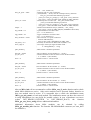
The MSA Dynamic Link Library contains all functions to control the MSA modules. The
functions work under 32 or 64 bit Windows XP/Vista/7/8. Both 32 and 64-bit DLL versions
are available. The program which calls the DLLs must be compiled with the compiler option
'Structure Alignment' set to '1 Byte'.
The distribution disks contain the following files:
MSA32.DLL
32-bit dynamic link library main file for use on 32-bit systems
MSA32x64.DLL
32-bit dynamic link library main file for use on 64-bit systems
MSA32.LIB
import library file for Microsoft Visual C/C++ for use on 32-bit
systems
MSA32x64.LIB
import library file for Microsoft Visual C/C++ for use on 64-bit
systems
MSA64.DLL
64-bit dynamic link library main file for use on 64-bit systems
MSA64.LIB
import library file for Microsoft Visual C/C++ for use on 64-bit
systems
MSA_DEF.H
Include file containing Types definitions, Functions Prototypes and
Pre-processor statements
MSA200.INI
MSA DLL initialisation file
MSADLL.DOC
This description file
USE_MSA.C
Simple example of using MSA DLL functions. Source file of the
example is the file use_msa.c.
To install DLLs execute installation package ( msa_setup_(32/64).exe) and follow its
instructions.
MSA-DLL Functions list
The following functions are implemented in the MSA-DLL:
Initialisation functions:
MSA_init
MSA_test_if_active
MSA_get_init_status
MSA_get_mode
MSA_set_mode
MSA_get_version
MSA_get_module_info
Setup functions:
MSA_get_parameter
MSA_set_parameter
MSA_get_parameters
MSA_set_parameters
MSA_get_eeprom_data
2