1
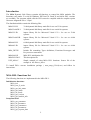
MSA_write_eeprom_data
MSA_get_adjust_parameters
MSA_set_adjust_parameters
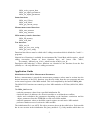
Status functions:
MSA_test_if_busy
MSA_read_status
MSA_get_current_sweep
Measurement control functions:
MSA_start_measure
MSA_stop_measure
MSA memory transfer functions:
MSA_fill_memory
MSA_read_data
Test functions:
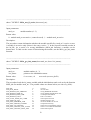
MSA_test_id
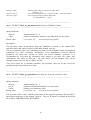
MSA_get_test_error_string
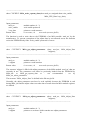
MSA_get_error_string
Functions listed above must be called with C calling convention which is default for C and C++
programs.
Identical set of functions is available for environments like Visual Basic which requires _stdcall
calling convention. Names of these functions have ‘std’ letters after ‘MSA’,
for example, MSAstd_test_id it is _stdcall version of MSA_test_id.
Description and behaviour of these functions are identical to the functions from the first
(default) set – the only difference is calling convention.
Application Guide
Initialisation of the MSA Measurement Parameters
Before a measurement is started the measurement parameter values must be written into the
internal structures of the DLL functions (not directly visible from the user program) and sent
to the control registers of the MSA module. This is accomplished by the function MSA_init.
The MSA DLL Functions can control up to four MSA modules on PCI bus (MSA-300, MSA1000).
The MSA_init function
- reads the parameter values from a specified initialisation file
- checks the base I/O addresses for all active modules to avoid hardware conflicts
- checks and recalculates the parameters depending on the hardware restrictions and the
adjust parameters from the EEPROM on each active MSA module
- sends the parameter values to the MSA control registers on each active MSA module
- performs a hardware test of each active MSA module
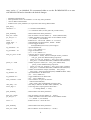
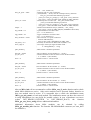
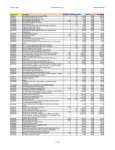
The initialisation file is an ASCII file with a structure shown in the table below. Each module
has its own section in the initialisation file ([msa_module 0..3]). Only modules which have an
3