1
im Vertrieb von
6.3.1
CAMBOARD
Electronics
Operating the VS-66FW
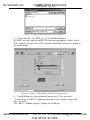
Toggling between the AT ONCE and CONFIRM Modes
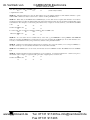
To toggle between the AT ONCE and CONFIRM modes, do the following:
1. Press the unlit TAKE button to toggle from the AT ONCE mode (in
which the TAKE button is not illuminated) to the CONFIRM mode (in
which the TAKE button illuminates).
Actions now require user confirmation and the TAKE button illuminates.
2. Press the illuminated TAKE button to toggle from the CONFIRM mode
back to the AT ONCE mode.
Actions no longer require user confirmation and the TAKE button no
longer illuminates.
6.3.2
Confirming a Switching Action
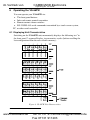
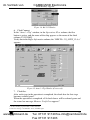
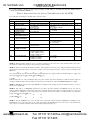
To confirm a switching action (in CONFIRM mode), do the following:
LEAF-BRANCH
1. Press a LEAF-BRANCH combination.
The corresponding digits in the 7-segment Display blink. The TAKE
button also blinks.
2. Press the blinking TAKE button to confirm the action.
The corresponding digits in the 7-segment Display no longer blink. The
TAKE button illuminates.
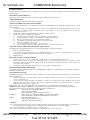
6.4 Storing/Recalling Input/Output Configurations
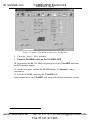
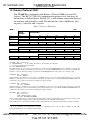
You can store and recall up to 6 configurations using the 6 LEAF buttons
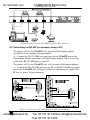
and/or up to 15 configurations via RS-232, as Figure 9 illustrates:
Figure 9: Storing and Recalling using the LEAF Buttons1
1 The gray numbers (1 to 6) in Figure 9 that illustrate the corresponding store/recall configuration numbers, are for the
purpose of illustration only and do not appear on the buttons
14
www.camboard.de
KRAMER: SIMPLE CREATIVE TECHNOLOGY
Tel. 07131 911201
[email protected]
Fax 07131 911203