1
im Vertrieb von
CAMBOARD
Electronics
Flash Memory Upgrade
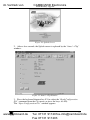
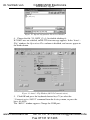
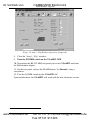
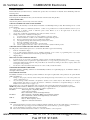
Figure 16: Atmel – Flip Window (Operation Completed)
8. Close the “ Atmel – Flip” window.
9. Turn the POWER switch on the VS-66FW OFF.
10. Disconnect the RS-232 DB9 rear panel port on the VS-66FW unit from
the Null-modem adapter.
11. On the rear panel, release the FLASH button1 (to Normal), using a
screwdriver.
12. Turn the POWER switch on the VS-66FW ON.
Upon initialization, the VS-66FW will work with the new firmware version.
1 Item 7 in Table 2
20
www.camboard.de
KRAMER: SIMPLE CREATIVE TECHNOLOGY
Tel. 07131 911201
[email protected]
Fax 07131 911203