1
im Vertrieb vonOperating the CAMBOARD
Electronics
VP-8x8TP Remotely via your Web Browser
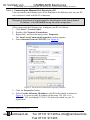
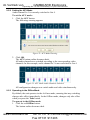
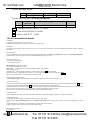
2. Click the required point in the switching matrix grid (In 1, Out 5).
(in this example, audio) appears,
The audio/video indicator icon outline
and the Take and Cancel buttons change from gray to dark blue.
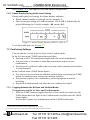
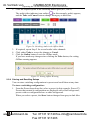
Figure 24: Switching Audio in the Offline Mode
3. If required, repeat Step 2 for several audio/video channels.
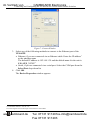
4. Click either Take to accept the change or Cancel.
5. Click the Online button to exit the Offline mode.
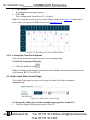
If you have made any changes since clicking the Take button, the exiting
Offline warning appears.
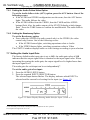
Figure 25: Exiting Offline Warning
9.2.4 Storing and Recalling Setups
You can store switching configurations in presets and recall them at any time.
To store a switching configuration:
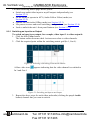
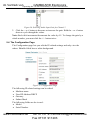
1. From the Preset drop-down list, select a preset (in this example, Preset 07).
Presets that contain a configuration are displayed with a blue background;
presets with no configuration have a white background.
When you select a preset, the Store button changes from gray to dark blue.
www.camboard.de
29
Tel. 07131 [email protected]
Fax 07131 911203