1
2
8
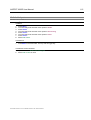
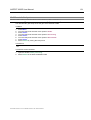
ASPECT 2000D User Manual
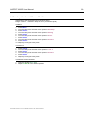
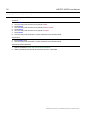
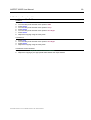
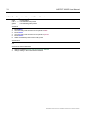
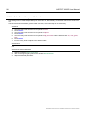
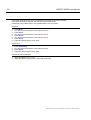
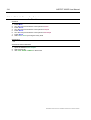
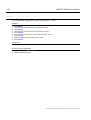
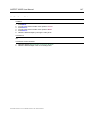
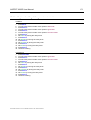
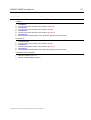
VBI- Processing........................................ 49
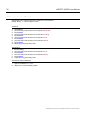
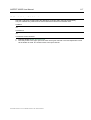
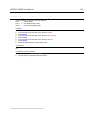
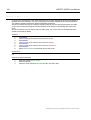
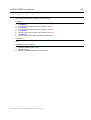
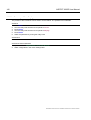
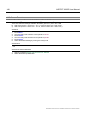
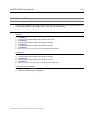
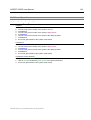
11 Video Signal Processing .........................84
8.1 VBI- Processing (Caption)....................................... 49
8.1.1 VBI Test Signal Insertion .................................. 50
8.1.2 Timecode inserter / manual VITC line select..... 51
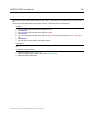
11.1 General Functions ....................................................84
11.1.1 Filter enable.......................................................85
8.2 VBI Preset ................................................................. 52
8.2.1 Recalling a local VBI Preset.............................. 52
8.2.2 Saving a local VBI Preset ................................. 53
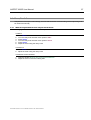
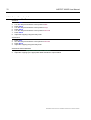
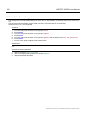
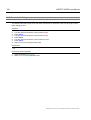
9 Aspect Ratio Conversion (ARC) and
Zoom ................................................................ 54
9.1 Introduction.............................................................. 54
9.1.1 ARC Input Control............................................. 54
9.1.2 Manual selection of the input format ................. 55
9.1.3 Selection of the output format ........................... 56
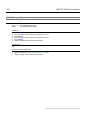
9.2 Zoom, Pan & Scan ................................................... 57
9.2.1 Manual adjustment of the output zoom factor ... 57
9.2.2 Manual adjustment of the output aspect ratio ... 58
9.2.3 Manual adjustment of the output horizontal
zoom ................................................................. 59
9.2.4 Manual adjustment of the output vertical zoom. 60
9.2.5 Manual adjustment of Pan ................................ 61
9.2.6 Manual adjustment of Scan............................... 62
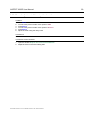
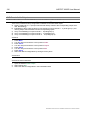
9.3 Crop .......................................................................... 63
9.3.1 Input Cropping Top ........................................... 63
9.3.2 Input Cropping bottom ...................................... 64
9.3.3 Input Cropping right .......................................... 65
9.3.4 Input Cropping left............................................. 66
9.3.5 Output Cropping top.......................................... 67
9.3.6 Output Cropping bottom.................................... 68
9.3.7 Output Cropping right........................................ 69
9.3.8 Output Cropping left.......................................... 70
9.4 Aspect & Zoom Background color ......................... 71
9.4.1 Output background color zoom area ................. 71
9.4.2 Output background color crop area................... 72
9.5 Aspect & Zoom Preset............................................. 73
9.5.1 Recalling a Aspect & Zoom default Setup
(Predefinition).................................................... 73
9.5.2 Recalling a local Aspect & Zoom Preset ........... 74
9.5.3 Saving a local Aspect & Zoom Preset............... 75
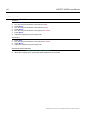
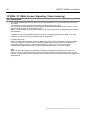
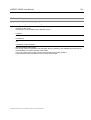
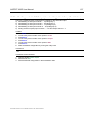
10 WSS / VI (Wide Screen Signaling, Video
Indexing).......................................................... 76
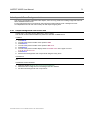
11.2 Enhancement (Aperture Correction).......................86
11.2.1 Horizontal / Vertical Enhancement ....................87
11.2.2 Coring Enhancement.........................................88
11.3 Noise Reduction, Linear Filters...............................89
11.3.1 Recursive Noise Reduction Filter ......................89
11.4 Noise Reduction, Nonlinear Filter...........................91
11.4.1 Median Filter Factor A .......................................91
11.4.2 Median Filter Factor B .......................................92
11.5 Filter Preset...............................................................93
11.5.1 Recalling a Filter default Setup (Predefinition)...93
11.5.2 Recalling a local Filter Preset ............................94
11.5.3 Saving a local Filter Preset ................................95
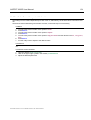
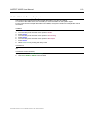
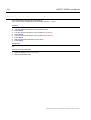
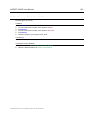
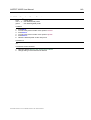
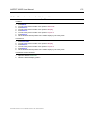
Color Correction .............................................96
11.6 Introduction ..............................................................96
11.6.1 Color Correction Enable ....................................97
11.6.2 Color Correction pre white level.........................98
11.6.3 Color Correction pre black level.........................99
11.6.4 Color Correction gamma .................................100
11.6.5 Color Correction post white level .....................101
11.6.6 Color Correction post black level .....................102
11.6.7 Color Correction display ..................................103
11.7 Preset Color Correction .........................................104
11.7.1 Recalling a color correction default Setup
(Predefinition) ..................................................104
11.7.2 Recalling a local color correction Preset..........105
11.7.3 Saving a local color correction Preset .............106
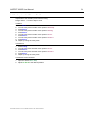
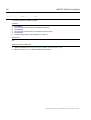
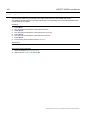
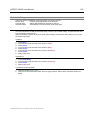
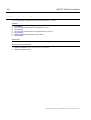
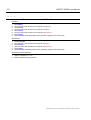
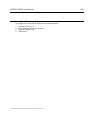
12 Legalizer.................................................. 107
12.1 Introduction ............................................................107
12.1.1 Legalizer Enable.............................................107
12.1.2 Legalizer upper limit .......................................108
12.1.3 Legalizer lower limit ........................................109
12.2 Preset Legalizer ......................................................110
12.2.1 Recalling a Legalizer default Setup
(Predefinition) ..................................................110
12.2.2 Recalling a local legalizer Preset.....................111
12.2.3 Saving a local legalizer Preset.........................112
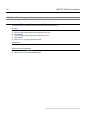
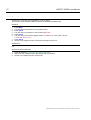
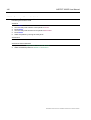
10.1 Introduction.............................................................. 76
10.1.1 Output WSS enable .......................................... 78
10.1.2 Output VI enable ............................................... 79
10.1.3 Output WSS / VI status OSD ............................ 80
10.2 WSS / VI Preset ........................................................ 81
10.2.1 Recalling a WSS / VI default Setup
(Predefinition).................................................... 81
10.2.2 Recalling a local WSS / VI Preset ..................... 82
10.2.3 Saving a local WSS / VI Preset......................... 83
ModelASPECT2000D Document # UMASPECT2000D.001 Rev. ASPECT2000D.001