1
8
1.4
ASPECT 2000D User Manual
Remote Control Software
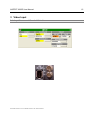
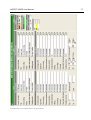
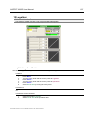
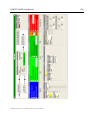
The ASPECT 2000D package may contain software to control the unit via a PC.
Using the software has some essential advantages versus operating the unit via the local control panel
1. the complete range of functions is supported
2. in many situations, the software does it far more clearly and self explaining.
If it is necessary to connect the systems to a network, special RS232- to Ethernet- Converters are provided as an option.
1.4.1
System Requirements
To use the software, the PC should fulfill the following requirements
•
•
•
•
•
Prozessor speed greater than 1GHz
512MB Ram
Microsoft Windows 2000, XP, 2003, Vista
At least 10MB disc capacity
Screen resolution 1024 x 768 or better, 65.535 colours or better
1.4.2 Installation
To install the Remote Control Software please proceed as follows:
•
•
•
•
•
•
•
•
•
•
Insert the CD into your CD-/DVD- drive. In most cases, an explorer window will appear which
shows the content of the CD. If this should not be the case, please select and open the CD manually.
Select the folder „Software” and click on „setup.exe“.
Please wait until the installation program has been started.
Click on „proceed“.
Select the folder for the installation or accept the proposed folder and click on „proceed“.
Select the name for the start menu or accept the proposal and click on „proceed“..
Now the installation software shows the current setup. Please confirm with „proceed“..
The software will be installed. Please wait until the process is completed.
Click on „proceed” to finish and exit the installation program.
The software now is installed and can be started.
ModelASPECT2000D Document # UMASPECT2000D.001 Rev. ASPECT2000D.001