1
2
raytest
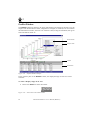
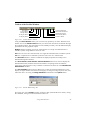
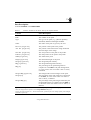
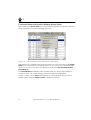
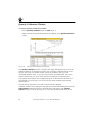
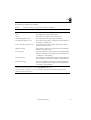
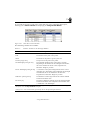
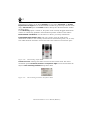
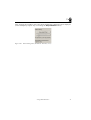
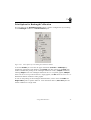
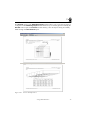
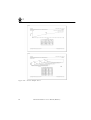
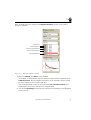
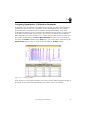
The following columns are available:
Table 2-3
Columns Available in the Quantity Calibration Window
Columns
Short Description
Profile
The index and name of the profile.
Peak
The number of the peak in the profile.
Name
The name for the peaks as given by the user.
Integral-Bkg [signal unit]
The background-corrected integral of the peak.
Std. Quantity [quantity unit]
The quantity of the peak, as entered for the calculation of
the quantity standard curve.
Recalc. Quantity [quantity unit]
A calculation of the peak quantity, based on the current
quantity calibration curve.
Difference [unit]
The difference without sign between the entered standard
and the recalculated value.
Rel. Error [%]
The relative difference without sign of the entered standard
and the recalculated value compared to the standard value
(= Difference / Std. Quantity).
Deviation [unit]
The difference with sign between the entered standard and
the recalculated value (Recalc. Quantity – Std. Quantity).
Rel. Deviation [%]
The relative difference with sign of the entered standard
and the recalculated value compared to the standard value
(= Deviation / Std. Quantity).
signal unit and length unit = units of measurement, depending on the type of the imaging device used to
obtain the image and the options set in the Image Attributes dialog box.
quantity unit and runlength unit = unit of measurement, specified by the user through quantity and
runlength calibration respectively
Using 1D Evaluation+
45