1
Hybex™ Microarray Incubation System — USER MANUAL
B. Handling the Incubation Chambers
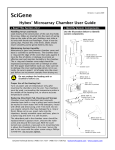
See the Hybex™ Microarray Incubation User Guide included with each
chamber set for details on how to use the slide racks and assemble the
chamber. The following information is limited to how to insert and remove
the chambers from the heating unit.
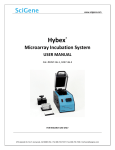
Chambers are inserted and removed with the aid of a single, four-pronged
black plastic handle provided.
1. Thread handle several turns into the chamber cover.
2. Lower the assembled chamber into the unit aligning the cutout on the
side of the chamber with the temperature probe in the base.
3. Repeat with second chamber
4. Remove the handles from the chamber, turn on power and set desired
temperature (See next section)
Do not operate the system without both
chambers inserted into the heating unit !!
C. Using the Temperature Controller
The temperature controller has a single LED read out and four push buttons.
The LED displays the set temperature when the SET key is pressed and held.
Otherwise the ACTUAL block temperature is displayed. The push buttons are
used to set the block temperature and when required, to calibrate the
temperature controller.
1. To set the block temperature, hold in the SET button. The previous
set temperature will be displayed.
2. While depressing the SET button, press the up or down arrow buttons
until the desired set temperature is shown.
3. Release the buttons and the actual block temperature will again be
displayed. The unit will now adjust the heat of the block until the new
set temperature is attained.
The controller is calibrated at the factory to provide an accurate block
temperature when operated between 35 to 99°C.
Version 1.0, January 2006
6
(408) 733-7337, [email protected]