1
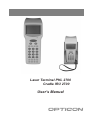
USER’S
MANUAL
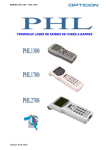
PHL2700
TERMINAL
/ IRU2700
CRADLE
CAUTION: This user’s manual may be revised or
withdrawn at any time without prior notice.
CONTENTS
Copyright 2000, Opticon Sensors Europe B.V.
All rights reserved.
This manual may not, in whole or in part, be copied,
photocopied, reproduced, translated or converted to
any electronic or machine readable form without
prior written consent of Opticon Sensors Europe.
Limited warranty and disclaimers
By opening the package of this product you agree to
become bound by the liability and warranty
conditions as described below.
Under all circumstances this manual should be read
attentively, before installing and or using the product.
In no event, Opticon Sensors Europe will be liable
for any direct, indirect, consequential or incidental
damages arising out of use or inability to use both
the hardware and software, even if Opticon has been
informed about the possibility of such damages.
A serial number appears on all Opticon products.
This official registration number is strictly related to
the device purchased. Make sure that the serial
number appearing on your Opticon device has not
been removed. Servicing by our Repair Department
can only be carried out under warranty.
All Opticon products are warranted for a period of
one year after purchase, covering defects in material
and workmanship. Opticon will repair or, at its
opinion, replace products that prove to be defective
in material or workmanship under proper use during
the warranty period.
Opticon will not be liable in case modifications are
made by the customer. In such case the standard
repair charge will be applicable. The standard charge
for repair will also be applicable in case no defect is
found at all. These rules also apply for products that
are still under warranty. Therefore, you are advised
to have the product specifications always at hand.
Trademarks used are property of their respective
owners
PHL2700-barcode-ver3-00 / printed 02 04
page
1
INTRODUCTION
3
2
INSTALLATION
4
2.1
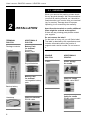
UNPACKING
4
2.2
2.2.1
2.2.2
2.2.3
2.2.4
2.2.5
2.2.6
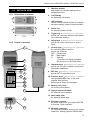
DETAILED VIEW
Dimensions of terminal
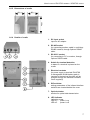
Details of terminal
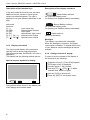
Display of terminal
Change contrast of display
Dimensions of cradle
Details of cradle
5
5
5
6
6
7
7
2.3
HANDLING
8
2.4
2.4.1
2.4.2
2.4.3
ASSEMBLY
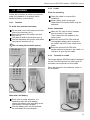
Terminal
Cradle
Terminal on cradle
2.5
INSTALLING,
PRECAUTIONS
9
9
9
10
REPLACING AND CHARGING
10
Required batteries
11
How to charge the rechargeable
battery pack in the cradle?
11
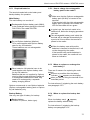
When to replace or recharge the
main battery?
11
When to replace the backup
battery?
11
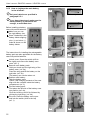
How to (re)place the main battery
in the terminal?
12
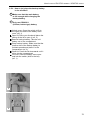
How to (re)place the backup battery
in the terminal?
13
BATTERIES
2.5.1
2.5.2
2.5.3
2.5.4
2.5.5
2.5.6
2.6
2.6.1
2.6.2
2.6.3
2.6.4
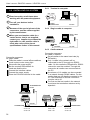
INSTALLING IN A SYSTEM
Terminal to computer
Single cradle to computer
Cradle network
Dip switch settings on cradle
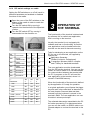
3
OPERATION OF THE TERMINAL 15
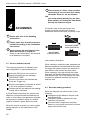
4
SCANNING
16
4.1
4.2
How to read the barcode
Barcode reading problems
16
16
14
14
14
14
15