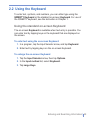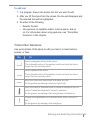
1
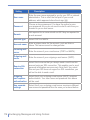
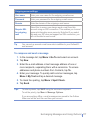
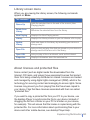
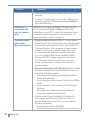
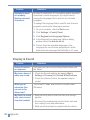
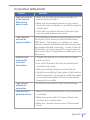
Setting
116
Description
User name
Enter the user name assigned to you by your ISP or network
administrator. This is often the first part of your e-mail
address, which appears before the at sign (@).
Password
Choose a strong password. You have the option to save
your password so you do not need to enter it each time you
connect to your e-mail server.
Domain
Not required for an account with an ISP. May be required for
a work account.
Account type
Select POP3 or IMAP4.
Account name
Enter a unique name for the account, such as Work or
Home. This name cannot be changed later.
Incoming mail
server
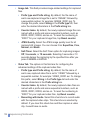
Enter the name of your e-mail server (POP3 or IMAP4).
Outgoing mail
server
Enter the name of your outgoing e-mail server (SMTP).
Require SSL
connection
Select this to ensure that you always send e-mail from this
account using an SSL connection. This enables you to send
personal information more securely. Note that if you select
this and your ISP does not support an SSL connection, you
will not be able to send e-mail.
Outgoing
mail requires
authentication
Select this if your outgoing e-mail server (SMTP) requires
authentication. Your user name and password from above
will be used.
Use separate
settings
Select this if your outgoing e-mail server requires a different
user name and password than the ones you entered before.
| Exchanging Messages and Using Outlook