1
Section 3 – Programming a Tool
Use Setup Menu from ICS Main Menu Bar for programming a tool. This section explains how to program a tool.
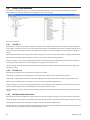
3.1
Tool Setup
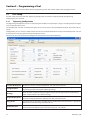
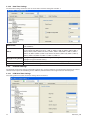
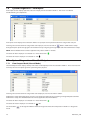
The Tool setup screen has two tabs: Tightening Configuration and General Setup, by default the Tightening
Configuration tab is opened.
3.1.1
Tightening Configuration
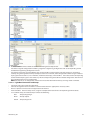
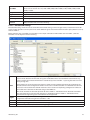
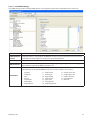
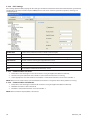
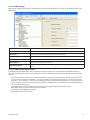
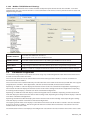
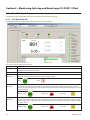
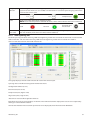
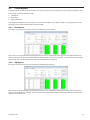
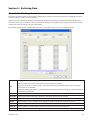
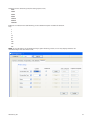
The Tightening Configuration screen is used to program the QX series tool. Torque / Angle / Prevailing Torque strategies
can be setup from this screen.
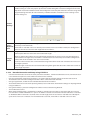
The Configuration sets that are created using this screen can be sent to a tool (in Network mode) or they can be stored
locally.
Configuration sets can also be created and stored in the Local Database Mode. The locally stored Configuration Sets can
then be sent to a tool using the Parameter Assignment screen.
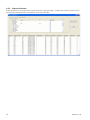
The user can also view the archived configuration data stored in the archived database.
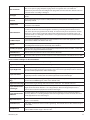
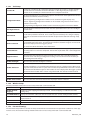
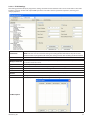
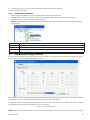
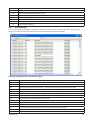
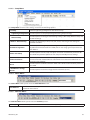
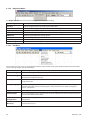
Location ID Drop box Location ID is used as a unique identifier for each tool on the network.
Config Drop box
Configuration drop box allows selection of all available configurations, 1 through 8, for
Programming and/or Viewing the Tightening settings.
Strategy
Allows selection of valid fastening strategies: Torque control, Angle control and Prevailing
Torque. Torque control is the default Strategy.
Torque Display Units
Allows selection of all available Torque Units: Nm, Ft-lbs, In-lbs, and d-Nm. All the Torque
values will be displayed with the selected units. Nm is the default unit.
Gang Count
Gang Count can be used if the assembly requires multiple bolts to be fastened in a group. The
default value is 0 and the range is between 0 – 99.
Cycle Delay (Sec)
Time interval between each fastening cycle. The tool will be in a locked state until the time
interval elapses. The default value is 0 and the range is 0 – 10 seconds.
12
48619696_ed1