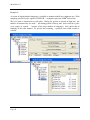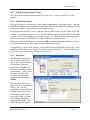
1
WI-I/O 9-K v1.9
100% value at 50Hz. The maximum pulse rate can be configured from 0.02 Hz to 1000Hz.
For shaft encoder inputs, you can use PR1 for incremental encoders and PR2 for quadrature
encoders. The rate signal will be 50% for 0 Hz, between 50 – 100% when the encoder is
increasing and 0 – 50% when the encoder is decreasing. If you configure the maximum pulse
rate to be X Hz, then the analog value will be 100% at X Hz increasing, and 0% value at X Hz
decreasing.
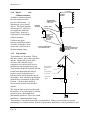
4.8 Number of Transmissions
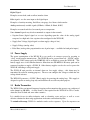
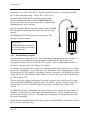
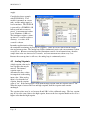
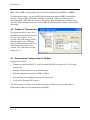
This parameter allows you to select
the number of transmissions for each
message. For example, if 3 is
selected, then each message will be
transmitted three times. The time
between each transmission will be a
random time between 0.5 and 4
seconds. The valid choices for this
option are 1 - 5.
4.9 Programming Configurations to Modules
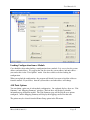
To program a module :
•
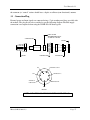
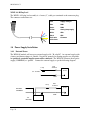
Connect the cable from the PC’s serial port to the WI-I/O K serial port (see 3.5.4 for cable
connections)
•
From the Utilities menu, select “Serial Port Setup”
•
Select the appropriate serial port (COM1 - COM4)
•
Select the unit to be configured from the left-hand menu
•
Click on the “Program Unit” button.
You will be asked to confirm, if the module already has a different system or unit address.
Each module will need to be programmed individually.
Page 44