1
Details about Volume
There are many ways to adjust volume, we're going through them
one by one following the signal flow:
1. When you use the Spectral Editor you basically edit the volume of
harmonics or filter bands. However, Spectral always automatically
normalizes the resulting waveform or filter shape, so don't worry
about volume here.
2. The Oscillator Volume is then controlled by the dedicated
envelope which each oscillator has, you may check this one if an
oscillator is not audible though you think it should.
3. when using Amplitude Cross-Modulation the volume of the source
does also affect the cross-modulated Oscillator of course. If for
example Osc 1 modulates Osc 2 by 100%, but Osc 1 is silent, you
wont hear anything from Osc 2 as well.
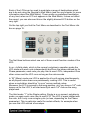
5. The Gain dial on the GUI, as described above this info box,
controls how loud the oscillator is when fed into the filter. This in
pretty unimportant when not using filter resonance, but if filter
resonance is cranked up, the Gain dial helps to balance the volumes
of the oscillator and the filter resonance.
5. Modulation which are applied via the Mod Matrix may affect an
Oscillators amplitude (Target Osc Volume) and its intensity with
which it reaches the filter (Target Osc Gain). The difference between
these two is, that Volume also affects cross-modulation which use
the Oscillator as source while Gain only affects the Volume with
which it reaches the Filter. See appendix D on page 91 for more
details on modulation of Volume.
6. Of course the filter shape and operating frequency will affect the
volume of the signal, just think of a lowpass filter which is closed
(reducing the operating frequency towards zero), if its all filtered out,
no signal is audible.
7. The Filter Volume dial, which you can also think of a “Mix Volume”
control as it is primarily used to adjust the volume relation between
the 4 Oscillator-Filter-Channels.
8. The Effects also affect the volume of course and some effects (for
example the Filter Effect) have their own Volume control.
9. Finally the Main Volume control the overall volume of Spectral.