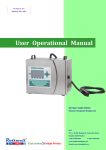
1
User Manual Software AJWin Version 3.5.1 © 01/13 V 3.5.1-EN iret GmbH Paul Engelhard Weg 50a D-48167 Münster ( E-Mail Internet +49.251.615138 +49.251.617631 [email protected] www.iret.de Table of Contents 1 Introduction..........................................................................................8 1.1 1.2 2 3 Brief Introduction...........................................................................................8 Symbols & Terms............................................................................................8 1.2.1 Typographic symbols & terms.................................................................8 1.2.2 General symbols & terms......................................................................8 1.2.3 Mouse.............................................................................................9 1.2.4 Keyboard.........................................................................................9 1.2.5 General terms...................................................................................9 Installation & Setup...............................................................................11 2.1 2.2 2.3 Requirements for Installation............................................................................11 Installation.................................................................................................11 The First Startup..........................................................................................11 2.3.1 Basic configuration............................................................................12 2.3.2 Add a printer...................................................................................13 2.3.3 Logon to the software.........................................................................14 Main Window.......................................................................................15 3.1 Description of the Different Main Windows............................................................15 3.1.1 Single print item main window..............................................................15 3.1.2 Item list main window........................................................................16 3.1.3 Multiple printhead application...............................................................17 3.2 Area A: Menu Bars.........................................................................................17 3.3 Area B: List of Printers...................................................................................18 3.4 Area C: Base settings for items..........................................................................18 3.5 Area D: Message Window.................................................................................19 3.6 Area E: Print Text Layout Area...........................................................................20 3.7 Area F: Main Control Bar.................................................................................20 3.8 Area G: Status Bar.........................................................................................21 3.9 Area H: Base Settings for Item List.....................................................................21 3.10 Area I: Entries in the Item List..........................................................................21 3.11 Area J: Operations to Deal with Item List Entries....................................................22 3.12 Area K: Settings for Item List Entries...................................................................22 4 Create and Edit Print Text.......................................................................23 4.1 4.2 4.3 Create a New Print Text..................................................................................23 Insert, Move, and Edit Objects..........................................................................23 4.2.1 Insert print text................................................................................24 4.2.2 Insert special characters......................................................................25 4.2.3 Insert time......................................................................................26 4.2.4 User defined time format....................................................................26 4.2.5 Insert logo......................................................................................28 4.2.6 Creating logos..................................................................................29 4.2.7 Insert variable field...........................................................................30 4.2.8 Insert counter..................................................................................31 4.2.9 Insert bar code.................................................................................32 4.2.10 Insert text (TTF)...............................................................................33 4.2.11 Insert data matrix code.......................................................................33 Additional Functions in the Context Menu.............................................................35 4.3.1 Select............................................................................................35 4.3.2 Copy.............................................................................................35 4.3.3 Paste text from clipboard....................................................................35 4.3.4 Delete object...................................................................................35 4.3.5 Delete all objects..............................................................................35 4.3.6 Refresh view....................................................................................35 Software AJWin Version 3.5.1 - 01/13 V 3.5.1-EN 3 Table of Contents 4.4 5 5.3 5.4 5.5 6.3 6.4 4 Users........................................................................................................39 5.1.1 List of users.....................................................................................39 5.1.2 Create / Edit user.............................................................................40 5.1.3 Permissions.....................................................................................40 Printers.....................................................................................................40 5.2.1 List of printers.................................................................................41 5.2.2 Base settings...................................................................................41 5.2.3 Communication................................................................................42 5.2.4 Shaft encoder..................................................................................43 5.2.5 Print trigger.....................................................................................44 5.2.6 I/O ........................................................46 5.2.7 Options..........................................................................................47 Printer Groups.............................................................................................48 5.3.1 List of printer groups .........................................................................48 Stations.....................................................................................................48 5.4.1 List of stations.................................................................................49 5.4.2 Base settings...................................................................................50 5.4.3 Data transmission..............................................................................51 5.4.4 Path / Directories..............................................................................52 5.4.5 Preview..........................................................................................52 Variable Fields.............................................................................................53 5.5.1 List of variable fields..........................................................................54 5.5.2 Variable field settings.........................................................................55 5.5.3 Additional fields for database queries......................................................56 5.5.4 Additional information for serial numbers.................................................56 5.5.5 Wildcards in prompted user text............................................................56 5.5.6 Wildcard for system constants...............................................................57 Import of Printer Data ...........................................................................58 6.1 6.2 7 Properties.......................................................................................35 configuration ...................................................................................35 Base settings...................................................................................36 Print trigger.....................................................................................37 Distance measurement........................................................................38 Administration.....................................................................................39 5.1 5.2 6 4.3.7 Printout 4.4.1 4.4.2 4.4.3 Preliminary Remarks......................................................................................58 Import all data of a printer..............................................................................58 6.2.1 Select printer ..................................................................................58 6.2.2 Copy files .......................................................................................58 6.2.3 Importing files .................................................................................59 6.2.4 Selection of the configuration ..............................................................60 6.2.5 Selection of print texts ......................................................................61 6.2.6 Report...........................................................................................62 Importing a Current Print Text ..........................................................................63 Importing a File into the Current Item ................................................................63 The Menu System in Detail......................................................................64 7.1 Menu: System..............................................................................................64 7.1.1 Station settings................................................................................64 7.1.2 User login.......................................................................................64 7.1.3 User logoff......................................................................................64 7.1.4 Change password..............................................................................64 7.1.5 Working on system-wide specifications ....................................................64 7.1.6 Quit .............................................................................67 Software AJWin Version 3.5.1 - 01/13 V 3.5.1-EN Table of Contents 7.2 7.3 7.4 7.5 7.6 7.7 7.8 8 Service Printer.....................................................................................77 8.1 8.2 8.3 8.4 8.5 9 Menu: Edit..................................................................................................67 Menu: Find .............................................................................................67 7.3.1 Search for item................................................................................67 7.3.2 Search for short name.........................................................................67 7.3.3 Go to print text number......................................................................67 7.3.4 Find & Replace.................................................................................67 7.3.5 Find ...............................................................................68 Menu: View ................................................................................................68 7.4.1 List of printers.................................................................................68 7.4.2 Grid size.........................................................................................69 7.4.3 Zoom.............................................................................................69 7.4.4 Show scale......................................................................................69 7.4.5 Auto arrange....................................................................................69 7.4.6 Add new print objects at the end...........................................................69 Menu: item list.............................................................................................69 7.5.1 Load Item List Using “F4” Product Overview..............................................70 7.5.2 Create New.....................................................................................70 7.5.3 Delete Current.................................................................................70 7.5.4 Item list properties............................................................................70 Menu: Print Texts..........................................................................................71 7.6.1 Load print text using “F4” product overview..............................................71 7.6.2 Create new text................................................................................71 7.6.3 Delete current text............................................................................72 7.6.4 Properties (for single print text) ..........................................................72 Menu: Administration.....................................................................................72 7.7.1 Manage users...................................................................................72 7.7.2 Manage printers................................................................................72 7.7.3 Manage printer groups........................................................................72 7.7.4 Manage stations................................................................................72 7.7.5 Manage variable fields........................................................................72 7.7.6 Show history of changes......................................................................73 Menu: Extras...............................................................................................73 7.8.1 Copy all files from printer to PC.............................................................73 7.8.2 Import of printer files.........................................................................73 7.8.3 File transmission: copy logos to printer....................................................73 7.8.4 File transmission: copy fonts to printer....................................................73 7.8.5 File transmission: copy logos from printer to PC..........................................74 7.8.6 File transmission: copy labels from printer to PC.........................................74 7.8.7 File transmission: copy fonts from printer to PC..........................................74 7.8.8 Import data: insert file into recent item...................................................74 7.8.9 Set printer clock...............................................................................75 7.8.10 Copy logfile to desktop.......................................................................75 7.8.11 Menu: Help......................................................................................75 7.8.12 Show manual...................................................................................75 7.8.13 System information............................................................................76 7.8.14 About AJWin....................................................................................76 Menu: Functions...........................................................................................78 Menu: Cleaning functions................................................................................78 Menu: Mixing tank functions.............................................................................79 Menu: Monitoring..........................................................................................79 Menu: Delete Error List...................................................................................79 Technical Information............................................................................80 Software AJWin Version 3.5.1 - 01/13 V 3.5.1-EN 5 Table of Contents 9.1 9.2 9.3 Notes for System Administrators........................................................................80 9.1.1 Move program directory......................................................................80 9.1.2 Tested operating systems ....................................................................80 9.1.3 Paths, files, and databases...................................................................80 9.1.4 List of files and folders in the program folder.............................................80 9.1.5 List of files and folders in the data directory.............................................81 List of printing modes....................................................................................81 Using interface converters Verwendung ..............................................................82 9.3.1 Settings for Moxa NPort-Series...............................................................82 9.3.2 Other ethernet-RS232-converters...........................................................83 9.3.3 USB/RS232-converter.........................................................................83 10 Troubleshooting...................................................................................84 10.1 List of Error Messages ...................................................................................84 6 Software AJWin Version 3.5.1 - 01/13 V 3.5.1-EN Table of Contents Software AJWin Version 3.5.1 - 01/13 V 3.5.1-EN 7 1 Introduction 1 Introduction 1.1 Brief Introduction This manual describes the program AJWin, which is used to control industrial inkjet printers on a Windows-based PC. The program was developed using the alphaJET C and alpheJet Evo printers by KBA-Metronic® AG, and is based on our many years of experience with these devices. Both, the RS232 serial port as well as the Ethernet to RS232 adapter can be used to connect the printer with the PC. The AJWin program runs on the Windows 7, XP and 2000 operating systems. The standard version of the AJWin program supports almost all of the printer’s capabilities, and for special applications additional devices can be used to carry out complex control procedures. 1.2 Symbols & Terms 1.2.1 Typographic symbols & terms 1.2.2 8 Typographic Symbol Description The font “Courier” The Courier font’s symbols are used to show the symbols contained on the keyboard. The bullet point “●” The bullet point “●” is used to show steps which should be carried out one after the other, or to show a list. General symbols & terms Term Description The word “select” The word select” is used for executing a command in a menu and for activating a command button in a dialog field or help window. The sentence “click button...” The sentence “click button...” means that the button needs to be clicked by using the mouse to start the given action. The word “activated” The word “activated” is used when discussing a button or menu option that is shown in black and is available to be used to start a particular action. The word “deactivated” The word “deactivated” is used when describing a button or menu option that is shown in gray and is not available. The word “select” The word “select” is used when discussing a blinking element to which an action will be applied, as well as for selecting an option in a dialog field. Software AJWin Version 3.5.1 - 01/13 V 3.5.1-EN Introduction 1.2.3 1 Mouse The explanations in this manual primarily apply to use the program with a mouse. The use of keyboard shortcuts can be read about in the section entitled “Keyboard”. 1.2.4 Term Description Position cursor Moving the cursor to the desired position on the screen using the mouse. Click Pressing the left mouse button and immediately releasing it without moving the mouse. Double Click Quickly clicking two times in a row. Right mouse button Open the context menu Keyboard The names of keys used correspond to those used on most standard IBM/Windows keyboards, and are all listed in capital letters. 1.2.5 Term Description ENTER, ESC, CTRL, and ALT keys These keys are generally found on every standard English IBM/Windows keyboard. “+” Sign The “+” sign seen between two names of keys means that the keys must be pressed at the same time. “,” Sign The “,” sign seen between two names of keys means that the keys must be pressed one after the other. General terms General terms that are used often in this manual. Term Description Configuration The term configuration is used to describe all of the printer settings that are not directly part of the print text yet which influence the look and/or style of the printout. Item This is a print text including all associated settings. Item list An item list is a collection of print texts which are organized into a list. List of printers The list of all printers that are configured for use at a station. The list of printers is normally shown at the left side of the main windows. Logo A logo is a graphic used in a print text. Object We use the term object to describe a part of a print text, this can be a logo or a bar code, for instance. Printer A continuous inkjet printer. Printer group Logical group of printers. Example: all printers in one production hall. Print text We use the term print text when discussing an inscription to be printed which can be comprised of various objects (text, graphics, bar codes, etc.) . Printout Describes the physical print of a printed text from an inkjet printer. Station A station can either be a PC used for preparation or a PC on a production line. Every station must have a unique name in the AJWin program. Software AJWin Version 3.5.1 - 01/13 V 3.5.1-EN 9 1 10 Introduction Term Description RS232 Adapter The term RS232 adapter is used to connect the RS232 serial port to an Ethernet network. Software AJWin Version 3.5.1 - 01/13 V 3.5.1-EN Installation & Setup 2 Installation & Setup 2.1 Requirements for Installation 2 PC requirements by AJWin Operating system Windows 2000, XP oder Windows 7 (32/64 bit)1 Hard disc At least 100MB free RAM Requirement of the OS and additional 50 MB. CPU 1 GHz USB Required for the dongle; USB 1.0 is sufficient. Other interfaces 2.2 • for alphaJET-C RS232 or Ethernet to RS232 adapter (see Section 9.3) • for alphaJET evo Ethernet or RS232 Installation The installation is carried out similar to other standard Windows programs, and for this reason will only be described here briefly: 1. Startup the PC and login to the Windows operating system. 2. Connect the USB dongle to the PC. 3. If the installer doesn’t load automatically, you will have to open the USB-Drive “Codemeter” in “My Computer” and run the setup.exe program manually. 4. Then follow the on-screen prompts. In most cases you can respond to each question in the installation program by clicking “continue”. After completing the installation the AJWin program is usually started automatically. If you would like to start the AJWin program again at a later time, simply use the respective entry in the Windows start menu under programs. 2.3 The First Startup When first starting AJWin a number of dialog boxes with the most important settings for your PC will appear (in this case the PC is referred to as a “station”). Confirm with „OK“. 1 In Windows 7 it can happen that the main window looks „puzzled“. The reason is an incompatible adjustment in the registry. See section 9.1.2. Software AJWin Version 3.5.1 - 01/13 V 3.5.1-EN 11 2 Installation & Setup 2.3.1 Basic configuration These settings determine the general operation mode of the AJWin software. Default settings are correct for the most part, however you should make the following adjustments, if necessary: ● ● Select the desired “main window”. Select your language of choice All settings may be changed later, for a detailed description see section 5.4. 2.3.2 Selection of main window Description Single text processing This is the default value! The main window shows exactly one print text. Typical application: • The PC is always connected to the printers. • The operator selects the current print text at the PC: • The display of the printer is only used for maintenance. Item list processing The main window contains a list with several different print texts. Typical application: • Several print texts have to be sent at the same time. They are stored permanently in the printer. • The operator selects the actual print text at the display of the printer. Multiple printhead application The main window shows two or three print texts for every article number. Typical application: • Pharmaceutical industry where one box needs multiple printouts Customer application Must not be used without explicit permission from a service technician. Add a printer Normally you have to configure at least one printer to use the AJWin software. Two printers are predefined after installation: 12 Software AJWin Version 3.5.1 - 01/13 V 3.5.1-EN Installation & Setup 2 „Standard AJC-COM1“ is configured for using an alphaJET-C printer connected to COM-1 with 38400 Baud and parity even. „Standard EVO TCP“ is configured to connect an alphaJET evo printer with ethernet interface. ● ● To adjust the settings, the appropriate printer has to be selected: op The „Edit“ button opens the properties dialog. A detailed description of this dialog is in section 5.2.2. Software AJWin Version 3.5.1 - 01/13 V 3.5.1-EN 13 2 Installation & Setup 2.3.3 Logon to the software Afterwards, you are prompted to login. ● ● 14 Username: Admin Password: didu Software AJWin Version 3.5.1 - 01/13 V 3.5.1-EN Main Window 3 Main Window 3.1 Description of the Different Main Windows 3.1.1 Single print item main window Area 3 Description A Menu bars (see Section 3.2). B List of printers (see Section 3.3). C Base settings for article (see Section 3.4). D Message window (see Section 3.5). E Print text layout area (see Section 3.6). F Main control bar (see Section 3.7). G Status bar (see Section 3.8). Software AJWin Version 3.5.1 - 01/13 V 3.5.1-EN 15 3 Main Window 3.1.2 Item list main window Area 16 Description A Menu bars (see Section 3.2). B List of printers (see Section 3.3). C --- D Message window (see Section 3.5) E Print text layout area (see Section 3.6). F Main control bar (see Section 3.7). G Status bar (see Section 3.8). H Name of the item list (see Section 3.9). I Grid with all entries in the item list (see Section 3.10). J Operations to deal with entries in the item list (see Section 3.11). K Properties of the selected print text (see Section 3.12) Software AJWin Version 3.5.1 - 01/13 V 3.5.1-EN Main Window 3.1.3 Multiple printhead application Area 3.2 3 Description A Menu bars (see Section 3.2). B List of printers (see Section 3.3). C Base settings for article (see Section 3.4). D Message window (see Section 3.5). E Print text layout area (see Section 3.6). F Main control bar (see Section 3.7). G Status bar (see Section 3.8). Area A: Menu Bars Please note! A detailed description of the contents of the menu bars can be found in section . 3.3 Area B: List of Printers The list of printers shows all those printers that have been configured for use at this station. The context menu contains functions to add and remove printers and to view their properties. Software AJWin Version 3.5.1 - 01/13 V 3.5.1-EN 17 3 Main Window A printer can be selected with one click. ● ● The current station is always shown at the top of the list. The currently selected printer is shown in a different color. Alternative list of printers This is a more comprehensive view on the list of printers. Use „View“, „List of printers“ to switch between the different views. ● ● ● ● ● 3.4 18 The top position is always the current station. The printers are shown in their corresponding groups. A yellow LED symbol indicates if the printer needs some kind of service. A green LED symbol indicates if the printer is ready to print. The selected printer is marked with a yellow bulb. Area C: Base settings for items Function Description The <> buttons These are used to move between the items. Search for... Enter some of an article description here, and the software will automatically search for the item in the main window. When the item is found, the background color of the input field changes to green; Software AJWin Version 3.5.1 - 01/13 V 3.5.1-EN Main Window Function 3 Description otherwise it is yellow. Item number Enter the number of the item here. Short name You can add a short name here. Comment Additional information regarding the print text. Counter at start 0 - nothing = the counter reading on the printer remains unchanged. 1 – to zero = the counter reading on the printer is reset to zero. 2 – query = the operator is asked to specify the start value for the counter reading on the printer. 3.5 Color of ink Select the ink color. This selection is compared to the station settings before beginning the printing process. • If the color matches with printer 1, this printer will be activated. • If the color matches with printer 2, this printer will be activated. • If the color does not match any printer an error message will be shown. Nozzle You can adjust the nozzle. When a value other than 0 is entered here before starting the printing process, the software will check if the printer is equipped accordingly. Repeat distance [mm] Indicates the printing distance between two printing triggers in millimeters. Correction [mm] This value can be positive or negative and is added to the distance. This value can also be changed with limited permissions, allowing production staff to alter the distance if necessary due to product or machine characteristics. Number of repetitions Indicates how often the print text should be printed. The default value 0 means “endlessly”. Area D: Message Window In this part of the screen you receive a message regarding the transfer of print texts to the printer. The background color of this area has the following meaning: yellow: transfer in progress. red: transfer ended with an error. green: transfer ended without an error. Software AJWin Version 3.5.1 - 01/13 V 3.5.1-EN 19 3 Main Window 3.6 Area E: Print Text Layout Area Here you can create new print texts. More information can be found in section 4. The length of the printout can be specified in the input field above the layout. 3.7 Function Description Desired length [mm] This is the desired length of the printout. AJWin calculates the next best value, taking into account the physical properties of printer and shaft encoder. Actual value [mm] Actual length of the printout in millimeters. Strokes (total) The total number of horizontal pixels. Area F: Main Control Bar Funktionstaste / Button Function F2 - Config Opens the dialog box with the current configuration’s settings (see Section ). F3 - Service Opens the window with the functions to service the printer (see Section ) F4 - Load Here you can load a list or an item. F5 - Send One or more print texts are send to the printer. Depending on the main window the printout may start immediately. F6 - Stop Printing is stopped. F7 - Test print Does not have any function in this version. F8 - Reset • In the “Item list” window, the “Completed” counters of all entries in the list of print texts are reset. The currently active printing process is not affected. • In the “Single Print Job” window the printer’s product counter is immediately reset to the starting value of the first counter. The currently active printing process is therefore directly affected. 20 F11 - Save The changes made to the print texts in the list are saved. Please Note: In the “Single Print Job” window all print texts which have been changed are saved. F12 - Copy The item selected is copied. • In the “Item list” window the copied print text is inserted without comments. • In the “Single Print Job” window you will first be asked to give your print text a name. Software AJWin Version 3.5.1 - 01/13 V 3.5.1-EN Main Window 3.8 3 Area G: Status Bar Information regarding the status of the AJWin software is shown here. 3.9 3.10 Area H: Base Settings for Item List Function Description List number The name of the current list that is loaded at the moment. Short name You can add a short name here. Production mode Select how the software should react when the „Transmit“ button is pressed. Production mode 0 - Single Print Job • The active label will be send to the printer • Printing will be started afterwards Production mode 2 - Download Print texts • All the marked labels will be send to the printer including all necessary logos and configuration data. • Printing will not be started Comment Additional information regarding the list. Area I: Entries in the Item List This table shows all the print texts belonging to the item list. Print texts can be marked with a double click but only when the production mode „Upload print texts“ is selected. Please note! It is not possible to change the content of the entries directly in the table; use the input fields in section E instead (see section3.12). 3.11 Area J: Operations to Deal with Item List Entries To the right of the table you have further editing options using the menu items: “Select – Insert – Delete”. Software AJWin Version 3.5.1 - 01/13 V 3.5.1-EN 21 3 Main Window Select ● ● ● All - All the print texts will be marked. None - All print texts will be unmarked. This one - The current entry in the list will be either marked or unmarked, depending on its actual state. Insert ● ● ● At start - A new print text is created and added at the beginning of the list. Here - A new print text is created and added at the current position in the list. At end - A new print text is created and added at the end of the list. Delete ● ● 3.12 This one - The current print text will be removed from the list. All - All print texts will be removed. Area K: Settings for Item List Entries These fields are explained in section 3.4. 22 Software AJWin Version 3.5.1 - 01/13 V 3.5.1-EN Create and Edit Print Text 4 Create and Edit Print Text 4.1 Create a New Print Text 4 If you would like to make a new print text first you must create one: ● ● In the “Item list” main window use the buttons on the right side of the main window (see Section ). In the “Single Print Job” or “multiple printhead application” main windows you can create a new print text either by using the menu “Print Texts” or through the “Product Overview” (also see Section 7.6.1). Afterwards you can edit the print text. 4.2 Insert, Move, and Edit Objects At the bottom edge of the software window there is a white area which is used to display the print text. The print text is comprised of various objects (text, logos, a barcode, etc.): ● By clicking the right mouse button, you open a menu that is used to create new objects. Before selecting a menu item the according dialog box will appear (see Section 4.2.1). Software AJWin Version 3.5.1 - 01/13 V 3.5.1-EN 23 4 Create and Edit Print Text ● ● ● ● An existing object can be changed by double clicking the object. When you would like to move an existing object, click and hold the left mouse button over the object and then move it to a new position. Objects can be moved pixel by pixel when using the arrow keys. Multiple objects can be moved or deleted simultaneously. To mark multiple objects, click on each object while pressing the CTRL-key at the same time. To edit a print text a new dialog box will appear, meaning that no print texts can be edited directly in the print text display area. Please Note! ● A print text should always start at the bottom edge to ensure that maximum printing speed can be achieved. ● In order to freely place objects you must deactivate the “Auto arrange” option. If necessary you may also need to select a smaller grid size then 8. (see also section 7.4) 4.2.1 24 Insert print text Function Description Print text Enter the text to be printed here. The rest of the fields in this dialog box determine how the print text will be shown and printed. All characters uppercase When you activate this option before closing the dialog box the software will convert all text into uppercase letters. Double space The space between the letters is doubled. X-Pos. Here you can manually adjust the X position of the object. Y-Pos. Here you can manually adjust the Y position of the object. Bold This value determines how often a single row of ink is repeated. The default setting is 1 which corresponds to the normal width of a letter. Comparison of normal and bold type (see figure). Software AJWin Version 3.5.1 - 01/13 V 3.5.1-EN Create and Edit Print Text 4.2.2 4 Function Description Upside down After activating this option the object is rotated by 180 degree. Reverse After activating this option the object is printed backwards. Negative Activate this option to display the object inversely, i.e. white and black areas switch. Rotate 90˚ This option rotates the entire object by 90˚. Index field This field has no function in the default version of the software. This field can only be used after installing additional software (for example database printing). Font Here you can select from a list of all available fonts. Insert special characters Function Description Grid with special characters This grid displays all the characters of the selected character set. A click on one character will copy it into the text box "text". Text This field shows the text with the Windows-font. Special characters will Software AJWin Version 3.5.1 - 01/13 V 3.5.1-EN 25 4 Create and Edit Print Text Function Description be represented by their Windows counterparts (e.g. „èéé“). Preview 4.2.3 4.2.4 This box shows the resulting printout. Insert time Function Description Time format / Standard variations You can select from typical time and date formats in this drop-down menu. The selected format is then filled in by the printer with the correct time. Time format / Custom When you select the “custom” format, you can use the “change” button to open the following dialog box to create a customized time and date format (see figure below). Change This button will open the window for user defined time formats. User defined time format Please note! User defined date / time formats may contain elements that are not available with all printers. ● Test the resulting format on all printers before using it in a productive environment. ● If possible, avoid the use of „only 1. char“, „only 2. char“ and „only 3. char“. 26 Software AJWin Version 3.5.1 - 01/13 V 3.5.1-EN Create and Edit Print Text 4 This window is divided into four parts: A. On the left side: A list of date and time elements that are available. B. In the middle: These buttons are used to copy an element from the left list and attach it to the right list. Function Description complete All characters/digits of the selected element will appear in the printout. only 1. char Only the first character of the element will appear in the printout. only 2. char Only the second character of the element will appear in the printout. Note: It is not possible to use this function in conjunction with predefined formats. only 3. char Same as above but only the third character of the element will appear in the printout. character box The character under the cursor is appended to the resulting time format. C. On the right side: The list of date/time elements that will appear in the printout. The buttons may be used to rearrange the elements. Function Description shift up The selected element will be moved to the previous position in the list. shift down The selected element will be moved to the next position in the list. delete The selected element will be deleted from the list. D. At the bottom: This area contains a preview of the resulting time format. Additionally, there are controls to save the format as a template. Software AJWin Version 3.5.1 - 01/13 V 3.5.1-EN 27 4 4.2.5 Create and Edit Print Text Function Description Formatted date This is a preview of the resulting printout. Save as template When the format is saved as a template a unique name has to be entered here. Note: Saving is started with the button „Save“. Save This button is used to save the template. Insert logo Using the logo dialog box you can search the PC for a graphic you wish to add to the print text. In the editing dialog box you see a preview of the selected graphic. The name of the graphic is then displayed in a variety of colors: ● ● ● green - the graphic can be used. yellow - the graphic’s format is probably not suited for the alphaJET C printer, most likely it is too big or it is not a monochrome bitmap. red - the graphic file was not found on the computer. Function Description Browse Here you can add logos that are saved on the PC or on a network. Please Note! Initially, only Windows bitmap files are displayed in the “Browse” dialog box. However, alphaJET C and alphaJET B files can also be selected as “file type”. Zoom The logo is displayed larger in the preview window. Please note! Use only monochrome bitmaps! ● The use of colored bitmaps lead to blurred printouts. 28 Software AJWin Version 3.5.1 - 01/13 V 3.5.1-EN Create and Edit Print Text ● 4.2.6 4 You can use Windows paint software to check the attributes of the bitmaps. Creating logos The AJWin software can use logos in the alphaJET C and alphaJET B as well as Windows bitmap formats. This means that you can create a new logo with almost any Windows graphics software and save it to the logo directory. When creating the logo, however, only the colors black and white should be used and the maximum logo measurements must be observed. The following picture shows you an example of how a graphic’s attribute should be set in the Windows Paint software. You do have to adjust the height and width to fit your needs, of course. Software AJWin Version 3.5.1 - 01/13 V 3.5.1-EN 29 4 Create and Edit Print Text 4.2.7 Insert variable field In this dialog box you can select an existing template from the drop-down menu “Select Template”. In the menu “Tools - Manage Variable Fields” you can create new variable fields or edit existing templates. Using variable fields you can variably set up certain parts of a print text, for example requiring the user to enter their personnel number or the order number. When starting production the AJWin software collects all the variable fields and prompts the user to enter information into each field which requires an entry. The information is then added to the print text and sent to the alphaJET C printer. All you must do to use a certain variable is to select it from the list. Please Note! Before a print text is sent to the printer the contents of each variable field used are determined exactly once, regardless of whether the field is used more than once in a print text or an item list. 30 Software AJWin Version 3.5.1 - 01/13 V 3.5.1-EN Create and Edit Print Text 4.2.8 4 Insert counter Function Description Number of digits Here you can specify the number of digits in the counter. Please Note: When the field is green the number of selected digits matches the number of digits in the final value. Otherwise the field will be yellow. Start value Enter the starting value of the counter here. Final value Enter the ending value of the counter here. Please Note: When the field is green the number of selected digits matches the number of digits in the final value. Otherwise the field will be yellow. Step The counter increases each time by this value. Typically, the counter increases with each pulse. Number of repetitions Here you can specify the number of times to repeat printing without increasing the counter’s value. Leading zeros Here you can specify if the counter’s value is shown with leading zeros. If this field is not checked leading zeros are not shown. Count backwards When this field is checked the counter starts with the end value and finishes with the start value. Auto-stop at the final value When this field is checked the printer automatically stops upon reaching the counter’s end value. Please Note! The meaning of the other functions is discussed in section 4.2.1. Software AJWin Version 3.5.1 - 01/13 V 3.5.1-EN 31 4 Create and Edit Print Text 4.2.9 Insert bar code Function Description Bar code text Enter the text to be encoded as a bar code here. The text can have the following control characters: • For counters, enter the “#” symbol in the bar code text. • Enter an “^” within the bar code to encode a time or date. • Using “$”, a variable field is attached to the print text. # Counter Using this button you can open the dialog box to edit the properties of the counter. More details can be found in Section 4.2.8. ^ Date / Time More details can be found in Section 4.2.3. $ Variable field Here you can select a variable field. Type of bar code Select the desired type of bar code from the list. Please Note: Not all of the printer’s options are available. Module height Specifies the height of the bar code in pixels. Plaintext Here you can select if and where plaintext should be printed. Please Note: Not all of the printer’s options are available. Quiet zone A The number of empty pixels before the bar code. Quiet zone B The number of empty pixels after the bar code. Please Note! The meaning of the other functions is discussed in section 4.2.1. 32 Software AJWin Version 3.5.1 - 01/13 V 3.5.1-EN Create and Edit Print Text 4.2.10 4 Insert text (TTF) By clicking on the menu item “Insert Text (TTF)” you can use Windows fonts in your print texts. When transferring these texts to the printer they are automatically converted into a logo, meaning you can only print static texts. It is not possible to use date and time objects. Please Note! The texts are automatically cut to their actual size. 4.2.11 Insert data matrix code Please Note! Requires the data matrix module from the printer's manufacturer. Software AJWin Version 3.5.1 - 01/13 V 3.5.1-EN 33 4 34 Create and Edit Print Text Function Description Data matrix text Enter the text to be encoded as a data matrix here. The text can have the following control characters: • For counters, enter the “#” symbol in the data matrix text. • Enter an “^” within the data matrix to encode a time or date. • Using “$”, a variable field is attached to the print text. # Counter Using this button you can open the dialog box to edit the properties of the counter. More details can be found in Section 4.2.8. ^ Date / Time More details can be found in Section 4.2.3. $ Variable field Here you can select a variable field. Data matrix format Select the size of the data matrix code (in pixels). Data matrix encoding Specifies how the content of the code should be encoded. Software AJWin Version 3.5.1 - 01/13 V 3.5.1-EN Create and Edit Print Text 4.3 Additional Functions in the Context Menu 4.3.1 Select 4 The functions in this menu can be used to select a group of objects. ● ● ● ● 4.3.2 left of cursor right of cursor all none Copy The function copies the selected objects to the clipboard, use the “Insert Object” function to paste it into the same or another print text. 4.3.3 Paste text from clipboard A new text object is created and the content is pasted from the clipboard. 4.3.4 Delete object Deletes the object, a confirmation prompt appears beforehand, however. 4.3.5 Delete all objects All objects in the active print text are deleted. 4.3.6 Refresh view The view of the print text is refreshed. 4.3.7 Properties Opens the dialog with the properties of the object. 4.4 Printout configuration Every print text has some additional settings associated. These settings are called the configuration, and they affect various aspects of the printout, e.g. density of strokes, orientation and maximum printing speed. Note! In contrast to alphaJET C and alphaJET evo the AJWin software stores one configuration for every print text. The configuration is always sent when the print text is sent to the printer. On the alphaJET printers the configuration will get the same name as the print text. Software AJWin Version 3.5.1 - 01/13 V 3.5.1-EN 35 4 Create and Edit Print Text 4.4.1 Base settings Function Description Printing quality • Hi-speed: for maximum printing speed. • Low: better quality but still a high printing speed (with emphasis on speed). • Standard: for normal operation. • High: highest quality but low printing speed. Print height • 0 – automatically: AJWin determines the height of the printout automatically. • other values: the height of the printout is limited to the number of pixels. When the print text is higher than specified you will miss some of the upper pixels in the printout. Resulting print mode Shows the resulting print mode for the currently selected printer. Note: this value is provided for information only. Stroke density The stroke density specifies how black the printout will be. The larger the value the more times a row of ink is repeated. • Default value is 1 • The higher the stroke density the lower the maximum production speed. Stroke distance [mm] This value affects the length of the printout. Note: • This is the desired value; the resulting value depends on the resolution of the shaft encoder. • Changes to this value will be reflected in the main screen (see Section 20). High voltage [%] This value affects the height of the printout. • Default value is 50% • < 50%: the distance between two ink drops is decreased, resulting in reduced height of the printout. • > 50%: the distance between two ink drops is increased; the printout will be higher. Note: AJWin can not determine the physical height of the printout! 36 Software AJWin Version 3.5.1 - 01/13 V 3.5.1-EN Create and Edit Print Text 4.4.2 4 Print trigger Function Description Autorepeat print trigger When used with a product sensor, printing is repeated for as often as the sensor is active. When used without a product sensor the print text is also repeated continuously. Printing is only stopped when done so manually on the printer or in the AJWin software. Only start forward The printer only accepts the start signal (product sensor) when the product is moving forward. Product counter always counts (only WSM) When this option is activated the printer counts every pulse, regardless of whether the printer is actually printing or not. Ignore direction When this field is activated the printer’s automatic direction switching is turned off. Print position [mm] Together with the parameter „Distance from sensor to print head „ (section 5.2.5) this parameter defines the distance between the point where the product sensor is triggered to the point where printing starts (see figure below). Software AJWin Version 3.5.1 - 01/13 V 3.5.1-EN 37 4 Create and Edit Print Text 4.4.3 Distance measurement Please note! These settings are not available for all printers: ● alphaJET-C : only when the additional MPL-program „WSM extended“ is installed ● alphaJET evo/into: all models except „into Light“ Function Description Overprint suppressor Using the overprint suppressor you can prevent the print text from being printed over when the product is moving backward. The overprint suppressor knows the following types of operation: • Off: the printer continues to print even if the product suddenly moves backwards. • Always: the printer constantly checks the direction of rotation and counts forward and backward pulses even if nothing is being printed. This option should always be used when using a print distance higher than 0. • While printing: the printer only compensates for the backward movement when actually printing. WSM distance The printer measures the distance between two print texts from the end of the first print text to the beginning of the second print text. When this option is not activated the distance from the beginning of the first print text to the beginning of the second print text is measured. mode end → start 38 Software AJWin Version 3.5.1 - 01/13 V 3.5.1-EN Administration 5 Administration 5.1 Users 5 After installing the software two users are created: “Admin” and “Automat” (they are case-sensitive). The password for both is “didu”. The “Admin” user has got access to all of the AJWin software’s options and can create print texts. The user “Automat” can only send print texts to the alphaJET C printer but cannot make changes to system settings or print texts. Please take note of the following: You can change the password for the active user by going to the “System - Change Password” menu. ● ● 5.1.1 The user “Automat” can log in without a password. To do so, select the user “Automat” from the drop-down list “Auto logon” in the Station Settings menu. You can create new users by going to the “Tools - Overview of Users” menu. List of users Function Description Search Search for a user name. The search responds to each keystroke and always jumps to the most appropriate entry in the list. New A new user is created and the dialog to edit the properties is opened afterwards. Edit Opens the editor for the properties of a user. Delete Deletes a user. Software AJWin Version 3.5.1 - 01/13 V 3.5.1-EN 39 5 Administration 5.1.2 Create / Edit user 5.1.3 Function Description User name Here you can enter a name or employee number. User group Here you can select from the following groups: • Administrator • Preparatory Work • Machine Management • Production The groups all have different permissions (see Section 5.1.3). New password You can enter a new password in here. Repeat password The new password previously entered must be repeated here. Permissions A user’s permissions in the AJWin software are determined according to which group they are in. There are currently four different groups: 5.2 Group Permissions Administrator Can change all settings and data. Preparatory work Can change print texts, configurations, and variable fields without any restrictions. Users and stations cannot be created or changed. Machine management This group can change station settings. Otherwise it only has production permissions. Production This user cannot change any information. QC/QA manager Currently not used! Printers AJWin maintains a list of printers together with their properties. At least one printer has to be configured in the AJWin software, otherwise it is not possible to create a printout. 40 Software AJWin Version 3.5.1 - 01/13 V 3.5.1-EN Administration 5.2.1 5.2.2 5 List of printers Function Description Search Search for a printer. The search responds to each keystroke and always jumps to the most appropriate entry in the list. New A new printer is created and the dialog to edit the properties is opened afterwards. Edit Opens the editor for the properties of a printer. Delete Deletes a printer. Base settings Software AJWin Version 3.5.1 - 01/13 V 3.5.1-EN 41 5 5.2.3 Administration Function Description Printer name The unique name of the printer. Printer group Can be used to group some printers together. See section 3.3 for details. Machine number Here you can enter a value that is automatically added to print texts. For instance this can be an internal machine number. Please note that you can set the length of this field in the “Manage Variable Fields” menu (see section 7.7.5). Printer model Select the printer model here. Color of ink Default value: ----You can also select which color ink is in the printer. This value is then checked when a specific color is defined in the print text. Type of ink Default value: ----Same as above but covers the type of ink. Nozzle [µm] Default value: 0 Same as above but covers the size of the nozzle. Communication The AJWin software currently supports the connection of a printer using either the classic RS232 serial port (COM1 - COM9) as well as using an Ethernet/RS232 adapter. For this purpose the adapter must communicate by using a simple TCP or UDP protocol and must be configured with a fixed baud rate (see the compatibility list 12.5). 42 Function Description System ID Enter the PC’s system ID here. Default value: “P”. Printer ID Enter the system ID of the alphaJET C printer in here. Default value: “A”. Printer Head In printers with several and independent print heads the correct print head has to be selected here because AJWin manages each print head separately. Software AJWin Version 3.5.1 - 01/13 V 3.5.1-EN Administration Function 5 Description Default value: 1 5.2.4 Interface Here you can specify whether the printer is connected over a network (TCP,UDP) or directly to the RS232 port. Baud rate It sets the baud rate that corresponds to the baud rate selected on the printer. Default value: 38400. Parity Sets the parity that corresponds to the parity selected on the printer. Default value: 2 (even). IP address / Host name Only for network connections: Enter the either the name or the IP address of the printer as set in the RS232 adapter. Port for receiving data (Only for network + UDP connections) The AJWin software will wait for a reply from the RS232 adapter on this port. Port for sending data (Only for network connections) Sets the port here which the network adapter uses to receive commands. You can find the correct port in the RS232 adapter’s user’s manual. Shaft encoder Here the printer is adjusted to the action of the production line. Please Note! This information is used for the calculation of print text lengths and print text spacing! Entering incorrect information will cause errors when printing. Function Description Shaft encoder phases • „Internal“ means that the printer creates the pulses, no external incremental encoder is connected. • „1 phase“ means that only 1 phase of the encoder is used. Using this setting, the direction of rotation cannot be determined, meaning the printer cannot differentiate between forward and backward. • „2 phases“ means that the printer analyzes both the forward and backward movement. Software AJWin Version 3.5.1 - 01/13 V 3.5.1-EN 43 5 5.2.5 Administration Function Description Invert encoder phases With this button the detection of the moving direction of the printer is adjusted to the actual conditions. This function must be activated when the product moves „forward“, but when the printer interprets this action as „backward“. Speed of belt conveyor/ production line When using the internal cycle the speed of the production line must be specified in „mm/s“. Circumference measuring wheel [mm] When using the shaft encoder the circumference of the measuring wheel must be exact by two positions after the decimal point. Enter the circumference of the measuring wheel in mm here. Shaft encoder pulses/rotation When using a shaft encoder the number of impulses per rotation must be specified. The correct value is usually found on the name plate of the shaft encoder. Resulting resolution (AJC) This additional information is only for informative purposes and corresponds to the setting which the alphaJET C printer uses as its internal resolution given in the defined settings (also see the KBAMetronic® AG user’s manual). This value can not be modified. Print orientation The following adjustments are possible: Print trigger Here the start of the print is configured. Function Description Print trigger • Start key: the print starts when sending it from the PC or with the appropriate key of the printer. • Sensor active high: the print starts when a signal with positive electric A signal with positive tension resides against the printer`s input port. 44 Software AJWin Version 3.5.1 - 01/13 V 3.5.1-EN Administration Function 5 Description • Sensor active low: the print starts when the printer's input is switched on 0. 5.2.6 Distance between sensor and print head [mm] Indicates the distance between print head and sensor for activating the print. This value will be added to the print distance (mm) of the configuration (see section 4.4.2). Flight time of drops Default value is 50 (equals 5 ms). When the printer is equipped with a WSM module, this option activates the compensation for the flight time of drops. This is used to maintain an exact printing position when the product moves under the print head with variable speed. I/O Please note! Not every printer supports all options. Function Description Alarm relay on „Not READY“ The alarm relay is activated since the printer is not ready for operation (LED Ready is not on). Alarm relay on „SERVICE“ The alarm relay is activated, service measures need to be carried out (LED Service is on). Alarm relay on „REFILL“ The alarm relay is activated when ink or solvent are running low. Alarm relay on „ERROR“ The alarm relay is activated, a printer error occurs (LED Error is on). Alarm relay normally closed Activation of the alarm relay is inverted. Software AJWin Version 3.5.1 - 01/13 V 3.5.1-EN 45 5 Administration 5.2.7 Options Please note! Most of these options are only valid for alphaJET-C printers. Function Description alphaJET C protocol options • Only standard protocol: should not be used; install –if possible- the MPL extended. • MPL extended: this is the default setting. • MPL- option WSM extended: should be activated when the MPL program is activated in the alphaJET. Product counter's periodical scan Defines whether the product counter is scanned regularly by the printer. • Normally, this option is activated. It should only be switched off when more than five prints per second occur and therefore the communication needs too much computing capacity. • A change requires a restart of AJWin and the printer.2 Print trigger's periodical scan Defines whether the printer informs the PC when a print is started. • Normally, this option is activated. It should only be switched off when more than five prints per second occur and therefore the communication needs too much computing capacity. • A change requires a restart of AJWin and the printer. Adjusting high voltage Standard value: switched off When this option is activated AJWin changes the value of the high voltage with each sending of configuration data. Note: Using this option is not recommended. 2 A restart is the safest alternative; the engaging of this option is already adopted when sending the next time. 46 Software AJWin Version 3.5.1 - 01/13 V 3.5.1-EN Administration 5.3 Printer Groups 5.3.1 List of printer groups 5 Printer groups provide a summarization of several printers under one name to display a more complex production environment; e.g. all printers of a production hall can be combined in one printer group. In the tree diagram the printers of one group are combined in a knot. Reference! The group „Standard“ is always installed and can not be deleted. 5.4 Function Description Search Search for a printer group. The search responds to each keystroke and always jumps to the most appropriate entry in the list. New A new printer group is created and the dialog to edit the properties is opened afterwards. Edit Opens the editor for the properties of a printer group Delete Deletes a printer group. Stations The term Station is used in the AJWin software for a lot of settings which determine the general functions of the software. Here are some examples: Software AJWin Version 3.5.1 - 01/13 V 3.5.1-EN 47 5 Administration ● ● ● ● The selection of the main window. All printers which are controlled by one station. The language the software is started. etc. Normally, you always work with exactly one station and the settings are defined automatically when starting AJWin. The station's name corresponds to your computer's name. The current settings of the station can be changed in the menu “System”, menu item “station settings” (or by Shift+F2). The term “station” is used in the AJWin software to show all the PCs and printers that are connected to the software. Depending on how you use the software, you may have to create one or more stations. In order to clarify this we present a few typical situations below. Generally, upon startup the software pulls the station settings from the database based on the name of the PC. The current settings can be edited by going to the menu item “System - Station Settings” (or by pressing Shift+F2). 5.4.1 List of stations Here you see information about the stations which have already been created. You can create a new station by clicking “New” or change an already existing station’s setting by clicking “Edit”. 48 Software AJWin Version 3.5.1 - 01/13 V 3.5.1-EN Administration 5.4.2 5 Base settings Software AJWin Version 3.5.1 - 01/13 V 3.5.1-EN 49 5 Administration Function Description Station / Computer Name Either the name of a PC or a printer is shown here. Machine number Here you can enter a value that is automatically added to print texts. For instance, this can be an internal machine number. Please note that you can set the length of this field in the “Manage Variable Fields” menu (see section 7.7.5). Auto logon The selected user is automatically logged on to the system without having to enter a password. Auto logon can be used for all users except the Admin user. Language Here you can switch the language used in the AJWin software between German (de_DE) and English (en_EN). Main window Using this drop-down menu you can switch between the two main windows: • Item list: activates the main window with a list of the printing texts. • Single print job: activates the mode for printing only a single print text. • Multiple printhead application: can be used when a single printout requires more than one printer. • Special applications: click on the “advanced” tab to make further adjustments. When you have selected the main window “Special Applications” in the base settings, the following additional fields are activated: 5.4.3 Main form The selection must be carried out in accordance with the information in your additional documentation! Production class The selection must be carried out in accordance with the information in your additional documentation! Data transmission In this window you can adjust some parameters for the transfer and management of your print texts. 50 Software AJWin Version 3.5.1 - 01/13 V 3.5.1-EN Administration 5 Function Description Names for labels Determines how the name of a print text is built: • Creates automatically: print texts will have a consecutive numbering, starting with „0000“ (0000-2 for the second print head). • Short name: the name is taken from the item's „short name“ • Item number: the name is taken from the item's name“ • Position in item list: the position inside the item list will be used as the name (4 digits). Delete old labels in printer Determines what happens to print texts that are stored inside the inkjet: • No: print texts will be kept. • Only current label: the current label and current configuration are deleted. • Delete all labels: all print texts and all configurations are deleted. Software AJWin Version 3.5.1 - 01/13 V 3.5.1-EN 51 5 Administration Function Description • Ask every time: it is up to the user. Select printer automatically • No: the user has to select the printer before sending data. • By color, type of ink and nozzle: AJWin uses the first printer that matches all criteria. • In the order of printers: this is only valid in „multiple printhead applications“ where all printers get one print text. Behaviour of buttons • Start/Stop/Service always active: the user can always use these buttons. • Only stop active after transmit: printing has to be stopped before another print text can be sent. 5.4.4 52 Automatic status query When activated the AJWin software will fetch the actual state of the printer as soon as it is selected by the user. Show active label When activated the AJWin software will always load the print text that is currently printed. Note: default is inactive. Send configuration When activated the AJWin software sends configuration data together with the print text. Note: default is active. Path / Directories Function Description Directory for logos Here you can specify which folder contains the logos. Fonts directory All alphaJET C fonts saved in this folder are loaded upon startup and can be used in print texts. Path for documents Reserved for special applications! Here you can select a folder where client-specific documents are stored. Software AJWin Version 3.5.1 - 01/13 V 3.5.1-EN Administration 5.4.5 5 Preview On this page you can set whether an image of the text is saved as a JPG file when making changes to a print text. You can then add this image to the order papers, for example. The JPG image is scaled and wrapped automatically based on the following values. 5.5 Function Description Saves preview when layout has changed Is this option activated, the AJWin software saves a JPG of the current print text each time a change is made. Width of the preview (in pixels) Here you can set the width of the JPG image in pixels. Height of a line in the preview (in pixels) Here you can set the height of one line of the JPG image in pixels. Number of rows in the preview Here you can specify how many rows the print text will be wrapped onto. • 0 - AJWin calculates the needed number of lines independently and the preview always contains the complete print image. • 1 – The preview image will be cut at maximum width. • > 1 – The preview image is wrapped and when necessary it is cut. Zoom Sets the zoom factor of the JPG image in whole numbers. The default value is 1. Preview files directory Here you can select a folder where the JPG files are stored. When the selected folder is empty or does not exist the files are saved in the global system path for documents. Variable Fields A variable field is an object whose content is determined when it is send to the printer. Software AJWin Version 3.5.1 - 01/13 V 3.5.1-EN 53 5 Administration 5.5.1 List of variable fields A list of all the previously defined variable fields can be viewed by going to the “Tools Manage Variable Fields” menu. Function Description Search Search for a variable field. The search responds to each keystroke and always jumps to the most appropriate entry in the list of variable fields. New A new variable field is created and the dialog to edit the properties is opened afterwards. Edit Opens the editor for the properties of variable fields. Delete Deletes a variable field. Warning: AJWin software will delete a field without checking if it is still in use! Warning! Changing variable fields after their first use is dangerous! ● Changing the length of a variable field at a later time can cause the existing print texts to be moved and/or have holes. 54 Software AJWin Version 3.5.1 - 01/13 V 3.5.1-EN Administration 5.5.2 5 Variable field settings Function Description Display name This name is displayed as a placeholder when you use the field in a print text. Length The number of letters and characters reserved for this field. Fixed length The operator is not allowed to enter less characters than specified. Default value This default value is used when the user is prompted for data. See section 5.5.5 for a list of wildcards. Start value You can enter a start value or a serial number in here. Comments Here you can describe how this field is to be used. When entered manually, this comment will be shown as help. Type of access In this drop-down menu you can specify how the variable field is to be filled. The following options are currently available: • User prompted text: the user is prompted to enter a value before transmission. • ADO Database Query: the value is automatically pulled from a database. • Constant (Default) Value: the field always uses the value specified in the “Default” field. This type of field is suited for entering a production ID or as a placeholder for a company name. • System constant: the value is set by the AJWin software (see section 5.5.6). • Serial number: the AJWin software has a counter that increases the value of this field after each print (see below). “Test” button You can check the query for the variable field with this button. This is particularly sensible when accessing a database. Software AJWin Version 3.5.1 - 01/13 V 3.5.1-EN 55 5 Administration 5.5.3 Additional fields for database queries Function Description Connection • Here you can set how the database is accessed for ADO database queries. The connection information is created as follows: 1. Create a “udl” file in accordance with the instructions for creating data link files. 2. Afterwards, enter the path of the data link file in this field like this: “FILE NAME=F:\test.udl”. Please Note: You can also copy the contents of the data link file into this field. 5.5.4 Query text You can enter an SQL command here for ADO queries. Example: “Select * from User” pulls all user information from a table named “User”. Note: The SQL command may contain the following variables in the „where“-clause: • $PromptUser$ - the operator will be prompted for a value. • $articleno$ - the article number of the print text. Column name If the query returns multiple columns, you can name a column here exactly. If you leave this field blank, the first column will always be used. Additional information for serial numbers The following fields are only active when required by the type of access: Function Description Default value • Here you can specify a simple format for the serial number. (Examples for serial numbers with 8 digits) ― Example: “«ABC” results in “00024ABC”, “00025ABC”, “00026ABC”…. ― Example: “UVW-” results in “UVW-0024”, “UVW-0025”, “UVW-0026”… Start value 5.5.5 Here you can specify the serial number’s starting value. Please note that this value should only be set one time. It is possible to make changes at a later time, but you may end up printing some serial numbers twice. Wildcards in prompted user text When using a „prompted user text“, the field „default value“ may contain the following wildcards. 5.5.6 Wildcard Description §D Is replaced by the current date. §t Is replaced by the day of the month. §m Is replaced by the month of the year. §y Is replaced by the two last significant digits of the year. §w Is replaced by the week of the year. §T Is replaced by the current time. §h Is replaced by the hour of the day. §n Is replaced by the minute of the hour. Wildcard for system constants Enter one of the following wildcards in the field „column name“. 56 Software AJWin Version 3.5.1 - 01/13 V 3.5.1-EN Administration 5 Wildcard Description Machine-Nr Is replaced by the machine number from the base settings of the station. $articleno$ Is replaced by the item number of the current print text. Software AJWin Version 3.5.1 - 01/13 V 3.5.1-EN 57 6 Import of Printer Data 6 Import of Printer Data 6.1 Preliminary Remarks The AJWin software offers the possibility of copying files of the alphaJET printers and then importing these files. This functionality is particularly designed to once import print texts of an existing printer and then to manage exclusively with the AJWin software. The greatest difficulty when importing consists in determining the originally desired length of the print text. This results from the fact that the printer does not store the print length within the text but with the configuration in the printer. For the import this means: ● ● ● At the import the correct configuration must be selected for each text. If a configuration is used for several texts, then the letters are printed with the same width in all texts. In every case the length of a print text should be checked sample-likely after the import. Additionally, the following restrictions when importing print texts have to be taken into account: ● ● ● ● 6.2 When a print text is prepared with AJWin and is then imported by the printer the information about variable fields is lost. At the import of texts of an alphaJET-evo not all logos can be implemented at present. This applies particularly to texts which were prepared before with AJWin. Only such bar codes are imported which are supported by AJWin. When importing from alphaJET-evo then only fonts are supported which are available for the alphaJET-C Import all data of a printer This process is carried out in several steps which are explained in detail in the next sections. In very simplified terms the following actions take place: ● ● ● 6.2.1 The data are copied by the printer to the PC. The user selects the data which need to be imported. A report of the carried out actions is announced. Select printer The desired printer must be activated in the printer list . 6.2.2 Copy files Now the files are transfered to the PC via the menu item „tools“, then „ copy all data of the printer to the PC“. Depending on the printer this process can take several minutes. During this time different progress reports are displayed. 58 Software AJWin Version 3.5.1 - 01/13 V 3.5.1-EN Import of Printer Data 6 After the end of the assignment the files are in the sub-folder „import\<name of the printer >\“ of the AJWin directory. 6.2.3 Importing files To import the files copied before on the PC, the menu item „tools“, „import of printer files“ is used. This menu item opens the following dialog: Software AJWin Version 3.5.1 - 01/13 V 3.5.1-EN 59 6 Import of Printer Data Function Description Importing texts • Activated: print texts shall be imported. • Deactivated: no print texts are imported. Automatic overwriting of existing texts • Activated: when a print text already exists it will be overwritten without inquiry. • Deactivated: existing print texts are kept. Importing a configuration • Activated: configurations shall be imported. • Deactivated: configurations are not imported. Name of the configuration is the same name as the print text • Activated:at the import the program searches for every text after a One configuration for all texts' importing texts • Activated: Before the import a configuration file which is valid for all Importing logos • Activated: all logos are copied into the AJWin logo directory. • Deactivated: logos are not imported. • Automatic overwriting of • Activated: when a logo already exists it will be overwritten without existing logos configuration file with the same name as the text. imported texts is selected. inquiry. • Deactivated: existing logos are kept. Changing logos into the Windows bitmap format (BMP) • Activated:logos which do not exist as a Windows bitmap will be changed automatically into this format when importing them. • Deactivated: logos are used in the format of the printer. This is not recommended. Importing fonts • Activated: all fonts are copied into the AJWin directory for fonts. • Deactivated: no font will be imported. • Automatic overwriting of • Activated: when a font already exists it will be overwritten without existing fonts inquiry. • Deactivated: existing fonts are kept. 6.2.4 Selection of the configuration In this dialog a configuration file must be selected which is applied to all texts at the following import. This dialog only appears under the following conditions: ● ● 60 The option „import configuration“ is activated The option „a configuration for importing all texts“ is activated Software AJWin Version 3.5.1 - 01/13 V 3.5.1-EN Import of Printer Data 6.2.5 Buttons Description Open The dialog is closed and the selected configuration file is used when importing texts. Abort The dialog is closed and the import of texts is cancelled. Note: the import of logos and fonts is carried out regardlessly! 6 Selection of print texts In this dialog one or more print texts are selected. . Software AJWin Version 3.5.1 - 01/13 V 3.5.1-EN 61 6 Import of Printer Data Button Description Open The dialog is closed and the selected files are imported as print texts. Abort The dialog is closed and the import of texts is aborted. Note: The import of logos and fonts is carried out regardlessly! Note! When the print texts have different configuration files then this action must be executed several times. 6.2.6 Report After completion of the data import a report is shown in which all actions, faults and warnings are listed. 6.3 Short cut Description WW Warning: the import of a file could not be completed because a special condition has occured. EE Error: The import of a file was completed with an error. OK The import was successful. Importing a Current Print Text With this function the current print text is imported without further inquiry. This function can be found in the printer's context menu in the list of printers. 62 Software AJWin Version 3.5.1 - 01/13 V 3.5.1-EN Import of Printer Data 6 This function is only intended for users who need several tries to create a print text, and where printer and PC are far away from each other. Other users should normally not use this function because of its many limitations. Limitations This function for importing the current print text has the following limitations: ● ● ● ● ● ● 6.4 This function is not available for all printer models. In print texts, which are created before with AJWin, information about vartiable fields are lost. Print texts with variable fields must be edited again with AJWin after the import. This procedure only works when logos are saved in the printer with a complete name. (see chapter 7.1.5, Variable „LogoNamesAsNumbers“ ) Logos are not copied by the printer when imported. Missing logos are replaced by a placeholder until the wanted bitmap file is copied into the logo directory. Fonts are not copied as well when importing a text. When the font is missing the text is replaced by a placeholder. This procedure only works when the logo names are not longer than the printer's requirements. The alphaJET-C uses 12 characters. Importing a File into the Current Item With this function the print objects are loaded from a file to replace the previous print objects of the current print text. This function is used when ● ● the files in the printer have different names than in the AJWin-software. importing the texts for the print heads 2,3, etc. in the main window “multi-print head application”. Software AJWin Version 3.5.1 - 01/13 V 3.5.1-EN 63 7 The Menu System in Detail 7 The Menu System in Detail 7.1 Menu: System 7.1.1 Station settings Using this menu item you can open the dialog box to edit the station settings, as described in section . 7.1.2 User login Use this menu item to login with a different user name. This is necessary when you need to make changes to a configuration, but are only logged in with a user who has “Production” permissions only, for example. 7.1.3 User logoff The current user is logged off; instead the user „Automat“ is logged in. 7.1.4 Change password You can change the password of the user currently logged in using this menu option. 7.1.5 Working on system-wide specifications Via this menu item a dialog with extended allocations is achieved which applies for all stations and printers. Caution! Do not change anything without consulting the service staff. ● Changes can affect the operational reliability and can lead to inaccurate prints. ● It is imperatively necessary to make a back up before using this function. Specifications when laying out a new print text Variable Default Range Description CountMultitext 2 2..5 The number of print texts which are saved in the mode „multiple printhead application“ under one item number. DefaultInkColor 2097151 PrintDist 1000 0.. Parameter for the value „repeat distance [mm]“ PrintmodeHeight 0 0..48 Parameter for the pixel rate when laying out new texts. PrintmodeQuality 2 0..2 Parameter for the print quality when laying out new texts. StrokeDistance 3000 100..10000 Parameter for the distance between two strokes in 1/10µm The ink color when laying out a new print text. • black = 0 • white = 16777215 • --- = 2097151 Specifications when laying out a new print object 64 Software AJWin Version 3.5.1 - 01/13 V 3.5.1-EN The Menu System in Detail Variable Default Range Description CounterDigits 3 1..9 Parameter for the number of positions of a new counter. CounterEndValue 999 0...999999999 Parameter for the new counter's end value. CounterLeadingZeros 1 0/1 Parameter for the new counter's adjustment of „leading zeros“. CounterStartValue 0 Parameter for the new counter's start value. DefaultFont m7x5 Parameter for the font when creating a new print object. 7 Specifications for the screen Variable Default Range Description EditorAuxLineY 32 1..100 Drawing of a reference line in the text editor. EditorHeight 48 1..100 Defines the height of a print text area in pixels. LogoThumbsView 1 0, 1 • 0 = no thumb view when inserting logos • 1 = thumb view when inserting logos EnableProportional 0 0, 1 • 0 = the field „proportional font“ is not visible • 1 = the field „proportional font“ is visible ShowMaintenance 0 0, 1 • 0 = no display of the maintenance interval • 1 = display of the maintenance interval (not recommended!) Specifications which influence the sending Variable Default Range Description EncoderQuadmode 1 0, 1 • 0 = the printer only evaluates 2 edges of the shaft encoder. • 1 = the printer evaluates 4 edges of the shaft encoder LogoNamesAsNumbers 1 0, 1 • 0 = logos are saved in the printer under their names. • 1 = logos are saved in the printer under a number which will be overwritten with each transfer. ModeAJCLogoRamdisk 1 0, 1 • 0 = logos are saved permanently in the printer. • 1 = logos are saved on the printer's RAMDisc and only remain there until the printer is restarted. ModeAppendObjects 0 0, 1 Use only after consulting a service technician. • 0 = when sending, X and Y coordinates are used. • 1 = when sending, objects are always sent with the X coordinate „-1“. ModeTestprint 0 0, 1 Defines the function of the button test print: • 0 = print release as configured, but only one release • 1 = print is released by the PC with the distance 0 (even if the print start is configured by a sensor) Specifications Vorgaben beim Anlegen eines neuen Druckers Variable Default Range Description COMParity N N,E,O Preset for even parity when applying a new printer. COMPort 1 -6, -17, 0, Preset for the serial interface when applying a new Software AJWin Version 3.5.1 - 01/13 V 3.5.1-EN 65 7 The Menu System in Detail Variable Range Description 1..99 printer. • -17 = UDP connection • -6 = TCP connection • 0 = no serial interface • 1..99 = number of the RS232 port 9 9, 10, 11 • 9 = alphaJET-C • 10 = alphaJET-D • 11 = alphaJET E Variable Default Range Description CheckIjStatAssign 0 0, 1 • 0 = a printer can be assigned to several stations at InkjetModel Default Sundries the same time • 1 = a printer can only be assigned to one station LogoFilterMask *.bmp File filter mask for the dialog to open logos Dateifilter-Maske für den Dialog zum Öffnen von Logos. LogoThumbsView 1 0, 1 • 0 = no thumbs when inserting logos • 1 = thumbs when inserting logos ModeDeleteOnStart 0 0..3 parameter value for the administration of stations, field „ delete old texts in the printer“ (see chapter 5.4.3). • 0 = no • 1 = only the current text • 2 = erases all texts • 3 = inquires each time PromptForComment 0 0, 1 • 0 = no comments in the activity log • 1 = when saving a print text a comment for the activity log is always ! required ServiceMessage 'Das ..' Parameter value for the text which appears when the maintenance interval is expired ( not recommended) ShiftCodeIntervall 08:00 00:00..24:00 Interval for the shift code (not available for all printers!) ShiftCodeMode 0 0, 1 Mode in which the printer encodes the shift code (not available for all printers!) ShiftCodeStart 06:00 00:00..24:00 Start value for the shift code (not available for all printers!) ShowInternalLists 0 0, 1 • 0 = display of all the user's item lists • 1 = additional display of the internal item lists: complete list, single texts ... ShowMaintenance 0 0, 1 • 0 = no display of the maintenance interval • 1 = display of the maintenance interval (not recommended!) 7.1.6 Quit With this option you can quit the AJWin software. 7.2 Menu: Edit The menu items correspond to the items in the Print Text Edit Menu, see Section 4.2. 66 Software AJWin Version 3.5.1 - 01/13 V 3.5.1-EN The Menu System in Detail 7.3 Menu: Find 7.3.1 Search for item 7 The current item list is searched for the entered item number. If the item number exists, you will be taken directly to the item, otherwise nothing is going to happen. 7.3.2 Search for short name Functions the same as the “Search for item”. 7.3.3 Go to print text number When using this field you can jump directly to an entry in an item list. 7.3.4 Find & Replace Searching for parts of the text and replacing text parts in the print texts. Software AJWin Version 3.5.1 - 01/13 V 3.5.1-EN 67 7 The Menu System in Detail Function Description Find An element of the text which is searched for Replace with The sought-after element of the text is replaced by this element of the text Case sensitive activated: pays attention to the capitalization when searching not activated: ignores capitalization Adjusting the X-positions of the print objects activated: when the replacement text has a different length, adjust the x-position not activated: the x-position of the print objects stay the same, irrespective of the replacement Options • replacement in all print texts: executes the replacement in all print texts of the loaded item list. • replacement only in the current text: changes only the current text. • Replacement only in marked texts: changes only the marked texts. 7.3.5 Find In this dialog a print text is searched which contains a specified character string. This dialog is almost identical to the one which is used in Find&Replace. 7.4 Menu: View Different parameters which influence the display of the print texts and the printer. The parameters only effect the presentation on the screen; they do not have any effects on the print output. 7.4.1 List of printers With the options in this menu item it is defined how the view of the printers should be carried out on the left screen edge (see section 3.3.) with menu item „view“ „printers' list“ you can select: 68 Software AJWin Version 3.5.1 - 01/13 V 3.5.1-EN The Menu System in Detail ● ● ● 7.4.2 7 Off: no printers are displayed: Tree diagram: a compact list is shown where you can see the status of several printers right away. List view: several printers are visible. Here the status of each printer is shown in detail. Grid size Displays a snap raster for the Y position of the print text objects. Example: At step 8 an object can only be placed at Y position 0,8,16... 7.4.3 Zoom Here you can set the zoom factor of the layout-area. 7.4.4 Show scale Turns a scale which shows the X position in pixels on or off. 7.4.5 Auto arrange When this option is active, the AJWin software ensures that no print text objects overlap. 7.4.6 Add new print objects at the end Print objects are added directly at the end of the print text to create a compact print layout and to avoid that the print objects must be additionally compressed. 7.5 Menu: item list Please Note! This menu is only available in the “Item list” main window. An item list is a collection of print texts which are organized into a list. How you organize your print texts into item lists is ultimately dependant on the way you plan on using the AJWin software. The following scenarios are conceivable: Using only a single item list This makes sense if you only have a few print texts to manage. You may want to check whether the “Single Print Job” main window is more suiting to your needs. Item lists for products This is often used in cable manufacturing, for example, when a cable harness needs to be printed with many individual lines. Item lists for product groups When you would like to print on a wide variety of different products, it makes sense to divide these products into groups. You can then create one (or more than one) item list for each group. Item lists for individual clients When you produce products for a number of different clients it can make sense to divide the item lists up by client. Software AJWin Version 3.5.1 - 01/13 V 3.5.1-EN 69 7 The Menu System in Detail 7.5.1 Load Item List Using “F4” Product Overview Here you can load an existing item list or create a new list using the “New” button. Please note! This dialog may also be opened with the key „F4“. 7.5.2 Create New You can create a new item list here. 7.5.3 Delete Current Here you can delete the item list currently shown. 7.5.4 70 Item list properties Function Description Allow duplicate article numbers • Active: in the item list item numbers can be used several times. • Not active: duplicate item numbers are prohibited. Software AJWin Version 3.5.1 - 01/13 V 3.5.1-EN The Menu System in Detail Function Description Default sort order • line number: the print texts are displayed in the order they were 7 created. • Item number: the print texts are handled according to their item numbers. • Short cuts: the sorting is arranged according to the short cuts. 7.6 Menu: Print Texts Please Note! This menu is only available in the “Single Print Job” main window. 7.6.1 Load print text using “F4” product overview Here you can load items which have already been created, or create a new item using the “New” button. 7.6.2 Create new text You can create a new print text here. 7.6.3 Delete current text Here you can delete the print text currently shown. Software AJWin Version 3.5.1 - 01/13 V 3.5.1-EN 71 7 The Menu System in Detail 7.6.4 Properties (for single print text) This menu item works analog to the menu item:. 7.7 Menu: Administration 7.7.1 Manage users Here you can access an overview of previously created users. Further information on users can be found in section 5.1. 7.7.2 Manage printers Here you can access an overview of previously created printers. Further information can be found in section 5.2. 7.7.3 Manage printer groups Here you can access an overview of previously created printer groups. Further information can be found in section . 7.7.4 Manage stations Here you can access an overview of previously created stations. Further information on stations can be found in section . 7.7.5 Manage variable fields Here you can access an overview of previously created variable fields. Further information on stations can be found in section 5.5. 7.7.6 72 Show history of changes Software AJWin Version 3.5.1 - 01/13 V 3.5.1-EN The Menu System in Detail 7 Here you can see which users made changes to items, on which day, and for what reason. 7.8 Menu: Extras 7.8.1 Copy all files from printer to PC See section . 7.8.2 Import of printer files See section 6.2.3. 7.8.3 File transmission: copy logos to printer Analog to the function „copy fonts to the printer“, but this function works with logos. 7.8.4 File transmission: copy fonts to printer When using this function fonts which are available on the PC can be sent to the printer. The fonts are registered automatically and can be used right away. Note! Only fonts which are available in the print format of the particuliar printer can be used! During data transmission the following dialog is shown: Software AJWin Version 3.5.1 - 01/13 V 3.5.1-EN 73 7 The Menu System in Detail 7.8.5 File transmission: copy logos from printer to PC Copies all logos from the printer into the PC`s import list. 7.8.6 File transmission: copy labels from printer to PC Copies all print texts from the printer into the PC`s import list. 7.8.7 File transmission: copy fonts from printer to PC Copies all fonts from the printer into the PC`s import list. 7.8.8 Import data: insert file into recent item See section . 7.8.9 Set printer clock You can use this menu item to synchronize the printer’s internal clock with the time on the PC. 7.8.10 Copy logfile to desktop To support the error analyses the log file can be copied to the desktop. There the log file is easy to find and can be sent as an attachment, for example to an e-mail. 7.8.11 Menu: Help 7.8.12 Show manual The online help system is opened using this menu item. Please note! This menu entry requires an application to view PDF-files. 74 Software AJWin Version 3.5.1 - 01/13 V 3.5.1-EN The Menu System in Detail 7.8.13 7 System information Here you can see information of the version of the operating system currently in use, as well as some other options. 7.8.14 About AJWin Shows you the current version of the AJWin software. Software AJWin Version 3.5.1 - 01/13 V 3.5.1-EN 75 8 Service Printer 8 Service Printer Here you can see the printer’s technical details, its status, and its error list. Function Description Ink temperature Shows the current ink temperature in ˚C (+/-1˚). Pressure Shows the current pressure in the ink system in millibar. The pressure is related to the nozzle of the printer, for this reason no authoritative information can be given. Relative viscosity Indicates the viscosity of the ink, the value should always move toward 0, but it can fluctuate based on the following conditions: >0: The ink mixture is too viscous, solvent must be added. 0: Optimal viscosity. <0: The ink mixture is too thin, more ink must be added. 76 Viscometer fill time The time required to fill the viscometer. This value is the basis for calculating the relative viscosity. Error list The errors from the printer info screen are shown here. Version A list of the software versions in the printer. Ink type Shows the type of ink, if a type could be determined. Nozzle Shows the size of the nozzle in [µm]. Software AJWin Version 3.5.1 - 01/13 V 3.5.1-EN Service Printer 8.1 8.2 8 Menu: Functions Function Description Switch pumps on/off The printer pump is switched on or off. When turning off the pump, the ink stream is also automatically turned off. Switch ink on/off The flow of ink through the printer head is turned on or off. When turning this off, the printer is no longer able to print. Bleed You can remove air bubbles which may be present in the ink system using this function. Suction To remove impurities in the nozzle, you can turn around the print head and drop some solution on the nozzle. When you then click the “Suction” function, the printer sucks this solution through the nozzle into the ink system. Clean nozzle The ink is sent through the nozzle with variable pressure to remove any blockades. ATTENTION: you can count on the stream being unstable. Empty ink system The ink mixture is pumped out through the drain hose. Empty head The ink is sucked out of the print head, however it remains in the ink system. Stability test See the KBA-Metronic® AG’s user’s manual for the alphaJET C printer. Start (first) fill Should only be used when there is no ink in the printer. Show phasing This function is currently not available. Menu: Cleaning functions Function Description Bleed see section 8.1. Suction see section 8.1. Clean nozzle see section 8.1. Software AJWin Version 3.5.1 - 01/13 V 3.5.1-EN 77 8 8.3 8.4 8.5 Service Printer Function Description Wash ink system This function should only be used by trained personnel. Wash print head This function should only be used by trained personnel. Menu: Mixing tank functions Function Description Add Ink This function should only be used by trained personnel. Add Solvent This function should only be used by trained personnel. Thicken Ink This function should only be used by trained personnel. Menu: Monitoring Function Description Auto-phasing This options has no function on the alphaJET C printer. Monitor deflection field This options has no function on the alphaJET C printer. Monitor Inkflow (Flow Watch) Default: “Activated”: The printer regularly checks whether ink is being sucked at the dip pipe. If this isn’t the case, the flow of ink is turned off. Monitor Inksystem pressure This options has no function on the alphaJET C printer. Menu: Delete Error List This deletes the current list of errors in the printer. 78 Software AJWin Version 3.5.1 - 01/13 V 3.5.1-EN Technical Information 9 Technical Information 9.1 Notes for System Administrators 9.1.1 Move program directory 9.1.2 Tested operating systems 9 The program AJWin was developed and tested with Windows XP (SP2) and Windows 7. Note for Windows 7! In Windows 7 it can happen that the main window looks „puzzled“. The reason is an incompatible adjustment in the registry (see as well http://answers.microsoft.com/enus/windows/forum/windows_7-windows_programs/ms-sans-serif-font-is-bigger/835d20d3b93d-408b-9245-84bfda341946). The following entry in the registry solves the problem: [HKEY_LOCAL_MACHINE\SOFTWARE\Microsoft\Windows NT\CurrentVersion\Fonts] "MS Sans Serif 8,10,12,14,18,24"="SSERIFE.FON" "MS Serif 8,10,12,14,18,24"="SERIFE.FON" "Courier 10,12,15"="COURE.FON" 9.1.3 Paths, files, and databases To save data, the open source database sqlite3 is used. All data and settings are stored there including the path to the fonts. The database does not need to be installed separately, it is contained in the file “ajwin.sqb”. The database itself is usually saved in the directory where the AJWin software is installed. When you would like to save it in a different location you can save the path in the Windows registry. The registry key is: HKEY_LOCAL_MACHINE\Software\iret\ajwin\databasepath. Please Note! You also have the ability to copy the “ajwin.sqb” file to another PC. You only need to make sure that the logos and fonts are also on the PC you are copying to. 9.1.4 List of files and folders in the program folder File Access Description doc\ r-- Place for all the documentation. locale\ r-- Files for localization. ajwin.exe r-x The application. codemeter.exe r-x Used for copy protection. codemeter.ini r-- Used for copy protection. sqlite3.def r-- Additional file for the database. sqlite3.dll r-x Database driver. Software AJWin Version 3.5.1 - 01/13 V 3.5.1-EN 79 9 9.1.5 9.2 Technical Information File Access Description WibuCm32.dll r-x Used for copy protection. WupiEngine32.dll r-x Used for copy protection. List of files and folders in the data directory Folder Access Description import\ rw- All files copied for the printer to the PC are stored in this folder. font r?- The fonts which are included are saved in this folder. logo rw- The logos (graphics) are saved in this folder. ajwin.sqb rw- Database with all labels. List of printing modes AJWin alphaJET-C alphaJET evo/into/tempo evo/into Print height Printing quality 5 0 - HiSpeed 5 1 - Low 5 2 - Standard 5 3 - High 7 0 - HiSpeed 7 1 - Low 7 2 - Standard 7 3 - High 8 0 - HiSpeed 8 1 - Low 8 2 - Standard 8 3 - High 9..15 0 - HiSpeed 9..15 1 - Low 9..15 2 - Standard 9..15 3 - High 16 0 - HiSpeed 16 1 - Low 16 2 - Standard 16 3 - High 17..23 17..23 80 Printmode Optimizatio n 55µm 70µm 1HS5 fast PM_07 PM_A15 1HS fast PM_07 PM_A15 1g norm PM_07 PM_A15 1g qual PM_07 PM_B15 1HS7 fast PM_07 PM_A15 1HS fast PM_07 PM_A15 1g norm PM_07 PM_A15 1g qual PM_07 PM_B15 1UHS fast PM_15 PM_A15 1HS fast PM_15 PM_A15 1g norm PM_15 PM_A15 1g qual PM_15 PM_B15 2UHS fast PM_15 PM_A15 2HS fast PM_15 PM_A15 2g norm PM_15 PM_A15 2g qual PM_15 PM_B15 2UHS fast PM_A24 PM_A24 2HS fast PM_A24 PM_A24 2g norm PM_A24 PM_A24 2g qual PM_B24 PM_B24 0 - HiSpeed 3HS fast PM_A24 PM_A24 1 - Low 3HS fast PM_A24 PM_A24 Software AJWin Version 3.5.1 - 01/13 V 3.5.1-EN tempo 55µm 70µm Technical Information AJWin alphaJET-C alphaJET evo/into/tempo 17..23 2 - Standard 3g norm PM_A24 PM_A24 17..23 3 - High 3g qual PM_B24 PM_B24 24 0 - HiSpeed 3HS fast PM_A32 PM_A32 24 1 - Low 3HS fast PM_A32 PM_A32 24 2 - Standard 3g norm PM_A32 PM_A32 24 3 - High 3g qual PM_B232 PM_B32 25..31 0 - HiSpeed 4HS fast PM_A32 PM_32 25..31 1 - Low 4HS fast PM_A32 PM_32 25..31 2 - Standard 4g norm PM_A32 PM_32 25..31 3 - High 4g qual PM_B32 PM_32 32 0 - HiSpeed 4HS fast PM_48 PM_48 32 1 - Low 4HS fast PM_48 PM_48 32 2 - Standard 4g norm PM_48 PM_48 32 3 - High 4g qual PM_48 PM_48 33..40 all 5g fast/norm/ qual PM_48 PM_48 41..48 all 6g fast/norm/ qual PM_48 PM_48 9.3 9 Using interface converters Verwendung A lot of PCs do not have a RS232 interface anymore, and therefore the alphajet-C printers must often be connected with an interface converter. Given the fact that there are a lot of interface converters we can only give some general recommendations: ● ● ● 9.3.1 A connection via Ethernet is in general very robust. The available low cost USB adapters tend to change the connection sporadically; the connection is less robust in general. The use of WLAN in an industrial environment should be supervised by a specialist company. Settings for Moxa NPort-Series The ethernet converter of the company Moxa (NPort 5110 and comparable others) can be approached directly in the TCP mode. The following adjustments have proved of value: Parameter Value Operation Mode TCP Server TCP alive check time (0-99min) 7 Inactivity time 0 Max connection 1 Packing length 0 Software AJWin Version 3.5.1 - 01/13 V 3.5.1-EN 81 9 9.3.2 9.3.3 82 Technical Information Parameter Value Delimiter 1 (Disable) 0 Delimiter 2 (Disable) 0 Delimiter Process Do Nothing Force Transmit 1 Local TCP Port 4001 Command port 966 Other ethernet-RS232-converters Manufacturer Model ICPDAS Model Series 7188E1...7188E8. Tested in TCP mode, UDP mode not supported. W&T Tested in TCP mode. USB/RS232-converter Manufacturer Model Moxa Model Uport 1410. Please Note: Metal housing, external power supply optional. Software AJWin Version 3.5.1 - 01/13 V 3.5.1-EN Troubleshooting 10 Troubleshooting 10.1 List of Error Messages 10 Nr. Type Message text Cause / Adjustment 1001 Error Error in Print text at position ??? Text will be cut. The database's content does not fit to the AJWin version; it is possible that the database is created with a later version of AJWin. • Contact the system administrator or the Service-Hotline to load a different AJWin version. 1105 Error Error initializing the interface for port ???? Serious error when initialising the interface . • Prove the settings of the interface. 1106 Warning Application is starting in demo-mode because no dongle has been found! ...... A problem with the copy protection has occured: • Is the codemeter-dongle connected ? • Do you have the adequate licenses ? • Does this problem occur after a restart as well? T 1107 ..1110 Error The name of .... A name was entered which was not accepted: • The name is probably too long, or it is used already for a different object (print text, item list etc.). 1119 Error No fonts loaded! Print texts can not be shown! AJWin could not find fonts in the preset directory: • Check the directory in the station's settings. • Check explorer for available fonts. 1120 Error The fonts directory does not exist! ..... Print texts can not be shown! See message 1119! 1159 Warning Not enough printer licences available! There are more printers assigned to the station than licenses are available. • Remove one or more printers. • Purchase additional licenses. 1160 Error Requested printer model is not supported by this software! In the AJWin database a false printer type is indicated which is not supported by the program anymore. • Adjust the printer in the settings. 1161 ..1170 Error No licence for ..... In the AJWin database a printer without a license is indicated. • Purchase a license for the not supported printer. 1202 Error Status request X continuous errors, status request terminated! Please close service window and reopen it! When opening the service dialog a connection to the printer could not be achieved. • Check the converter's settings • Is the printer switched on? 1904 Warning Printer not ready, start production nevertheless? See message 3101! 3007 Error Incorrect database connection information! The database can not be opened: • Does the database file exist? I • Does the PC user have the appropriate rights to use the database? 3101 Warning Printer not ready, start production nevertheless? AJWin can not establish the printer's readiness to print: • Prove the printer's status at the device. 34003 Error No connection to printer.... The communication with the printer is not possible: • Is the printer switched on? • Are the parameters of the communication (interface, baud rate etc.) accurate ? • Are the connecting cables plugged in ? Software AJWin Version 3.5.1 - 01/13 V 3.5.1-EN 83 10 Troubleshooting Nr. Type Message text Cause / Adjustment 34013 Error Communication interface can not be activated! AJWin can not initialise a communication channel to the printer. In serial connections: • Is the COM-Port inside the PC available? • Was the USB-adapter plugged into a wrong spot ? • Are IP-address and port correct? • Is the remote station switched on? • Are the network cables connected? S 34015 Error Printer did not accept last command (NAK)! The communication with the printer does not work reliably: • When using RS-232 connections check the parity. • Does the problem apply only to a specific print text? 84 Software AJWin Version 3.5.1 - 01/13 V 3.5.1-EN