1
Productivity and time
89
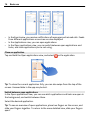
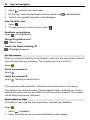
Tip: In the Alarms view, you can use the switch to temporarily deactivate an alarm.
Snooze an alarm
When an alarm sounds, you can snooze the alarm. This pauses the alarm for a defined
length of time.
When the alarm sounds, select Snooze.
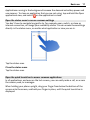
Set the length of the snooze time for an alarm
Select the alarm and More options > Snooze time, and set the length of time.
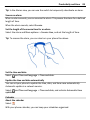
Tip: To snooze the alarm, you can also turn your phone face down.
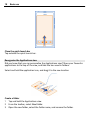
Set the time and date
Select
and Time and language > Time and date.
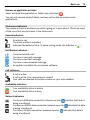
Update the time and date automatically
You can set your phone to update the time, date, and time zone automatically.
Automatic update is a network service.
and Time and language > Time and date, and activate Automatic time
Select
update.
Calendar
About the calendar
Select .
With your phone calendar, you can keep your schedules organised.