1
Phone management
97
Memory
Free up phone memory
Do you need to increase the available phone memory, so you can install more
applications or add more content?
You can delete the following if no longer needed:
•
•
•
•
Text, multimedia, and mail messages
Contact entries and details
Applications
Music, pictures, or videos
Copy content you want to keep to a compatible computer.
Synchronise content
Synchronise your important information
Would you like to have your contacts, calendar, notes, and other content backed up
and at hand, whether you are sitting by your computer or on the go with your phone?
Synchronise your important content to online services, and access them from
anywhere you go. You can also synchronise content with other devices, such as
phones or computers.
Synchronise with online services
Select .
Synchronise with other devices
> Sync and backup > Sync.
Select
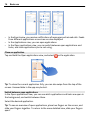
When you open the application, the default or previously used synchronisation
profiles are displayed. You may receive synchronisation settings as a configuration
message from your service provider.
Synchronise with online services
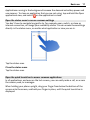
Have all your accounts, contacts, calendar entries, and other important information
synchronised to your phone. Back up your important content online for easy transfer
or restoring to your phone.
Select
.
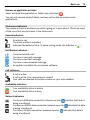
Synchronising with services is on by default.
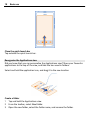
Include or exclude content
Select an account and the content type to include or exclude.