1
B: Troubleshooting
This chapter provides basic troubleshooting information. If you need assistance, please
call Customer Service.
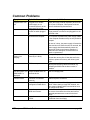
Troubleshooting
General Guidelines
The components of a computer are all interrelated. That is, a “video” problem may be
caused by the disk controller. The simplest diagnostic technique involves replacing the
suspect card with a new one. If that doesn’t fix the problem, remove all cards except for
the minimum required by the system. Then run the system, replacing each card until the
problem shows itself.
WARNING
The following procedures may involve working with high voltage,
which could injure you. Avoid shorting the circuits as this can
damage the computer.
CAUTION
The following procedures involve working with a device that is
sensitive to static electricity. Use proper precautions to protect
against electrostatic discharge (ESD). Only qualified personnel
should attempt these procedures.
ETXexpress-MC User’s Guide
page 95