1
10 BIOS Operation
10.8
Boot Menu
10.8.1 MultiBoot
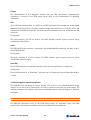
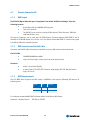
Multiboot allows you to select the following boot devices:
®
Hard disk
®
Floppy disk
®
CD-ROM
®
Network card
You can make the selections from Setup, or by selecting the boot device in the BootFirst Menu.
Note:
ETX® PM also supports booting from USB floppy and Mass Storage Device (MSD).
MultiBoot consists of the 2 menus:
®
Setup Boot Menu
®
Boot First Menu
10.8.2 The Setup Boot Menu
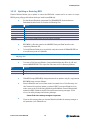
This menu allows selecting the order of the devices from which the BIOS attempts to boot the OS. During
POST, if BIOS is unsuccessful at booting from one device, it will try the next one on the list.
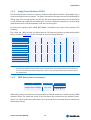
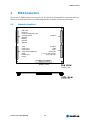
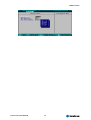
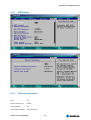
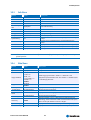
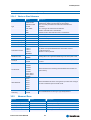
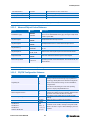
The Boot Menu shows two lists, the boot priority list and the exclude from boot order list. The sample
below shows the default configuration.
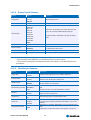
Item Specific Help
Boot Priority order:
1. IDE0: <primary master device>
2. IDE1: <primary slave device>
3. IDE2: <secondary master device>
4. IDE3: <secondary slave device>
5. IDE CD: <IDE CD-ROM>
6. USB Key: <USB stick>
7. USB CDROM: <USB CD-ROM device>
8.
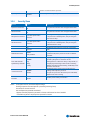
Keys used to view or configure devices:
Up and Down arrows select a device.
<+> and <-> moves the device up or down.
<f> and <r> specifies the device fixed or removable.
<x> exclude or include the device to boot.
<Shift + 1> enables or disables a device.
<1 – 4> Loads default boot sequence.
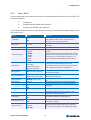
Exclude from boot order:
USB FDC: <USB Floppy drive>
USB HDD: <USB Hard Drive device>
USB ZIP: <USB ZIP drive>
USB LS-120: <USB CDROM device>
PCI BEV:
<PCI LAN device>
PCI SCSI:
<PCI SCSI device>
Bootable Add-in Cards
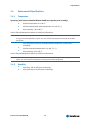
Notes:
The standard 1.44MB floppy drive is referenced as Legacy Floppy Drives.
The BIOS only tries to boot from the devices (max 8) in the Boot Priority Order list.
Kontron User's Guide ETX®-PM
76