1
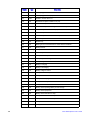
LSI MPT* SAS BIOS Configuration Utility ........................................................................... 29
Intel® RAID BIOS Console 2 Configuration Utility for Intelligent RAID ................................ 30
Intel® RAID Web Console 2 Configuration and Monitoring Utility ....................................... 31
Drive Hierarchy within the RAID Firmware .................................................................. 32
®
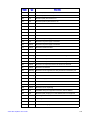
Intel Intelligent RAID Controller Features .......................................................................... 32
Enterprise Features ..................................................................................................... 32
Fault Tolerant Features ............................................................................................... 33
Cache Options and Settings ....................................................................................... 34
Background Tasks ...................................................................................................... 34
Error Handling ............................................................................................................. 35
Audible Alarm .............................................................................................................. 35
Chapter 4: Intel® RAID Drivers ................................................................................37
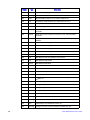
RAID Driver Installation for Microsoft Windows* ................................................................. 37
Installation in a New Microsoft Windows* Operating System ...................................... 37
Installation in an Existing Microsoft Windows* Operating System .............................. 38
RAID Driver Installation for Red Hat* Enterprise Linux ....................................................... 38
RAID Driver Installation for SuSE* Linux ............................................................................. 39
RAID Driver Installation for Novell NetWare* ...................................................................... 39
Installation in a New Novell Netware* System ............................................................ 39
Installation in an Existing Novell Netware* System ..................................................... 40
RAID Driver Installation for Solaris* 10 ............................................................................... 40
Installation in a New Solaris* System .......................................................................... 40
Installation in an Existing Solaris* System .................................................................. 40
Chapter 5: Intel® Embedded Server RAID BIOS Configuration Utility .................41
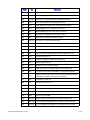
Creating, Adding or Modifying a Virtual Drive Configuration ............................................... 42
Setting the Write Cache and Read Ahead Policies ............................................................. 44
Working with a Global Hot-spare Drive ............................................................................... 44
Adding a Hot-spare Drive ............................................................................................ 45
Removing a Hot-spare Drive ....................................................................................... 45
Rebuilding a Drive ............................................................................................................... 45
Auto Rebuild and Auto Resume .................................................................................. 45
Checking Data Consistency ................................................................................................ 46
Viewing and Changing Device Properties ........................................................................... 46
Forcing a Drive Online or Offline ......................................................................................... 47
Configuring a Bootable Virtual Drive ................................................................................... 47
Deleting (Clearing) a Storage Configuration ....................................................................... 47
Chapter 6: Intel® IT/IR RAID Configuration ............................................................49
IM and IME Configuration Overview .................................................................................... 49
Features ...................................................................................................................... 49
Creating IM and IME Volumes ............................................................................................ 50
Creating an IM Volume ............................................................................................... 51
Creating an IME Volume ............................................................................................. 52
Creating a Second IM or IME Volume ................................................................................. 53
iv
Intel® RAID Software User’s Guide