1
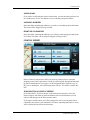
MAIN MENU
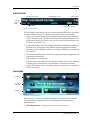
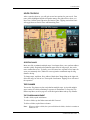
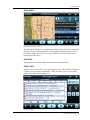
STATUS DISPLAY
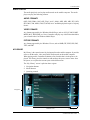
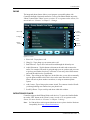
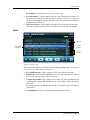
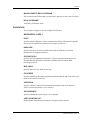
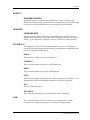
1. Current Media Playing
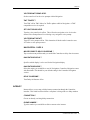
2. Random Music Status
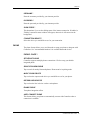
3. Time and Date
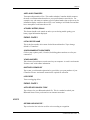
4. Elapsed
Time in
Media
5. Type of Media
6. Network Connectivity
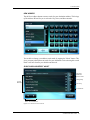
Figure 3-2: Status Display
The status display, located at the top of the screen, shows the status of the system and
the media currently playing. The elements of the status display are listed below:
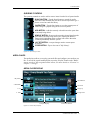
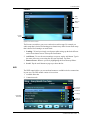
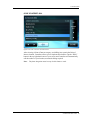
1. Name of the currently playing media. Tapping the name will bring up the Media
Library Selection screen. Tap and hold for 4 seconds to load other albums for the
playing artist. Tapping this display while you are in Radio or Sattelite Radio mode
will return you to that section.
2. Random Music Status. This shows whether playlist are in Random or Continuous
playback mode. Clicking this status indicator will also toggle between modes.
3. Local time and date. Tapping on the time will bring up a dialog box to change the
time and date.
4. Time elapsed/remaining in the current track. Tapping the time will toggle between
elapsed and remaining time.
5. Type of media currently playing.
6. Network Connectivity indicator. If the computer has network access, the indicator
will show green. If the indicator is red, then there is no network connection.
Tapping the indicator when it is red will prompt the computer to try to establish a
network connection.
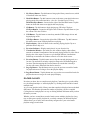
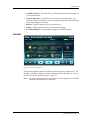
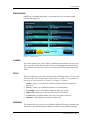
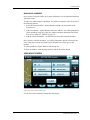
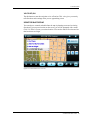
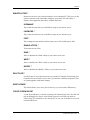
MAIN MENU
Applications
Menu Page
Buttons
Applications
Figure 3-3: Program launcher
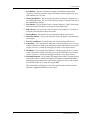
The main menu is used to list applications and plug-ins registered with Centrafuse.
These applications and plug-ins may be started by tapping on the appropriate
application button.
1. Menu Page Buttons – tap to move to the next or previous screens.
CENTRAFUSE USER GUIDE 14