1
Operation Setup: Operational Parameters
Calculating Tool Offset — CALCRAD
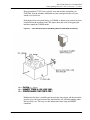
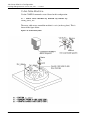
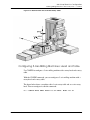
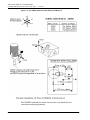
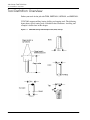
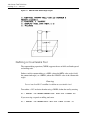
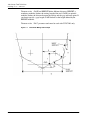
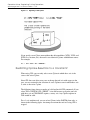
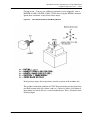
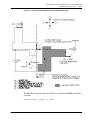
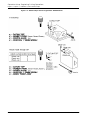
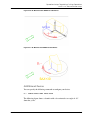
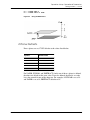
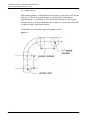
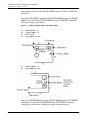
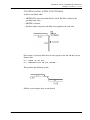
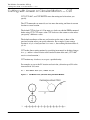
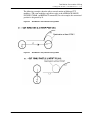
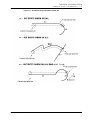
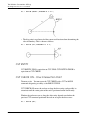
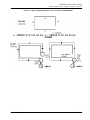
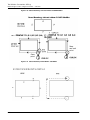
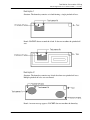
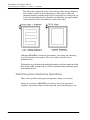
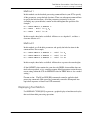
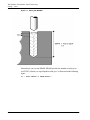
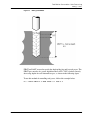
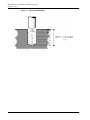
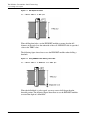
The ZWORK plane is set at -0.25 and the z-level of the entities to be cut (L1, L2,
L3, and L4) are at 0. When CALCRAD is ON, the tool radius is adjusted by the
difference of these z-levels.
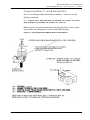
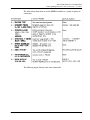
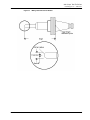
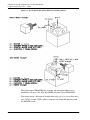
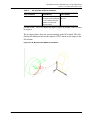
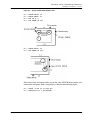
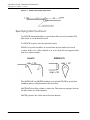
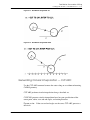
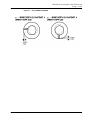
The examples given below show how to calculate the effective tool radius and
CUTs TO $L1 and CUTs PAST $L2.
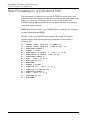
NC:> PLANE ZWORK -0.25
NC:> CALCRAD ON
NC:> CUT TO $L1;
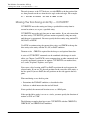
NC:> CUT ENTITY CHECK PAST $L2;
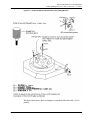
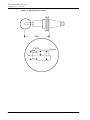
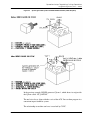
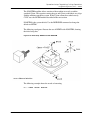
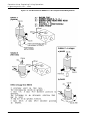
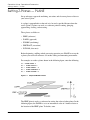
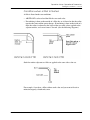
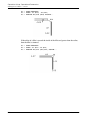
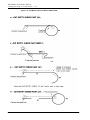
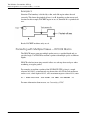
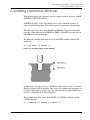
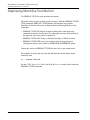
CALCRAD is now turned OFF. The next CUT is made at the same z-level.
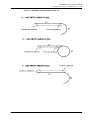
CALCRAD is still applied to L2, but not applied to the next entity L3.
NC:> CALCRAD OFF
NC:> CUT ENTITY CHECK PAST $L3;
CVNC-M2 User Guide
5-27