1
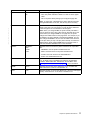
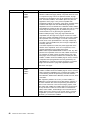
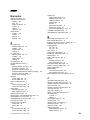
troubleshooting 143 (continued)
boxes in display area 143
changed toner, printer won’t work 143
coax dumps 67
double sheet feeds 147
duplex ignored 146
factory defaults not reset 148
frequent jams 147
IPDS problems 146
lost pages 145
no display messages 143
online hex dumps 67
paper curling 148
paper from wrong tray 145
parallel problems 147
PostScript problems 146
pre-printed forms 148
print quality 147, 149
print shading 147
printer configuration page problems 144
printer doesn’t print job 144
printer starts slowly 148
slow printing 145
Tray switching does not work 145
twinax dumps 67
wrong font 146
wrong paper size 144
tumble duplex (BINDING) 69
twinax attachment
configuring 96
configuring for SCS 93
installing 117
ordering 3
Twinax SCS Menu 93
Twinax Setup Menu 96
TX HEX PRT, Test Menu item 67
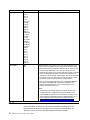
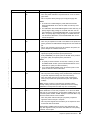
wrong paper
144
X
X-OFFSET, IPDS Menu item
81
Y
Y-OFFSET, IPDS Menu item
yield, toner 168
81
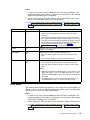
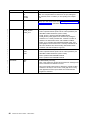
U
unpacking the printer 7
updates (code), obtaining from web
usage kit
changing 104
part number 104
replacing fuser 104
replacing transfer roller 107
utilities, obtaining from web 6
6
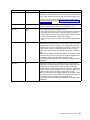
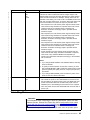
V
valid printable area checking, IPDS
Value key 16
voltage specification 167
VPA CHK, IPDS Menu item 81
81
W
web page, Printing Systems Company
weight, paper 25
worksheet, inventory repair 173
wrong font 146
6
Index
191