1
Chapter 7: Daemon Configuration
29
7 Daemon Configuration
The commands here are commonly found in the openocd.cfg file and are used to specify
what TCP/IP ports are used, and how GDB should be supported.
7.1 Configuration Stage
When the OpenOCD server process starts up, it enters a configuration stage which is the
only time that certain commands, configuration commands, may be issued. Normally, configuration commands are only available inside startup scripts.
In this manual, the definition of a configuration command is presented as a Config Command, not as a Command which may be issued interactively. The runtime help command
also highlights configuration commands, and those which may be issued at any time.
Those configuration commands include declaration of TAPs, flash banks, the interface used
for JTAG communication, and other basic setup. The server must leave the configuration stage before it may access or activate TAPs. After it leaves this stage, configuration
commands may no longer be issued.
7.2 Entering the Run Stage
The first thing OpenOCD does after leaving the configuration stage is to verify that it can
talk to the scan chain (list of TAPs) which has been configured. It will warn if it doesn’t
find TAPs it expects to find, or finds TAPs that aren’t supposed to be there. You should
see no errors at this point. If you see errors, resolve them by correcting the commands you
used to configure the server. Common errors include using an initial JTAG speed that’s
too fast, and not providing the right IDCODE values for the TAPs on the scan chain.
Once OpenOCD has entered the run stage, a number of commands become available. A
number of these relate to the debug targets you may have declared. For example, the mww
command will not be available until a target has been successfuly instantiated. If you want
to use those commands, you may need to force entry to the run stage.
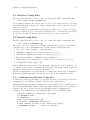
init
[Config Command]
This command terminates the configuration stage and enters the run stage. This helps
when you need to have the startup scripts manage tasks such as resetting the target,
programming flash, etc. To reset the CPU upon startup, add "init" and "reset" at
the end of the config script or at the end of the OpenOCD command line using the
‘-c’ command line switch.
If this command does not appear in any startup/configuration file OpenOCD executes
the command for you after processing all configuration files and/or command line
options.
NOTE: This command normally occurs at or near the end of your openocd.cfg file
to force OpenOCD to “initialize” and make the targets ready. For example: If your
openocd.cfg file needs to read/write memory on your target, init must occur before
the memory read/write commands. This includes nand probe.
[Overridable Procedure]
This is invoked at server startup to verify that it can talk to the scan chain (list of
TAPs) which has been configured.
jtag_init