1
Chapter 4: Running
11
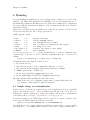
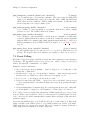
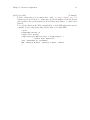
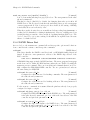
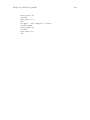
Open On-Chip Debugger 0.4.0 (2010-01-14-15:06)
For bug reports, read
http://openocd.berlios.de/doc/doxygen/bugs.html
Info : JTAG tap: lm3s.cpu tap/device found: 0x3ba00477
(mfg: 0x23b, part: 0xba00, ver: 0x3)
Seeing that "tap/device found" message, and no warnings, means the JTAG communication
is working. That’s a key milestone, but you’ll probably need more project-specific setup.
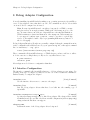
4.2 What OpenOCD does as it starts
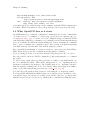
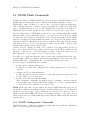
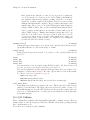
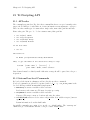
OpenOCD starts by processing the configuration commands provided on the command line
or, if there were no ‘-c command’ or ‘-f file.cfg’ options given, in ‘openocd.cfg’. See
[Configuration Stage], page 29. At the end of the configuration stage it verifies the JTAG
scan chain defined using those commands; your configuration should ensure that this always
succeeds. Normally, OpenOCD then starts running as a daemon. Alternatively, commands
may be used to terminate the configuration stage early, perform work (such as updating
some flash memory), and then shut down without acting as a daemon.
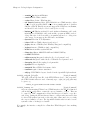
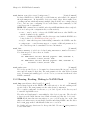
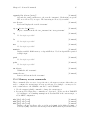
Once OpenOCD starts running as a daemon, it waits for connections from clients (Telnet,
GDB, Other) and processes the commands issued through those channels.
If you are having problems, you can enable internal debug messages via the ‘-d’ option.
Also it is possible to interleave Jim-Tcl commands w/config scripts using the ‘-c’ command
line switch.
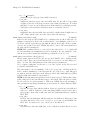
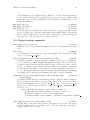
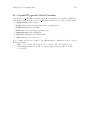
To enable debug output (when reporting problems or working on OpenOCD itself), use
the ‘-d’ command line switch. This sets the ‘debug_level’ to "3", outputting the most
information, including debug messages. The default setting is "2", outputting only informational messages, warnings and errors. You can also change this setting from within a
telnet or gdb session using debug_level <n> (see [debug level], page 82).
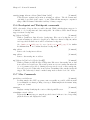
You can redirect all output from the daemon to a file using the ‘-l <logfile>’ switch.
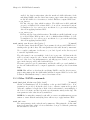
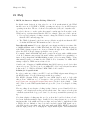
Note! OpenOCD will launch the GDB & telnet server even if it can not establish a connection with the target. In general, it is possible for the JTAG controller to be unresponsive
until the target is set up correctly via e.g. GDB monitor commands in a GDB init script.