1
Developing with DotNETConnect
Browsing the proxy class, look at the instance creation method
category, in the class methods view. There are two methods: New and
New:. New: takes a seed as argument, and so will be useful in the
resetSequence method. New will be used wherever
RandomNumberPicker originally used new.
Switch to the instance method view, and select the methods method
category. There are several methods available, but we only need
Next, which is the same as the original next, except for starting with
an uppercase letter.
Because there are obvious equivalent methods in the .NET library to
those in the VisualWorks library, the rewrite is very simple. The three
methods listed above can be simply rewritten as:
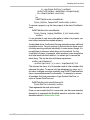
initialize
"Create the initial random number generator for this application"
myRandom := Random New.
nextRandom
"Update the current random display with the Next button is clicked"
currentRandomValue value: myRandom Next
resetSequence
"Start a new Random, with a specified seed if seed is not 0"
| seedValue |
seedValue := seed value.
seedValue = 0
ifTrue: [myRandom := Random New]
ifFalse: [myRandom := Random New: seedValue].
currentRandomValue value: 0.
Make and save these changes.
We are almost done, but not quite. If we tried to open the modified
application now, by evaluating RandomNumberPicker open, we would
get a Message Not Understood walkback notifier saying that New is not
understood. We need to adjust the name space.
DotNET Connect User’s Guide
1-11