1
Contents
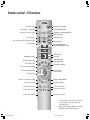
Remote control – TV functions
3
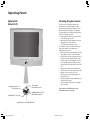
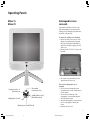
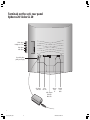
Operating Panels
Cleaning the glass screen
Exchangeable screen surround
4-5
4
5
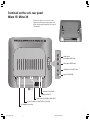
Terminals on the set´s rear panel
6-7
Welcome
Thank you
Installation
Cleaning
8
8
8
8
For your own safety
9
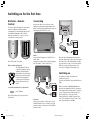
Switching on for the first time
10-11
Batteries – Remote control
10
Connection
10
Switching on
10
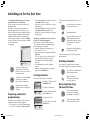
Preparing automatic programming
11
Sorting channels
11
Deleting channels
11
Reserving/inserting channel position
11
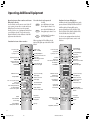
Operating extra equipment
20-26
Connecting and operating audio/
video equipment
21
Video playback over
TV aerial input
21-22
Connecting the video recorder
via AV cable
22-23
Operating video equipment via
operating strip
23
Video menu and timer recording
23-24
Changing or cancelling the timer
24
Connecting a TV-camera or Camcorder
to the VIDEO IN or AVS sockets
24-25
Video playback via other
channel numbers
25
Decoder channels
25
Converting remote control
for VCR or DVD equipment
26
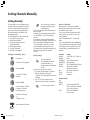
Setting channels manually
27
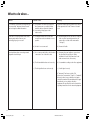
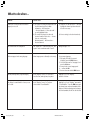
What to do when…
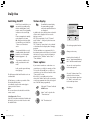
Daily use
Switching on/off
Status display
Timer options
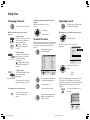
Changing channels
Channel preview
Adjusting the sound
Adjusting the picture
Standard settings
Parental lock
Onscreen displays
Teletext mode
Radio mode
12-20
12
12
12
13
13
13-14
15
15
15
16
16-18
19-20
28-29
Available accessories
30
Index
30
Technical data
Mechanical data
Electrical data
31
31
31
Secret number
31
Service addresses
32
2
LCD_023_RC4_GB
2
10.08.2004, 14:08 Uhr