1
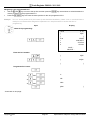
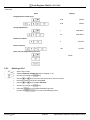
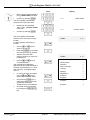
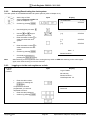
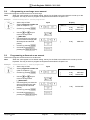
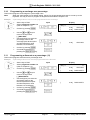
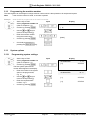
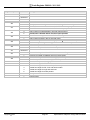
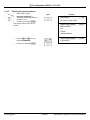
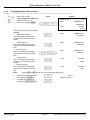
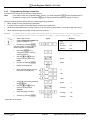
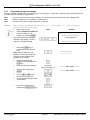
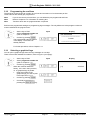
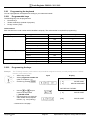
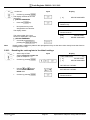
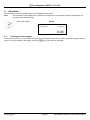
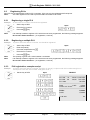
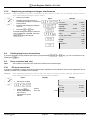
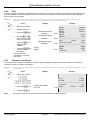
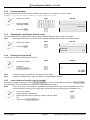
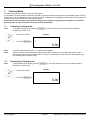
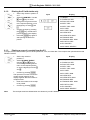
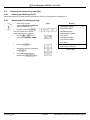
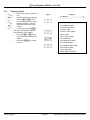
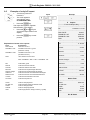
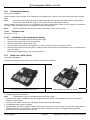
Cash Register CM 910 / 911 / 912 6.12 Printing numbers A freely selectable, 8-digit number can be printed on the receipt, e.g. a customer or voucher number. Example: 6.13 The customer number 87654321 should be printed on the receipt. ● Set the key to REG ● Enter the number, maximally 8 digits. ● Press the #/NS. Input Receipt # --------------------------------------------------- # 87654321# /# # Opening the cash drawer without a sale The cash drawer can be opened without making a sale in order to deposit or remove cash, for example. Note: 6.14 The number and total sum of no sale drawer opening operations are recorded in the financial report. ● Set the key to REG ● Press the #/NS. Input Receipt /# # ---------------------------------------------------No Sale Act: 17-06-2011 #15 Printing a receipt on/off The printing of a receipt can be switched on or off. ● Set the key to REG Input Display 17-06-2011 ● Press the Receipt ON/OFF key. ,# 16:30:00 B 0.00 Note: If receipt printing is switched off, a "B" appears in the display. Note: If the key is pressed twice in quick succession, the initial status is restored. 6.15 Later printout of receipt (copy of receipt) If printing of a receipt is switched off via the Receipt ON/OFF key, it can be printed later by pressing the Receipt ISSUE key (receipt/bill). This only relates to the receipt for the last registration process. Note: If you need a copy of the receipt for a registration recorded some time ago, it may be possible to print one from the electronic journal as long as the data is still stored there (ring journal) (refer to Chapter 8.1.3). ● ● ● ● Olympia 2011 Set the key to REG Receipt printing is switched off. Register the items and conclude by pressing a tender media key. The press the Receipt ISSUE key. Page 56 Input .# Specifications subject to change without notice!