1
6. Data
6.2.2 Operating mode
selection
If a ModBus interface is installed, the system can be operated in 3 different
operating modes:
-
-
-
Manual mode
7-day program
BMS mode
Manual mode
The system runs with the set values specified for manual mode via the BMK
programming module. The set values can be adjusted via offsets using the
ModBus interface.
7-day program
The system runs with the times and set values specified in the 7-day
program. The set values can be adjusted via offsets using the ModBus
interface.
BMS mode
The system runs with the set values specified via the ModBus interface. The
system is switched on and off via the ModBus interface.
The operating mode can be changed via the BMK programming module or
the ModBus interface.
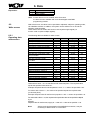
- Selecting the operating mode via the BMK programming module:
1. Navigate to the main menu with the Esc key on the BMK programming
module.
2. Select menu item Standard settings with Enter.
3. Navigate to the operating mode with the up/down arrows.
4. Highlight the operating mode with Enter.
5. Select the required operating mode with the up/down arrows and confirm
with Enter.
Standard setting
GE-18
7-day program
active
+ BMS offset
Esc BACK
SELECTION
DISPLAY
6. Use Esc to complete the entry and exit the menu item.
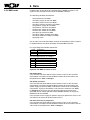
- Selecting the operating mode via ModBus interface:
The system operating mode can be specified via ModBus:
Value
0
1
2
12
Explanation
Manual mode
7-day program
BMS mode
3062947_201211