1
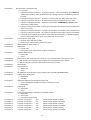
Table of Contents
1.0 General_______________________________________________________________________3
1.1 Information......................................................................................................................................................................3
1.2 Safety and Information Symbols...................................................................................................................................3
1.3 Instruction ......................................................................................................................................................................3
2.0 Product Versions_______________________________________________________________3
2.1 Model...............................................................................................................................................................................3
2.2 Motor................................................................................................................................................................................3
2.3 Opening Direction...........................................................................................................................................................3
2.4 Form.................................................................................................................................................................................3
2.5 Type..................................................................................................................................................................................3
2.6 Design..............................................................................................................................................................................3
2.7 Assembly.........................................................................................................................................................................3
2.8 Example (wall-mounting)...............................................................................................................................................3
2.9 Terminal (optional).........................................................................................................................................................4
2.9.1
2.9.2
2.9.3
2.9.4
Basic function...................................................................................................................................................................................4
Operating states................................................................................................................................................................................4
Key function.......................................................................................................................................................................................4
Parameter settings............................................................................................................................................................................4
3.0 Range of application____________________________________________________________6
3.1 Application Area.............................................................................................................................................................6
3.2 Improper use...................................................................................................................................................................6
3.3 Safety...............................................................................................................................................................................6
4.0 Assembly_____________________________________________________________________6
5.0 Putting into operation___________________________________________________________6
5.1 Precondition....................................................................................................................................................................6
5.2 Set-up procedure............................................................................................................................................................6
5.2.1 with terminal (plug-in terminal 50-53).............................................................................................................................................6
5.2.2 with notebook (plug-in terminal 1-3)...............................................................................................................................................6
5.3 Fault clearance during putting into operation procedure..........................................................................................6
6.0 Features______________________________________________________________________7
6.1 Standard feature.............................................................................................................................................................7
6.2 Optional Features ..........................................................................................................................................................7
6.3 Safety features................................................................................................................................................................7
7.0 Maintenance / Safety check______________________________________________________8
8.1 Error code / Trouble Shooting.......................................................................................................................................8
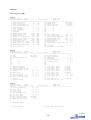
9.0 Parameters____________________________________________________________________9
9.1 Parameter list Terminal / RS232....................................................................................................................................9
9.2 Terms used on parameter list.....................................................................................................................................10
9.2.1 Description.......................................................................................................................................................................................10
10.0 Setup by RS232 (PC, notebook)_________________________________________________14
10.1 Configuration..............................................................................................................................................................14
10.2 List...............................................................................................................................................................................15
11.0 Terminal connection diagrams__________________________________________________16
11.1 Wiring diagram (maximum total cable length 10m)................................................................................................16
11.2 Terminal assignment..................................................................................................................................................17
12.0 Dimensions__________________________________________________________________17
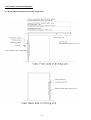
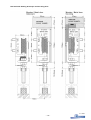
12.1 Sectional drawing one-wing drive............................................................................................................................18
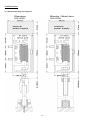
12.2 Sectional drawing telescopic and two-wing drive..................................................................................................19